
1. Introduction
This manual provides comprehensive instructions for the installation and operation of your MPC Remote Start Kit, designed specifically for 2012-2015 Ford Focus gas models with a conventional key-to-start ignition. This kit allows you to remotely start your vehicle using your existing factory key fobs, providing convenience and comfort.
The system features a plug-and-play T-Harness design, significantly simplifying the installation process by reducing the number of required wiring connections. Firmware is preloaded for your specific vehicle, ensuring compatibility and optimal performance.
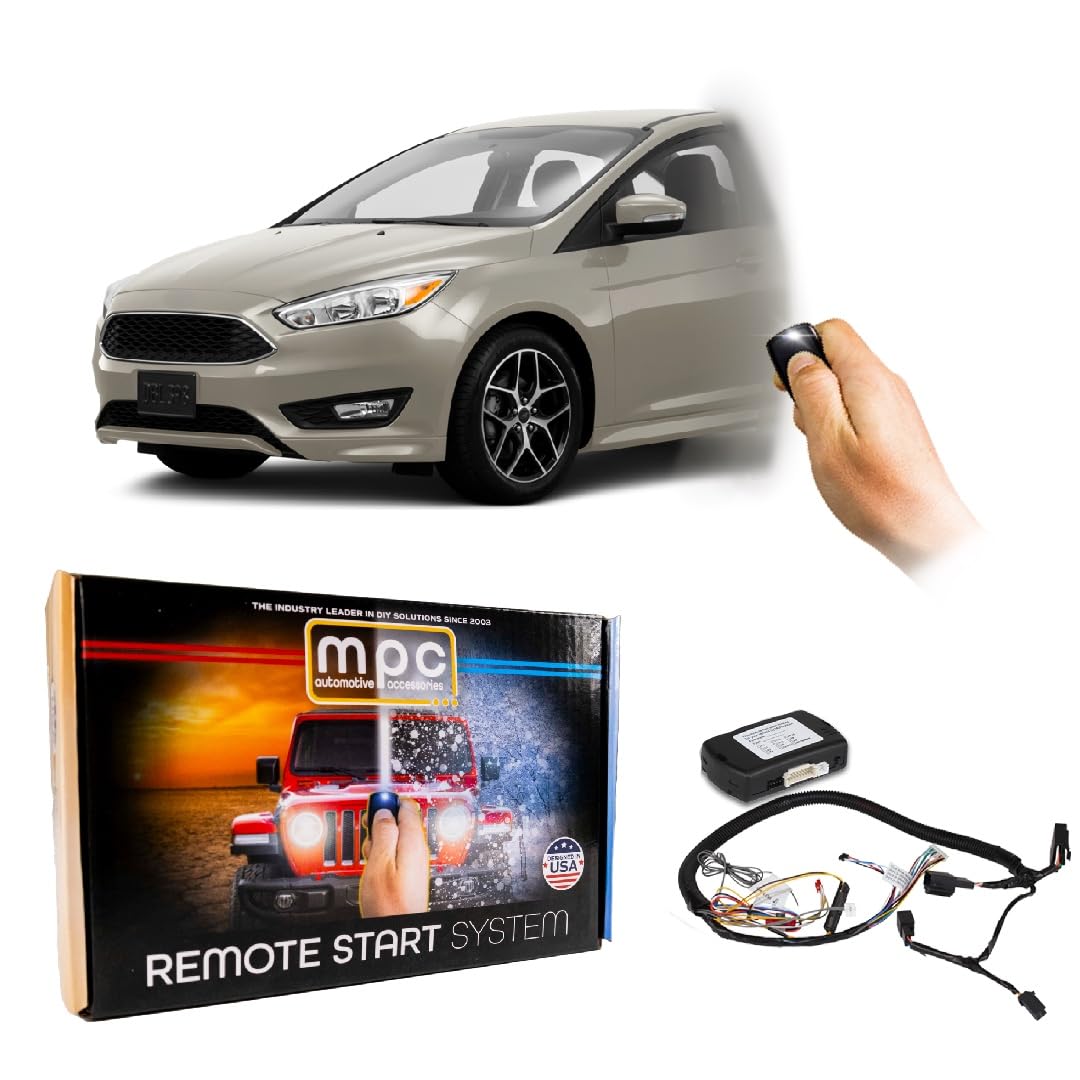
Image: Main components of the MPC Remote Start Kit.
2. Vehicle Compatibility and Requirements
- Compatible Vehicles: 2012-2015 Ford Focus (Gasoline models only).
- Ignition Type: Conventional Key-to-Start ignition ONLY. This kit is NOT compatible with Push-to-Start vehicles.
- Transmission: Automatic Transmission ONLY.
- Key Requirement: Two (2) original factory keys are required for the module programming process. Cloned or copied keys will NOT work for programming.

Image: Visual guide for vehicle ignition type compatibility.
3. Safety Information
Please read and understand all instructions before beginning installation. Improper installation can lead to vehicle damage or personal injury. Always disconnect the vehicle's battery before working on electrical systems.
Legal Disclaimer: This kit does NOT include any OEM key fob or OEM remote. It integrates with your existing factory remotes.
- Ensure the vehicle is in Park (P) and the parking brake is engaged before attempting remote start.
- Never remote start your vehicle in an enclosed space, such as a garage, due to the risk of carbon monoxide poisoning.
- Keep children and pets away from the vehicle during remote start operation.
4. Package Contents
Your MPC Remote Start Kit includes the following essential components:
- All-in-one remote starter data interface module (preloaded with vehicle firmware).
- Vehicle-specific T-Harness for plug-and-play connections.
- Installation tip sheet (available via download link).
5. Installation Guide
The MPC Remote Start Kit is designed for a straightforward installation process. While a person with basic knowledge of car electronics can install this product, taking your time and following the instructions carefully is crucial. Detailed, vehicle-specific instructions with plug locations are provided via a download link from MPC's website.

Image: Indicating ease of installation for the remote start kit.
5.1. General Installation Steps (Refer to specific instructions for your vehicle)
- Preparation: Gather necessary tools (e.g., trim removal tools, screwdrivers). Disconnect the vehicle's negative battery terminal.
- Access Vehicle Wiring: Carefully remove necessary trim panels to access the ignition harness and other required connection points. A plastic pry tool can be helpful to prevent damage.
-
Connect T-Harness: Locate the specified harnesses in your vehicle and connect the provided T-Harness. These connections are typically plug-in, minimizing wire cutting.
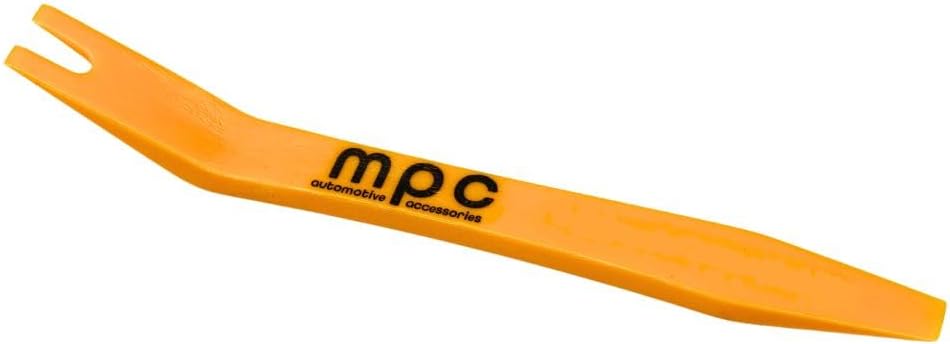
Image: Example of a pry tool for trim removal.
-
Module Placement: Secure the remote start module in a safe, out-of-the-way location, ensuring it does not interfere with vehicle operation or moving parts.

Image: Illustrative view of module connection during installation.
- Module Programming: This is a critical step. Follow the specific programming instructions provided by MPC. This typically involves a sequence of key turns and button presses using your two original factory keys to 'learn' the key codes to the module.
- Testing: Before reassembling the vehicle, reconnect the battery and test the remote start functionality.
- Reassembly: Once confirmed working, carefully reassemble all trim panels.
Important: The programming process requires two original factory keys. Cloned or copied keys will not be recognized by the module for programming.
6. Operating Instructions
Your MPC Remote Start Kit utilizes your vehicle's existing factory key fobs for remote start functionality. No additional remotes are needed.

Image: Using your factory key fobs for remote start.
6.1. To Remote Start Your Vehicle:
- Ensure your vehicle is off, in Park (P), and all doors are closed.
- Press the LOCK button on your factory key fob three (3) times consecutively.
- The vehicle's parking lights will flash, and the engine will start. The vehicle will run for a preset duration (typically 15 minutes) or until you enter the vehicle and turn the key to the ON position.
6.2. To Turn Off Remote Start:
- Press the LOCK button on your factory key fob three (3) times consecutively again.
- Alternatively, insert the key into the ignition and turn it to the ON position, then press the brake pedal.
7. Maintenance
The MPC Remote Start Kit is designed to be maintenance-free. Ensure all connections remain secure and free from moisture or debris. Periodically check for any loose wiring or signs of wear. No user-serviceable parts are inside the module.
8. Troubleshooting
If you encounter issues with your remote start system, please review the following common troubleshooting steps:
- Remote Start Not Activating:
- Ensure all doors, hood, and trunk are closed.
- Verify the vehicle is in Park (P).
- Check the battery level of your factory key fob.
- Confirm you are pressing the LOCK button three times within a short interval.
- Vehicle Starts but Shuts Off Immediately:
- This could indicate an issue with the module's programming or a vehicle sensor. Re-verify the programming steps using two original factory keys.
- Ensure all T-Harness connections are fully seated and secure.
- During Programming, Car Does Not Start (Engine Turn On):
- During the key programming sequence, the vehicle may not physically start the engine. Instead, it typically enters the 'ignition ON' position (dash lights illuminate, chimes may sound). If this occurs, the programming is likely proceeding correctly.
- Vehicle Electrical Issues After Installation:
- Double-check all connections for proper seating and ensure no wires are pinched or damaged.
- If issues persist, disconnect the remote start module and test the vehicle's original functionality. If the problem resolves, contact technical support.
For further assistance, please refer to the Technical Support section.
9. Specifications
| Item Weight | 13.1 ounces |
| Product Dimensions | 12 x 15.5 x 0.5 inches |
| Item Model Number | B-4370-224 |
| Date First Available | November 20, 2018 |
10. Warranty Information
This product is covered by a 1-year limited warranty through either MyPushcart or the product's manufacturer. The warranty applies to properly installed products under normal use and protects against defects in workmanship and materials for one year from the original purchase date.
Exclusions: The warranty does not cover abuse, misuse, improper operation, or damage due to environmental exposure. If a defect is deemed under warranty, MyPushcart may choose to repair or replace the product at no cost to the original purchaser. MyPushcart is not responsible for installation charges, labor costs, or any incidental loss or damage related to warranty service.
11. Technical Support
MPC offers dedicated U.S.-based technical support to assist you with any questions or installation challenges. In addition to the downloadable installation tip sheet, expert assistance is available:
- Phone Support: Monday - Friday, 9 AM - 5 PM Arizona time.
- Web-based Support: You can open a web-based support ticket 24/7 for assistance.
Contact information for technical support will be provided with your product documentation or can be found on the MPC website.

Image: MPC Technical Support availability.