
1. Product Overview
The Incipio Clarion Folio Case is designed to provide robust protection and enhanced functionality for your Apple 11 Inch iPad Pro (2018). It features a durable nylon cover and a clear, shock-resistant Flex2O TPU shell, safeguarding your device from dust and scratches while allowing the iPad's design to remain visible through the transparent back.
Key features include a stand function for comfortable viewing and typing, and a wake/sleep function that automatically activates or deactivates your iPad's screen when the cover is opened or closed.

Image 1.1: Incipio Clarion Folio Case with an iPad inserted, showcasing the transparent back and open cover.
2. Setup Instructions
Follow these steps to properly install your Apple 11 Inch iPad Pro (2018) into the Incipio Clarion Folio Case:
- Prepare Your iPad: Ensure your iPad is clean and free of any debris or dust before installation.
- Align the iPad: Gently align your iPad with the Flex2O TPU shell. Start by inserting one side of the iPad into the flexible frame.
- Secure the iPad: Carefully press the remaining edges of the iPad into the shell until it is fully seated and all corners are securely covered by the case. The flexible material allows for easy insertion and removal.
- Check Fit: Verify that all ports, buttons, and the camera are accessible and unobstructed. The case should fit snugly around your device.
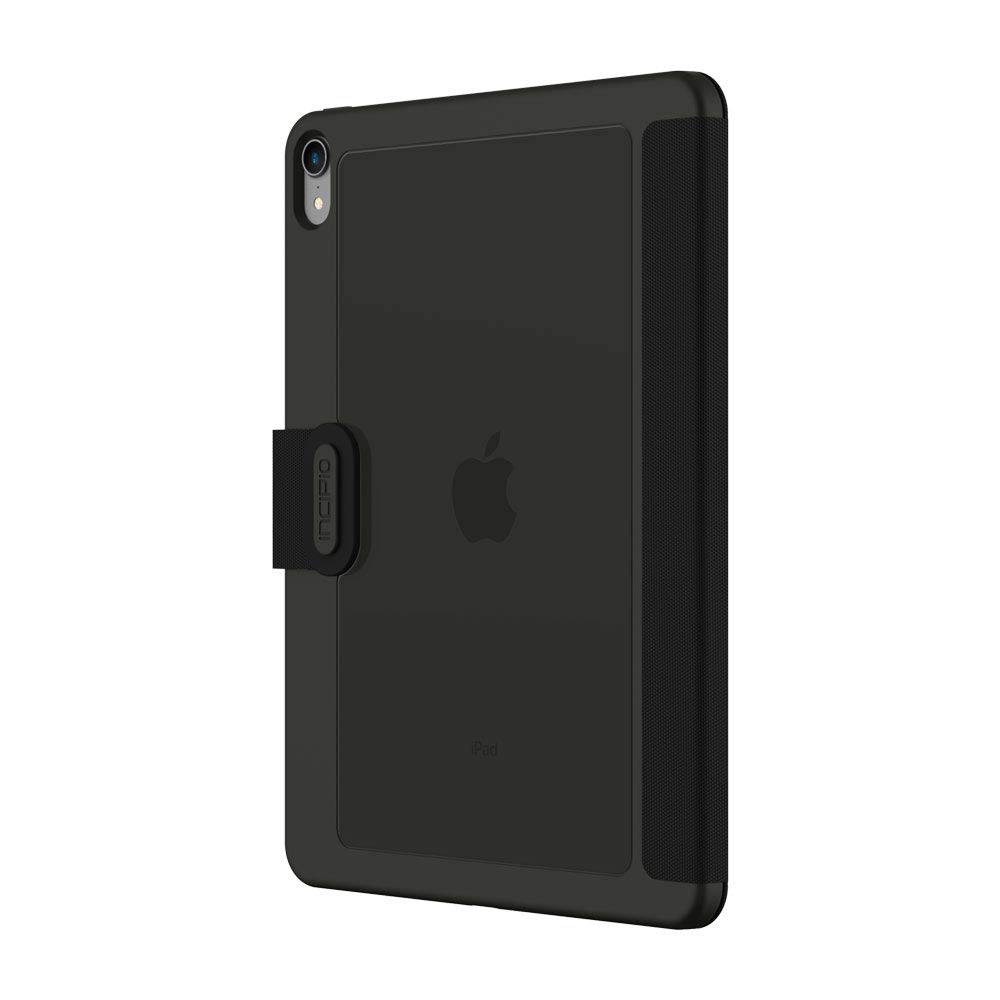
Image 2.1: Rear view of the Incipio Clarion Folio Case with an iPad, illustrating the precise cutouts for the camera and the transparent back.
3. Operating Instructions
3.1. Stand Function
The Incipio Clarion Folio Case features a versatile stand function, allowing for multiple viewing angles. To activate the stand:
- Open the Cover: Fold the front cover completely open.
- Position for Viewing: Fold the cover back to create a triangular support structure. The magnetic closure helps secure the stand in place.
- Adjust Angle: Adjust the fold to achieve your desired viewing or typing angle.

Image 3.1: The Incipio Clarion Folio Case configured into a stand, supporting the iPad in landscape orientation for media consumption.

Image 3.2: The Incipio Clarion Folio Case adjusted to a lower angle, ideal for typing or drawing on the iPad.
3.2. Wake/Sleep Function
The case is equipped with a magnetic sensor that interacts with your iPad's built-in wake/sleep feature:
- Opening the Cover: When you open the front cover, your iPad's screen will automatically wake up.
- Closing the Cover: When you close the front cover, your iPad's screen will automatically go to sleep, conserving battery life.
Ensure your iPad's 'Lock/Unlock' setting is enabled for this feature to function correctly. This setting can typically be found in your iPad's display settings.
4. Maintenance
To ensure the longevity and appearance of your Incipio Clarion Folio Case, follow these maintenance guidelines:
- Cleaning the Exterior: For the nylon cover, use a soft, damp cloth with mild soap and water. Gently wipe the surface and allow it to air dry completely. Avoid harsh chemicals or abrasive cleaners.
- Cleaning the Interior/TPU Shell: The clear Flex2O TPU shell can be cleaned with a soft, lint-free cloth. For stubborn marks, a small amount of isopropyl alcohol on a cloth can be used, then wipe dry.
- Avoid Extreme Conditions: Do not expose the case to extreme temperatures, direct sunlight for prolonged periods, or excessive moisture, as this may affect the material's integrity.
- Regular Inspection: Periodically inspect the case for any signs of wear or damage.
5. Troubleshooting
If you encounter any issues with your Incipio Clarion Folio Case, consider the following:
- Case Not Fitting Properly: Ensure you have the correct model of iPad (Apple 11 Inch iPad Pro (2018)). Remove and re-install the iPad, ensuring all corners are fully seated within the flexible shell.
- Wake/Sleep Function Not Working: Check your iPad's settings to ensure the 'Lock/Unlock' feature is enabled. Also, ensure the case cover is fully closed and making proper contact with the screen.
- General Wear and Tear: Over time, materials may show signs of use. Regular cleaning and proper handling can extend the life of your case.
For further assistance, please refer to the support information provided in Section 7.
6. Specifications
| Feature | Detail |
|---|---|
| Model Number | IPD-403-BLK |
| Compatible Devices | Apple 11 Inch iPad Pro (2018) |
| Color | Black |
| Materials | Nylon Cover, Flex2O TPU Shell |
| Dimensions (LxWxH) | 10.43 x 6.89 x 0.79 inches (26.49 x 17.50 x 2.01 cm) |
| Item Weight | 6.4 ounces (181.44 grams) |
| Special Features | Stand Function, Wake/Sleep Function, Transparent Back |
| What's in the Box | Incipio Protective Case |
7. Warranty and Support
Incipio products are designed for quality and durability. For information regarding warranty coverage, product registration, or technical support, please visit the official Incipio website or contact their customer service directly.
Incipio Official Website: www.incipio.com
Please have your product model number (IPD-403-BLK) and proof of purchase ready when contacting support.