
1. Product Overview
The ROMOSS 2-in-1 Multi Charger Cable is designed for efficient charging and data synchronization across a variety of mobile devices. It features a versatile connector that supports both Lightning and Micro USB inputs, ensuring compatibility with a wide range of smartphones and tablets.
Key Features
- Universal Compatibility: USB-A to Lightning/Micro USB 2-in-1 design.
- Dual Device Charging: Charge devices with Micro USB and Lightning ports simultaneously.
- Safe and High-Speed Charging: Thick gauge wiring and reduced cable resistance ensure efficient charging and data transfer speeds up to 480Mb/s.
- Durable Design: Features strengthened aluminum shielding, laser-welded connectors, and a flexible TPE exterior for enhanced durability and tangle prevention.
- Optimal Length: 1.5 meters (4.9 feet) length for convenient use in various settings.
2. Setup Guide
Connecting the Cable
The ROMOSS 2-in-1 cable features a standard USB-A connector on one end and a dual-purpose connector on the other. This dual connector integrates both a Lightning connector and a Micro USB connector.
- Step 1: Connect to Power Source
Insert the standard USB-A end of the cable into a compatible USB power adapter (not included), a computer's USB port, or a power bank. - Step 2: Connect to Device
- For Apple devices (iPhone, iPad, iPod) with a Lightning port, use the Lightning connector.
- For Android, Windows, or other devices with a Micro USB port, use the Micro USB connector. The Lightning connector can be lifted or moved aside to reveal the Micro USB connector underneath.

Image: The ROMOSS 2-in-1 Multi Charger Cable, highlighting its standard USB-A connector and the innovative dual-purpose end that combines a Lightning connector and a Micro USB connector for broad device compatibility.
3. Operating Instructions
Charging Your Device
Once connected to a power source and your device, the cable will initiate charging. The cable supports up to 3 amps for efficient power delivery.
Data Synchronization
When connected to a computer, the cable also facilitates data transfer between your device and the computer. Ensure your device is unlocked and permissions are granted for data access if prompted.
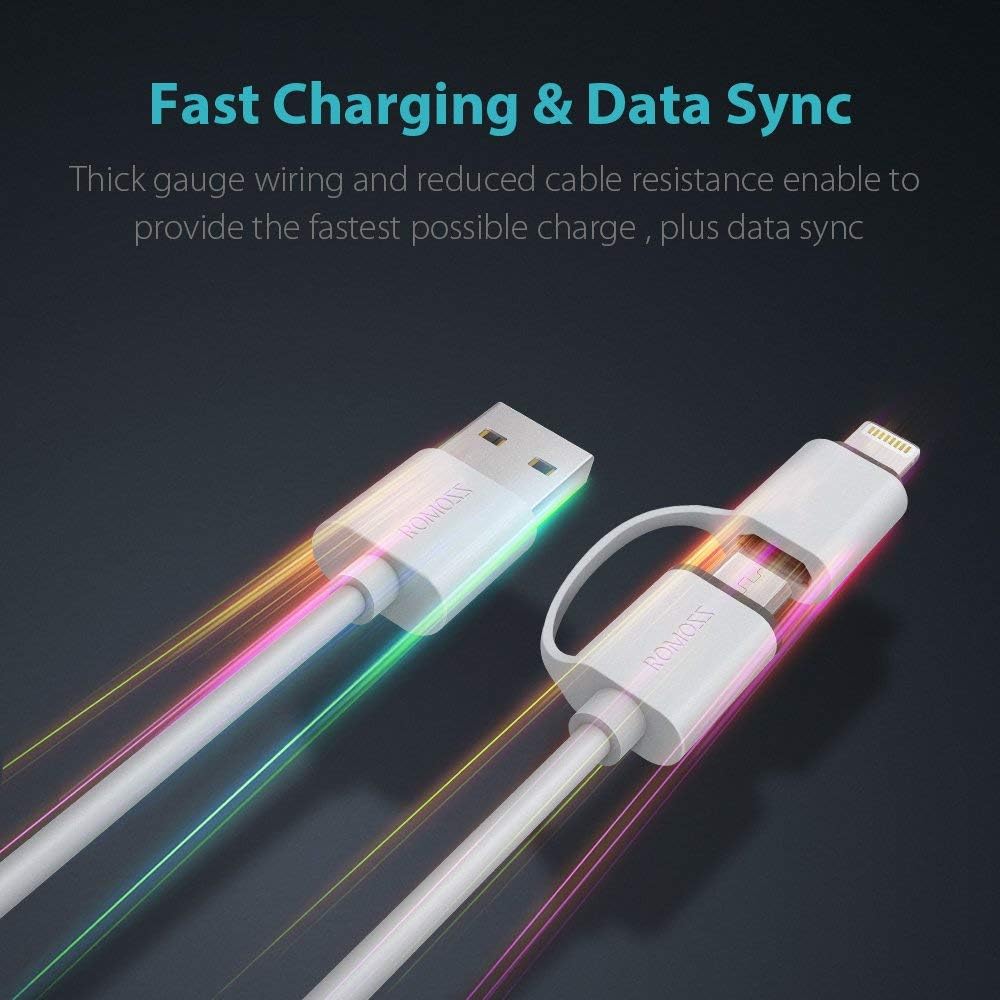
Image: This image visually represents the cable's fast charging and data sync features, with dynamic light effects emanating from the connectors, symbolizing quick power delivery and efficient data transfer.
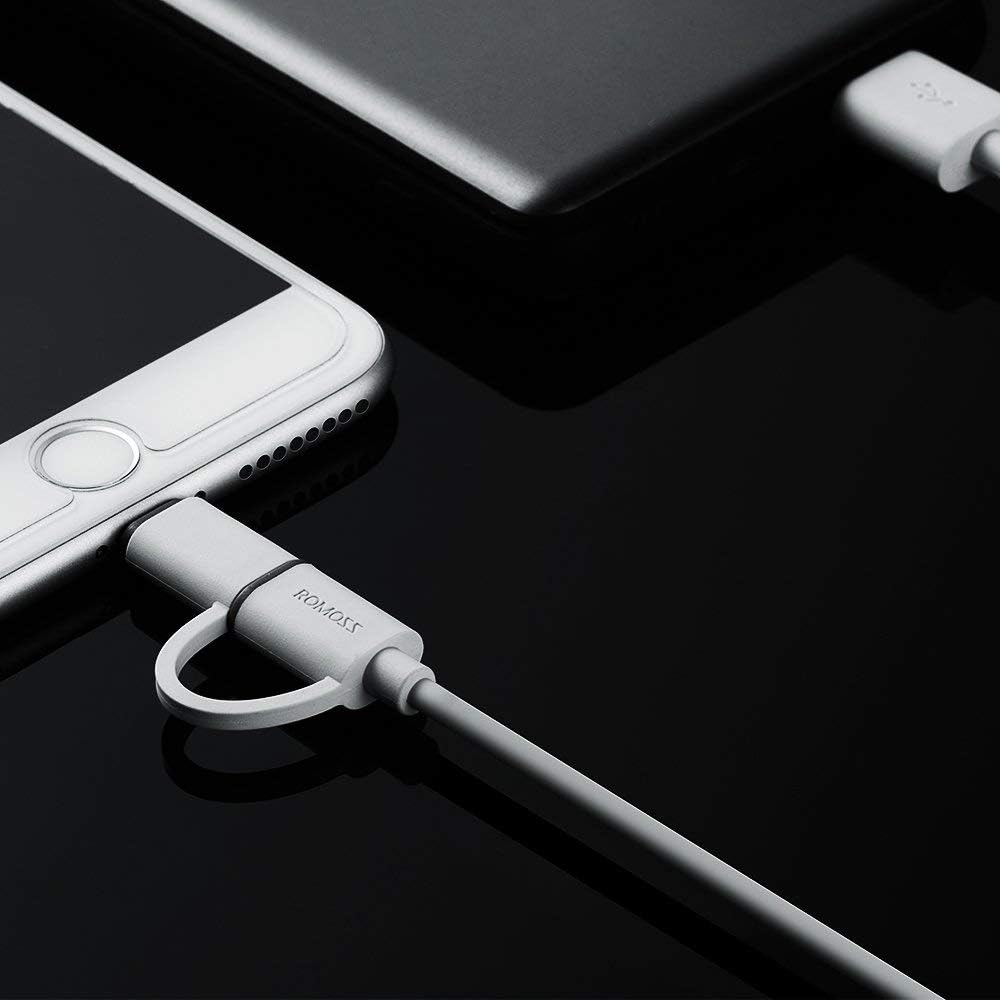
Image: A practical image showing the ROMOSS 2-in-1 cable actively connected to a smartphone, illustrating how it appears during use for charging or data transfer.
4. Compatibility
This cable is designed to be compatible with a wide range of devices, including:
- Apple Devices: iPhone X, 8, 8 Plus, 7, 7 Plus, 6, 6S, 6S Plus, 5, 5c, 5s; iPad Pro, iPad Air, iPad Air 2, iPad mini, iPad mini 2, iPad mini 3, iPad mini 4, iPad 4, iPad 5; iPod Nano 7, iPod Touch 5.
- Android/Windows Devices (Micro USB): Samsung, Alcatel, Asus, BlackBerry, BLU, Nexus, HTC, Huawei, LG, Meizu, Motorola, Nokia, Sony, and other smartphones/tablets with a Micro USB port.
Note:
- This cable is not compatible with iPhone 4, iPad 2, iPad 3, iPod Nano 6, iPod Touch 4, or earlier versions.
- This cable is designed for Lightning and Micro USB ports. It does not directly support USB Type-C ports.

Image: This diagram demonstrates the universal compatibility of the ROMOSS 2-in-1 cable, showing it connected to an iPhone for iOS devices and an Android phone for Android devices, emphasizing its convenience for users with multiple device types.

Image: A detailed view of the cable's reinforced connectors, specifically showing the Lightning input and the Micro USB input, highlighting the robust design intended for durability and reliable connection.
5. Care and Maintenance
To ensure the longevity and optimal performance of your ROMOSS 2-in-1 Multi Charger Cable, please follow these guidelines:
- Storage: Store the cable in a clean, dry environment when not in use. Avoid extreme temperatures.
- Handling: Do not bend the cable sharply at the connectors. The cable is designed for durability with a bend lifespan of over 3000 bends, but excessive force can cause damage.
- Cleaning: Use a soft, dry cloth to clean the cable and connectors. Avoid using liquids or abrasive cleaners.
- Tangle Prevention: The TPE exterior is designed to be flexible and prevent tangling. Coil the cable loosely when storing to maintain its integrity.

Image: An illustration showcasing the cable's durability through a bend test, indicating its ability to withstand over 3000 bends without damage, a testament to its robust construction.
6. Troubleshooting
If you encounter issues with your ROMOSS 2-in-1 Multi Charger Cable, consider the following:
- Device Not Charging:
- Ensure the cable is securely connected to both the power source and your device.
- Verify that the power source (wall adapter, computer port) is functional.
- Check if the device's charging port is clean and free of debris.
- Test the cable with another compatible device or power source to isolate the issue.
- Slow Charging:
- Ensure you are using a compatible power adapter that provides sufficient output (e.g., 5V/2A or higher for faster charging).
- Avoid using the device heavily while charging, as this can slow down the process.
- Data Transfer Issues:
- Confirm your device is unlocked and has granted necessary permissions for data access when connected to a computer.
- Try connecting to a different USB port on your computer.
- Compatibility with Specific Devices:
- While broadly compatible, some specific devices or operating system versions may have unique requirements. Refer to your device's manual for specific charging cable recommendations.
- Note for Mac Users: Some users have reported compatibility issues with certain Mac products, potentially leading to system reboots or port malfunctions. If you experience such issues, discontinue use with Mac devices and consult Apple support. It is generally recommended to use Apple-certified cables for Mac products.
7. Product Specifications
- Brand: ROMOSS
- Model: CB20-3PACK
- Connector Type: USB-A to Lightning and Micro USB
- Cable Type: Charging and Data Sync
- Compatible Devices: Smartphones, Tablets (iOS, Android, Windows with Micro USB)
- Length: 1.5 meters (4.9 feet)
- Data Transfer Rate: Up to 480 Megabits Per Second
- Outer Material: Thermoplastic Elastomer (TPE)
- Color: Black (Note: Product images may show white/grey variants)
- Number of Items: 2 (in a pack)
- Item Weight: 1.13 ounces
- Manufacturer: ROMOSS
- First Available: November 15, 2018
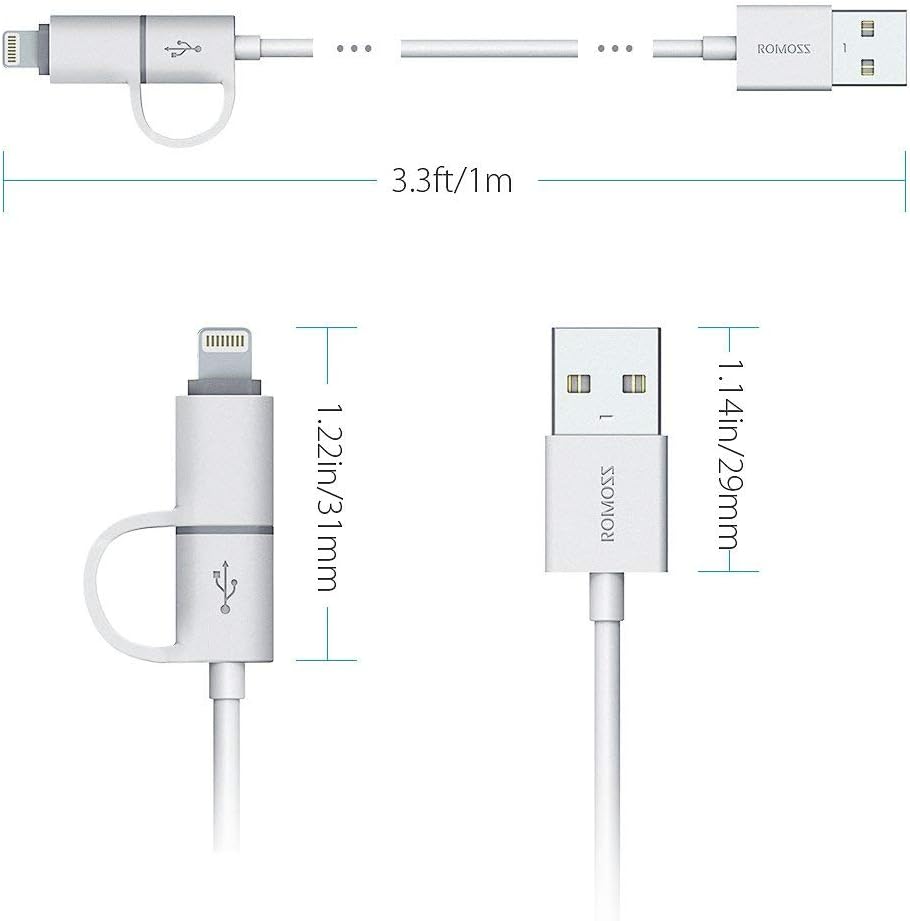
Image: This technical drawing provides precise measurements of the ROMOSS 2-in-1 cable, detailing its overall length and the dimensions of both the USB-A and the dual Lightning/Micro USB connectors.
8. Warranty and Support
ROMOSS provides a 12-month warranty for this product from the date of purchase. This warranty covers manufacturing defects and ensures the product meets its specified performance standards.
For any warranty claims, technical assistance, or support inquiries, please contact ROMOSS customer service through the retailer where the product was purchased or visit the official ROMOSS website for contact details.