Introduction
Thank you for purchasing the JoyGeek Shower Radio Bluetooth Speaker 5.0. This manual provides detailed instructions for the setup, operation, and maintenance of your new device. Please read this manual thoroughly before use to ensure proper functionality and to maximize your user experience. Keep this manual for future reference.
Package Contents
Please check the package contents upon opening to ensure all items are present:
- JoyGeek Shower Radio Bluetooth Speaker 5.0 (Model: BS01)
- USB Charging Cable (AC wall charger not included)
- User Manual
Safety Information
- This speaker features an automatic power-saving function. If the device is in Bluetooth mode and remains unused for 5 minutes, it will automatically power off to conserve battery life.
- The speaker has an IPX4 water-resistant rating, protecting it from splashes. Do not immerse the speaker in water or install it directly under a shower head.
- Before attaching the speaker, ensure the surface (e.g., ceramic, glass, or other smooth surface) is clean and dry.
- Remove the protective film from the LCD screen before first use.
Product Features
- Bluetooth 5.0 Technology: Provides faster pairing, more stable connection, and efficient signal transmission.
- Extended Playtime: Built-in 1000mAh rechargeable lithium-ion battery offers up to 10 hours of music playback.
- Superior Sound Quality: Equipped with 3-watt output power and dual acoustic drivers for rich bass, clear mid-range, and smooth treble.

Image: The JoyGeek Shower Speaker mounted on a shower wall, with musical notes emanating, demonstrating its 3W strong driver for rich, immersive sound in a bathroom setting.
- LCD Display Screen: Conveniently shows time, volume level, battery status, and FM radio frequency.
- IPX4 Water Resistance: Designed to withstand splashes, making it suitable for bathroom and outdoor use.
- FM Radio Function: Tune into FM radio stations within the 87.5MHz to 108.0MHz band.
- Strong Suction Cup: Allows for easy attachment to smooth surfaces like shower walls, glass, or countertops.
- Hands-Free Calling: Built-in microphone enables hands-free phone calls.
- Micro SD Card Support: Play music directly from a Micro SD card.
- Portable Design: Compact and lightweight for easy transport.
Setup
Charging the Speaker
Before first use, fully charge the speaker. Connect the supplied USB charging cable to the speaker's charging port and the other end to a USB power source (e.g., computer USB port, USB wall adapter - not included). The LCD display will indicate charging status. A full charge typically takes a few hours.
Mounting the Speaker
The speaker comes with a strong suction cup for easy mounting.
- Ensure the desired surface (e.g., ceramic tiles, glass, smooth countertop) is clean and dry.
- Press the suction cup firmly against the surface until it adheres securely.

Image: Dimensions of the speaker (95mm diameter, 55mm depth) and its suction cup, highlighting features like 10 meters wireless range, rechargeable Li-battery, FM radio, HD mic, and hands-free call capability.
Operating Instructions
Button Functions Overview

Image: A detailed diagram illustrating the function of each button on the speaker's face. Buttons include ON/OFF, FM radio, Pick up/hang up call, Short press for next song/long press for volume up, Play/Pause, and Short press for previous song/long press for volume down.
- ON/OFF Button: Short press to switch the speaker on or off.
- FM Radio Button (M/FM): Short press to switch between modes (Bluetooth/FM/SD Card). Long press to activate FM radio auto-scan.
- Call Button (Phone Icon): Short press to pick up or hang up a phone call.
- Next Song / Volume Up Button (>| / +): Short press for the next song (in Bluetooth/SD mode). Long press for volume up.
- Play/Pause Button (>||): Short press to play or pause music.
- Previous Song / Volume Down Button (|< / -): Short press for the previous song (in Bluetooth/SD mode). Long press for volume down.
Bluetooth Pairing
- Ensure the speaker is powered on. It will automatically enter Bluetooth pairing mode, indicated by a flashing Bluetooth icon on the LCD.
- On your device (smartphone, tablet, etc.), enable Bluetooth and search for available devices.
- Select "JoyGeek BS01" (or similar name) from the list of devices.
- Once paired, the Bluetooth icon on the speaker's LCD will stop flashing and remain solid. You can now play audio from your device through the speaker.
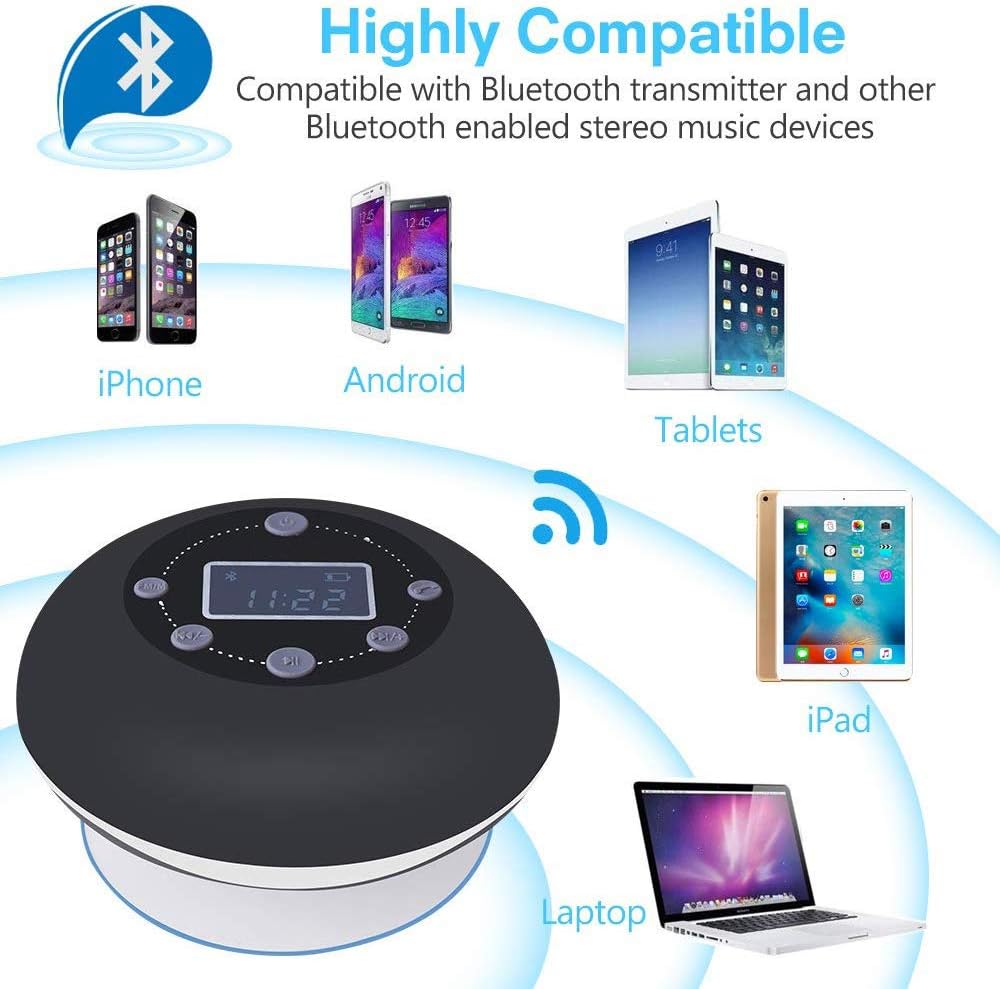
Image: The speaker demonstrating compatibility with various Bluetooth-enabled devices, including iPhones, Android phones, tablets, iPads, and laptops, indicating easy and fast connection from up to 33 feet away.
FM Radio Operation
- Press the "M/FM" button to switch to FM Radio mode. The LCD will display the FM frequency.
- Long press the "M/FM" button to initiate an automatic scan for FM stations. The speaker will scan and save available stations.
- Use the "Previous Song" (|<) and "Next Song" (>|) buttons to navigate through the saved FM stations.
SD Card Playback
Insert a Micro SD card with audio files into the designated slot. The speaker will automatically switch to SD card mode and begin playing music. Use the "Previous Song" (|<), "Next Song" (>|), and "Play/Pause" (>||) buttons to control playback.
Hands-Free Calling
When connected via Bluetooth to your phone, incoming calls will be routed through the speaker. Press the "Call" button (phone icon) to answer an incoming call. Press it again to end the call.
Maintenance
- Clean the speaker's surface with a soft, damp cloth. Do not use abrasive cleaners or immerse the device in water.
- Ensure the charging port is dry before connecting the USB cable.
- When not in use for extended periods, store the speaker in a cool, dry place.
Troubleshooting
| Problem | Possible Cause | Solution |
|---|---|---|
| Speaker does not turn on. | Battery is depleted. | Charge the speaker using the provided USB cable. |
| Cannot pair with Bluetooth device. | Speaker is not in pairing mode or too far from device. | Ensure speaker is on and Bluetooth icon is flashing. Move device closer to speaker (within 33 feet). Restart both devices. |
| No sound or low volume. | Volume too low on speaker or connected device. | Increase volume on both the speaker and your connected device. |
| Poor FM radio reception. | Weak signal or interference. | Reposition the speaker to find a better signal. Perform an auto-scan again. |
| Speaker automatically turns off. | Auto power-saving feature activated. | This is normal behavior if the speaker is in Bluetooth mode and unused for 5 minutes. |
Specifications
- Model: BS01
- Bluetooth Version: 5.0
- Battery: 1000mAh Lithium-Ion (rechargeable)
- Playtime: Up to 10 hours
- Output Power: 3 Watts
- Water Resistance: IPX4
- FM Frequency Range: 87.5MHz - 108.0MHz
- Wireless Range: Up to 33 feet (10 meters)
- Connectivity: Bluetooth, Micro SD Card
- Display: LCD
- Dimensions: Approximately 95mm (diameter) x 55mm (depth)
- Weight: Approximately 240g
Warranty and Support
JoyGeek products are manufactured under strict quality inspection. For any technical support or warranty inquiries, please refer to the contact information provided with your purchase or visit the official JoyGeek website. Please retain your proof of purchase for warranty claims.


