
Fluance RT84
Fluance RT84 Reference High Fidelity Vinyl Turntable Record Player User Manual
Model: RT84 | Brand: Fluance
Introduction
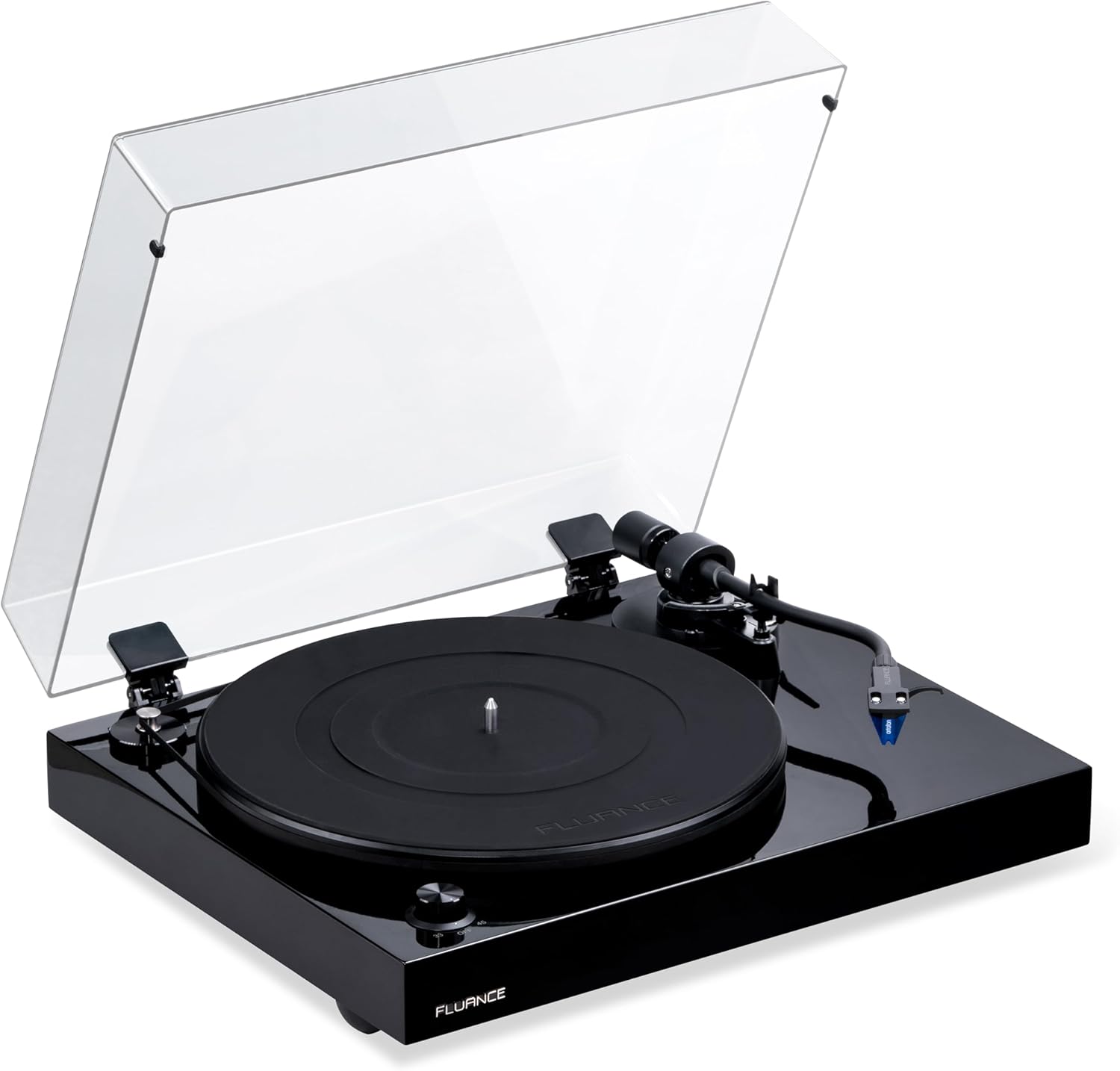
The Fluance RT84 Reference High Fidelity Vinyl Turntable is designed to deliver a pure analog listening experience with exceptional musical accuracy. Featuring an Ortofon 2M Blue elliptical cartridge, a speed control motor, a high-mass MDF wood plinth, and vibration isolation feet, this turntable ensures a clean, detailed sound reproduction.
This manual provides essential information for setting up, operating, and maintaining your Fluance RT84 turntable to ensure optimal performance and longevity.
What's Included
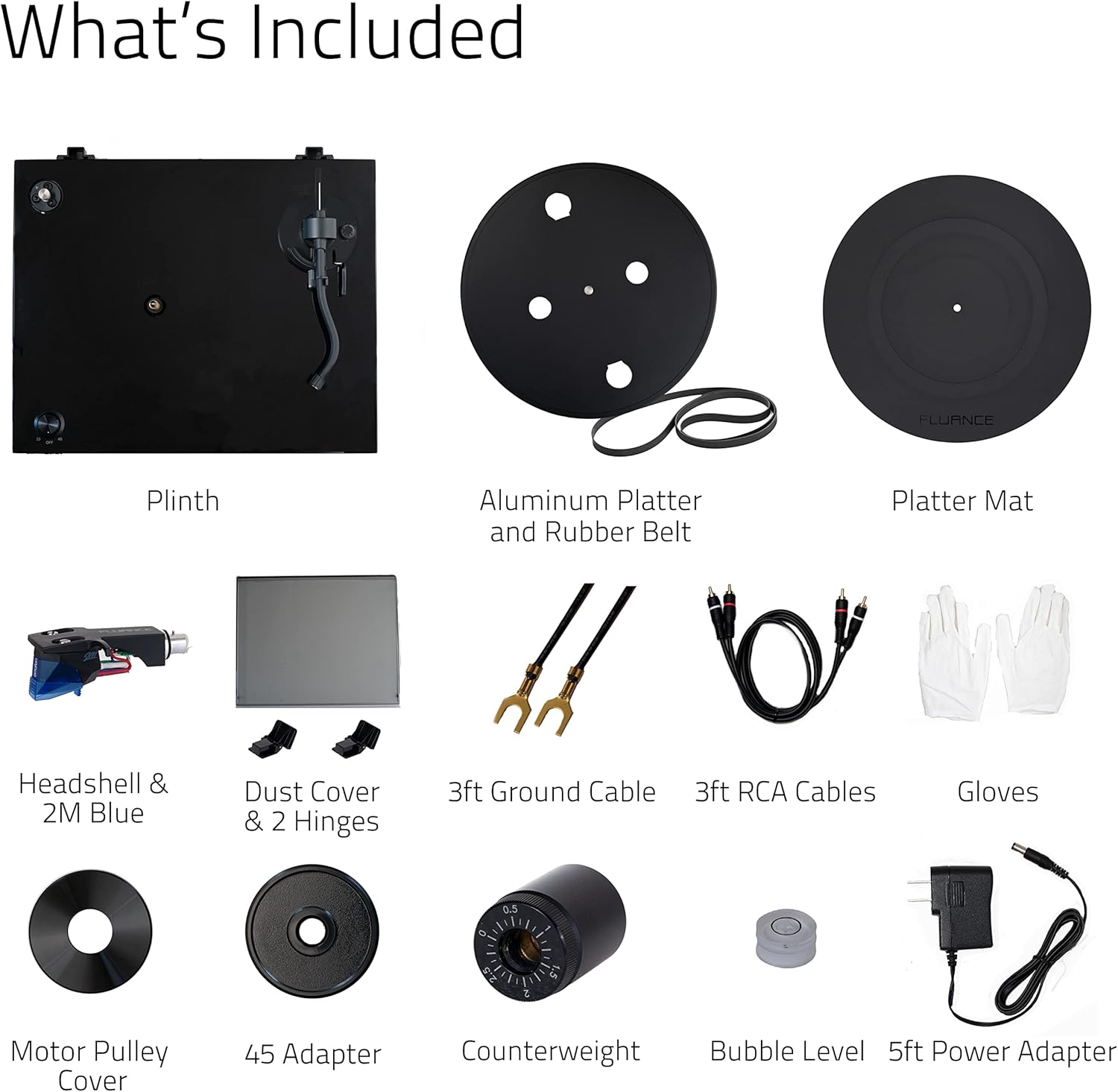
Your Fluance RT84 package includes the following components:
- RT84 Turntable Unit
- Dust Cover + Hinges
- Bubble Level
- Headshell with Ortofon 2M Blue Cartridge (pre-installed)
- Counterweight
- Aluminum Platter with Rubber Mat and Belt
- 100-240V (50/60Hz) AC Power Adapter
- 3ft RCA Cable
- 2x 3ft Ground Wire
- 45 Adaptor
- Motor Pulley Cap
- Cotton Gloves
- User Manual

Setup
1. Unpacking and Placement
Carefully remove all components from the packaging. It is recommended to keep the original packaging for future transport or storage. Place the turntable on a stable, level surface away from direct sunlight, heat sources, and strong vibrations. Use the included bubble level to ensure the plinth is perfectly horizontal.

2. Platter and Belt Installation
- Place the rubber mat onto the aluminum platter.
- Carefully place the platter onto the spindle of the turntable.
- Locate the drive belt and stretch it around the motor pulley and the inner rim of the platter. Ensure the belt is not twisted.

3. Cartridge and Tonearm Setup
The Ortofon 2M Blue cartridge comes pre-installed on the headshell. Follow these steps to balance the tonearm and set tracking force:
- Remove the stylus guard from the cartridge.
- Gently lower the tonearm lift lever.
- Rotate the counterweight onto the rear of the tonearm until the tonearm floats freely and is perfectly balanced horizontally.
- Once balanced, hold the counterweight steady and rotate the tracking force ring to '0'.
- Rotate the entire counterweight counter-clockwise until the desired tracking force (typically 1.8g for Ortofon 2M Blue) is set on the ring.
- Set the anti-skating dial to the same value as the tracking force.

4. Connecting to an Audio System
The RT84 requires an external phono preamplifier (not included) to connect to your audio system. Connect the RCA cables from the turntable to the phono input of your preamplifier, and then from the preamplifier to an available line-level input on your receiver or amplifier. Connect the ground wire from the turntable to the ground terminal on your preamplifier/receiver to minimize hum.

Operating Instructions
Playing a Record
- Place a record on the platter. If playing a 45 RPM single, use the included 45 adaptor.
- Select the appropriate speed (33 or 45 RPM) using the speed selector knob on the plinth.
- Raise the tonearm using the cueing lever.
- Carefully position the stylus over the desired starting groove of the record.
- Gently lower the cueing lever to allow the stylus to descend onto the record.
- At the end of the record, raise the tonearm using the cueing lever and return it to the tonearm rest.
- Turn the speed selector knob to "OFF" to stop the platter.
Official Product Videos
Fluance Reference High Fidelity Vinyl Turntable Record Players
This video provides an overview of the Fluance Reference Series turntables, highlighting their features and performance.
Meet The Reference Series: RT82, RT83, RT84, RT85 and RT85N
This video introduces the different models within the Fluance Reference Series, including the RT84, showcasing their unique characteristics.
Maintenance
Dust Cover Care
Regularly wipe the dust cover with a soft, lint-free cloth to prevent dust buildup. For stubborn marks, use a mild, non-abrasive cleaner specifically designed for plastics. Avoid using harsh chemicals or abrasive materials that could scratch the surface.
Stylus Cleaning
A clean stylus is crucial for optimal sound quality and to prevent damage to your records. Use a soft brush designed for stylus cleaning, brushing gently from back to front (away from the cantilever). Clean the stylus regularly, especially after playing several records.
Platter and Plinth Cleaning
Wipe the aluminum platter and the MDF wood plinth with a soft, dry cloth. For the wood plinth, avoid excessive moisture. For deeper cleaning, consult specialized wood furniture cleaners, testing on an inconspicuous area first.
Troubleshooting
| Problem | Possible Cause | Solution |
|---|---|---|
| No Sound or Low Volume | Incorrect connections, no phono preamp, damaged stylus. | Check all RCA and ground wire connections. Ensure a phono preamplifier is used. Inspect stylus for damage and replace if necessary. |
| Humming Noise | Ground wire not connected, interference. | Ensure ground wire is securely connected to both turntable and amplifier/preamp. Move turntable away from other electronic devices. |
| Skipping or Distortion | Incorrect tracking force/anti-skating, dirty stylus/record, uneven surface. | Re-balance tonearm and adjust tracking force/anti-skating. Clean stylus and record. Ensure turntable is on a level surface. |
| Incorrect Playback Speed | Wrong speed selected, belt issue. | Verify correct speed (33/45 RPM) is selected. Check if the drive belt is properly seated and not stretched or damaged. |
Specifications
| Feature | Detail |
|---|---|
| Product Dimensions | 13.75 x 16.5 x 5.5 inches |
| Item Weight | 14.99 pounds |
| Manufacturer | Fluance |
| ASIN | B07KGJX86K |
| Country of Origin | Taiwan |
| Item Model Number | RT84T |
| Connectivity Technology | Wired |
| Material | MDF Wood |
| Color | Piano Black |
| Model Name | RT84 |
| Compatible Devices | Phono Preamplifier |
Warranty and Support
The Fluance RT84 turntable comes with a 2-Year Manufacturer's Direct Warranty, ensuring peace of mind regarding your investment. Fluance also provides Lifetime Customer Support for any assistance you may need with your product.
For additional support, you can refer to the official PDF documents:
For direct assistance, please contact Fluance customer support through their official channels.
Related documentsRT84


Ask a question about this manual
Ask about setup, troubleshooting, compatibility, parts, safety, or missing instructions. Manuals+ will review the question and use this page’s manual context to help answer it.