
1. Introduction
Thank you for choosing the Green Cell 12V DC to 230V AC Pure Sine Wave Inverter. This device is designed to convert 12V DC power from your vehicle's battery into 230V AC power, allowing you to operate standard household appliances on the go. With a continuous power output of 2000W and a peak power of 4000W, this inverter provides a reliable and stable power source for a wide range of electronic devices.
The pure sine wave output ensures compatibility with sensitive electronics, such as laptops, televisions, and power tools, protecting them from potential damage. Its compact design and advanced safety features make it an ideal solution for camping, road trips, boating, and other outdoor activities where access to AC power is limited.

Image: The Green Cell Inverter provides power for various outdoor activities, including camping and travel.
2. Safety Information
Please read all safety instructions carefully before operating the inverter. Failure to follow these instructions may result in electric shock, fire, or serious injury.
- Ensure proper ventilation around the inverter to prevent overheating.
- Do not expose the inverter to water, rain, or excessive moisture.
- Keep the inverter away from flammable materials and gases.
- Connect the inverter only to a 12V DC power source.
- Always connect the ground wire to a proper grounding point.
- Do not open the inverter casing. There are no user-serviceable parts inside.
- Disconnect the inverter from the power source before performing any maintenance or cleaning.
- The inverter is equipped with internal fuses and LED indicators to protect against overloads, short circuits, and other faults.

Image: The inverter incorporates multiple safety features to protect both the device and connected electronics.
3. Product Overview
3.1 Key Features
- Pure Sine Wave Output: Provides clean and stable power, safe for sensitive electronics.
- High Power Output: 2000W continuous, 4000W peak power.
- Versatile Connectivity: Connects via cigarette lighter or directly to a 12V battery.
- Multiple Outputs: Features two 230V AC outlets and one USB port.
- Advanced Protections: Includes overload, short circuit, over-temperature, and low battery voltage protection.
- Efficient Cooling: Smart cooling system with quiet fans ensures optimal performance.

Image: The inverter delivers a pure sine wave output, suitable for sensitive electronic devices.
3.2 Components and Controls
The Green Cell Inverter is designed for ease of use with clearly labeled components.

Image: Detailed view of the inverter's front and rear panels, highlighting connection points and controls.
- AC Output Sockets: Two standard 230V AC outlets for connecting appliances.
- USB Port: For charging smaller devices (e.g., smartphones, tablets).
- On/Off Button: Powers the inverter on or off.
- Signal Diodes (LED Indicators): Provide status information (e.g., power on, fault, overload).
- Ground Wire Screw: For attaching the protective ground wire.
- DC Input Terminals: Positive (+) and Negative (-) terminals for 12V DC battery connection.
- Cooling Fans: Located at the rear, these fans activate automatically to maintain optimal operating temperature.

Image: The smart cooling system with dual fans ensures efficient heat dissipation and quiet operation.
4. Setup
Proper setup is crucial for safe and efficient operation of your inverter.
4.1 Connecting to a 12V DC Power Source
The inverter can be connected to a 12V DC power source in two ways:
- Cigarette Lighter Socket (for lower power devices): For loads up to approximately 150W, you can use the included cigarette lighter adapter. Plug the adapter into your vehicle's 12V socket and connect the other end to the inverter's DC input.
- Direct Battery Connection (for full power): For loads exceeding 150W or to utilize the inverter's full 2000W capacity, connect the inverter directly to your 12V battery using the provided heavy-gauge cables.
- Ensure the inverter is switched OFF before making any connections.
- Connect the RED cable to the inverter's positive (+) terminal and the battery's positive (+) terminal.
- Connect the BLACK cable to the inverter's negative (-) terminal and the battery's negative (-) terminal.
- Tighten all connections securely to prevent loose contacts and arcing.
- It is recommended to use a battery with sufficient capacity, ideally two 140 Ah batteries or more, for loads exceeding 1000W to prevent rapid discharge.
4.2 Grounding the Inverter
For safety, the inverter must be properly grounded. Connect a grounding wire (not included) from the ground screw on the inverter to a suitable chassis ground point in your vehicle or a reliable earth ground.

Image: The inverter package includes necessary cables and spare fuses for installation.
5. Operating Instructions
Follow these steps to operate your Green Cell Inverter:
- Ensure Proper Connection: Verify that the inverter is securely connected to the 12V DC power source and properly grounded.
- Turn On Inverter: Press the On/Off button on the inverter. The power indicator LED should illuminate, indicating the inverter is active.
- Connect Appliances: Plug your 230V AC appliances into the inverter's AC output sockets. For USB charging, connect your device to the USB port.
- Monitor Load: Ensure the total power consumption of connected appliances does not exceed the inverter's continuous power rating (2000W). For optimal performance and longevity, it is recommended that the consumed power does not exceed 85% of the inverter's nominal power.
- Power Off: When finished, first turn off all connected appliances, then press the On/Off button on the inverter to power it down.

Image: The inverter provides convenient power for laptops and other devices in a vehicle.
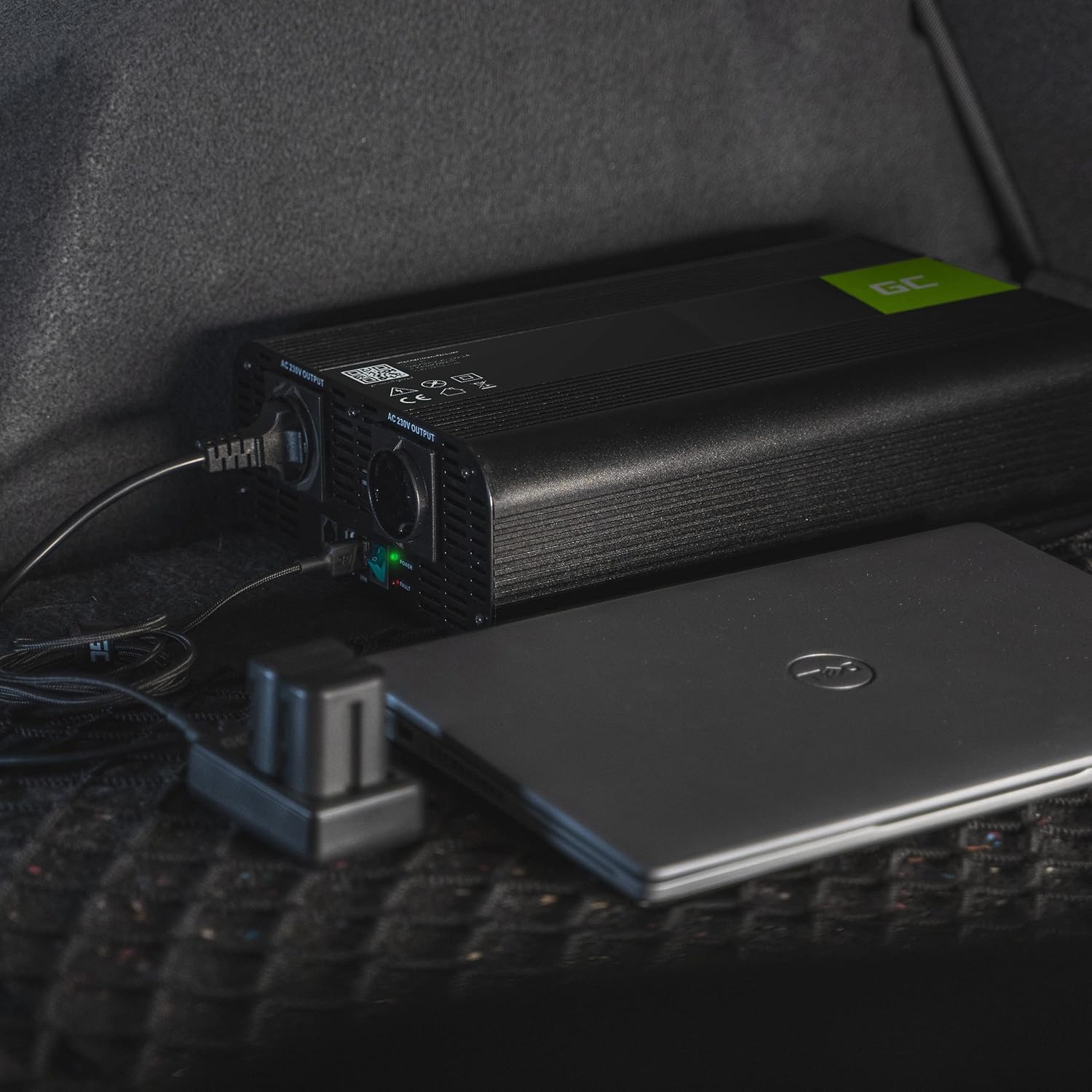
Image: Powering a laptop with the Green Cell Inverter, demonstrating its utility for mobile workstations.
6. Maintenance
Regular maintenance helps ensure the longevity and optimal performance of your inverter.
- Cleaning: Periodically clean the exterior of the inverter with a dry, soft cloth. Ensure the cooling vents are free from dust and debris. Do not use liquid cleaners.
- Fan Operation: The inverter features an active cooling system. The fans will operate as needed to dissipate heat. Ensure the fan inlets and outlets are not obstructed.
- Fuse Replacement: The inverter is equipped with internal fuses for protection. If a fuse blows, it indicates an overload or fault. While spare fuses are provided, it is recommended to have the fuses replaced by a qualified technician to ensure proper type and installation.
- Connection Check: Regularly inspect all electrical connections (DC input, grounding) for tightness and corrosion.
7. Troubleshooting
If you encounter issues with your inverter, refer to the following troubleshooting guide:
| Problem | Possible Cause | Solution |
|---|---|---|
| No power output, LED off | Inverter not turned on; Loose battery connection; Low battery voltage; Blown fuse. | Press On/Off button; Check and tighten battery cables; Charge or replace battery; Check/replace fuses (consult technician). |
| Inverter shuts down, fault LED on | Overload; Over-temperature; Short circuit; Low battery voltage. | Reduce connected load; Allow inverter to cool down, ensure ventilation; Check for short circuits in wiring/appliances; Charge or replace battery. The inverter automatically cuts off power to prevent deep discharge of the battery. |
| Appliances not working correctly | Appliance power exceeds inverter capacity; Appliance not compatible with pure sine wave (unlikely for this model, but possible for modified sine wave inverters). | Check appliance power requirements; Ensure total load is within inverter limits. |
| Fans running constantly or loudly | High load; High ambient temperature; Obstructed vents. | This is normal under high load; Ensure adequate ventilation; Clean vents. |
If the problem persists after attempting these solutions, please contact Green Cell customer support.
8. Specifications
Detailed technical specifications for the Green Cell PRO Inverter:
| Feature | Specification |
|---|---|
| Model Name | Green Cell PRO |
| Input Voltage | 12 Volts DC |
| Output Voltage | 230 Volts AC |
| Continuous Output Power | 2000 Watts |
| Peak Output Power | 4000 Watts |
| Output Waveform | Pure Sine Wave |
| Frequency | 50 Hz |
| Number of AC Outlets | 2 |
| USB Port | 1 |
| Dimensions (L x W x H) | 37 x 18 x 8 cm |
| Weight | 2 Kilograms |
| Recommended Use | Camping, boating, outdoor activities, powering sensitive electronics, charging smaller devices |
| Certifications | CE |
9. Warranty and Support
The Green Cell PRO Inverter comes with a 1-year availability for spare parts. For warranty claims, technical support, or further assistance, please refer to the contact information provided with your purchase or visit the official Green Cell website: greencell.pl.
Please retain your proof of purchase for warranty purposes.