
1. Product Overview
The Waylens Secure360 4G Dash Camera is an advanced automotive security solution that combines dashcam functionality with intelligent security features. It provides comprehensive 360-degree coverage, both inside and outside your vehicle, ensuring continuous monitoring and event capture.
Key features include:
- 360-degree Coverage: Captures everything happening in and around your vehicle.
- Built-in Infrared LEDs: Enhances visibility in low-light conditions.
- Smart Power Management: Efficiently manages power consumption for extended monitoring.
- Smart Thermal Management: Ensures optimal operating temperature.
- 4G Connectivity: Enables real-time alerts and live streaming to your mobile device (for U.S., Canada, and Mexico only).
- MicroSD Card Support: Supports Class 10 microSD cards up to 256GB for local storage.
- Automatic Cloud Uploading: Securely uploads event videos to the cloud.

Figure 1: Front view of the Waylens Secure360 4G Dash Camera.
2. What's in the Box
- Waylens Secure360 4G Dash Cam
- Direct Wire Cord
- Mounting accessories
Note: A Class 10 microSD card (up to 256GB) is required for operation and is sold separately.
3. Setup and Installation
3.1 Mounting the Device
The Secure360 4G Dash Camera is designed for surface mounting on your vehicle's dashboard or windshield. Ensure the mounting location provides a clear, unobstructed view for the 360-degree lens.
- Clean the chosen mounting surface thoroughly to ensure proper adhesion.
- Attach the mounting bracket to the dash camera.
- Securely affix the dash camera with its bracket to the prepared surface.
- Adjust the camera's orientation to ensure optimal 360-degree coverage.

Figure 2: Dash camera mounted on the vehicle dashboard.
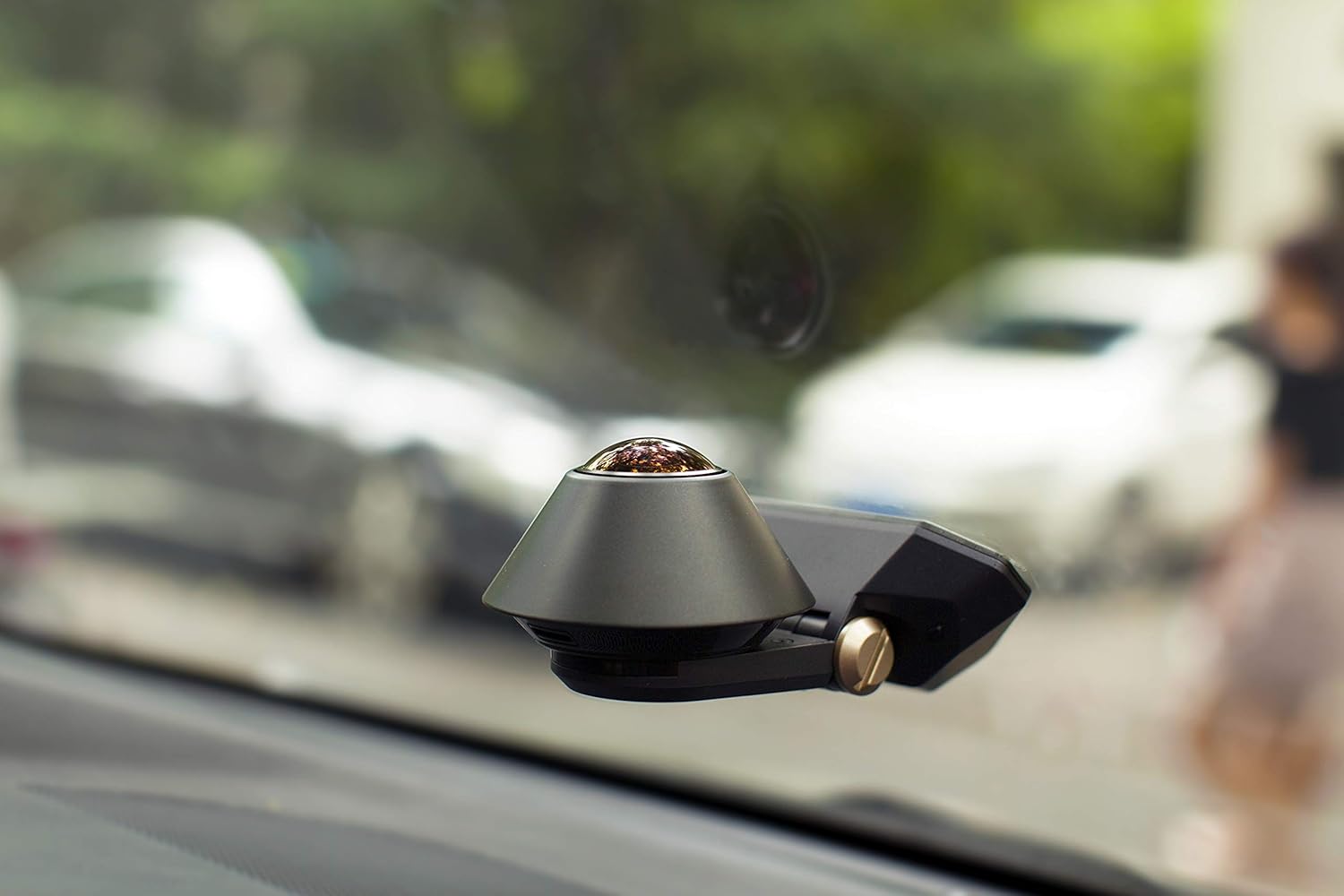
Figure 3: Dash camera mounted on the vehicle windshield.
3.2 Power Connection
Connect the provided direct wire cord to your vehicle's power source. Professional installation is recommended for optimal performance and to ensure proper smart power management features function correctly.
3.3 MicroSD Card Insertion
Insert a Class 10 or higher microSD card (up to 256GB capacity) into the designated slot on the device. This card is essential for storing recorded video footage.

Figure 4: Side view of the dash camera, indicating the microSD card slot.
3.4 App Installation and Pairing
Download the Waylens Secure app from your mobile device's app store. Follow the in-app instructions to pair your device with the dash camera. This will enable access to live streaming, alerts, and recorded footage.
4. Operating Instructions
4.1 Driving Mode (Dashcam Features)
While driving, the Secure360 4G continuously records a true 360-degree field of view, capturing both the road ahead and the interior of your vehicle. This provides comprehensive documentation of your journeys.
Video 1: Demonstrates the Waylens Secure360 4G Dash Cam's features, including 360-degree coverage and security capabilities.
4.2 Parking Mode (Security Camera Features)
When your vehicle is parked, the Secure360 4G activates its advanced security sensors. It actively scans the perimeter of your vehicle using low-power sensors. Upon detection of motion or impact, the camera will immediately begin recording video to the microSD card.
High-speed 4G data connectivity allows for real-time alerts and live streaming directly to your Waylens Secure mobile app, enabling you to monitor your vehicle remotely.
4.3 Cloud Storage and Evidence Security
Event videos are automatically uploaded to the cloud, ensuring that critical evidence is securely stored even if the camera is tampered with or removed from the vehicle.
4.4 GPS Location Tracking
Utilize the GPS mapping feature within the Waylens Secure app to quickly locate your parked vehicle.
5. Maintenance
5.1 Cleaning the Lens and Device
Regularly clean the camera lens with a soft, lint-free cloth to ensure clear video recording. Avoid using abrasive cleaners or solvents that could damage the lens or device surface. Wipe the body of the camera with a dry or slightly damp cloth as needed.
5.2 MicroSD Card Management
Periodically format the microSD card using the option within the Waylens Secure app to maintain optimal recording performance and prevent data corruption. Back up any important footage before formatting.
6. Troubleshooting
6.1 Connectivity Issues
- Device not connecting to Wi-Fi/4G: Ensure your device is within range of a strong signal. Restart the camera and your mobile device. Check for any available app updates.
- App shows disconnected: Verify that the camera is powered on and has a stable connection. Try force-closing and reopening the app.
6.2 Recording Problems
- No footage recorded: Check if a microSD card is properly inserted and formatted. Ensure the card has sufficient free space.
- Poor video quality: Clean the camera lens. Ensure the camera is securely mounted and not vibrating excessively.
6.3 General Device Malfunctions
- Device unresponsive: Disconnect the power cable, wait a few seconds, and then reconnect it to perform a hard reset.
- Software issues: Check the Waylens website or app for the latest firmware updates for your device.
7. Specifications
| Feature | Detail |
|---|---|
| Product Dimensions | 5.75 x 3.66 x 5.75 inches |
| Item Weight | 1.29 pounds |
| Item Model Number | 99-A0000028-01 |
| Connectivity Technologies | Infrared, 4G |
| Display Technology | LCD (implied for internal use/status) |
| Other Display Features | Wireless |
| Color | Black |
| Screen Size | 2 inches (implied for internal use/status) |
| Compatible Devices | Car |
| Installation Type | Aftermarket, Wired, Surface Mount |
| Video Capture Resolution | 1080p |
| Voltage | 12 Volts (DC) |
| Optical Sensor Technology | CMOS |
| Lens Type | Fisheye |
| Real Angle of View | 360 Degrees |
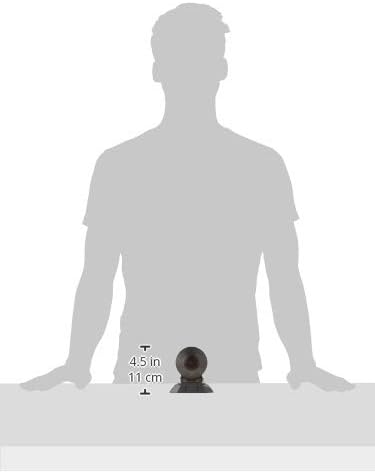
Figure 5: Product dimensions for the Waylens Secure360 4G Dash Camera.
8. Warranty and Support
For warranty information and technical support, please refer to the official Waylens website or contact their customer service directly. Keep your purchase receipt for warranty claims.
You can also find additional resources and FAQs on the Waylens Store on Amazon.


