
Sharper Image 206680
Sharper Image Rolling Toolbox Stool User Manual
Model: 206680 | Part Number: ST7043
1. Introduction
This user manual provides detailed instructions for the assembly, operation, and maintenance of your Sharper Image Rolling Toolbox Stool. Please read this manual thoroughly before use to ensure safe and efficient operation.
The Sharper Image Rolling Toolbox Stool is designed to provide a comfortable seating solution while keeping your tools organized and accessible in your workshop, garage, or any work area. It features a sturdy steel frame, a cushioned seat, multiple storage drawers, and smooth-gliding swivel casters for easy mobility.
2. Safety Information
Always observe the following safety precautions to prevent injury or damage to the product:
- Do not exceed the maximum weight capacity of 300 pounds (136 kg) for the stool.
- Ensure all components are securely fastened before use. Regularly check for loose screws or parts.
- Use on a flat, stable, and level surface to prevent tipping.
- Keep hands and fingers clear of moving parts, especially when opening and closing drawers.
- Do not stand on the stool. It is designed for seated use only.
- Keep children and pets away from the stool during assembly and operation.
- Do not expose the stool to excessive moisture or extreme temperatures. It is not water resistant.
3. Package Contents
Verify that all parts are present before beginning assembly. If any parts are missing or damaged, contact customer support.
| Item | Quantity | Description |
|---|---|---|
| Toolbox Stool Frame | 1 | Main steel frame with integrated storage |
| Cushioned Seat | 1 | Padded seat for comfort |
| Swivel Casters | 4 | Wheels for mobility |
| Drawers | 3 | Storage drawers with smooth-gliding slides |
| Hardware Pack | 1 | Screws, bolts, and tools for assembly |
4. Assembly Instructions
Follow these steps to assemble your Sharper Image Rolling Toolbox Stool. It is recommended to have a second person assist with assembly.
- Unpack Components: Carefully remove all parts from the packaging and lay them out on a clean, flat surface. Check against the "Package Contents" list.
- Attach Casters: Securely attach the four swivel casters to the base of the stool frame using the provided screws and wrench. Ensure they are tightened firmly to prevent wobbling.
- Install Drawers: Slide the three drawers into their respective slots on the stool frame. Ensure they glide smoothly on their tracks.
- Attach Cushioned Seat: Place the cushioned seat on top of the stool frame. Align the mounting holes and secure the seat using the remaining screws. Do not overtighten.
- Final Check: Once assembled, gently rock the stool to ensure stability. Verify that all screws are tight and that the drawers open and close without obstruction.

Image: Underside view of the stool, highlighting the attached swivel casters. These casters allow for easy movement across various surfaces.
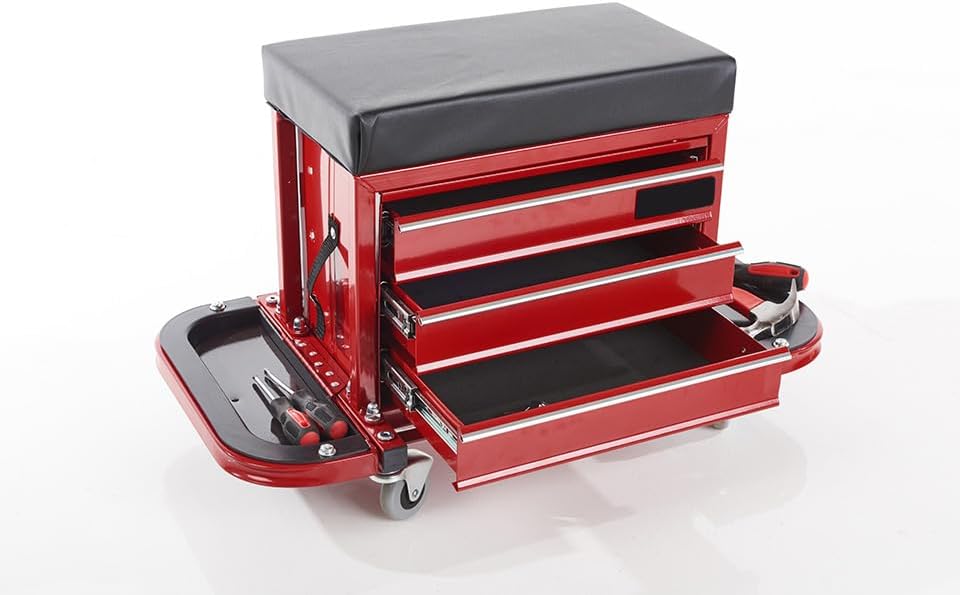
Image: Front view of the stool with drawers extended. Each drawer provides ample space for tools and accessories, ensuring easy access.
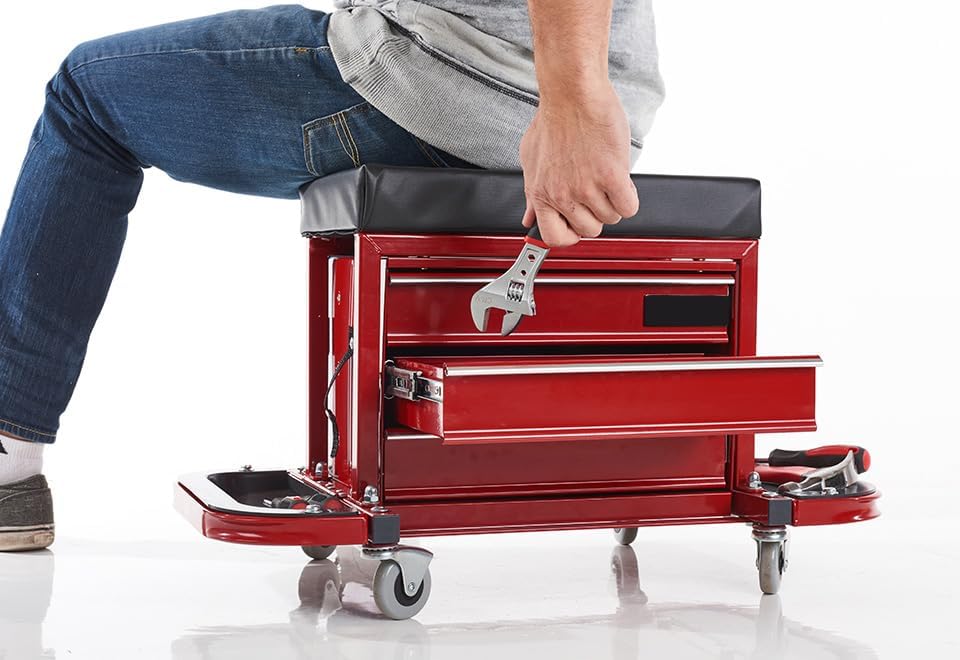
Image: A person seated on the stool, demonstrating its ergonomic design and the convenience of accessing tools from the integrated drawers while working.
5. Operating Instructions
The Sharper Image Rolling Toolbox Stool is designed for ease of use and convenience in your workspace.
- Seating: Sit comfortably on the cushioned seat. Ensure your weight is evenly distributed.
- Mobility: To move the stool, gently push or pull it in the desired direction. The swivel casters allow for 360-degree movement.
- Tool Storage: Utilize the three smooth-gliding drawers for storing various tools and small parts. The side trays and slots are ideal for frequently used items like screwdrivers, wrenches, and levels.
- Accessing Tools: Open drawers by pulling the handles. Close them by pushing them firmly until they click into place.

Image: Side view of the stool, illustrating the convenient side storage for frequently used tools, keeping them within arm's reach.
6. Maintenance
Regular maintenance will prolong the life and performance of your rolling toolbox stool.
- Cleaning: Wipe down the steel frame and seat with a soft, damp cloth. For stubborn dirt, a mild soap solution can be used. Avoid abrasive cleaners or solvents.
- Caster Care: Periodically check the casters for debris (hair, lint, etc.) that may impede their movement. Clean as necessary.
- Hardware Check: Every few months, inspect all screws and bolts to ensure they are tight. Retighten if any are loose.
- Drawer Slides: If drawers become stiff, apply a small amount of silicone lubricant to the drawer slides.
7. Troubleshooting
| Problem | Possible Cause | Solution |
|---|---|---|
| Stool wobbles or is unstable. | Loose assembly hardware. Uneven surface. | Check and tighten all screws and bolts. Move the stool to a flat, level surface. |
| Drawers are difficult to open/close. | Debris in slides. Misaligned. | Clean drawer slides. Apply silicone lubricant. Ensure drawers are properly seated in their tracks. |
| Casters do not roll smoothly. | Debris caught in wheels. Loose casters. | Remove any debris from the wheels. Check if casters are securely attached. |
8. Specifications
- Brand: Sharper Image
- Model Number: 206680
- Part Number: ST7043
- Material: Alloy Steel, Rubber
- Color: Black, Red
- Product Dimensions: 26"L x 16"W x 14"H
- Maximum Weight Capacity: 300 Pounds (136 kg)
- Number of Compartments: 5 (3 drawers, 2 side trays)
- Water Resistance Level: Not Water Resistant
- Country of Origin: China
9. Warranty and Support
Sharper Image products are backed by a limited warranty. For specific warranty details and to register your product, please refer to the warranty card included with your purchase or visit the official Sharper Image website.
For technical support, replacement parts, or general inquiries, please contact Sharper Image Customer Service:
- Website: www.sharperimage.com
- Phone: Refer to product packaging or website for current contact numbers.
Please have your model number (206680) and part number (ST7043) ready when contacting support.
Related documents206680

Ask a question about this manual
Ask about setup, troubleshooting, compatibility, parts, safety, or missing instructions. Manuals+ will review the question and use this page’s manual context to help answer it.