
1. Introduction
This manual provides detailed instructions for the proper use and maintenance of your AKAMATE EB03 Active Noise Cancelling Bluetooth Neckband Earphones. Please read this manual thoroughly before using the product to ensure optimal performance and longevity.
The AKAMATE EB03 earphones feature Active Noise Cancellation (ANC) technology, Bluetooth V4.2 connectivity, a magnetic design for secure wear, and an IPX5 water-resistant rating, making them suitable for various activities.
2. Safety Information
Please observe the following safety guidelines to prevent damage to the device or personal injury:
- Do not expose the earphones to extreme temperatures, humidity, or corrosive substances.
- Avoid dropping or subjecting the earphones to strong impacts.
- Do not attempt to disassemble or modify the earphones. This will void the warranty and may cause damage.
- Clean the earphones with a soft, dry cloth. Do not use harsh chemicals or abrasive materials.
- Consumer Alert: Most users do not need a license to operate this wireless microphone system. Nevertheless, operating this microphone system without a license is subject to certain restrictions: the system may not cause harmful interference; it must operate at a low power level (not in excess of 50 milliwatts); and it has no protection from interference received from any other device.
- Purchasers should also be aware that the FCC is currently evaluating use of wireless microphone systems, and these rules are subject to change. For more information, call the FCC at 1-888-CALL-FCC (TTY: 1-888-TELL-FCC) or visit the FCC's wireless microphone website at fcc.gov/cgb/wirelessmicrophones.
3. Package Contents
Please check the package for the following items:
- AKAMATE EB03 Active Noise Cancelling Earphones
- USB Charging Cable
- Multiple Sizes of Ear Tips (Small, Medium, Large)
- User Manual
4. Product Overview
Familiarize yourself with the components of your AKAMATE EB03 earphones.

Image 4.1: Overview of the AKAMATE EB03 Active Noise Cancelling Earphones, showing the earbuds, inline control panel, and neckband cable.
- Earbuds: In-ear design with ear hooks for secure fit.
- Inline Control Panel: Contains buttons for power, volume, track control, and ANC activation.
- Microphone: Integrated for hands-free calling.
- Charging Port: Located on the inline control unit.
5. Setup
5.1 Charging the Earphones
Before first use, fully charge the earphones. A full charge takes approximately 1.5 hours.
- Connect the provided USB charging cable to the charging port on the inline control unit.
- Connect the other end of the USB cable to a USB power source (e.g., computer, wall adapter).
- The LED indicator will show charging status (e.g., red for charging, blue for fully charged).

Image 5.1: The earphones connected to a USB charging cable, illustrating the charging process and battery life information.
5.2 Pairing with a Bluetooth Device
The earphones use Bluetooth V4.2 for wireless connection. Ensure your device's Bluetooth is enabled.
- With the earphones powered off, press and hold the Multi-function button (usually the center button on the inline control) for approximately 5-7 seconds until the LED indicator flashes red and blue alternately. This indicates pairing mode.
- On your Bluetooth-enabled device (smartphone, tablet, etc.), go to the Bluetooth settings and search for available devices.
- Select "AKAMATE EB03" (or similar name) from the list of found devices.
- Once paired, the LED indicator will flash blue slowly, and you may hear a confirmation tone.
5.3 Wearing the Earphones
For optimal sound quality and comfort, choose the correct ear tip size and ensure a secure fit.

Image 5.2: The AKAMATE EB03 earphones displayed with different sizes of ear tips and ear hooks, highlighting their ergonomic design for comfortable wear.
- Select the ear tips that provide a snug and comfortable seal in your ear canal.
- Position the ear hooks over your ears to secure the earphones during movement.
- The neckband cable should rest comfortably around your neck.
6. Operating Instructions
6.1 Power On/Off
- Power On: Press and hold the Multi-function button for approximately 3 seconds until the LED flashes blue and you hear a power-on prompt.
- Power Off: Press and hold the Multi-function button for approximately 3-4 seconds until the LED flashes red and you hear a power-off prompt.
6.2 Active Noise Cancellation (ANC) Function
The ANC feature reduces ambient noise by up to 22dB, blocking approximately 92% of background noise.

Image 6.1: Visual representation of Active Noise Cancelling technology, showing how inverse sound waves cancel out ambient noise, with an ANC switch on the earphone's control unit.
- Activate ANC: Locate the dedicated ANC switch or button on the inline control unit and slide/press it to the 'ON' position. The ANC indicator light will illuminate.
- Deactivate ANC: Slide/press the ANC switch/button to the 'OFF' position.
6.3 Music Playback

Image 6.2: The AKAMATE EB03 earphones, emphasizing their capability to produce high-fidelity stereo sound with deep bass and clear mid-tones.
- Play/Pause: Short press the Multi-function button.
- Volume Up: Short press the '+' button.
- Volume Down: Short press the '-' button.
- Next Track: Long press the '+' button.
- Previous Track: Long press the '-' button.
6.4 Call Management
- Answer/End Call: Short press the Multi-function button.
- Reject Call: Long press the Multi-function button for 2 seconds.
- Redial Last Number: Double-press the Multi-function button.
6.5 Magnetic Earbuds Feature
The earbuds feature built-in magnets, allowing them to attach to each other when not in use, preventing tangles and securing them around your neck.
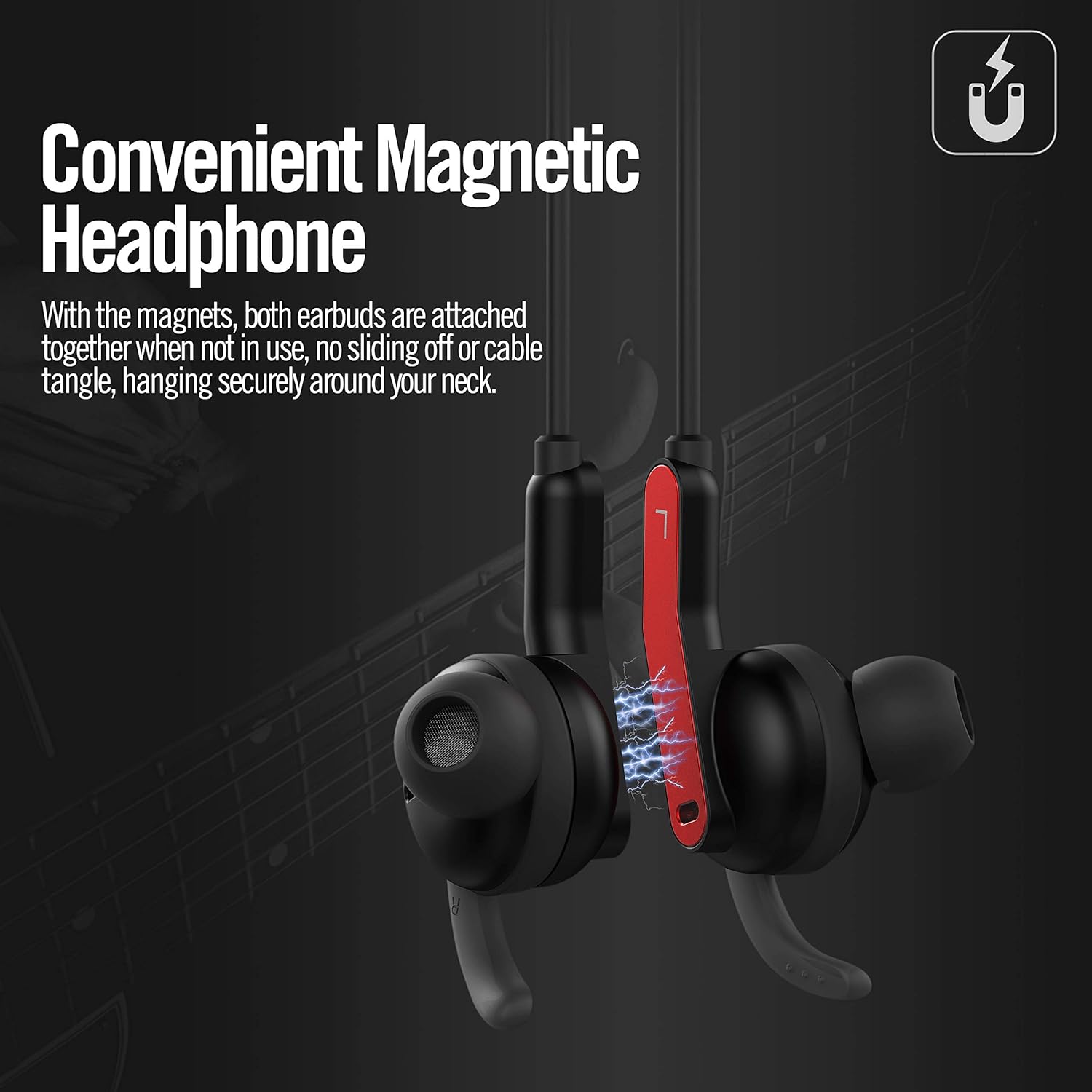
Image 6.3: The AKAMATE EB03 earbuds shown magnetically connected, illustrating how they can be secured around the neck to prevent loss or tangling.
7. Maintenance
7.1 Cleaning
- Wipe the earphones with a soft, slightly damp cloth. Do not use abrasive cleaners or solvents.
- Remove ear tips and clean them separately with mild soap and water, then dry thoroughly before reattaching.
7.2 Storage
- Store the earphones in a cool, dry place away from direct sunlight and extreme temperatures.
- When not in use, the magnetic earbuds can be connected to prevent tangling.
7.3 Water Resistance (IPX5)
The AKAMATE EB03 earphones are rated IPX5, meaning they are protected against low-pressure water jets from any direction. This makes them resistant to sweat and light rain.

Image 7.1: A person wearing the AKAMATE EB03 earphones in a wet setting, demonstrating the product's IPX5 water resistance against sweat and splashes.
- Do not submerge the earphones in water.
- Ensure the charging port cover is securely closed to maintain water resistance.
8. Troubleshooting
If you encounter issues with your earphones, refer to the following common problems and solutions:
| Problem | Possible Solution |
|---|---|
| Earphones do not power on. | Ensure the earphones are fully charged. |
| Cannot pair with Bluetooth device. |
|
| No sound or poor sound quality. |
|
| ANC function not working effectively. |
|
9. Specifications
| Feature | Detail |
|---|---|
| Model | EB03 |
| Bluetooth Version | V4.2 |
| Active Noise Cancellation (ANC) | Up to 22 dB reduction (92% of background noise) |
| Wireless Range | Up to 33 feet (10 meters) |
| Battery Life (ANC Off) | Up to 8 hours |
| Battery Life (ANC On) | Up to 4 hours |
| Charging Time | Approximately 1.5 hours |
| Standby Time | Up to 200 hours |
| Water Resistance Rating | IPX5 |
| Weight | 19 grams (0.67 oz) |
| Microphone | Built-in |
| Material | Plastic |
| Control Method | Touch (referring to button presses) |
10. Warranty and Support
For warranty information and customer support, please refer to the documentation included with your purchase or contact AKAMATE customer service through the retailer where the product was purchased. Please retain your proof of purchase for warranty claims.