
BlitzWolf BW-AS2
BlitzWolf BW-AS2 Wireless Bluetooth Speaker User Manual
Model: BW-AS2 | Brand: BlitzWolf
1. Introduction
Thank you for purchasing the BlitzWolf BW-AS2 Wireless Bluetooth Speaker. This manual provides detailed instructions on how to set up, operate, and maintain your speaker to ensure optimal performance and longevity. Please read this manual carefully before using the product and retain it for future reference.
The BlitzWolf BW-AS2 is a powerful portable speaker featuring dual drivers and a robust 5200mAh battery, designed to deliver high-quality audio with strengthened bass for an immersive listening experience.

Image 1.1: Front view of the BlitzWolf BW-AS2 Wireless Bluetooth Speaker.
2. Package Contents
Please check the package for the following items:
- 1 x BlitzWolf BW-AS2 40W 5200mAh Double Driver Wireless Bluetooth Speaker
- 1 x USB Charging Cable
- 1 x 3.5mm Audio Cable
- 1 x User Manual
3. Product Features
- Powerful Audio Output: Equipped with 2*5W mid-treble drivers and a 1*30W bass driver for a full frequency range 2.1 sound system.
- Dual Driver Stereo Sound: Delivers realistic sound production for an interactive audio experience.
- Versatile Connectivity: Supports universal Bluetooth 4.2 and 3.5mm AUX wire input.
- Long-lasting Battery: Integrated 7.4V 5200mAh LI-ion battery provides extended working time.
- Premium Build Quality: Combines metallic mesh and tough PVC plastic elements for durability and style.
- Portable Design: Compact dimensions (L230 * W125 * H60 mm) and a net weight of 1127g for easy transport.
4. Controls and Ports
Familiarize yourself with the speaker's controls and connection ports:

Image 4.1: Top panel with control buttons.
- Power Button: Press and hold to power on/off.
- Volume Down (-): Decrease volume.
- Volume Up (+): Increase volume.
- Previous Track: Skip to the previous song.
- Play/Pause: Play or pause audio playback.
- Next Track: Skip to the next song.
- Mode (M) Button: Switch between Bluetooth, AUX, and TF card modes.

Image 4.2: Rear panel with input ports.
- RESET: Pin-hole for factory reset.
- TF: MicroSD/TF card slot for direct audio playback.
- AUX: 3.5mm audio input for wired connection.
- MICRO: Micro USB port for charging.
- DC18V: DC input for faster charging with an 18V adapter.
5. Setup Guide
5.1 Charging the Speaker
Before first use, fully charge the speaker. The charging indicator lights will provide status feedback.
- Connect the provided USB charging cable to the MICRO port on the speaker and to a USB power source (e.g., computer USB port, USB wall adapter).
- For faster charging, use an 18V adapter connected to the DC18V port.
- Charging time is approximately 5-6 hours via USB charger, or 2-3 hours via 18V adapter.
5.2 Bluetooth Pairing
To connect your speaker wirelessly:
- Power on the speaker by pressing and holding the Power button. The speaker will enter Bluetooth pairing mode automatically, indicated by a flashing LED light.
- On your device (smartphone, tablet, laptop), enable Bluetooth and search for available devices.
- Select "BW-AS2" from the list of devices.
- Once connected, the LED indicator will become solid, and you will hear a confirmation tone.
- If pairing fails, turn off the speaker and your device's Bluetooth, then repeat the steps.
5.3 AUX Connection
For a wired audio connection:
- Connect one end of the 3.5mm audio cable to the AUX port on the speaker.
- Connect the other end of the cable to the headphone jack or audio output port of your device.
- The speaker will automatically switch to AUX mode, or you may need to press the Mode (M) button to select AUX input.
5.4 TF Card Playback
To play music directly from a TF (MicroSD) card:
- Insert a TF card with MP3 audio files into the TF card slot on the speaker.
- The speaker will automatically detect the card and begin playing music, or you may need to press the Mode (M) button to switch to TF card mode.
6. Operating Instructions
6.1 Power On/Off
- Power On: Press and hold the Power button for approximately 3 seconds.
- Power Off: Press and hold the Power button for approximately 3 seconds.
6.2 Volume Control
- Increase Volume: Press the + button.
- Decrease Volume: Press the - button.
6.3 Music Playback (Bluetooth/TF Card Mode)
- Play/Pause: Press the Play/Pause button.
- Next Track: Press the Next Track button.
- Previous Track: Press the Previous Track button.
7. Care and Maintenance
To ensure the longevity and optimal performance of your BlitzWolf BW-AS2 speaker, follow these care guidelines:
- Cleaning: Use a soft, dry cloth to clean the speaker's surface. Do not use abrasive cleaners, alcohol, or chemical solvents, as these may damage the finish.
- Storage: Store the speaker in a cool, dry place away from direct sunlight and extreme temperatures.
- Battery Care: To preserve battery life, avoid fully discharging the speaker frequently. If not used for extended periods, charge the speaker at least once every three months.
- Water Resistance: The speaker is indicated as waterproof. However, avoid submerging it in water or exposing it to heavy rain for prolonged periods. Ensure all ports are securely covered if applicable before exposure to moisture.
- Avoid Impacts: Do not drop or subject the speaker to strong impacts, as this can damage internal components.
8. Troubleshooting
If you encounter issues with your speaker, refer to the following common problems and solutions:
| Problem | Possible Cause | Solution |
|---|---|---|
| Speaker does not power on. | Low battery; Power button not pressed long enough. | Charge the speaker fully. Press and hold the Power button for 3 seconds. |
| Cannot pair via Bluetooth. | Speaker not in pairing mode; Device Bluetooth off; Too far from device. | Ensure speaker is in pairing mode (flashing LED). Turn device Bluetooth off/on. Move speaker closer to device (within 10m). |
| No sound from speaker. | Volume too low; Incorrect mode selected; Cable not connected properly. | Increase speaker and device volume. Press Mode button to select correct input (Bluetooth/AUX/TF). Reconnect audio cable. |
| TF card not playing. | Card not inserted correctly; Unsupported file format; Speaker not in TF mode. | Reinsert TF card. Ensure files are MP3 format. Press Mode button to switch to TF mode. |
9. Technical Specifications
| Parameter | Specification |
|---|---|
| Brand | BlitzWolf® |
| Model | BW-AS2 |
| Color | Metallic Mesh + Hard Plastic of PVC |
| Dimensions (L*W*H) | 230 * 125 * 60 mm |
| Net Weight | 1127g |
| Microphone | Yes |
| Connectivity | Bluetooth / 3.5mm AUX-in |
| Bluetooth Version | V4.2 |
| Transmission Distance | Up to 10m / 33inch |
| Input | DC 5V (USB) / DC 18V (Adapter) |
| Output Wattage | 40W |
| Frequency Response | 20-20kHz |
| Signal-to-Noise Ratio | ≥ 75dB |
| Battery Capacity | 7.4V 5200mAh LI-ion |
| Charging Time (USB) | 5-6 Hours |
| Charging Time (18V Adapter) | 2-3 Hours |
| Working Time (Max Volume) | 2.5 Hours |
| Working Time (70% Volume) | 4-5 Hours |
| Waterproof | True |
10. Warranty and Support
BlitzWolf provides an 18-Month Warranty for this product. We are committed to the quality of our products and offer friendly and helpful product support. For any inquiries or assistance, please contact our customer service team through the retailer or the official BlitzWolf support channels.
Please retain your proof of purchase for warranty claims.
11. Additional Product Views

Image 11.1: Close-up view of the speaker's metallic end cap, highlighting design details.

Image 11.2: The speaker held in a hand, providing a sense of its portable size.
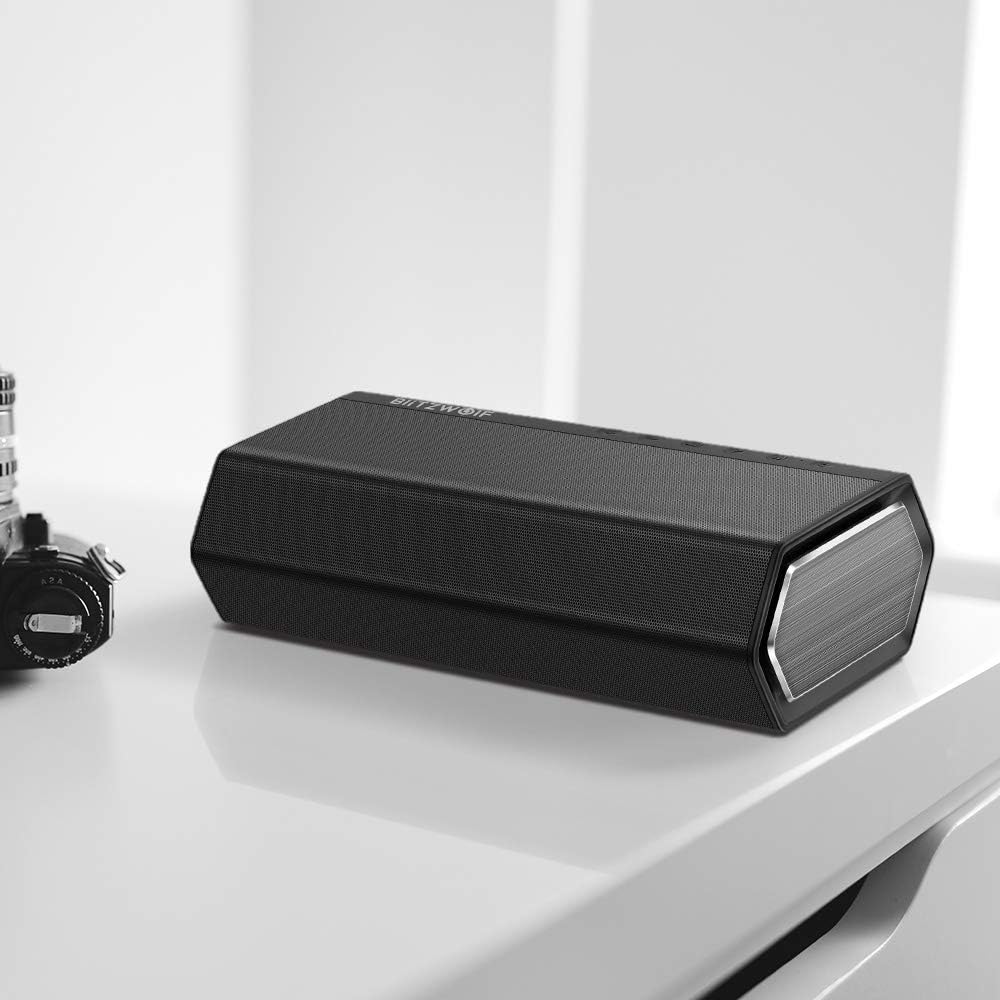
Image 11.3: The speaker placed on a desk, demonstrating its aesthetic integration into a workspace.

Image 11.4: The speaker on a wooden table, suggesting its use in a home entertainment setting with music.

Image 11.5: The speaker positioned on a striped mat next to a coffee cup, illustrating its casual use.
Related documentsBW-AS2


Ask a question about this manual
Ask about setup, troubleshooting, compatibility, parts, safety, or missing instructions. Manuals+ will review the question and use this page’s manual context to help answer it.