
1. Introduction
The Zerone P10 Universal Car HUD (Heads Up Display) is an advanced vehicle information display system designed to project essential driving data directly onto your windshield. This device connects to your car's OBD II or EUOBD port, providing real-time information such as speed, RPM, water temperature, voltage, and fuel consumption, enhancing driving safety and convenience. Its multi-color TFT LCD smart display automatically adapts to various car models, offering both multi-function and simple display modes.
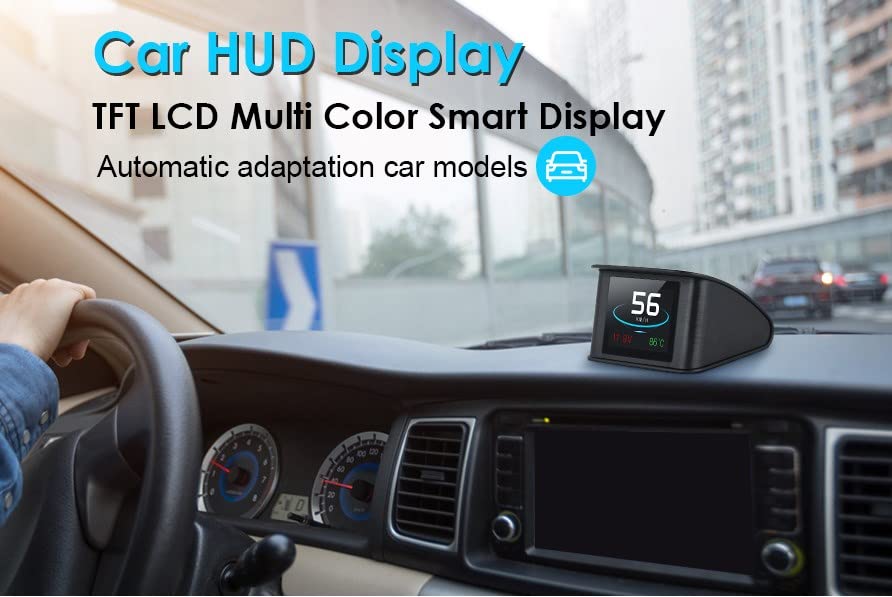
Image: The Zerone P10 HUD unit positioned on a car dashboard, showing its display in operation.
2. Key Features
- Automatic Adaptation: Compatible with cars equipped with OBD II and EUOBD ports (car automatic diagnosis system) for plug-and-play functionality.
- Rich Content Display: Shows Speed, RPM, Water Temperature, Voltage, Instantaneous Fuel Consumption, Average Fuel Consumption, Driving Distance Measurement, and Driving Time.
- Alarm Functions: Includes Low Voltage Alarm, High Water Temperature Alarm, and Over Speed Alarm to alert drivers to critical conditions.
- Unit Switching: Freely switch between kilometers (KM/H) and miles (MPH).
- Advanced Functions: Features Accelerating Competitive Mode and Brake Performance Test. Capable of reading retired car data stream information.
- Display Technology: Utilizes a TFT LCD multi-color smart display. The first scan will display the vehicle protocol.
- Flexible Display Modes: Multi-function display mode or simple function display mode can be switched freely.
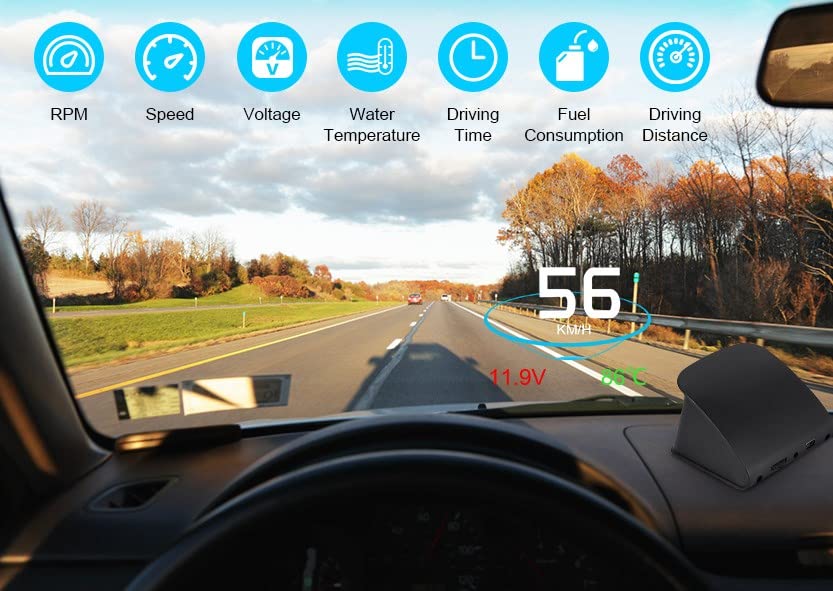
Image: A view from inside a car showing the HUD projecting speed, voltage, and water temperature onto the windshield, with icons representing other measurable parameters like RPM, driving time, fuel consumption, and driving distance.
3. Package Contents
Upon opening the package, please verify that all the following items are included:
- 1 x Zerone P10 Car HUD Display Unit
- 1 x OBD2 Connecting Line
- 1 x Non-slip Pad
- 1 x User Manual (this document)
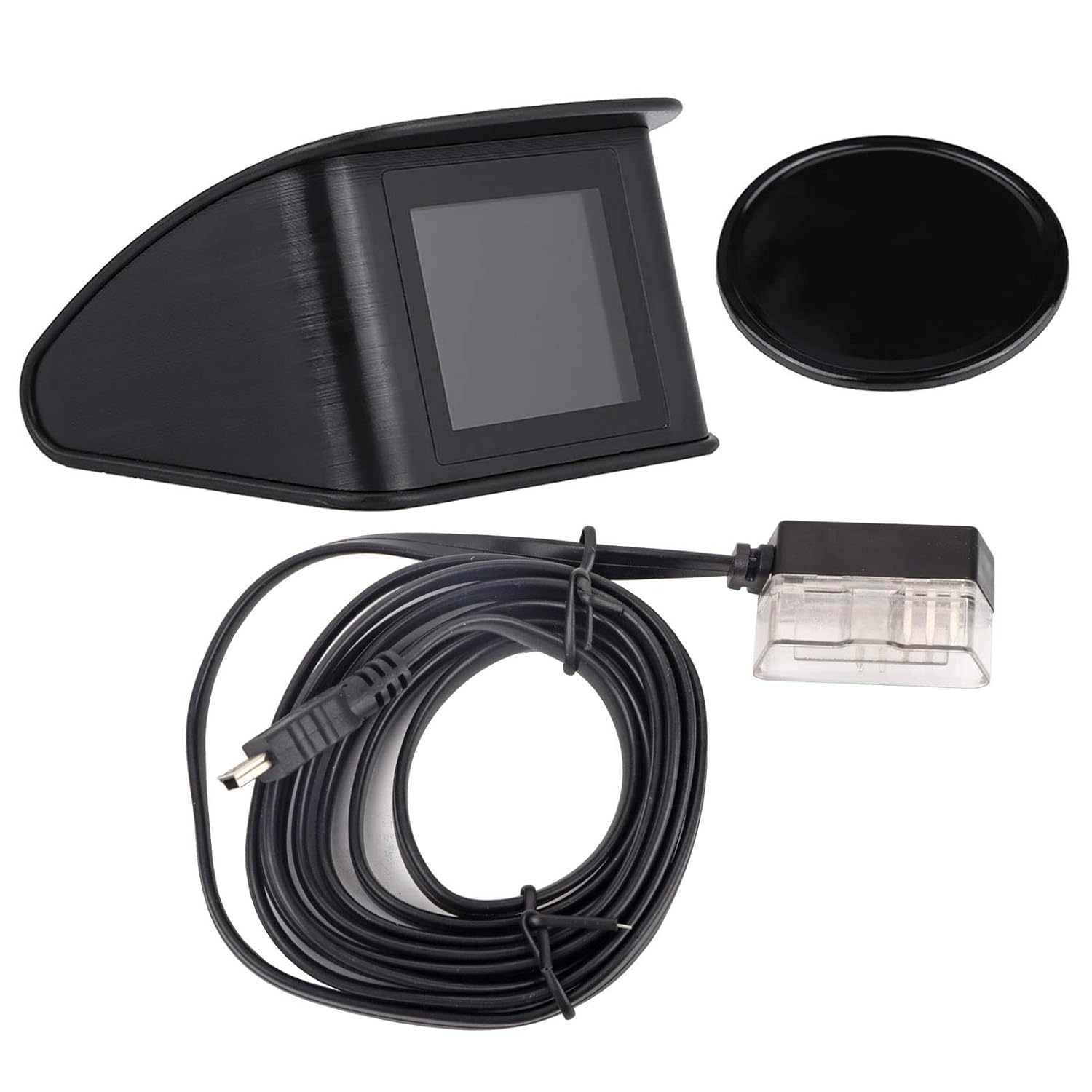
Image: The complete package contents laid out: the HUD unit, the OBD2 connecting cable, and a circular non-slip pad.
4. Setup and Installation
Follow these steps to properly install your Zerone P10 HUD unit:
- Verify Vehicle Compatibility:
Ensure your vehicle is compatible with the OBD II or EU OBD agreement. Open the engine hood and locate the sticker that indicates "OBDII CERTIFIED" or similar. If this certification is present, your vehicle is compatible.
- Locate OBD2 Port:
Find the 16-pin diagnostic link (OBD2 port) in your vehicle. This port is typically located under the dashboard on the driver's side, near the steering column, or in the center console area.
- Connect the HUD:
Connect the provided OBD2 connecting line to the vehicle's 16-pin diagnostic link. Ensure a secure connection.
- Position the HUD:
Place the HUD unit on your dashboard using the non-slip pad. Position it in a location that does not obstruct your view of the road but allows for clear visibility of the projected display on the windshield.
- Power On:
Once connected, the HUD unit should power on automatically when the vehicle's ignition is turned on. The first scan will display the vehicle protocol.
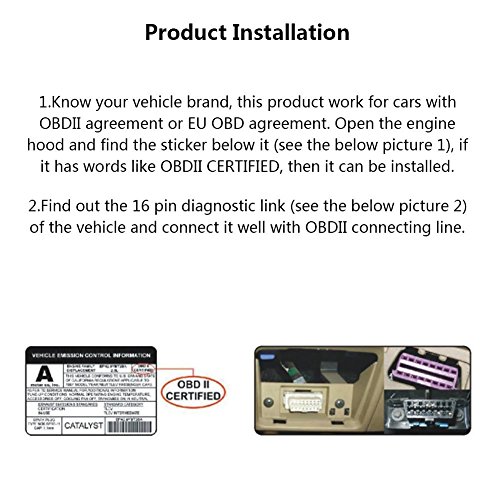
Image: Visual guide for product installation, illustrating the location of the OBDII certified sticker under the hood and the typical placement of the 16-pin diagnostic link inside the vehicle.
5. Operating Instructions
The Zerone P10 HUD offers various display modes and functions. Use the "Semicircle setting button" located on the unit to navigate and adjust settings.

Image: Rear view of the HUD unit, highlighting the "Semicircle setting button" for navigation, the light sensor hole, and the USB interface.
5.1. Display Modes
- Multi-function Display Mode: Displays multiple parameters simultaneously, such as speed, RPM, water temperature, and voltage.
- Simple Function Display Mode: Focuses on primary data, typically speed, for a less cluttered view.
- Switching Modes: Refer to the detailed instructions in the included printed manual for specific button presses to switch between these modes.
5.2. Alarm Settings
The HUD provides audible and visual alarms for various conditions:
- Low Voltage Alarm: Alerts when the car battery voltage drops below a safe level.
- High Water Temperature Alarm: Warns if the engine coolant temperature exceeds a predefined limit.
- Over Speed Alarm: Notifies the driver when a set speed limit is exceeded.
- Setting Alarm Thresholds: Use the setting button to enter the menu and adjust the thresholds for these alarms according to your preference.
5.3. Advanced Functions
- Accelerating Competitive Mode: Measures acceleration performance.
- Brake Performance Test: Evaluates braking efficiency.
- Reading Car Data Stream: The unit can read and display certain diagnostic data from the vehicle's OBD system.
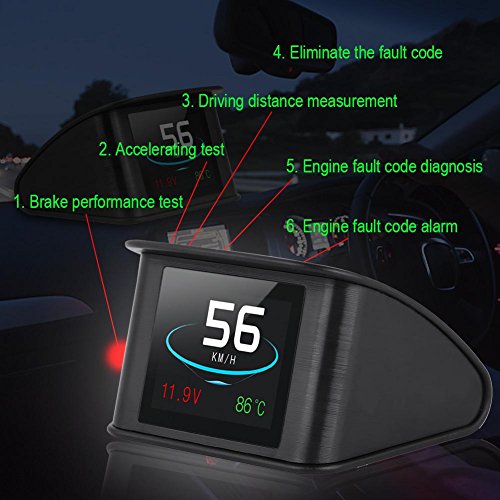
Image: A visual representation of the HUD's advanced capabilities, such as performance testing and fault code management.
6. Maintenance
To ensure the longevity and optimal performance of your Zerone P10 HUD, follow these maintenance guidelines:
- Cleaning: Use a soft, dry cloth to clean the display screen and the unit's exterior. Avoid using abrasive cleaners, solvents, or spray cleaners directly on the unit.
- Temperature: Do not expose the unit to extreme temperatures (hot or cold) for prolonged periods, as this can damage internal components.
- Moisture: Keep the unit dry. Avoid contact with water or other liquids.
- Handling: Handle the unit with care. Avoid dropping it or subjecting it to strong impacts.
- Cable Care: Ensure the OBD2 connecting cable is not pinched, cut, or excessively bent, which could damage the wiring.
7. Troubleshooting
If you encounter issues with your Zerone P10 HUD, refer to the following common troubleshooting steps:
| Problem | Possible Cause | Solution |
|---|---|---|
| HUD does not power on. |
|
|
| Inaccurate speed/RPM readings. |
|
|
| Display is dim or too bright. |
|
|
| Engine fault code alarm. |
|
|
8. Specifications
| Attribute | Detail |
|---|---|
| Brand | Zerone |
| Model Number | Zerone92q6ms1oi3 |
| Product Dimensions (L x W x H) | 6.69 x 5.12 x 1.97 inches (17 x 13 x 5 cm) |
| Item Weight | 5.64 ounces (160 grams) |
| Material | Plastic |
| Screen Size | 2.9 Inches |
| Connectivity | OBD II / EUOBD Port |
| UPC | 794419060655 |
| Country of Origin | China |
| Date First Available | November 7, 2018 |

Image: The physical dimensions of the HUD unit, indicating its height and width.
9. Warranty and Support
Zerone products are designed for reliability and performance. While specific warranty details are typically provided with your purchase documentation, general support can be obtained through the manufacturer.
- For technical assistance, troubleshooting beyond this manual, or warranty inquiries, please contact Zerone customer support.
- Keep your purchase receipt or order number handy when contacting support, as it may be required for verification.
- You can often find contact information on the product packaging, the official Zerone website, or through the retailer where you purchased the product.
Note: As per a customer review, the seller indicated a warranty period of less than three months. Please verify current warranty terms with the manufacturer or seller at the time of purchase.