
symcode 8541732704
Symcode Bluetooth Wireless Ring Barcode Scanner
User Manual
1. Product Overview
The Symcode Bluetooth Wireless Ring Barcode Scanner is a compact, wearable device designed for efficient 1D barcode scanning. Its ring design allows for comfortable, hands-free operation, enhancing productivity in various environments. This manual provides detailed instructions for setup, operation, and maintenance of your scanner.

Image: The Symcode ring barcode scanner shown alongside its USB dongle, illustrating its compact form factor and connectivity option.
2. Package Contents
Please check the package contents upon unboxing to ensure all items are present:
- 1 x Symcode Ring Barcode Scanner
- 1 x User Manual (this document)
- 1 x Charger Cable
- 1 x Charger Head
- 1 x Mobile 4.0 Receiver (USB Dongle)

Image: A composite image displaying various angles of the Symcode ring barcode scanner and its CSR 4.0 Bluetooth USB receiver, highlighting its design and components.
3. Specifications
| Feature | Detail |
|---|---|
| Light Source | 650nm visible laser |
| Scan Rate | 100 ± 10 scans/second |
| Reading Precision | 0.10mm (4mil) |
| Interface | Mobile 4.0 (Bluetooth) |
| Battery | DC 3.7V, 360mA Li-ion battery |
| Memory | 512KB |
| Supported OS | Microsoft Windows XP/7.0/8.0/10, Android, iOS |
| Reading Distance | 2.5-600mm (100% UPC/EAN) |
| Supported Barcode Types | Codabar, Code 11, Code 93, MSI, Code 128, UCC/EAN-128, Code 39, EAN-8, EAN-13, UPC-A, ISBN, Industrial 25, Interleaved 25, Standard 25, 2/5 Matrix, GS1 databar variants |
| Scan Scope | 10mm-250mm |
| Scanning Angle | Roll:±35 degree / Pitch:±65 degree / Yaw:±50 degree |
| Bit Error Rate | 1/5 million |
| Power Voltage | 5V |
| Safety Performance | CE & RoHS |
| Dimensions | 150mm*50mm*65mm (2.56 x 1.26 x 1.26 inches) |
| Weight | 95g (4.2 ounces) |

Image: An illustration showing the built-in 360mAh battery, indicating 6 hours of scanning time after a full charge, 720 hours of standby time, and a full charge time of 2-3 hours.
4. Setup
4.1 Charging the Scanner
Before first use, fully charge the scanner. Connect the provided charger cable to the scanner's charging port and the charger head to a power outlet. The charging indicator light will show the charging status. A full charge typically takes 2-3 hours.
4.2 Connecting to a Device
The Symcode scanner supports Bluetooth, 2.4GHz wireless (via USB dongle), and wired connections.
Bluetooth Connection:
- Ensure the scanner is powered on.
- Activate Bluetooth on your host device (smartphone, tablet, computer).
- Search for available Bluetooth devices and select "Symcode Scanner" (or similar name).
- Pair the devices. A successful connection will be indicated by a specific sound or light on the scanner.
2.4GHz Wireless Connection (via USB Dongle):
- Plug the provided Mobile 4.0 USB receiver into an available USB port on your computer.
- Power on the scanner. The scanner should automatically connect to the dongle.
- The scanner is ready for use once the connection is established.
Wired Connection:
Connect the scanner directly to your computer using the provided USB cable. The scanner will function as a wired barcode reader and also charge simultaneously.

Image: An illustration demonstrating the Symcode scanner's compatibility with Windows, Apple (iOS/macOS), and Android operating systems, and various devices including laptops, smartphones, tablets, and desktop computers.
5. Operating Instructions
5.1 Wearing the Scanner
The ring design allows the scanner to be worn comfortably on your finger, either left or right hand. Adjust the strap for a secure fit. This hands-free design improves mobility and efficiency during scanning tasks.

Image: A sequence of images showing how the Symcode ring barcode scanner is worn on a finger, demonstrating its ergonomic fit and ease of use.
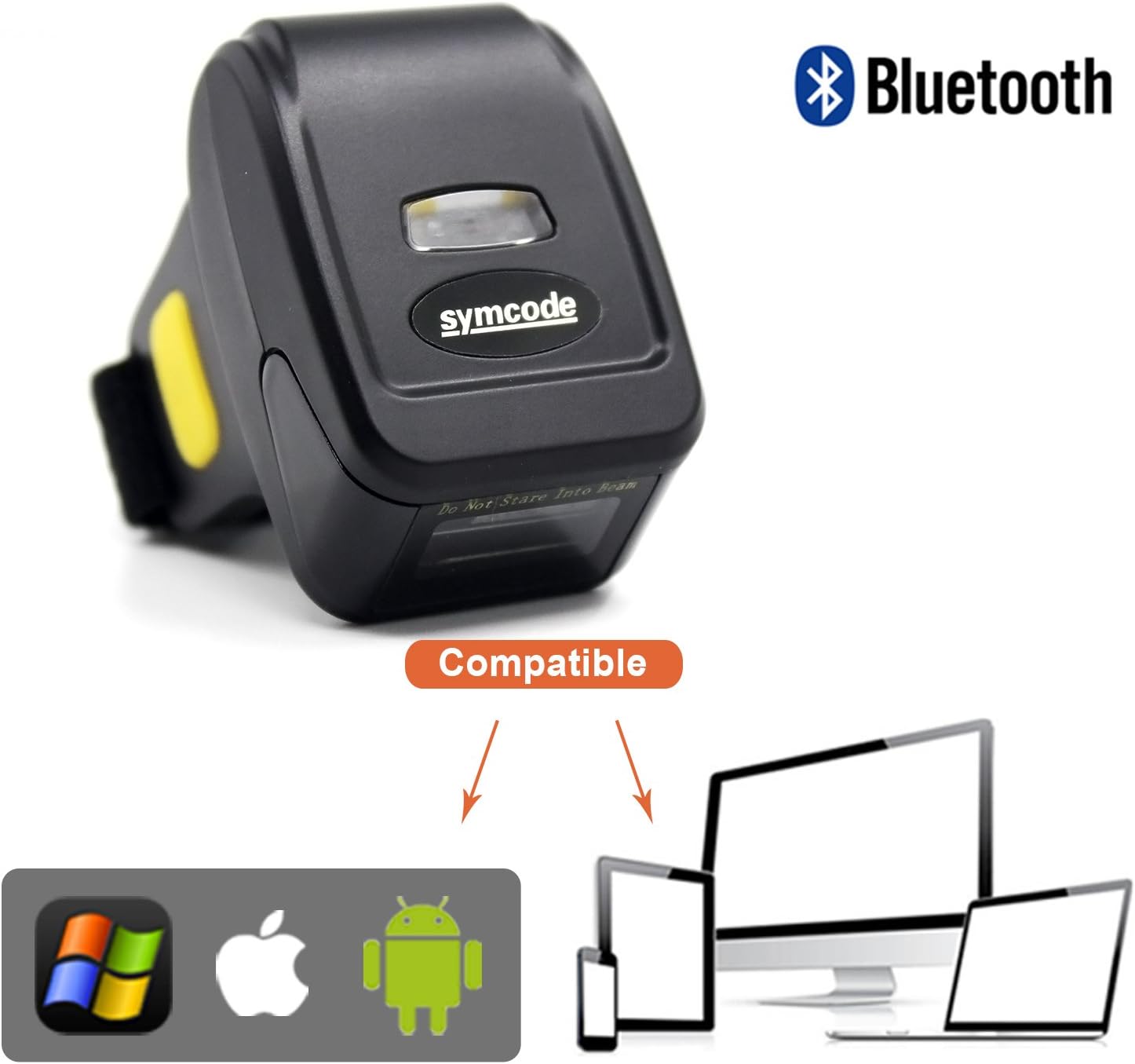
Image: An illustration highlighting the 180-degree rotation capability of the Symcode ring barcode scanner, allowing for flexible scanning angles.
5.2 Scanning Barcodes
To scan a barcode, point the scanner's laser at the barcode and press the trigger button. Ensure the laser beam covers the entire barcode for accurate reading. The scanner will emit a beep or flash an indicator light upon successful scan.

Image: A hand wearing the Symcode ring barcode scanner, actively scanning a barcode on a shipping document, demonstrating its practical application.

Image: A hand wearing the Symcode ring barcode scanner, scanning a barcode on a package, illustrating its use in inventory or logistics tasks.
6. Maintenance
- Cleaning: Use a soft, dry cloth to clean the scanner's exterior. For the scanning window, use a lens cleaning cloth to avoid scratches. Do not use abrasive cleaners or solvents.
- Storage: Store the scanner in a cool, dry place away from direct sunlight and extreme temperatures.
- Battery Care: To prolong battery life, avoid fully discharging the battery frequently. If storing for an extended period, charge the battery to about 50% and recharge every few months.
- Protection: While durable, avoid dropping the scanner or exposing it to excessive impact or moisture.
7. Troubleshooting
| Problem | Possible Cause | Solution |
|---|---|---|
| Scanner not powering on | Low battery | Charge the scanner fully. |
| Cannot connect via Bluetooth | Scanner not in pairing mode; Bluetooth off on host device; Interference | Ensure scanner is discoverable. Turn on Bluetooth on host. Move closer to host device. Restart both devices. |
| Scanner not reading barcodes | Barcode damaged/poor quality; Incorrect distance/angle; Scanner mode issue | Try scanning a different barcode. Adjust distance and angle. Ensure scanner is in the correct mode (e.g., 1D). |
| Scanned data not appearing on device | Not properly paired; Cursor not in input field | Verify successful connection. Ensure cursor is active in a text input field (e.g., Notepad, Word, browser). |
8. Warranty and Support
This Symcode product is manufactured with high-quality standards. For warranty information or technical support, please refer to the warranty card included with your product or contact Symcode customer service. You can also visit the official Symcode store on Amazon for further assistance and product information.
Manufacturer: symcode
Model Number: 8541732704
ASIN: B07K8LQN49
Ask a question about this manual
Ask about setup, troubleshooting, compatibility, parts, safety, or missing instructions. Manuals+ will review the question and use this page’s manual context to help answer it.