
defean BackBeat PRO
defean Replacement Ear Pads and Headband Protector User Manual
For Plantronics BackBeat PRO Wireless Noise Canceling Headphones
Introduction
This manual provides detailed instructions for installing the defean replacement ear pads and headband protector for your Plantronics BackBeat PRO Wireless Noise Canceling Headphones. Following these steps will help restore the comfort and appearance of your headphones.
Compatibility
This replacement kit is specifically designed for:
- Plantronics BackBeat PRO Wireless Noise Canceling Headphones
Package Contents
Upon opening your defean replacement kit, you should find the following items:
- 2 x Replacement Ear Pads (Left and Right)
- 1 x Headband Protector

Image: Contents of the defean replacement kit, showing two ear pads (marked L and R) and a zippered headband protector.
Installation Instructions
1. Replacing the Ear Pads
- Remove Old Ear Pads: Gently peel off the old ear pads from your headphones. They are typically held in place by adhesive or small clips. Apply gentle, even pressure to avoid damaging the headphone housing.
- Clean Surface: Ensure the surface where the new ear pads will attach is clean and free of any residue from the old pads.
- Align New Ear Pads: Identify the Left (L) and Right (R) ear pads. Align the new ear pad with the headphone cup, ensuring the internal clips or adhesive points match.
- Secure New Ear Pads: Press the new ear pad firmly around the edges until it is securely attached. You may hear a click if there are clips. Ensure a snug fit to maintain sound quality and noise isolation.
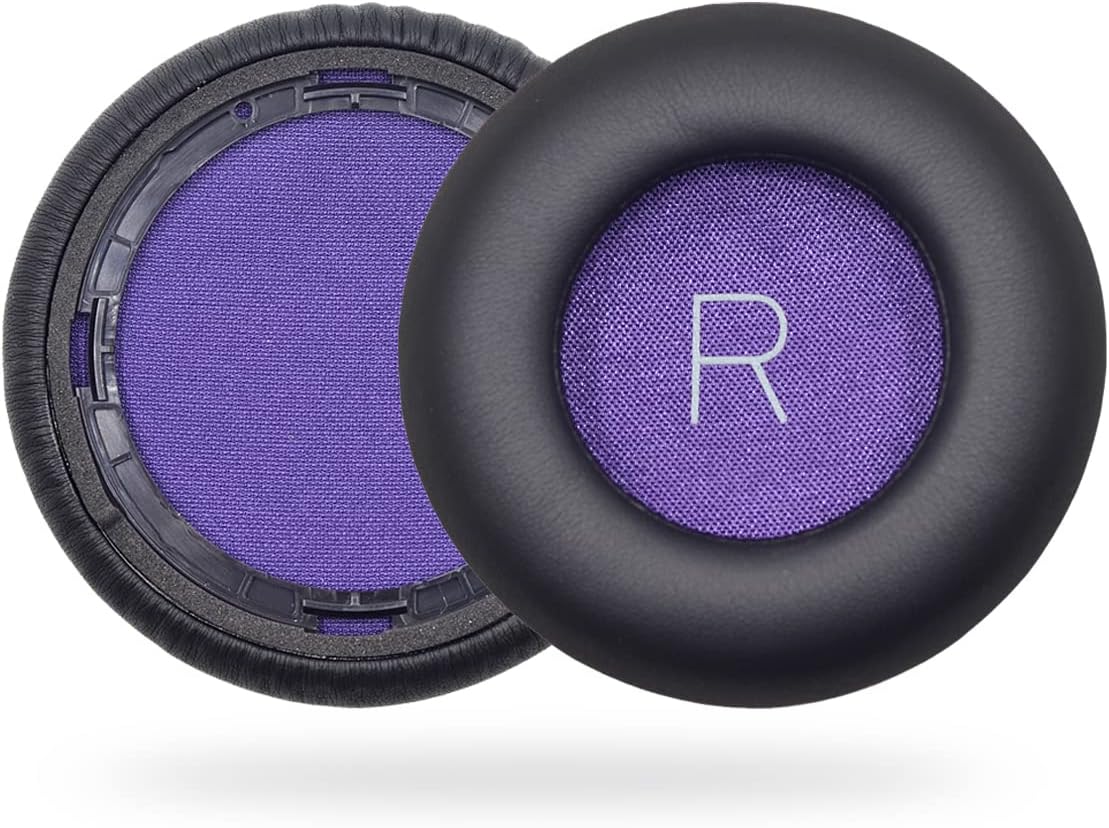
Image: A pair of defean replacement ear pads, clearly marked for Left (L) and Right (R) ear cups, alongside the headband protector.
2. Installing the Headband Protector
- Prepare Headband: If your original headband is severely damaged or flaking, you may choose to remove any loose material before installing the protector.
- Position Protector: Unzip the headband protector completely. Carefully position the protector over the existing headband of your headphones.
- Zip Up: Slowly and carefully zip up the protector, ensuring the headphone headband is fully enclosed. Adjust as needed for a smooth, even fit.

Image: Plantronics BackBeat PRO headphones with the defean headband protector fully installed, providing a refreshed look.

Image: A close-up view demonstrating the zippered closure of the defean headband protector, showing how it secures around the headphone's original headband.
Operating Benefits
After installation, your headphones will benefit from:
- Enhanced Comfort: The soft protein leather and high-density foam ear pads provide a comfortable listening experience.
- Improved Noise Isolation: The ear pads are designed to seal around your ears, contributing to excellent noise isolation.
- Restored Aesthetics: The replacement parts give your headphones a renewed appearance.
- Maintained Sound Quality: These precisely modeled ear pads are designed not to negatively affect the sound performance of your headphones.
Maintenance
To ensure the longevity and hygiene of your replacement parts:
- Ear Pads: Wipe the ear pads gently with a damp cloth. Avoid harsh chemicals.
- Headband Protector: The headband protector is designed to be washable. It can be unzipped and hand-washed with mild soap and water, then air-dried.
Troubleshooting
- Ear Pads Not Fitting: Ensure you have correctly identified the Left (L) and Right (R) ear pads and that they are aligned with the corresponding headphone cups. Apply firm, even pressure around the edges.
- Headband Protector Too Tight/Loose: Ensure the protector is fully unzipped before positioning and then carefully zipped up. Adjust its position along the headband for the best fit.
- Reduced Sound Quality/Noise Isolation: Double-check that the ear pads are securely attached and form a complete seal around your ears. Improper installation can affect acoustic performance.
Specifications
| Brand | defean |
| Compatible Model | Plantronics BackBeat PRO Wireless Noise Canceling Headphones |
| Material | Protein Leather (Ear Pads), Fabric (Headband Protector) |
| Item Weight | 1.76 ounces (approx.) |
| Package Dimensions | 8.62 x 3.78 x 1.26 inches (approx.) |
| UPC | 634458022774, 634458022675 |
Warranty and Support
defean products are manufactured under strict quality inspection. This product comes with a 12-Month worry-free warranty and free lifetime technical support.
If you encounter any issues with your purchase, including the need for replacements or refunds, please contact defean customer support directly. They are available to assist you with any questions or concerns.
Important Safety Information
Please handle your headphones and replacement parts with care during installation to prevent damage. Keep small parts away from children.
Ask a question about this manual
Ask about setup, troubleshooting, compatibility, parts, safety, or missing instructions. Manuals+ will review the question and use this page’s manual context to help answer it.