
Introduction
Thank you for choosing the COMEXION Bluetooth Headset V4.1. This manual provides detailed instructions to help you set up, operate, and maintain your headset for optimal performance and longevity. Please read this manual thoroughly before using the device.

Image: The COMEXION Bluetooth Headset V4.1, shown with its included charging case.
Package Contents
Please verify that all items are present in your package:
- 1 x COMEXION Bluetooth Headset
- 1 x Micro USB Charging Cable (charger not included)
- 3 x Sets of Ear Tips (various sizes)
- 1 x Carrying Case
- 1 x User Manual
Product Overview
The COMEXION Bluetooth Headset V4.1 features a lightweight and ergonomic design for comfortable wear. It incorporates advanced technology for clear audio and CVC 6.0 noise reduction for improved call quality.

Image: Detailed diagram of the headset, highlighting the multi-function button, volume controls, microphone, charging port, LED indicator, and mute switch.
Key Components:
- Multi-function Button: Power ON/OFF, Play/Pause, Answer/End Call.
- Volume Up/Next Song Button: Increase volume, skip to next track.
- Volume Down/Previous Song Button: Decrease volume, go to previous track.
- Microphone: Integrated for voice communication.
- LED Light: Indicates status (pairing, charging, low power).
- Charging Port: Micro USB port for charging.
- Mute Switch: Mutes the microphone (available in standby mode).
- Rotatable Ear Hook: Allows wearing on either left or right ear.
Setup
1. Charging the Headset
Before initial use, fully charge the headset. Connect the Micro USB charging cable to the headset's charging port and the other end to a standard USB power source (e.g., computer USB port, wall adapter). A full charge takes approximately 2 hours.
- Charging Status: The red light flashes continuously.
- Charging Complete: The red light turns off, or the blue light flashes continuously.
Important: Do not expose the headset to direct sunlight during charging, especially in high ambient temperatures. Avoid using low-quality or high-current USB chargers (e.g., fast charging cables or car chargers) as this may damage the battery.
2. Powering On/Off
- Power On: Press and hold the Multi-function Button for approximately 3 seconds until the LED indicator flashes.
- Power Off: Press and hold the Multi-function Button for approximately 3 seconds until the LED indicator turns off.
3. Pairing with a Bluetooth Device
The headset supports pairing with two devices simultaneously (multipoint connection).
- Ensure the headset is powered off.
- Press and hold the Multi-function Button for approximately 5-7 seconds until the red and blue lights flash alternately. This indicates the headset is in pairing mode.
- On your device (smartphone, tablet, laptop), enable Bluetooth and search for available devices.
- Select "COMEXION" or a similar name from the list of found devices.
- If prompted for a password, enter "0000".
- Once successfully paired, the blue light will flash intermittently.

Image: The headset demonstrating compatibility with various Bluetooth-enabled devices, including smartphones, tablets, laptops, and computers.
Multipoint Connection:
To connect to a second device:
- Pair the headset with the first device as described above.
- Disable Bluetooth on the first device.
- Put the headset back into pairing mode (red and blue lights flash alternately).
- Pair the headset with the second device.
- Enable Bluetooth on the first device. The headset should automatically connect to both devices.
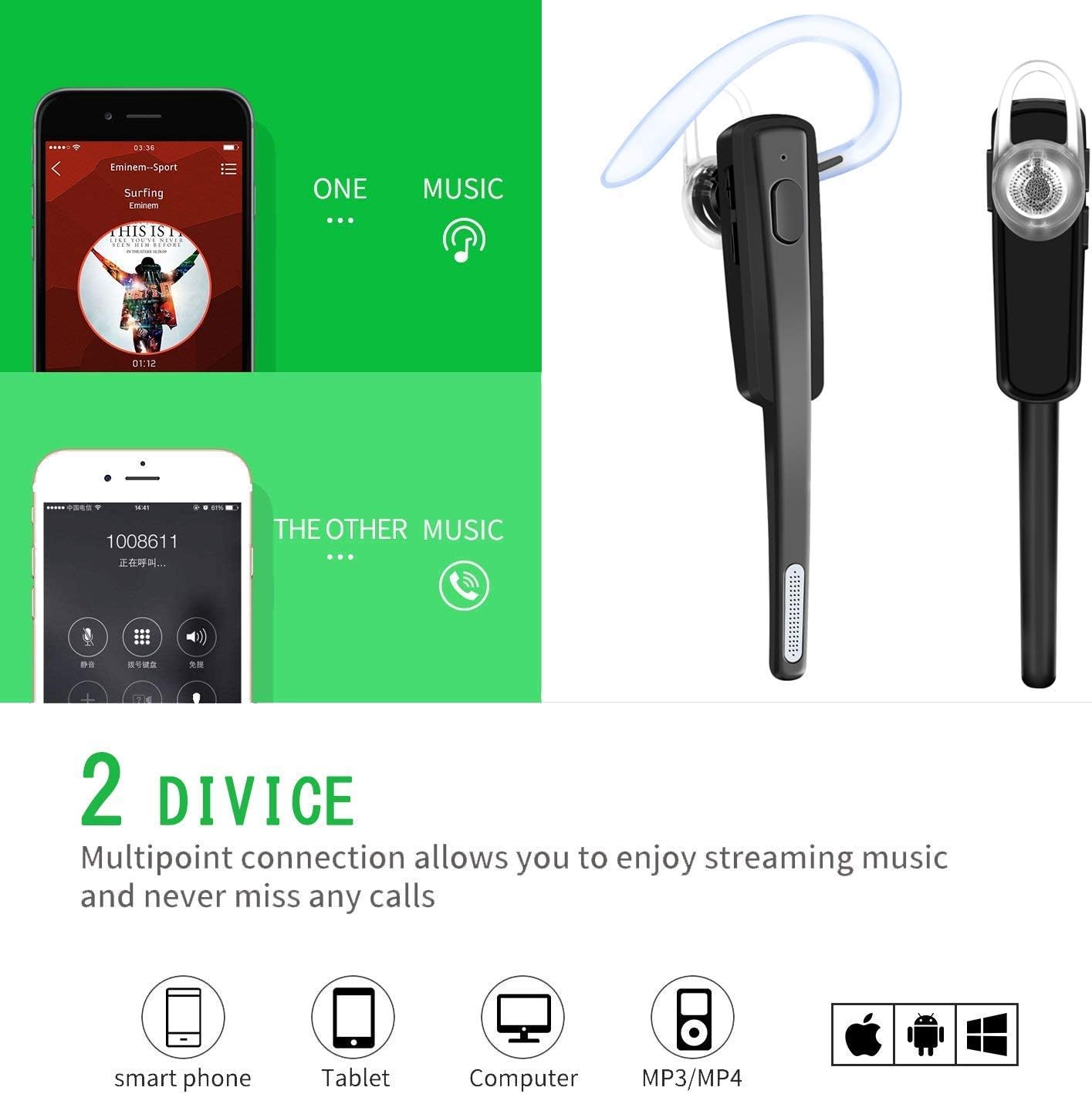
Image: Illustration of the headset's ability to connect to two devices, such as a smartphone and a tablet, for seamless switching between music and calls.
Operating Instructions
Call Management
- Answer Call: Press the Multi-function Button once.
- End Call: Press the Multi-function Button once during a call.
- Reject Call: Press and hold the Multi-function Button for approximately 2 seconds.
- Redial Last Number: Double-press the Multi-function Button.
- Mute/Unmute Microphone: Use the dedicated Mute Switch on the headset.
Music Playback
- Play/Pause: Press the Multi-function Button once.
- Next Track: Press and hold the Volume Up button.
- Previous Track: Press and hold the Volume Down button.
Volume Control
- Increase Volume: Press the Volume Up button.
- Decrease Volume: Press the Volume Down button.
Voice Assistant (Siri)
- Activate Siri: In standby mode, press the Mute Switch.
Maintenance and Care
- Clean the headset regularly with a soft, dry cloth.
- Avoid exposing the headset to extreme temperatures, humidity, or corrosive liquids.
- Store the headset in its carrying case when not in use to protect it from dust and damage.
- Do not attempt to disassemble or modify the headset, as this will void the warranty and may cause damage.
- Keep the charging port free of dust and debris.
Troubleshooting
Headset will not power on:
- Ensure the headset is fully charged.
- Press and hold the Multi-function Button for at least 3 seconds.
Cannot pair with device:
- Ensure the headset is in pairing mode (red and blue lights flashing alternately).
- Make sure Bluetooth is enabled on your device.
- Ensure the headset is within 10 meters of your device.
- Try restarting both the headset and your device.
- Clear previous Bluetooth connections on your device and try pairing again.
No sound or poor sound quality:
- Check the volume levels on both the headset and your connected device.
- Ensure the headset is properly connected to your device.
- Move closer to your device to avoid interference.
- Ensure there are no obstructions between the headset and your device.
Low battery indication:
- The red light will illuminate, and a voice prompt will indicate low power. Recharge the headset immediately.
Technical Specifications
| Bluetooth Version | V4.1 + EDR |
| Bluetooth Chip | CSR8615 |
| Multipoint Connection | Supports 2 devices simultaneously |
| Transmission Distance | Up to 10 meters (33 feet) |
| Battery Type | 85mAh Rechargeable Polymer Lithium-ion |
| Charging Voltage | 3.7V-DC5V |
| Charging Time | Approximately 2 hours |
| Talk Time | Up to 6.5 hours |
| Music Playback Time | Up to 6 hours |
| Standby Time | Up to 180 hours |
| Noise Reduction | CVC 6.0 |
| Supported Profiles | HFP, HSP, AVRCP, A2DP |
| Weight | Approximately 10 grams |
| Model Number | 4353513507 |

Image: Users demonstrating the headset's comfortable fit and long battery life, suitable for extended use.

Image: A visual representation of the CVC 6.0 noise cancellation feature, showing how it reduces background noise for clearer calls.
Warranty and Support
COMEXION is committed to providing high-quality products and customer satisfaction. While specific warranty details are not provided in this manual, if you encounter any issues or have questions regarding your COMEXION Bluetooth Headset V4.1, please do not hesitate to contact our customer service team.
Our customer service team aims to respond to inquiries within 24 hours. Please refer to the product packaging or the retailer's website for contact information.