Introduction
This manual provides comprehensive instructions for the setup, operation, and maintenance of your Apple iPhone XS. Please read this manual thoroughly before using the device to ensure proper function and safety.
Setup
1. Unboxing and Initial Inspection
Carefully remove all components from the packaging. Verify that all items listed in the "What's in the Box" section are present and undamaged.
- 1
2. SIM Card Installation
Locate the SIM tray on the side of the device. Use the provided SIM ejector tool to open the tray. Insert your nano-SIM card into the tray with the gold contacts facing down. Gently push the tray back into the device until it clicks into place.
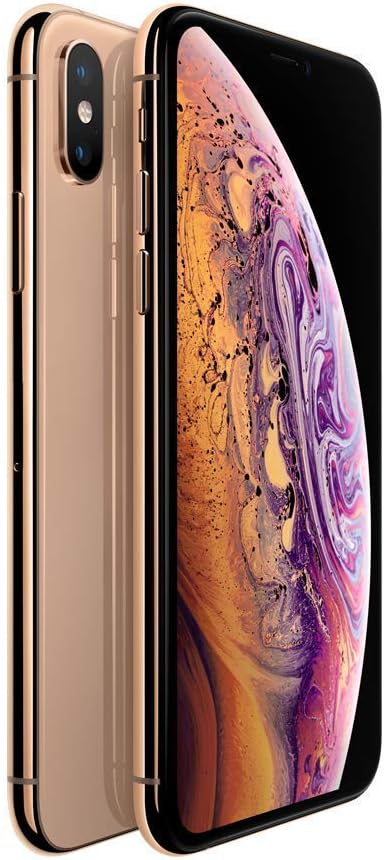
Image: Side view of the iPhone XS, highlighting the SIM card tray and volume buttons.
3. Initial Power On and Setup Assistant
Press and hold the Side button until the Apple logo appears. Follow the on-screen instructions to complete the initial setup, including language selection, Wi-Fi connection, and Face ID configuration.

Image: Front and back view of the iPhone XS in Gold, showcasing its design.
Operating Your iPhone XS
1. Basic Navigation
- Home Screen: Swipe up from the bottom edge of the screen to return to the Home screen.
- App Switcher: Swipe up from the bottom edge and pause in the middle of the screen to view recently used apps.
- Control Center: Swipe down from the top-right corner of the screen to access Control Center for quick settings.
- Notifications: Swipe down from the top-left corner or center of the screen to view notifications.
2. Face ID
Face ID allows you to securely unlock your iPhone, log in to apps, and make purchases with a glance. Ensure your face is clearly visible to the TrueDepth camera.
3. Camera Features
The iPhone XS features a breakthrough 12MP dual-camera system. Utilize Portrait mode for stunning depth-of-field effects, Portrait Lighting for studio-quality lighting, and Depth Control to adjust the background blur after taking a photo.

Image: Front and back view of the iPhone XS, displaying the vibrant Super Retina display.
4. Wireless Charging
The iPhone XS supports wireless charging using Qi-certified chargers. Simply place your iPhone face up on a compatible wireless charging mat.
Maintenance
1. Cleaning Your Device
Use a soft, lint-free cloth to clean your iPhone. Avoid abrasive materials or harsh chemicals. For stubborn smudges, slightly dampen the cloth with water.
2. Battery Health
To optimize battery longevity, avoid extreme temperatures. Regularly check your battery health in Settings > Battery > Battery Health. The device is guaranteed to have a minimum battery capacity of 80%.
3. Water and Dust Resistance
The iPhone XS is water resistant, but this is not a permanent condition and resistance might decrease as a result of normal wear. Do not attempt to charge a wet iPhone. Liquid damage is not covered under warranty.
Troubleshooting
| Problem | Possible Cause | Solution |
|---|---|---|
| Device not powering on | Low battery, software issue | Charge the device. Perform a force restart (press and quickly release Volume Up button, then Volume Down button, then press and hold the Side button until the Apple logo appears). |
| No cellular service | SIM card issue, network settings | Ensure SIM card is correctly inserted. Toggle Airplane Mode on/off. Reset Network Settings (Settings > General > Transfer or Reset iPhone > Reset > Reset Network Settings). |
| Distorted sound during calls | Speaker obstruction, software glitch | Clean the speaker grille. Restart the iPhone. |
Specifications
- Model Name: iPhone XS
- Storage Capacity: 64 GB
- Display: 5.8-inch Super Retina OLED
- Processor: A12 Bionic chip with Next-Generation Neural Engine
- Rear Camera: Dual 12MP Wide and Telephoto cameras
- Front Camera: 7MP TrueDepth camera
- Operating System: iOS
- Dimensions: 7 x 5 x 4 inches
- Weight: 7 ounces
- Color: Gold
- Battery: Built-in rechargeable lithium-ion battery (minimum 80% capacity)
- Water Resistance: Yes (IP68 rated, but not permanent)
- Wireless Charging: Yes (Qi-compatible)
- Connectivity: GSM, LTE
Warranty and Support
Warranty Information
This renewed iPhone XS comes with a 90-day refund/replacement return policy. The device is inspected and guaranteed to have minimal cosmetic damage. Battery health is guaranteed to have a minimum capacity of 80%.
Customer Support
For further assistance or technical support, please visit the Amazon Renewed Store or contact your seller, Hybrid IT, directly through Amazon's platform.


