
1. Introduction
This manual provides comprehensive instructions for the proper setup, operation, and maintenance of your Eboxer Portable Mini 3.5mm Headset Microphone. Designed for versatility, this head-mounted microphone is suitable for various applications including voice amplification, public speaking, teaching, stage performances, karaoke, and computer use. Please read this manual thoroughly before using the product to ensure optimal performance and longevity.
2. Product Overview
The Eboxer Headset Microphone features a lightweight, head-wear design for comfortable and secure placement. It incorporates a flexible wired boom for precise microphone positioning and connects via a standard 3.5mm jack.
Key Features:
- Head-Wear Design: Provides hands-free operation and stable positioning.
- Durable Construction: Made from high-quality ABS material for extended use.
- Unidirectional Microphone Core: Engineered to capture clear sound while minimizing feedback and whistling.
- Flexible Boom: Allows for easy adjustment of the microphone's position relative to the mouth.
- Noise-Cancelling Capability: Filters mid-to-high frequency noise for clearer audio transmission.
- Thickened Sponge Cover: Helps prevent sound distortion and protects the microphone.

Figure 2.1: The Eboxer Portable Mini 3.5mm Headset Microphone, showcasing its compact design and 3.5mm connector.

Figure 2.2: An individual demonstrating the proper way to wear the head-mounted microphone for optimal comfort and sound pickup.
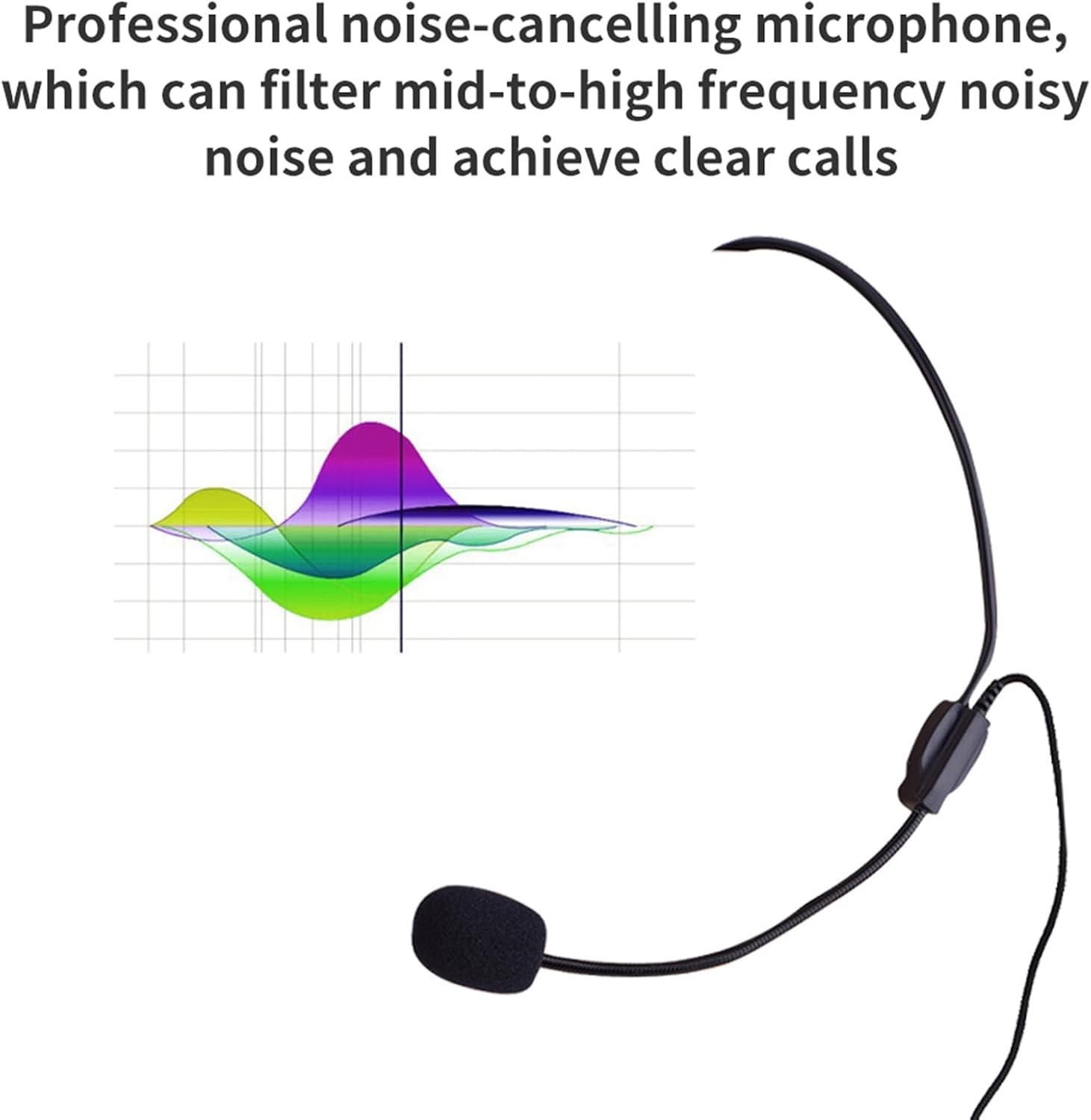
Figure 2.3: Illustration of the microphone's noise-cancelling capabilities, showing a frequency response graph that indicates filtered mid-to-high frequency noise for clear calls.
3. Setup
3.1 Connecting the Microphone
- Locate the 3.5mm audio input jack on your target device (e.g., voice amplifier, speaker, computer, smartphone).
- Insert the 3.5mm jack of the Eboxer microphone firmly into the device's audio input port.
- Ensure the connection is secure to prevent audio interruptions.
3.2 Wearing the Headset
- Gently place the headset over your head, ensuring the ear loops rest comfortably behind your ears.
- Adjust the flexible boom so that the microphone capsule is positioned approximately 1-2 inches (2.5-5 cm) from the corner of your mouth. This optimal distance helps capture your voice clearly and reduces breath noise.
- Verify that the headset feels secure and comfortable for extended wear.

Figure 3.1: An individual wearing the Eboxer headset, highlighting its ergonomic design for comfortable and stable use.
4. Operating Instructions
4.1 Basic Operation
- Once connected, ensure your audio device (amplifier, speaker, computer) is powered on and its volume is set to a low level.
- Speak into the microphone at a normal speaking volume.
- Gradually increase the volume on your connected device until the desired audio output level is achieved.
- Due to the unidirectional pickup pattern, speak directly towards the microphone capsule for the best sound quality and to minimize background noise.
4.2 Usage Scenarios
- Public Speaking/Teaching: Ideal for presentations, lectures, and classroom instruction, providing clear voice projection.
- Stage Performance/Karaoke: Suitable for vocal performances where hands-free operation is beneficial.
- Computer Use: Can be used for online meetings, voice recording, or gaming when connected to a compatible computer audio input.

Figure 4.1: A collage illustrating diverse applications of the Eboxer headset microphone, including dance instruction, sports coaching, classroom teaching, and public speaking.
5. Maintenance
Proper maintenance ensures the longevity and optimal performance of your microphone.
- Cleaning: Regularly wipe the headset and microphone boom with a soft, dry cloth. For the sponge cover, gently remove it and clean with a mild soap solution if necessary, ensuring it is completely dry before reattaching.
- Sponge Cover: The thickened sponge cover helps protect the microphone from moisture and reduces plosive sounds. Ensure it is always in place during use.
- Storage: Store the microphone in a clean, dry place away from extreme temperatures and direct sunlight. Avoid tangling the cable.
- Handling: While the gooseneck is flexible, avoid excessive bending or forceful manipulation to prevent damage.

Figure 5.1: Close-up view of the microphone's thickened sponge cover and flexible metal gooseneck, components crucial for sound quality and durability.
6. Troubleshooting
If you encounter issues with your Eboxer headset microphone, refer to the following common problems and solutions:
| Problem | Possible Cause | Solution |
|---|---|---|
| No sound output |
|
|
| Distorted or unclear sound |
|
|
| Feedback or whistling sound |
|
|
7. Specifications
The following are the technical specifications for the Eboxer Headset Microphone:
| Feature | Detail |
|---|---|
| Microphone Form Factor | Headset |
| Power Source | Corded Electric |
| Material | Acrylonitrile Butadiene Styrene (ABS) |
| Signal-to-Noise Ratio | 78 dB |
| Hardware Platform | Karaoke Machine |
| Number of Channels | 1 |
| Frequency Response | 20 KHz |
| Item Weight | 0.64 ounces (18.14 g) |
| Connectivity Technology | Auxiliary |
| Connector Type | 3.5 mm Jack |
| Special Feature | 3.5mm jack, Portable |
| Compatible Devices | Amplifier, Headphone, Personal Computer, Speaker |
| Polar Pattern | Unidirectional |
8. Warranty and Support
Warranty information for your Eboxer Headset Microphone is typically provided at the time of purchase or included with the product packaging. Please refer to these documents for details regarding warranty coverage and terms.
For technical support or further assistance, please contact your retailer or the manufacturer directly. Contact information can usually be found on the product packaging or the manufacturer's official website.