
1. Introduction
The Pebblebee Key Finder Tracking Device is designed to help you locate misplaced items quickly and efficiently. This premium device features a loud internal speaker, an LED light, and an extended range for effective tracking. With a replaceable battery and a durable stainless steel ring, the Finder combines functionality with a sleek design.
This manual provides detailed instructions on how to set up, operate, and maintain your Pebblebee Finder, ensuring you get the most out of its features.
2. Product Overview
The Pebblebee Finder is a compact and versatile tracking device. It is equipped with a loud buzzer and a bright LED to assist in locating items. The device connects wirelessly to your smartphone via Bluetooth.

Figure 2.1: Close-up view of the Pebblebee Key Finder, highlighting its compact design and the Pebblebee logo engraved on the surface. The device features a durable stainless steel ring for attachment to keys or other items.

Figure 2.2: The Pebblebee Key Finder held in hand, demonstrating the illuminated red LED light. This visual indicator assists in locating the device in dark environments or when it is out of sight.
3. Setup
To begin using your Pebblebee Key Finder, follow these steps:
- Download the Pebblebee App: Search for "Pebblebee" in the Apple App Store (for iOS 9.3 and above) or Google Play Store (for Android 5.0 and above) and install the application on your smartphone.
- Create an Account: Open the Pebblebee app and follow the on-screen instructions to create a new user account or log in if you already have one.
- Activate the Finder: If your Finder has a battery tab, pull it out to activate the device. If not, ensure the battery is correctly installed.
- Pair the Finder: In the Pebblebee app, select the option to add a new device. Follow the app's prompts to pair your Finder. This typically involves pressing the button on the Finder when instructed.
- Attach to Items: Securely attach your Pebblebee Finder to items you wish to track, such as keys, bags, or wallets, using the integrated stainless steel ring.

Figure 3.1: The Pebblebee app interface on a smartphone, showing the 'Find!' button and a map indicating the device's location. Adjacent to the phone are keys with the Pebblebee Finder attached, illustrating typical usage.
4. Operating Instructions
4.1 Finding Your Items
To locate an item attached to your Pebblebee Finder:
- Open the Pebblebee app on your smartphone.
- Select the Finder you wish to locate from your list of devices.
- Tap the "Find!" button. Your Finder will emit a loud sound and flash its LED light, helping you pinpoint its location.
- The app will also display the proximity to your Finder, indicating if you are getting closer or further away.
4.2 Finding Your Phone
If your phone is misplaced, you can use your Pebblebee Finder to locate it:
- Double-press the button on your Pebblebee Finder.
- Your phone will ring, even if it is on silent mode, allowing you to find it.
4.3 Last Known Location & Crowd GPS
- Last Known Location: If your item is out of Bluetooth range, the Pebblebee app will display its last recorded location on a map, helping you narrow down your search area.
- Crowd GPS: The Pebblebee community can assist in locating your missing items. If another Pebblebee user comes within range of your lost item, its location will be anonymously updated on your map.
4.4 Left Behind Alert
Enable the "Left Behind Alert" feature in the Pebblebee app to receive notifications on your phone if you accidentally leave your tracked item behind. This feature helps prevent loss by alerting you when your Finder goes out of range.
4.5 Amazon Alexa Integration
The Pebblebee Finder supports integration with Amazon Alexa. You can use voice commands through your Alexa-enabled devices to trigger your Finder's alarm, making it easier to locate your items.
- Enable the Pebblebee skill in your Alexa app.
- Use commands such as "Alexa, ask Pebblebee to find my keys."
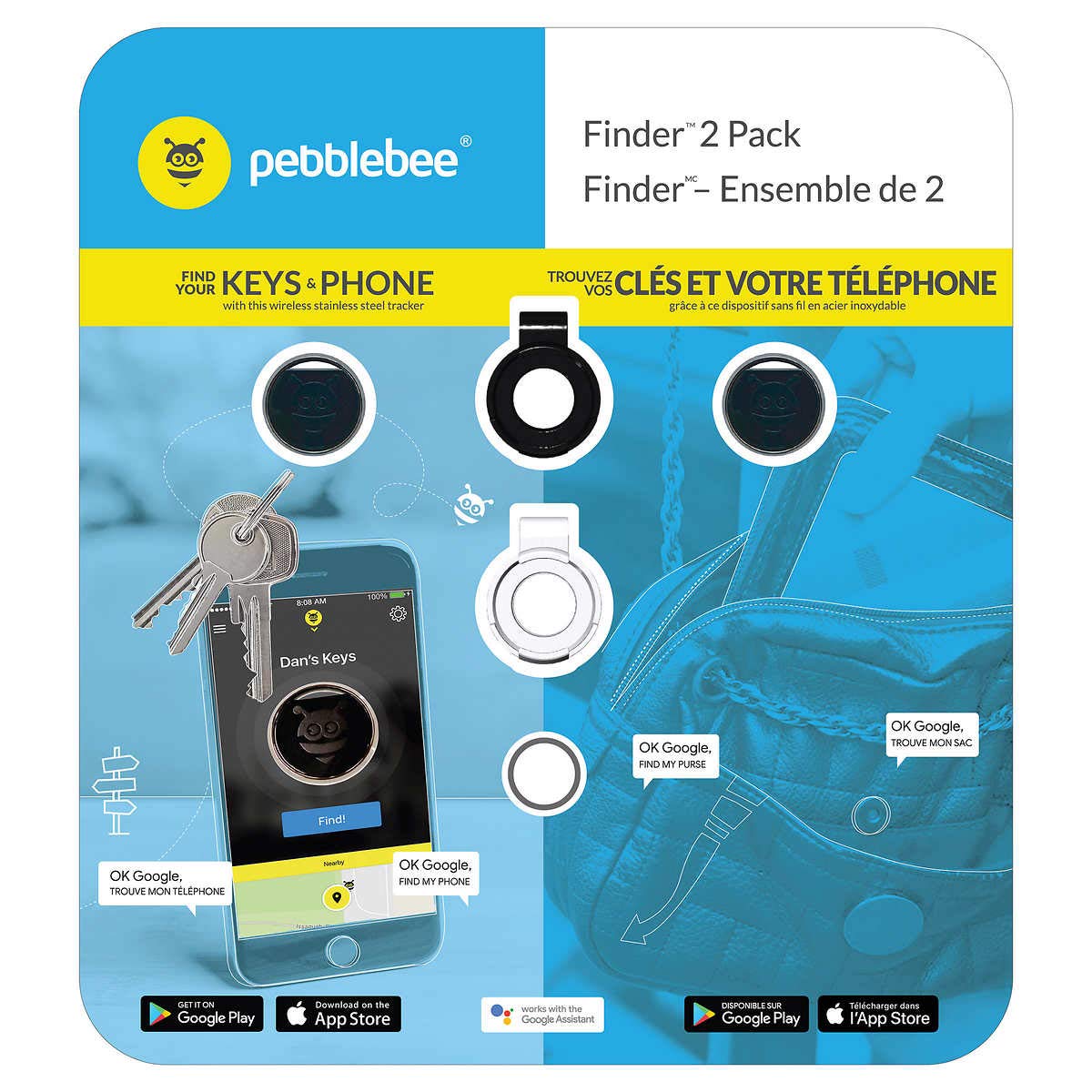
Figure 4.1: An illustrative image demonstrating the Pebblebee Finder's primary functions, including finding keys and phones, and showing the app interface. It also highlights compatibility with Google Assistant and Amazon Alexa.
5. Maintenance
5.1 Battery Replacement
The Pebblebee Finder uses a replaceable battery designed to last approximately one year. When the battery level is low, the app will notify you. To replace the battery:
- Carefully open the casing of your Pebblebee Finder. Refer to the specific instructions provided with your device for opening details.
- Remove the old battery.
- Insert a new, compatible battery (e.g., CR2032 coin cell battery), ensuring correct polarity.
- Close the casing securely.
5.2 Cleaning
To clean your Pebblebee Finder, gently wipe it with a soft, dry cloth. Avoid using harsh chemicals or abrasive materials, as these can damage the device's finish or internal components.
6. Troubleshooting
If you encounter issues with your Pebblebee Key Finder, try the following solutions:
- Device Not Connecting:
- Ensure Bluetooth is enabled on your smartphone.
- Make sure the Finder is within Bluetooth range (up to 200 feet).
- Check the battery level of your Finder in the app. Replace the battery if it is low.
- Restart the Pebblebee app or your smartphone.
- Finder Not Ringing/LED Not Flashing:
- Verify the battery is not depleted.
- Ensure the device is connected to your phone via the app.
- Phone Not Ringing When Finder Button Pressed:
- Confirm the Pebblebee app is running in the background on your phone.
- Check app permissions to ensure it has access to notifications and sound.
- Inaccurate Location:
- Ensure your phone's location services are enabled for the Pebblebee app.
- Location accuracy can be affected by environmental factors.
For further assistance, refer to the support section of the Pebblebee website.
7. Specifications
| Model Number | PB-502-SG |
| Product Dimensions | 31.75 x 24.13 x 2.54 cm |
| Item Weight | 136 g |
| Connectivity Technology | Bluetooth |
| Special Features | Crowd GPS, Proximity Alert, Loud Buzzer, LED Light |
| Supported Application | Pebblebee app, Amazon Alexa |
| Battery Life | Approximately 1 year (replaceable) |
| Compatibility | iOS 9.3 and above, Android 5.0 and above |
8. Warranty and Support
For information regarding product warranty, returns, and technical support, please visit the official Pebblebee website or contact their customer service directly. Details can typically be found in the packaging or on the manufacturer's support pages.


