
AEG BPS33102ZM
AEG BPS33102ZM Built-in Oven User Manual
Model: BPS33102ZM | Brand: AEG
Important Safety Instructions
Please read this manual carefully before installing and using the appliance. Keep this manual for future reference.
- Ensure the appliance is correctly installed by a qualified person before use.
- Do not allow children to play with the appliance or operate the controls.
- The oven surfaces become hot during operation. Use oven mitts when handling hot dishes or oven components.
- Always disconnect the appliance from the power supply before performing any maintenance or cleaning.
- Do not use harsh abrasive cleaners or sharp metal scrapers to clean the oven door glass, as they can scratch the surface, which may result in shattering of the glass.
- Ensure proper ventilation around the appliance as specified in the installation instructions.
Setup and Installation
Proper installation is crucial for the safe and efficient operation of your AEG built-in oven.
Unpacking
Carefully remove all packaging materials from the oven. Inspect the appliance for any damage incurred during transit. Report any damage immediately to your retailer.
Placement and Ventilation
The oven is designed for built-in installation. Ensure the cabinet dimensions meet the requirements for proper fit and ventilation. Refer to the installation diagrams for precise measurements.

Figure 1: Oven installation dimensions and cabinet cutout requirements. This diagram illustrates the necessary width, depth, and height for the installation compartment, as well as clearances for electrical connections and ventilation.

Figure 2: Additional installation diagram providing alternative views and detailed measurements for built-in oven integration into kitchen cabinetry.
Electrical Connection
The oven requires a 220-240 V AC input voltage and has a connected load of 3480 W. The electrical connection must be performed by a qualified electrician in accordance with local regulations. Ensure the power supply is disconnected before making any connections.
Operating Your Oven
Familiarize yourself with the control panel and various cooking functions to get the most out of your oven.
Control Panel Overview
The oven features an intuitive control panel with buttons and a rotary knob for selecting functions and adjusting settings. The built-in display provides clear information.

Figure 3: Front view of the AEG BPS33102ZM Built-in Oven, highlighting the control panel with its display, function selector, and temperature knob.
Setting the Clock and Timer
The electronic clock is quick to read and easy to program. It displays the current time, cooking time, and set timer. Use the dedicated buttons to navigate and set the time and timer functions.

Figure 4: Detailed view of the oven's electronic clock display, showing time and function indicators.
Cooking Functions
Your oven offers a variety of cooking modes to suit different culinary needs:
- Grill: Ideal for browning and crisping dishes.
- Convection Cooking (Hot Air System): The Surroundcook hot air system with a ring heating element ensures even heat distribution, allowing you to bake on up to three levels simultaneously without flavor transfer.
- Oven Defrost Function: Gently thaws frozen food.
- Keep Warm Function: Maintains food at serving temperature.
- Pizza Making Function: Optimized setting for perfect pizzas.
- Top and Bottom Heating: Traditional cooking method for baking and roasting.
- Roaster Function: Specific setting for roasting.

Figure 5: Visual comparison demonstrating the superior, even heat distribution achieved by the hot air system with ring heating element, resulting in uniformly cooked dishes like lasagna.
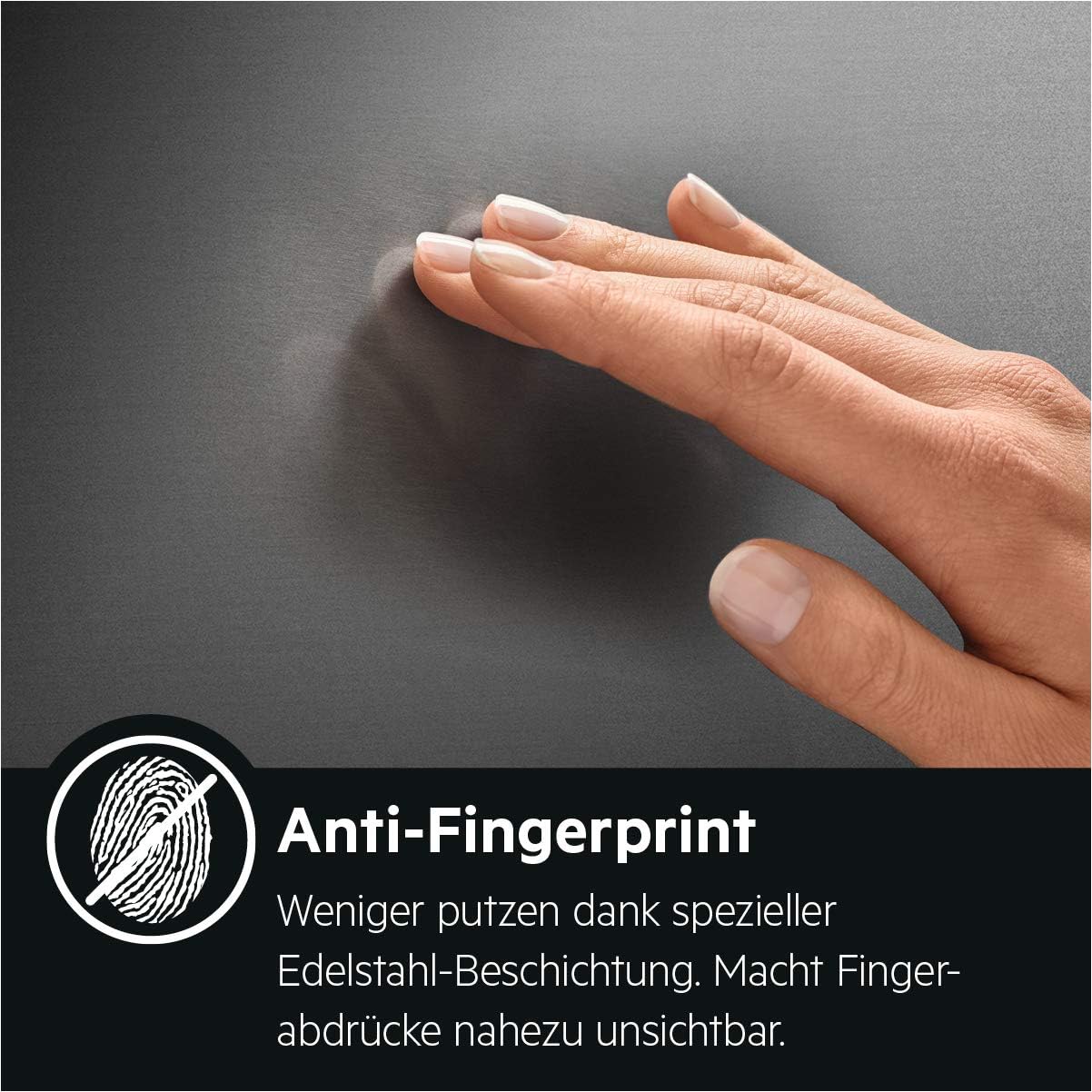
Figure 6: The MaxiKlasse™ cooking chamber, offering an extra-large capacity of 72 liters, provides ample space for larger dishes and multi-level cooking.
Using the Pyrolytic Self-Cleaning Function
The pyrolytic self-cleaning function simplifies oven maintenance by turning dirt, grease, and food residues into ash at approximately 480°C. This eliminates the need for harsh chemicals.
- Remove all accessories (racks, trays, side supports) from the oven cavity.
- Wipe away any loose debris.
- Close the oven door securely. The door will automatically lock during the cleaning cycle.
- Select the pyrolytic cleaning program from the control panel. There are typically two programs of differing intensity.
- Start the cycle. The oven will heat up to a very high temperature.
- Once the cycle is complete and the oven has cooled down, wipe away the remaining ash with a damp cloth.

Figure 7: Visual demonstration of the pyrolytic self-cleaning function, showing a dirty oven interior before cleaning and a clean interior after the process, with only ash remaining to be wiped away.
Child Lock
To prevent accidental operation, especially by children, the oven is equipped with a child lock feature. Refer to the control panel instructions for activating and deactivating this safety function.

Figure 8: The Safe to Touch outer door feature ensures the external surface remains cool, minimizing the risk of burns, particularly important in households with children.
Care and Maintenance
Regular cleaning and proper care will extend the life and maintain the performance of your oven.
General Cleaning
For daily cleaning, wipe down the exterior surfaces with a soft cloth and mild detergent. The stainless steel finish features an anti-fingerprint coating, reducing visible smudges.

Figure 9: The anti-fingerprint coating on the stainless steel surface helps keep the oven looking clean with less effort, making fingerprints nearly invisible.
Cleaning the Oven Interior
After using the pyrolytic self-cleaning function, simply wipe away the ash with a damp cloth. For minor spills, clean immediately with a soft cloth and warm soapy water.
Easy Cleaning Door
The oven door features removable glass panes for exceptionally easy cleaning. Refer to the full instruction manual for detailed steps on how to remove and reinsert the glass.

Figure 10: The oven's easy-clean door design allows for simple removal of the inner glass panes, facilitating thorough cleaning and maintenance.
Replacing the Oven Lamp
The oven is equipped with a 40 W halogen lamp. If the lamp needs replacement, ensure the oven is disconnected from the power supply and has cooled down. Unscrew the protective cover, replace the bulb with a new one of the same type and wattage, and reattach the cover.
Troubleshooting
Before contacting customer support, please refer to the following table for common issues and their solutions.
| Problem | Possible Cause | Solution |
|---|---|---|
| Oven does not heat up. | No power supply; incorrect function/temperature setting; door not closed properly. | Check power connection and circuit breaker. Ensure correct function and temperature are selected. Close the oven door completely. |
| Pyrolytic cleaning does not start. | Oven door not fully closed or locked; accessories still inside. | Ensure the oven door is securely closed and locked. Remove all racks and accessories before starting the cycle. |
| Uneven cooking results. | Incorrect rack position; overloaded oven; temperature too high/low. | Use the recommended rack position for the selected function. Avoid overloading the oven. Adjust temperature as needed. Utilize the convection function for even heat. |
| Oven light not working. | Lamp faulty or loose. | Replace the oven lamp (refer to "Replacing the Oven Lamp" section). Ensure it is screwed in tightly. |
| Display shows an error code. | System malfunction. | Note the error code and consult the full user manual or contact customer support. Try resetting the oven by turning off the power for a few minutes. |
Technical Specifications
Key technical details for the AEG BPS33102ZM Built-in Oven:
| Feature | Specification |
|---|---|
| Brand Name | AEG |
| Model Info | BPS33102ZM |
| Item Weight | 65.3 pounds (29.6 kg) |
| Product Dimensions (H x W x D) | 23.39 x 23.39 x 22.36 inches (59.4 x 59.4 x 56.8 cm) |
| Total Oven Capacity | 72 Liters |
| Noise Level | 44 dB |
| Voltage | 220-240 Volts |
| Wattage (Connected Load) | 3480 watts |
| Fuel Type | Electric |
| Material Type | Stainless Steel |
| Special Features | Pyrolytic Self-Cleaning, Child Lock, Electronic Clock, Hot Air System, Safe to Touch Outer Door |
| Energy Efficiency Class | A+ |
| Oven Type | Electric |
Warranty and Customer Support
For specific warranty details, please refer to the warranty card included with your purchase or contact your retailer. Warranty terms may vary by region.
For technical assistance, spare parts, or service inquiries, please contact AEG customer support. You can often find contact information on the official AEG website or through your local distributor.
Customer Support Link: Visit Product Page for Support Information