
1. Product Overview
The Ecobee EB-STATE3LTVP-01 Smart Thermostat is designed to enhance home comfort and energy efficiency. Featuring an intuitive touchscreen display, it helps manage heating and cooling costs. This model includes two Room Sensors to address temperature imbalances and optimize energy usage by detecting occupancy.
Key features include:
- Energy Savings: Designed to reduce heating and cooling costs.
- Room Sensors: Two included sensors detect occupancy and temperature to balance comfort across your home.
- Easy Installation: Self-installation is typically completed in about 30 minutes with a guided process.
- Remote Control: Adjust settings from anywhere using the Ecobee mobile app on iOS or Android devices.
- Smart Home Integration: Compatible with Apple HomeKit, Alexa, Google Assistant, Microsoft Cortana, Samsung SmartThings, Wink, and IFTTT.

Figure 1: Ecobee EB-STATE3LTVP-01 Smart Thermostat with Room Sensors.
2. What's in the Box
The product package contains the following items:
- Ecobee3 Lite Smart Thermostat
- 2 Room Sensors and stands
- Install & Quickstart guide
- Mounting Plate
- Power Extender Kit (for homes without a C-wire)
- Trim Plate
- Wire Labels

Figure 2: Contents of the Ecobee Smart Thermostat package, including installation guide and app walkthrough.
3. Setup & Installation
Installation of the Ecobee Smart Thermostat is designed to be straightforward. The included installation guide and in-app step-by-step walkthrough will guide you through the process.
3.1 Wiring
Before beginning, ensure power to your HVAC system is turned off at the breaker. The thermostat requires a C-wire (common wire) for continuous power. If your home does not have a C-wire, use the provided Power Extender Kit (PEK) to establish the necessary connection. Wire labels are included to assist with proper identification.
3.2 Mounting
Attach the mounting plate to your wall using the provided screws and anchors. Connect the wires according to the instructions, then snap the thermostat onto the mounting plate.
3.3 Wi-Fi Connection
Once powered on, follow the on-screen prompts to connect your Ecobee thermostat to your home Wi-Fi network. This enables remote control and smart features.
3.4 Room Sensor Placement
Place the included Room Sensors in areas where temperature consistency is important, such as bedrooms or living rooms. The sensors can be mounted on a wall or placed on a stand. They detect both occupancy and temperature to optimize comfort and energy savings.
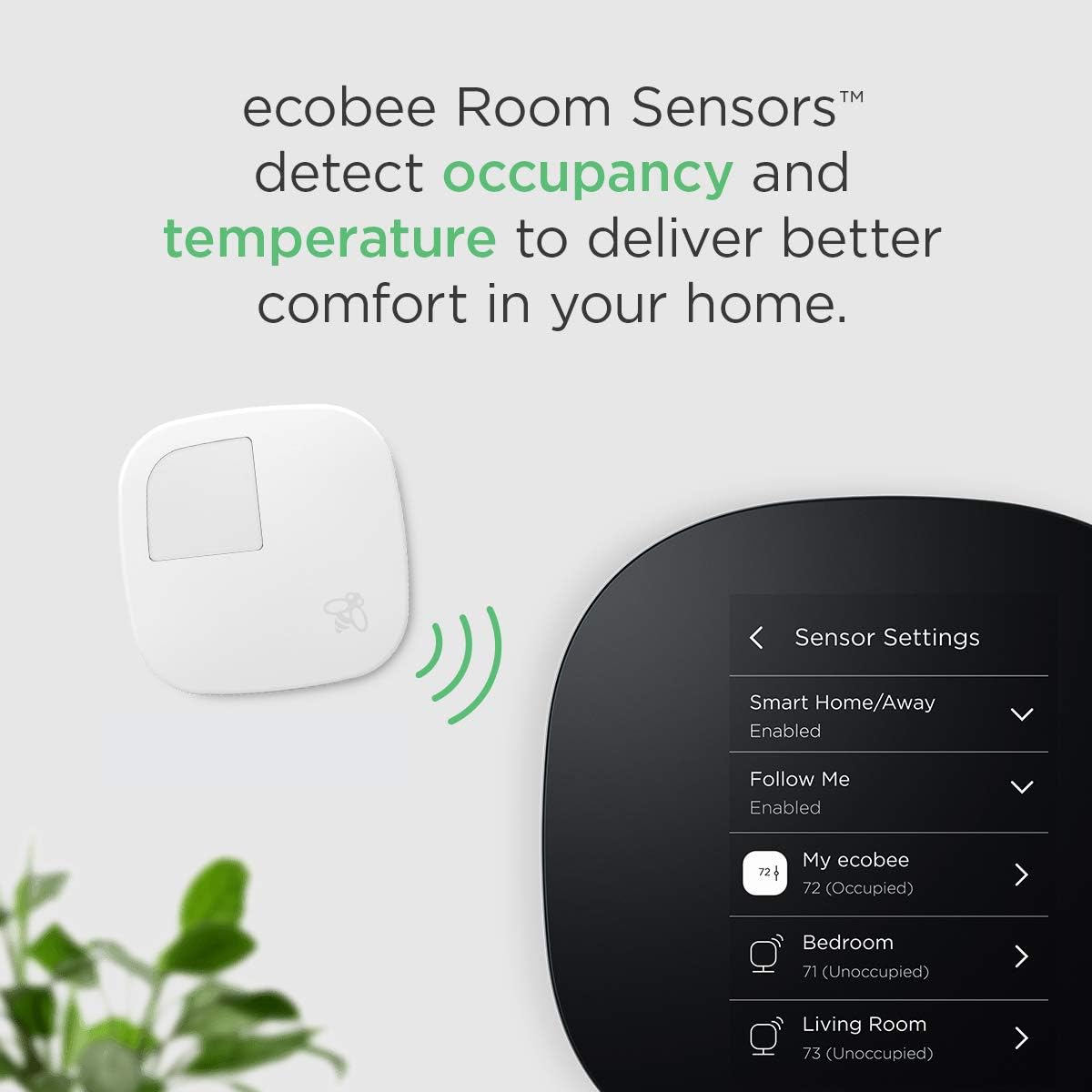
Figure 3: Ecobee Room Sensors detect occupancy and temperature to deliver better comfort.
4. Operating Instructions
The Ecobee Smart Thermostat features a user-friendly touchscreen interface and can also be controlled remotely via the mobile app.
4.1 Adjusting Temperature
On the main screen, the current indoor temperature is displayed prominently. Tap the temperature to reveal adjustment controls. Use the plus (+) and minus (-) icons to increase or decrease the desired temperature. The thermostat will maintain this setting until the next scheduled change or manual override.
4.2 System Modes
Access system modes by tapping the fan icon or navigating through the main menu. Available modes include:
- Heat: Activates your heating system.
- Cool: Activates your cooling system.
- Auto: Automatically switches between heating and cooling to maintain your desired temperature range.
- Off: Turns off both heating and cooling.
4.3 Fan Mode
The fan can be set to 'Auto' (runs only when heating or cooling) or 'On' (runs continuously). You can also set a minimum hourly runtime for the fan to improve air circulation.
4.4 Comfort Settings (Home, Away, Sleep)
Customize temperature preferences for different states:
- Home: Settings for when you are typically at home.
- Away: Settings for when the house is unoccupied, optimizing for energy savings.
- Sleep: Settings for nighttime comfort.
These settings can be adjusted to be consistent throughout the day or varied for each mode.
4.5 Scheduling
Create custom schedules for your thermostat to automatically adjust temperatures based on your daily routine. You can set different schedules for weekdays and weekends, or even individual days, to maximize comfort and energy efficiency.
4.6 Vacation Mode
When going on vacation, activate vacation mode to maintain a set temperature range, preventing extreme temperatures and conserving energy while you are away.
4.7 Smart Home Integration & Remote Control
The Ecobee Smart Thermostat integrates with various smart home platforms, allowing voice control and centralized management. Use the Ecobee mobile app to control your thermostat from any location with an internet connection.

Figure 4: Control your Ecobee Smart Thermostat from anywhere using the mobile app.

Figure 5: Ecobee Smart Thermostat is compatible with various smart home platforms.
5. Maintenance
To ensure optimal performance and longevity of your Ecobee Smart Thermostat, follow these maintenance guidelines:
- Cleaning: Gently wipe the touchscreen and exterior with a soft, damp cloth. Avoid abrasive cleaners or solvents.
- Air Filter Replacement: The thermostat can provide reminders for HVAC air filter replacement. Regularly changing your air filter is crucial for system efficiency and air quality.
- Software Updates: Ensure your thermostat is connected to Wi-Fi to receive automatic software updates, which provide new features and performance improvements.
- Room Sensor Batteries: The Room Sensors require 2 CR123A batteries. Replace them when the thermostat or app indicates low battery levels.
6. Troubleshooting
If you encounter issues with your Ecobee Smart Thermostat, consider the following common troubleshooting steps:
- No Power/Display Off: Check your circuit breaker to ensure power to your HVAC system is on. Verify all wiring connections are secure. If using a Power Extender Kit, ensure it is correctly installed.
- Incorrect Temperature Readings: Ensure Room Sensors are placed away from direct sunlight, drafts, or heat sources. Verify sensors are properly paired.
- Wi-Fi Disconnection: Check your home Wi-Fi network status. Restart your router and modem. Reconnect the thermostat to Wi-Fi through the settings menu.
- HVAC System Not Responding: Check the system mode (Heat, Cool, Auto, Off) to ensure it is set correctly. Verify that no equipment is running by checking the main menu. If issues persist, consult a qualified HVAC technician.
- App Control Issues: Ensure your mobile device has an active internet connection. Verify the Ecobee app is updated to the latest version.
For more detailed troubleshooting, refer to the online support resources or contact Ecobee customer service.
7. Specifications
| Brand | ecobee |
| Model Name | Thermostat with 2 Room Sensors |
| Part Number | EB-STATE3LTVP-01 |
| Color | Black |
| Material | Plastic |
| Display Type | Touchscreen |
| Control Type | Touch, Voice |
| Connectivity Technology | Wi-Fi |
| Controller Type | Amazon Alexa, Android, Apple HomeKit, Google Assistant, IFTTT |
| Power Source | AC/DC |
| Voltage | 24 Volts |
| Item Weight | 1 pounds (16 ounces) |
| Product Dimensions | 10 x 6 x 4 inches |
| Mounting Type | Wall Mount |
| Special Features | Remote Access, Smart Home Integration |
| Included Components | ecobee3 Lite Smart Thermostat, 2 Room Sensors and stands, Install & Quickstart guide, Mounting Plate, Power Extender Kit, Trim Plate, Wire Labels |
| Batteries Required | 2 CR123A batteries (for Room Sensors) |
| Certification | Energy Star |
8. Warranty Information
The Ecobee EB-STATE3LTVP-01 Smart Thermostat comes with a 3-year limited warranty. For specific terms and conditions, please refer to the warranty documentation included with your product or visit the official Ecobee website.
9. Support
For further assistance, technical support, or to access additional resources, please visit the official Ecobee support website. You may also find helpful information in the FAQ section or by contacting their customer service team directly.


