
1. Introduction
This manual provides comprehensive instructions for the Foscam FI9902P Outdoor Security Camera. It covers product features, installation procedures, operational guidelines, maintenance tips, and troubleshooting steps to ensure optimal performance and security for your property.
The Foscam FI9902P camera provides 1080P Full HD video resolution at 25 frames per second, ensuring clear and detailed surveillance. It supports remote viewing and playback via the Foscam App or a web browser. The camera features a 105° wide viewing angle and a night vision range of up to 20 meters (66 feet) using 30 IR-LEDs. Motion and sound detection trigger real-time push alerts to your smartphone, tablet, or email. Storage options include an external SD card slot (up to 128GB), Network Video Recorder (NVR) compatibility, and optional Foscam Cloud service.
2. Product Overview
2.1 Package Contents
Verify that all items are present in the package:
- Foscam FI9902P Camera
- Power Adapter
- Ethernet Cable
- Mounting Screws and Anchors
- Hex Key
- Quick Installation Guide (not included in this digital manual)

Image: Contents of the Foscam FI9902P camera package, showing the camera, power adapter, Ethernet cable, and mounting accessories.
2.2 Camera Features
The Foscam FI9902P is designed for outdoor surveillance with robust features:
- Full HD 1080P Resolution: Provides clear and detailed video footage.
- Wide Dynamic Range (WDR): Enhances image quality in varying light conditions.
- Powerful Night Vision: Equipped with 30 IR-LEDs for up to 20 meters (66 feet) of visibility in low light.
- Motion and Sound Detection: Triggers alerts and recordings upon detecting activity.
- Real-time Push Alerts: Sends notifications to your smartphone, tablet, or email.
- Multiple Storage Options: Supports external SD card (up to 128GB), NVR, and Foscam Cloud service.
- Weatherproof Design: Built to withstand outdoor elements (thermostable, weatherproof, snow resistant).
- Wide Viewing Angle: 105-degree diagonal field of view.

Image: Overview of key features including 1080P resolution, cloud service, motion detection, wide angle, night vision, external SD card slot, and weatherproof design.

Image: The Foscam FI9902P camera demonstrating its weatherproof, snow-resistant, and thermostable capabilities.
3. Setup and Installation
3.1 Physical Installation
The Foscam FI9902P is designed for wall mounting. Choose a location that provides the desired viewing angle and is within range of your Wi-Fi network or an Ethernet connection.
- Select Location: Identify a suitable outdoor wall location, ensuring a clear line of sight and access to a power outlet.
- Mounting Template: Use the provided mounting template (if applicable) to mark drill holes on the wall.
- Drill Holes: Drill pilot holes and insert the wall anchors.
- Secure Camera: Attach the camera's mounting bracket to the wall using the provided screws.
- Adjust Angle: Loosen the adjustment screws on the bracket to position the camera for optimal coverage, then tighten to secure.

Image: The Foscam FI9902P camera securely mounted on an exterior wall.
3.2 Power and Network Connection
- Power Connection: Connect the power adapter to the camera and plug it into a power outlet.
- Network Connection:
- Wi-Fi: For wireless connection, ensure the camera is within range of your Wi-Fi router. Configuration will be done via the Foscam App.
- Ethernet: For a wired connection, connect one end of the Ethernet cable to the camera and the other end to your router or network switch.
3.3 Initial Setup with Foscam App
Download the Foscam App from your device's app store (iOS or Android). Follow the in-app instructions to add your camera, which typically involves scanning a QR code on the camera or manually entering its ID.
4. Operating the Camera
4.1 Live Viewing and Playback
Access live video streams and recorded footage through the Foscam App or a web browser. The app provides a timeline feature for easy navigation of past recordings.
4.2 Recording and Storage
The FI9902P offers flexible storage solutions:
- Micro SD Card: Insert a Micro SD card (up to 128GB) into the external slot for local storage. The slot is located under a protective cover on the camera body.
- Network Video Recorder (NVR): Connect the camera to a compatible NVR for continuous recording and larger storage capacity.
- Foscam Cloud: Subscribe to Foscam Cloud service for secure, remote storage of your video footage.
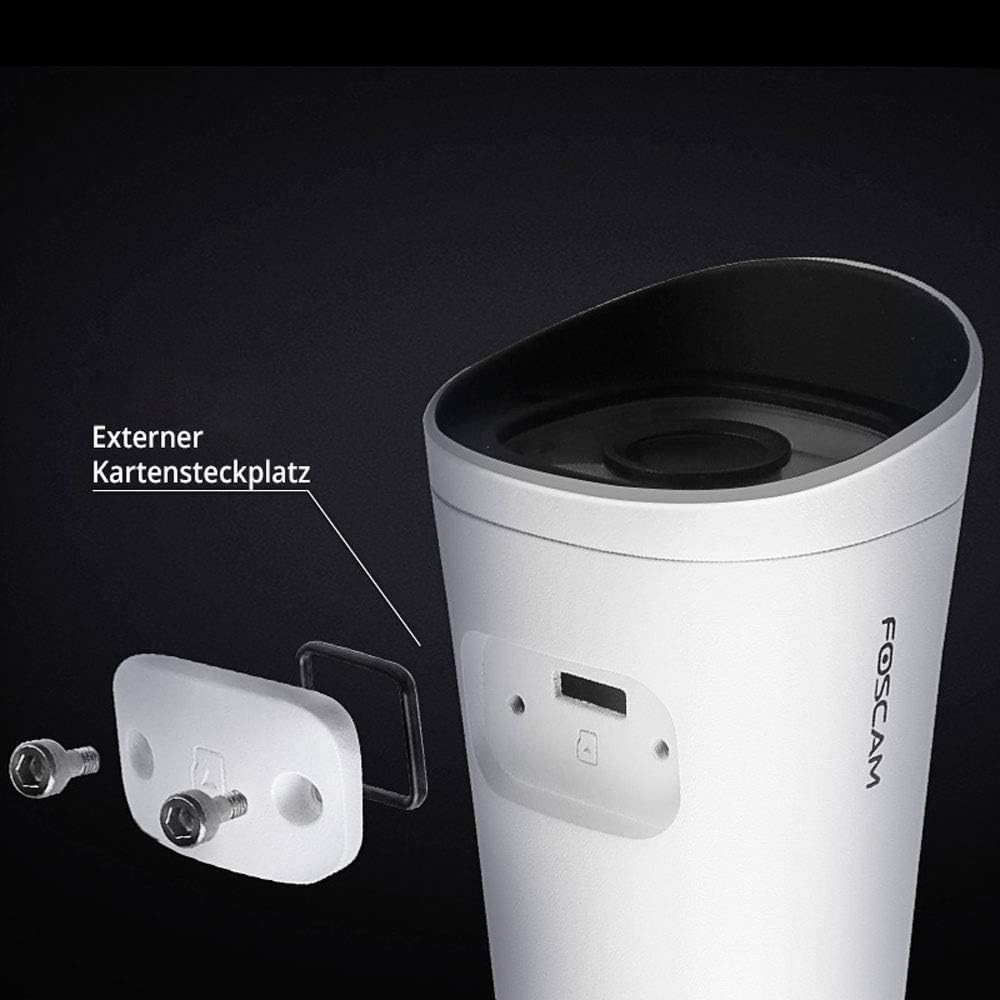
Image: The external Micro SD card slot on the Foscam FI9902P camera, accessible for local storage.
4.3 Motion and Sound Detection
Configure motion and sound detection settings within the Foscam App. You can define detection zones, sensitivity levels, and schedule times for alerts.
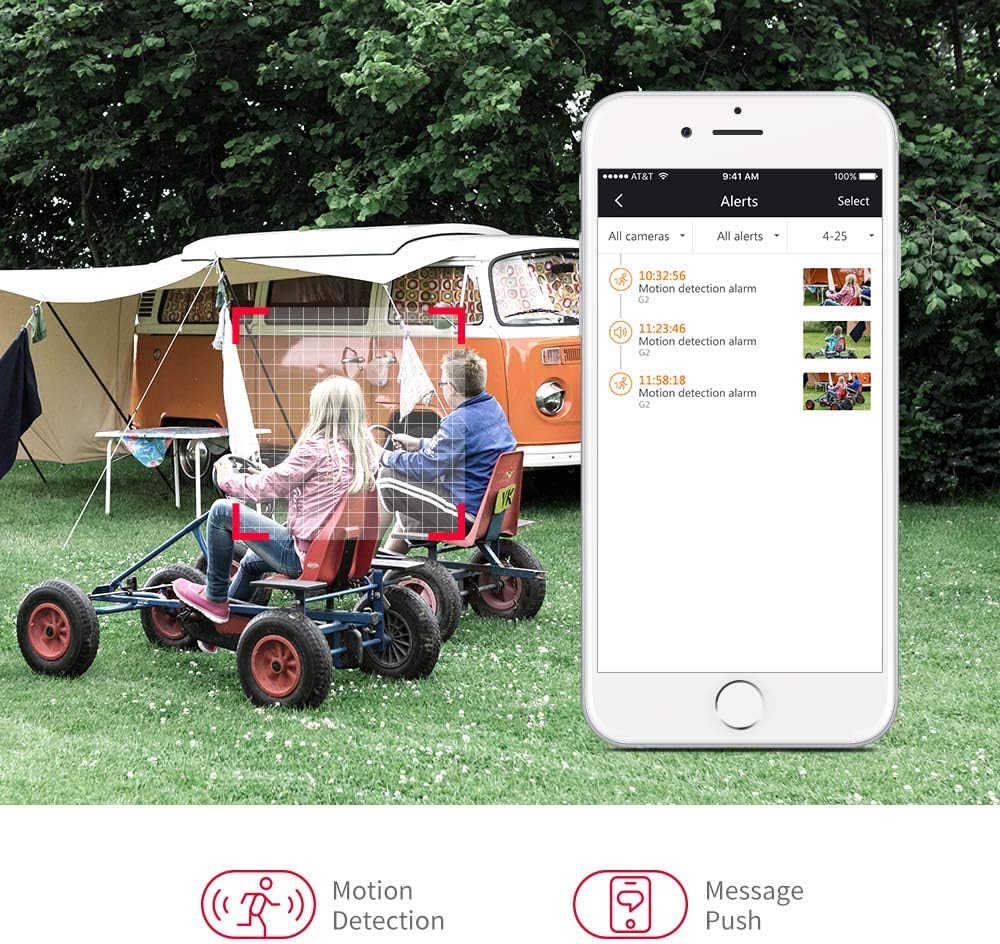
Image: A smartphone displaying motion detection alerts received from the Foscam camera.
4.4 Night Vision
The camera automatically switches to night vision mode in low-light conditions, providing clear black-and-white video up to 20 meters (66 feet).

Image: Illustration of the camera's 110-degree viewing angle and 20-meter night vision capability.
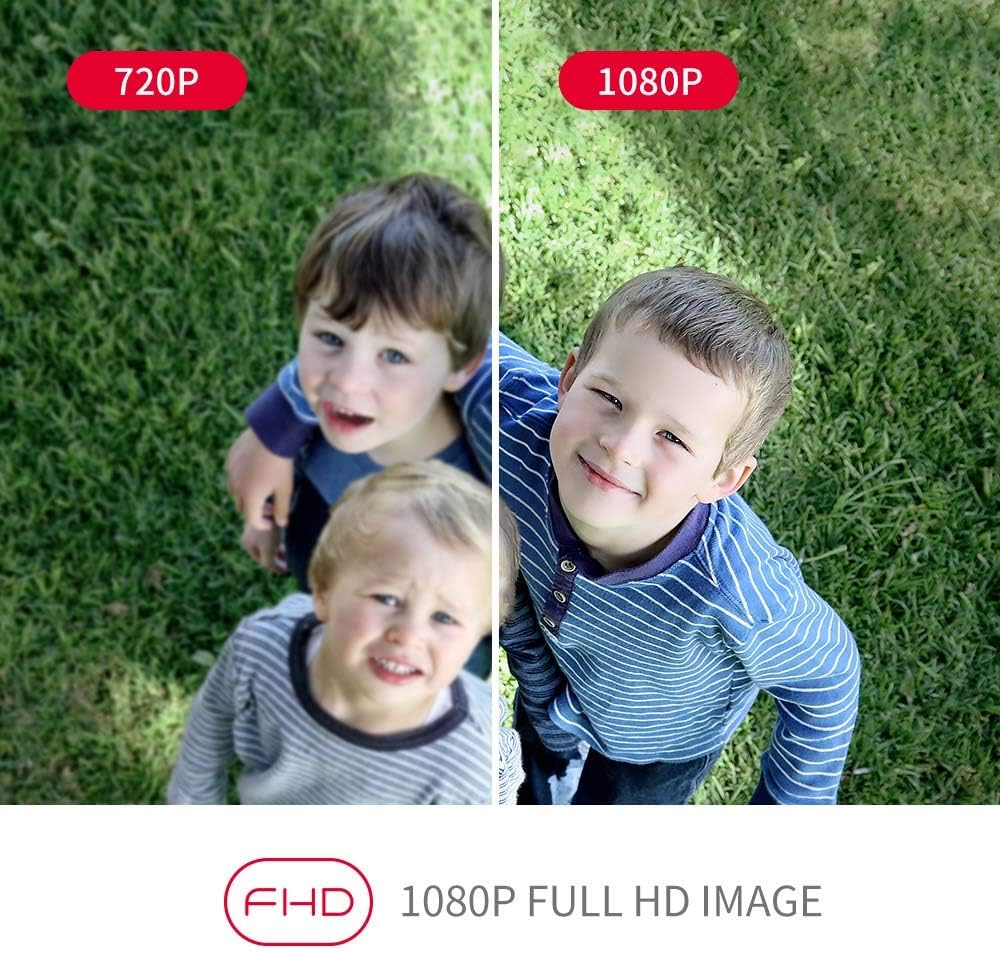
Image: A visual comparison demonstrating the enhanced clarity of 1080P Full HD video compared to 720P.
5. Maintenance
Regular maintenance ensures the longevity and optimal performance of your Foscam FI9902P camera.
- Cleaning: Periodically clean the camera lens and housing with a soft, damp cloth. Avoid abrasive cleaners.
- Firmware Updates: Check the Foscam App or official website for available firmware updates to ensure your camera has the latest features and security enhancements.
- SD Card Management: If using an SD card, regularly back up important footage and format the card periodically to maintain performance.
- Cable Inspection: Inspect power and Ethernet cables for any signs of wear or damage, especially in outdoor environments.
6. Troubleshooting
If you encounter issues with your Foscam FI9902P camera, refer to the following common troubleshooting steps:
- No Power: Ensure the power adapter is securely connected to the camera and a working power outlet.
- No Network Connection:
- Wi-Fi: Verify the camera is within Wi-Fi range and the network password is correct. Restart your router.
- Ethernet: Check the Ethernet cable connection to both the camera and the router. Try a different cable.
- Poor Video Quality: Ensure the lens is clean. Check your internet connection speed. For 1080P streaming, a stable and sufficient bandwidth is required.
- Motion Detection Not Working: Verify that motion detection is enabled in the app and the detection zone is correctly configured. Adjust sensitivity settings.
- Cannot Access Camera Remotely: Ensure your home network has internet access. Check firewall settings on your router.
- Camera Offline: Try restarting the camera by unplugging and replugging the power. If the issue persists, reset the camera to factory defaults (refer to the Foscam website for specific reset instructions for your model) and reconfigure.
For further assistance, visit the official Foscam support website or contact their customer service.
7. Specifications
Detailed technical specifications for the Foscam FI9902P camera:
| Feature | Specification |
|---|---|
| Model | FI9902P |
| Color | Black, White |
| Form Factor | Bullet |
| Effective Video Resolution | 1080P Full HD |
| Optical Sensor Resolution | 2 Megapixels |
| Frame Rate | 25 frames per second |
| Viewing Angle | 105 Degrees |
| Night Vision Range | 20 Meters (66 feet) |
| Connectivity Technology | Fast Ethernet + WiFi, Wireless |
| Connectivity Protocol | ONVIF |
| Installation Type | Wall Mount |
| Storage | External Micro SD Card (up to 128GB), NVR, Cloud |
| Special Features | Night Vision, Motion Detection |
| Material | Metal |
| Voltage | 12 Volts |
| Power Consumption | 5 Watts |
| Dimensions (L x W x H) | 9.7 x 6.6 x 6.4 cm |
| Item Weight | 290 Grams |
| Zoom Type | Optical Zoom |
| Focus Type | Motion Detection Trigger (Feature) |
| Recommended Uses | Surveillance |
8. Warranty and Support
8.1 Warranty Information
For detailed warranty information regarding your Foscam FI9902P camera, please refer to the official Foscam website or the warranty card included with your product. Warranty terms and conditions may vary by region.
8.2 Customer Support
If you require technical assistance or have questions about your Foscam FI9902P, please utilize the following resources:
- Foscam Official Website: Visit www.foscam.com for FAQs, support articles, and contact information.
- Foscam App: The app often includes a support section with troubleshooting guides and direct contact options.


