
Hisonic BS-SUN-690
Hisonic Kids Wireless Headphones Instruction Manual
Model: BS-SUN-690
Product Overview
The Hisonic Kids Wireless Headphones are designed for children aged 2 to 12, offering a safe and comfortable audio experience. These foldable Bluetooth headphones feature a built-in microphone for calls and online learning, a music share port, and a volume limit to protect delicate ears.
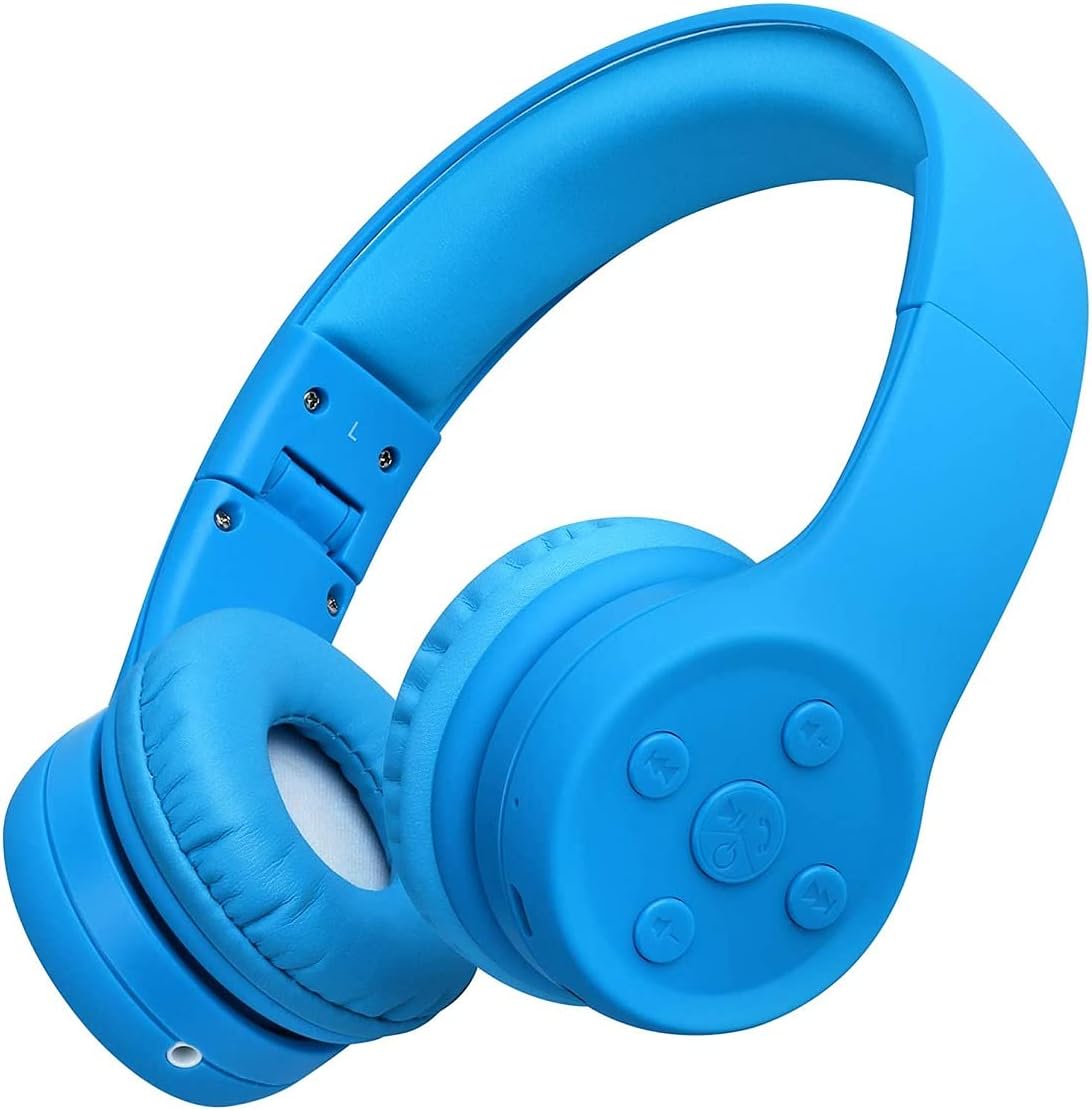
Image: Hisonic Kids Wireless Headphones in Dark Blue, showcasing their compact and child-friendly design.
Key Features
- Child-Friendly Design: Lightweight and soft with comfortable ear pads, perfectly sized for children aged 2 to 12.
- Volume Protection: Integrated volume limit of 85-93dB to protect children's delicate hearing from high volume levels.
- Built-in Microphone: Equipped with a microphone for hands-free calling and facilitating online learning sessions.
- Foldable and Durable: Features a convenient foldable design for easy portability and space-saving storage. The highly durable and flexible body is adjustable to fit various head sizes.
- Music Share Port: Allows multiple headphones to connect and share audio from a single device.
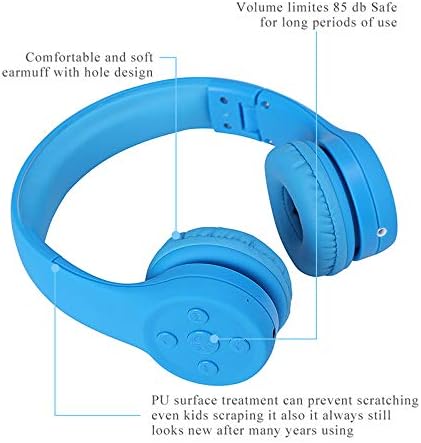
Image: Diagram highlighting key features such as the 85dB volume limit for safety, comfortable and soft earmuffs, and the durable PU surface treatment designed to prevent scratching.
What's in the Box
Upon unboxing your Hisonic Kids Wireless Headphones, you will find the following components:
- Hisonic Kids Wireless Headphones (Model: BS-SUN-690)
- 1 x 3.5mm Audio Cable (for wired connection)
- 1 x Micro USB Charging Cable
- 1 x Protection Pouch Bag
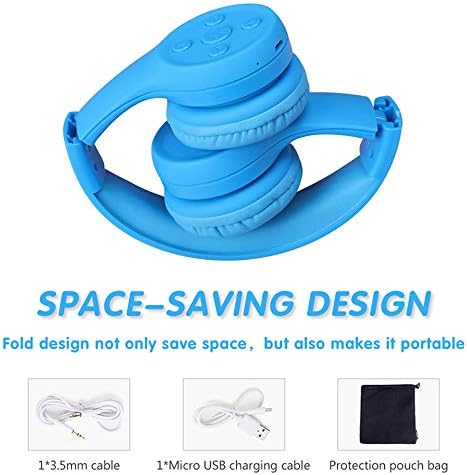
Image: The Hisonic Kids Wireless Headphones in their folded, space-saving design, alongside the included 3.5mm audio cable, Micro USB charging cable, and a protective pouch bag.
Setup Guide
1. Charging the Headphones
Before first use, ensure the headphones are fully charged. Connect the Micro USB charging cable to the charging port on the headphones and the other end to a USB power source (e.g., computer USB port, USB wall adapter). The LED indicator will show charging status and turn off or change color when fully charged.
2. Bluetooth Pairing
- Ensure the headphones are turned off.
- Press and hold the Power/Multi-function button until the LED indicator flashes blue and red alternately, indicating pairing mode.
- On your device (smartphone, tablet, laptop), enable Bluetooth and search for available devices.
- Select "Hisonic BS-SUN-690" or similar from the list of devices.
- Once connected, the LED indicator will turn solid blue or flash blue slowly.

Image: The Hisonic Kids Wireless Headphones are compatible with a wide range of devices including smartphones, tablets, laptops, MP3 players, and smart TVs, allowing for versatile connectivity.
3. Wired Connection
For devices without Bluetooth or when the headphone battery is low, you can use the included 3.5mm audio cable. Simply plug one end into the headphone's 3.5mm jack and the other end into your audio device's headphone jack. The headphones will function as wired headphones.
Operating Instructions
1. Headphone Controls
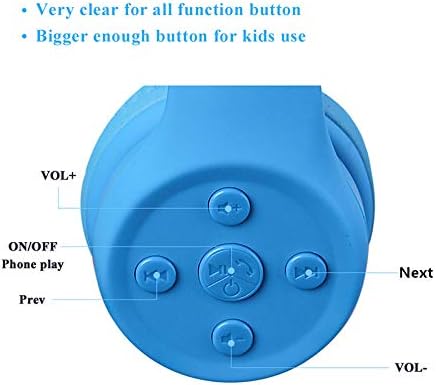
Image: Close-up view of the headphone's control panel, featuring clearly labeled buttons for volume adjustment, power/play, and track navigation.
- Power ON/OFF / Phone Play: Press and hold to power on/off. Short press to play/pause music or answer/end calls.
- VOL+: Short press to increase volume.
- VOL-: Short press to decrease volume.
- Next: Short press to skip to the next track.
- Prev: Short press to go to the previous track.
2. Volume Limit Feature
The Hisonic Kids Wireless Headphones are designed with an integrated volume limit of 85-93dB. This feature automatically restricts the maximum sound output to a safe level, protecting children's hearing during extended listening periods. No manual adjustment is required for this safety feature.
3. Music Share Function (Daisy Chain)
These headphones include a music share port, allowing multiple headphones to connect to a single audio source. To use this feature, connect the included 3.5mm audio cable from the music share port of the first headphone to the 3.5mm input jack of a second headphone. This enables two users to listen to the same audio simultaneously.
4. Using the Built-in Microphone
The integrated microphone allows for clear hands-free communication. When connected via Bluetooth, you can answer incoming calls by short-pressing the Power/Multi-function button. Press again to end the call. This feature is also ideal for online learning, video calls, and voice chats.
5. Folding and Storage
The headphones feature a foldable design for convenient storage and portability. Gently fold the earcups inwards towards the headband. When not in use, store the headphones in the provided protection pouch bag to prevent damage.
Care and Maintenance
- Cleaning: Use a soft, dry cloth to clean the headphones. Do not use abrasive cleaners or solvents.
- Storage: Store the headphones in a cool, dry place, away from direct sunlight and extreme temperatures. Use the provided pouch for protection during travel or storage.
- Avoid Moisture: Do not expose the headphones to water or excessive moisture.
- Handle with Care: While durable, avoid dropping or subjecting the headphones to strong impacts.
Troubleshooting
| Problem | Possible Cause | Solution |
|---|---|---|
| Headphones do not turn on. | Battery is depleted. | Charge the headphones fully using the Micro USB cable. |
| Cannot pair with device. | Headphones not in pairing mode; Bluetooth off on device; device too far. | Ensure headphones are in pairing mode (flashing blue/red). Turn on Bluetooth on your device. Move device closer to headphones (within 10 meters). |
| No sound or low volume. | Volume too low on headphones or device; incorrect audio source. | Increase volume on both headphones and connected device. Ensure the correct audio output is selected on your device. |
| Sound distortion. | Interference; device too far; low battery. | Move closer to the connected device. Charge the headphones. Avoid strong electromagnetic interference. |
| Microphone not working. | Incorrect input selection on device; software issue. | Ensure the Hisonic headphones are selected as the microphone input on your device's settings. Restart your device. |
Technical Specifications
| Model Number | BS-SUN-690 |
| Connectivity Technology | Wireless (Bluetooth V5.0), Wired (3.5mm Jack) |
| Ear Placement | Over Ear |
| Form Factor | Over Ear, Foldable |
| Impedance | 32 Ohm |
| Volume Limit | 85-93dB |
| Battery Type | 1 Lithium Ion battery (included) |
| Product Dimensions | 15 x 15 x 5.5 cm |
| Item Weight | 148 g |
| Manufacturer | Shenzhen Hisonic Audio Products Co., Ltd. |
Warranty and Support
Hisonic products are manufactured with high-quality standards. These headphones come with a 12-month warranty from the date of purchase, covering manufacturing defects. Please retain your proof of purchase for warranty claims.
For technical support, warranty claims, or any inquiries regarding your Hisonic Kids Wireless Headphones, please contact the manufacturer or your point of purchase. Refer to the product packaging or the official Hisonic website for the most up-to-date contact information.

Image: Product packaging displaying the Hisonic brand story and indicating a 12-month warranty.
Ask a question about this manual
Ask about setup, troubleshooting, compatibility, parts, safety, or missing instructions. Manuals+ will review the question and use this page’s manual context to help answer it.