
1. Introduction
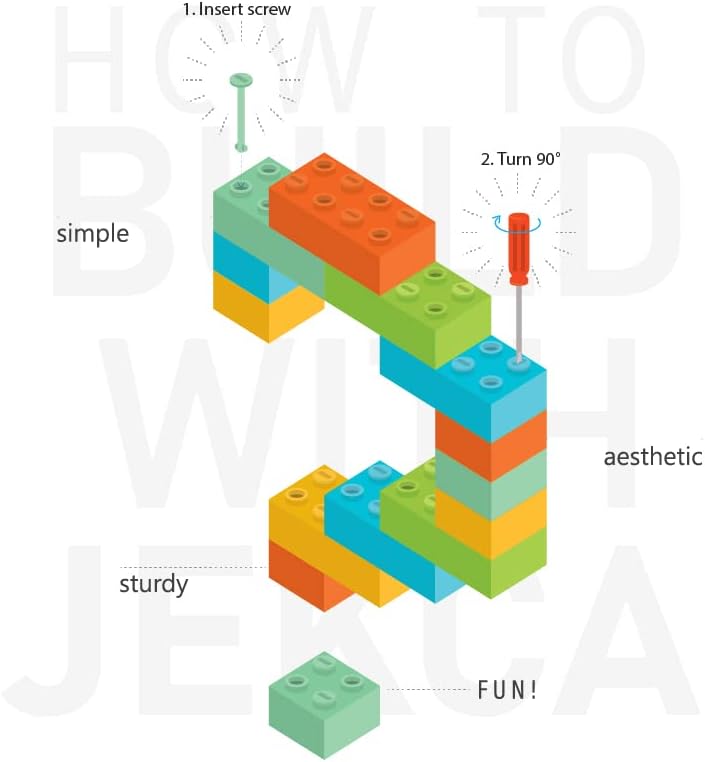
This manual provides detailed instructions for assembling your JEKCA Hamster 02S-M04 plastic building block model. Please read all instructions carefully before beginning assembly to ensure a correct and enjoyable building experience. The JEKCA building system utilizes a unique interlocking brick-through mechanism for sturdy construction without the need for glue.
2. Safety Information
- Small Parts: This product contains small parts which may pose a choking hazard. Keep out of reach of children under 3 years of age.
- Recommended Age: This building set is recommended for individuals aged 14 years or above.
- Handling: Handle components with care. Avoid excessive force during assembly to prevent damage to the blocks or pins.
3. Package Contents
Please verify that all components are present before starting assembly:
- Bricks (approximately 780 pieces)
- Instruction Guide
- Pin Driver
- Pins
- Quick Guide
4. Assembly Instructions
Follow the step-by-step instructions provided in the included Instruction Guide. The JEKCA system uses a unique interlocking method to create a sturdy model.

4.1 Key Assembly Steps:
- Identify Components: Sort the bricks by color and shape as indicated in your Instruction Guide.
- Follow the Guide: Refer to the detailed Instruction Guide for the specific sequence of block placement. Each step will show which blocks to use and where to place them.
- Interlock Blocks: For each connection, align the designated blocks. Insert the provided pins through the holes. Use the pin driver to turn the pins 90 degrees. This rotation expands the pin inside the blocks, creating a strong, stable connection.
- Verify Connections: Ensure each connection is firm before proceeding to the next step. Properly interlocked blocks will not easily separate.
- Complete Sections: Build the model section by section as outlined in the guide.


5. Maintenance
- Cleaning: To clean the assembled model or individual blocks, use a soft, dry cloth. For stubborn dirt, a slightly damp cloth with mild soap can be used, followed by thorough drying.
- Storage: Store the model in a cool, dry place away from direct sunlight to prevent discoloration or material degradation.
- Disassembly: If disassembling, carefully use the pin driver to rotate the pins back to their original position before pulling them out. Avoid forcing blocks apart.
6. Troubleshooting
- Difficulty Interlocking: Ensure the pins are correctly aligned with the holes and that the pin driver is fully engaged before rotating. Do not force the pins.
- Loose Connections: If a connection feels loose, verify that the pin has been rotated 90 degrees. If it has, ensure the blocks are fully seated together.
- Missing Pieces: Carefully check all packaging materials. If pieces are genuinely missing, please contact JEKCA customer support with your model number and a description of the missing parts.
- Damaged Pieces: If any pieces are damaged upon arrival, do not attempt to force them. Contact JEKCA customer support for assistance.
7. Specifications
| Attribute | Detail |
|---|---|
| Brand | JEKCA |
| Model Name | Hamster 02S-M04 |
| Item Model Number | ST19HAM02-M04 |
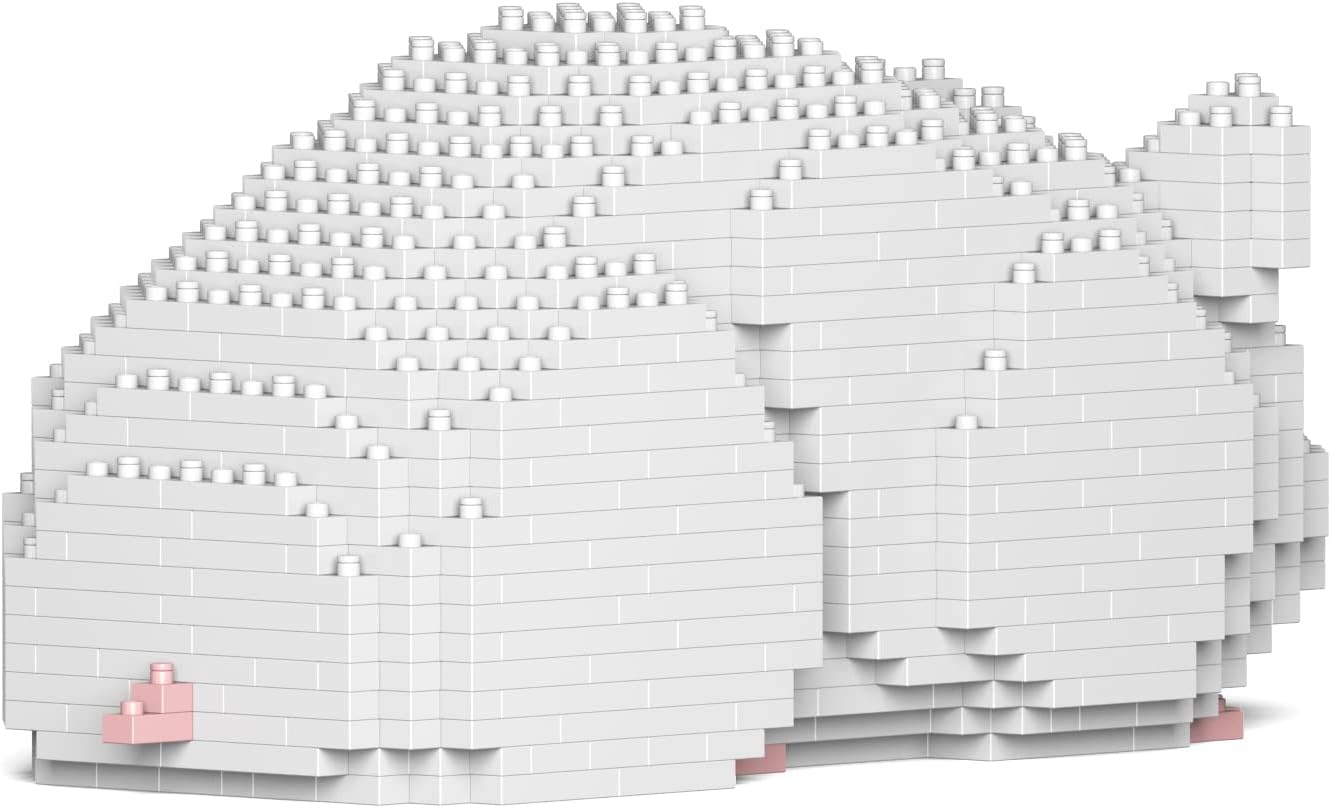
| Color | White |
| Material | Plastic |
| Number of Pieces | 780 |
| Recommended Age | 14 years and above |
| Item Dimensions (L x W x H) | 9.84 x 3.66 x 4.25 inches (25.0 x 9.3 x 10.8 cm) |
| Item Weight | 1.56 pounds (0.71 Kilograms) |
| Special Feature | Sturdy without glue (Interlocking Brick-through System) |

8. Support and Contact
For further assistance, missing parts, or inquiries, please visit the official JEKCA website or contact customer support.
- JEKCA Official Website: www.jekca.com
- Customer Service: Refer to the contact section on the official website for email or phone support.