
Introduction
The Twelve South Compass Pro is a compact, folding stand designed to securely hold iPads and other tablets. Engineered from durable metal and soft silicone, this stand offers multiple viewing and working modes, making it a versatile accessory for various environments, from home to office or travel.
What's in the Box
- Twelve South Compass Pro Stand
- Travel Sleeve
Setup Instructions
- Unfolding the Stand: Gently pull the two main legs of the Compass Pro apart until they form a stable A-frame structure. The stand is designed to open smoothly.
- Positioning for Viewing (Easel Mode): For hands-free viewing, extend the main legs to their full width. Place your iPad or tablet onto the silicone-padded ledges at the bottom of the main legs. This mode is ideal for watching videos, viewing photos, or following recipes. The stand supports both portrait and landscape orientations.
- Positioning for Desktop Use (Active Mode): For a more comfortable angle suitable for use with an external keyboard, ensure the main legs are open. Locate the secondary leg on the back of the stand and flip it down. This provides a shallower angle, elevating your device slightly for improved ergonomics during typing or interaction.
- Positioning for Typing or Sketching: To achieve a low, angled workstation, similar to an artist's easel, fully extend the main legs and deploy the secondary leg. This position is optimized for typing emails, sketching with a stylus, or other touch-based interactions.
- Folding for Portability: To fold the Compass Pro, collapse the secondary leg back into its housing, then bring the two main legs together until they are flush. Insert the folded stand into the included travel sleeve for protection and easy transport.
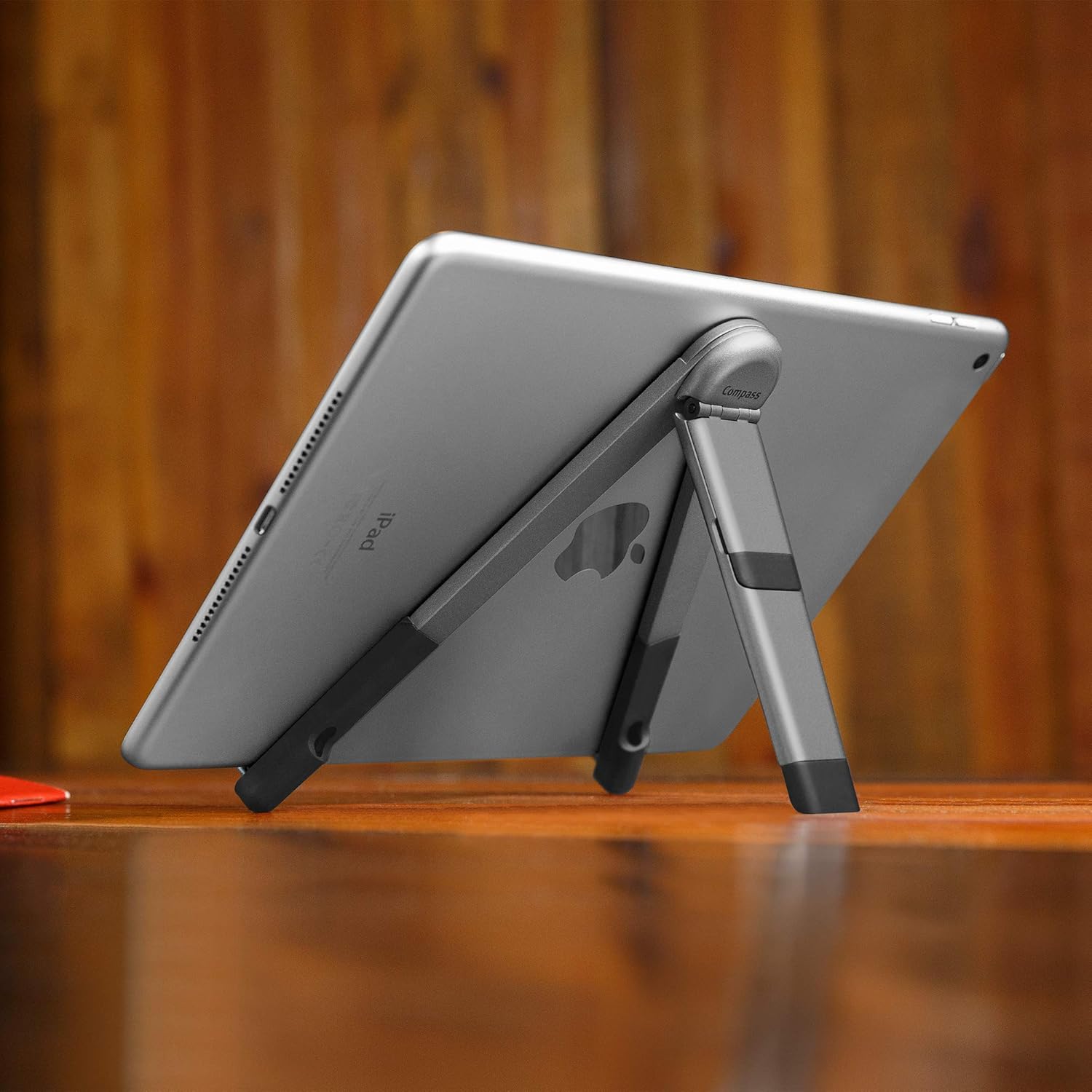
Image: The Compass Pro in easel mode, providing a stable viewing angle for a tablet.

Image: The Compass Pro folded, highlighting its compact and portable design.
Operating Instructions
The Compass Pro is designed for intuitive operation. Its primary function is to provide stable support for your tablet in various orientations and angles. The silicone contact points ensure your device is held securely without scratching.
Key Features:
- Hands-Free Easel Mode: Ideal for media consumption, video calls, or displaying information. Simply open the main legs and place your tablet.
- Desktop/Active Mode: Utilizes the secondary leg to provide a comfortable, elevated angle for interacting with your tablet, especially when paired with an external keyboard.
- Typing/Sketching Mode: A lower, more reclined angle achieved by fully extending the main legs and deploying the secondary leg, perfect for creative work or extended typing sessions.
- Compact Portability: Folds flat for easy storage and transport in the included travel sleeve.
Maintenance
To ensure the longevity and optimal performance of your Twelve South Compass Pro, follow these simple maintenance guidelines:
- Cleaning: Wipe the metal and silicone surfaces with a soft, damp cloth. Avoid using harsh chemicals or abrasive cleaners, as these can damage the finish and silicone.
- Storage: When not in use, fold the stand and store it in the provided travel sleeve to protect it from dust and scratches.
- Handling: Avoid applying excessive force when unfolding or folding the stand. The hinges are designed for smooth operation.
Troubleshooting
If you encounter any issues with your Compass Pro stand, consider the following common solutions:
- Stand feels unstable: Ensure all legs are fully extended and locked into their intended positions. Check that the tablet is centered on the silicone ledges.
- Difficulty folding/unfolding: The hinges are designed to be firm for stability. Apply gentle, even pressure. If resistance is unusual, check for any obstructions.
- Tablet slipping: Verify that the silicone pads on the ledges are clean and free of debris. The silicone provides grip for your device.
If problems persist, please refer to the support information provided in the Warranty and Support section.
Specifications
| Feature | Detail |
|---|---|
| Brand | Twelve South |
| Model Name | Compass Pro |
| Model Number | 12-1805 |
| Color | Silver |
| Compatible Devices | iPad, all tablets (excluding iPad Mini) |
| Mounting Type | Freestanding |
| Special Features | Adjustable, Foldable |
| Item Dimensions (Folded) | 0.5 x 1.25 x 7.26 inches |
| Item Weight | 8 ounces |
| Enclosure Material | Metal, Silicone |
| Finish | Brushed |
Warranty and Support
Warranty Information:
The Twelve South Compass Pro is covered by a 1-year limited warranty from the date of purchase. This warranty covers manufacturing defects and ensures the product functions as intended under normal use. Please retain your proof of purchase for warranty claims.
Customer Support:
For technical assistance, troubleshooting, or warranty inquiries, please visit the official Twelve South website or contact their customer support directly. Contact information can typically be found on the product packaging or the manufacturer's website.
Online Resources: www.twelvesouth.com
Official Product Videos
No official seller videos were found for this product in the provided data. For product demonstrations and usage tips, please refer to the manufacturer's official website or authorized channels.


