
1. Introduction
This manual provides essential information for the proper use and care of your Sigma 56mm F1.4 DC DN Contemporary Lens for Sony E-Mount. This lens is part of Sigma's large aperture series, offering a portable telephoto prime lens solution for Sony E-mount cameras. It is designed to deliver outstanding image quality with a compact and lightweight form factor.
The lens features smooth and quiet autofocus, making it suitable for both still photography and video recording. It is compatible with Sony E-mount fast Hybrid AF systems, ensuring precise tracking even with moving subjects, especially when utilizing the camera's face recognition or Eye AF functions.

Figure 1: Front view of the Sigma 56mm F1.4 DC DN Contemporary Lens.
2. What's in the Box
Upon opening the product packaging, you should find the following items:
- Sigma 56mm F1.4 DC DN Contemporary Lens
- Lens Case
- Lens Hood
- Front Lens Cap
- Rear Lens Cap
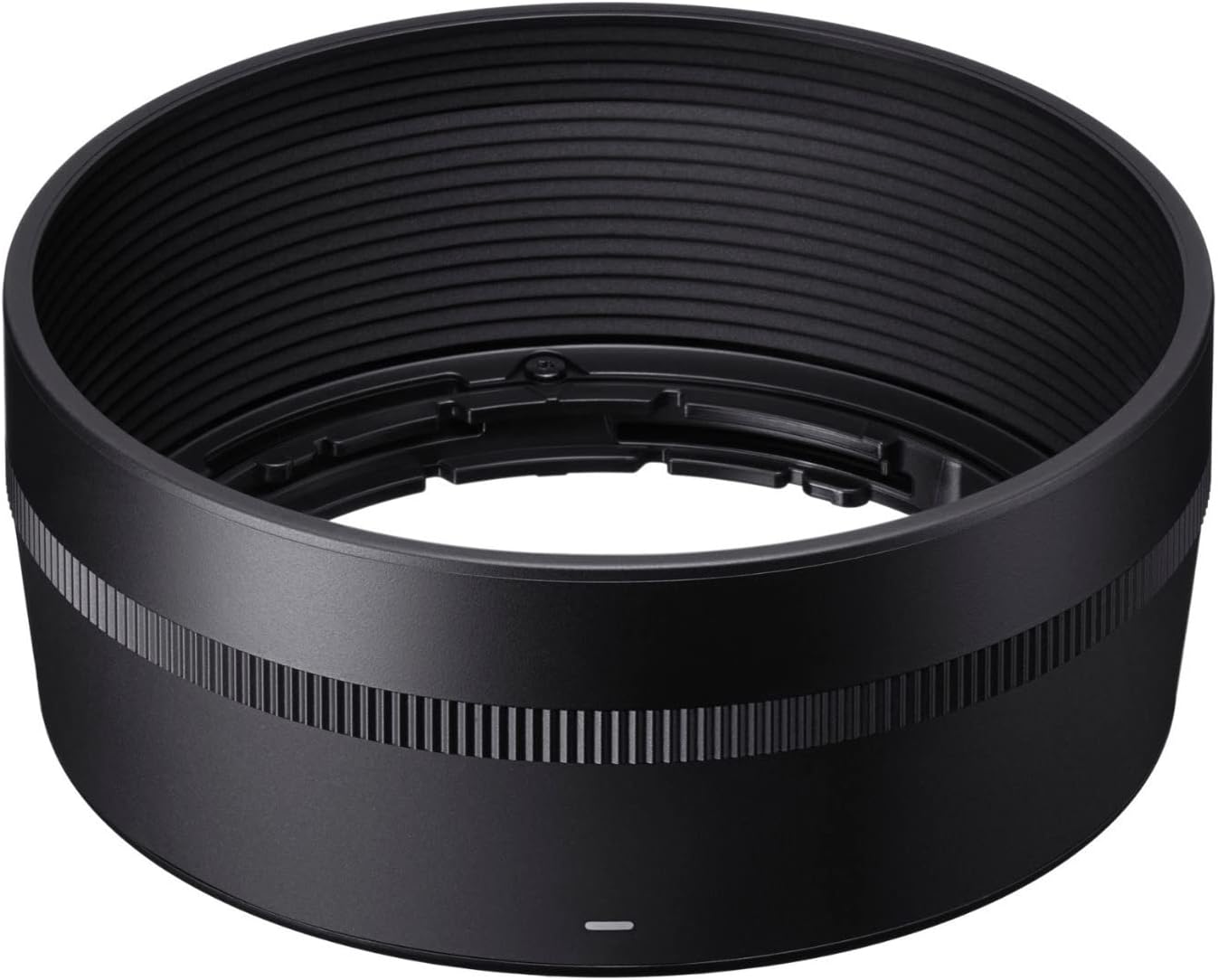
Figure 2: The included lens hood for the Sigma 56mm F1.4 DC DN Contemporary Lens.
3. Setup
3.1 Attaching the Lens to Your Camera
- Ensure your camera is powered off before attaching or detaching any lens.
- Remove the rear lens cap from the Sigma 56mm F1.4 DC DN Contemporary Lens and the body cap from your Sony E-mount camera.
- Align the white index mark on the lens barrel with the white index mark on your camera's lens mount.
- Gently insert the lens into the camera mount and rotate it clockwise until it clicks into place. Do not force the lens.
- Attach the lens hood by aligning its mark with the mark on the front of the lens and twisting until it locks.
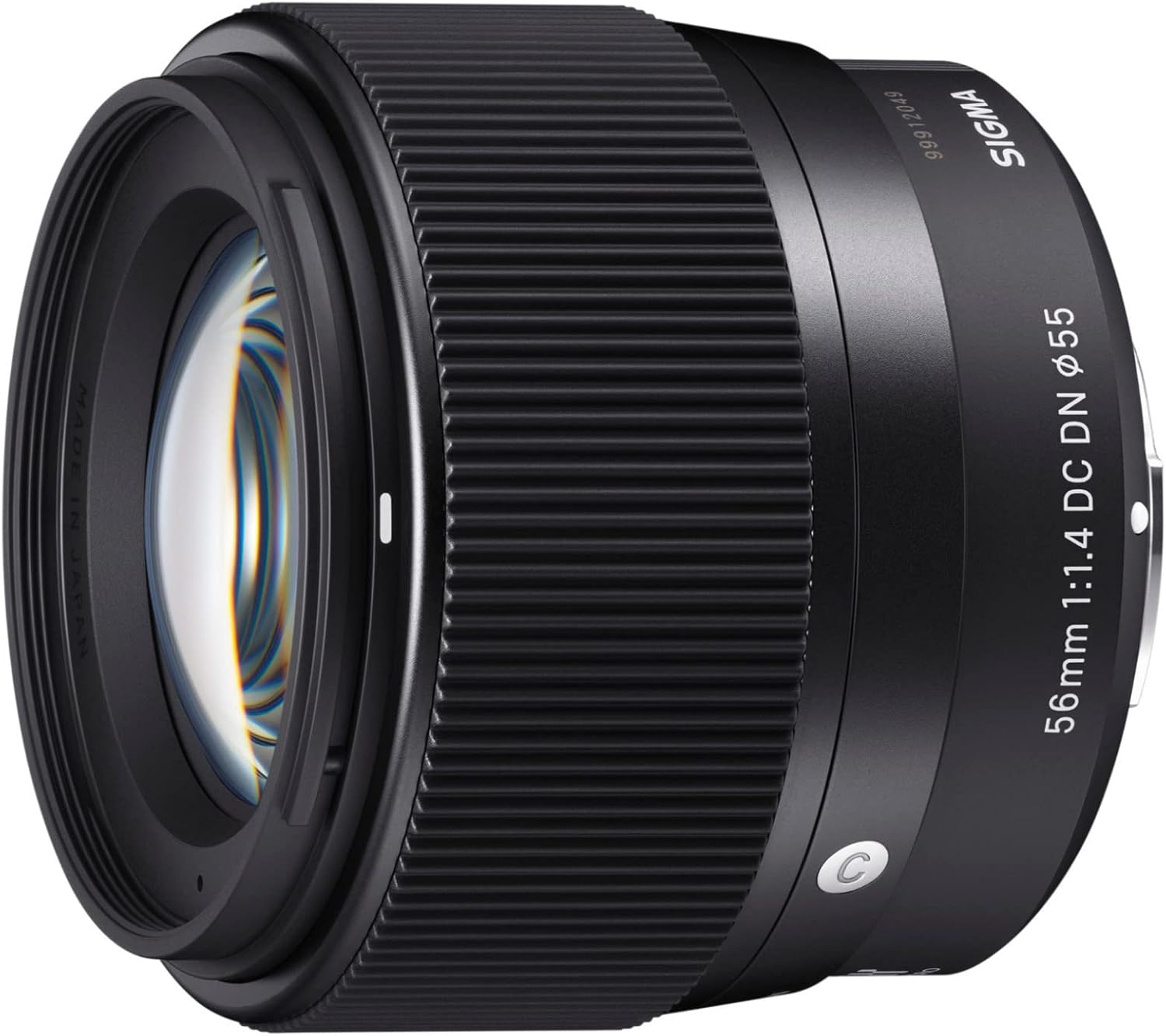
Figure 3: The Sigma 56mm F1.4 DC DN Contemporary Lens mounted on a Sony E-mount camera.
3.2 Detaching the Lens
- Ensure your camera is powered off.
- Press and hold the lens release button on your camera body.
- Rotate the lens counter-clockwise until it detaches from the camera body.
- Immediately attach the rear lens cap to the lens and the body cap to your camera to protect the sensor and lens elements from dust and damage.
4. Operating the Lens
4.1 Autofocus Operation
The Sigma 56mm F1.4 DC DN Contemporary Lens supports your Sony E-mount camera's autofocus system, including fast Hybrid AF. To use autofocus:
- Set your camera's focus mode to AF (Autofocus).
- Point the camera at your subject and half-press the shutter button to activate autofocus.
- The lens will quickly and quietly adjust focus.
- For video recording, the smooth and quiet autofocus motor minimizes operational noise.
4.2 Manual Focus Operation
To use manual focus:
- Set your camera's focus mode to MF (Manual Focus).
- Rotate the focus ring on the lens barrel to adjust focus. Your camera's focus peaking and magnification features can assist with precise manual focusing.
4.3 Aperture Control
The lens features a wide F1.4 aperture, allowing for excellent low-light performance and beautiful background blur (bokeh). Aperture is controlled via your camera's settings.
- In Aperture Priority (A) mode or Manual (M) mode, you can select your desired aperture value directly on the camera.
- A wider aperture (smaller f-number like F1.4) will result in a shallower depth of field, blurring the background more.
- A narrower aperture (larger f-number) will result in a greater depth of field, keeping more of the scene in focus.
4.4 Sample Images and Videos
Observe the image quality and bokeh produced by the Sigma 56mm F1.4 DC DN Contemporary Lens.

Figure 4: Sample image demonstrating background blur.

Figure 5: Another sample image showcasing lens performance.
4.5 Product Videos
The following videos provide additional insights into the Sigma 56mm F1.4 DC DN Contemporary Lens:
Video 1: A detailed review highlighting why the Sigma 56mm f/1.4 is a favorite lens.
Video 2: An honest review of the Sigma 56mm Sony Lens, discussing its features and performance.
Video 3: A video explaining the reasons to choose the Sigma 56mm lens.
Video 4: A review highlighting the Sigma 56mm lens as a must-have portrait lens for Sony.
Video 5: An honest review of the Sigma 56mm F1.4 lens.
Video 6: A comparison video testing a Sony camera with a Sigma lens against an iPhone.
5. Maintenance
Proper maintenance ensures the longevity and optimal performance of your lens.
- Cleaning the Lens: Use a soft, lint-free cloth and a specialized lens cleaning solution to gently wipe the front and rear elements. Avoid touching the glass with your fingers.
- Dust and Moisture: This lens is designed to be dust-proof. However, always keep lens caps on when not in use and store the lens in a dry, cool place to prevent dust and moisture accumulation.
- Handling: Avoid dropping or subjecting the lens to strong impacts. Always hold the camera and lens securely.
6. Troubleshooting
If you encounter any issues with your lens, consider the following common troubleshooting steps:
- Autofocus Issues: Ensure the camera's focus mode is set correctly (AF). Check for sufficient light on the subject. Clean the lens contacts on both the lens and camera body.
- Image Quality Concerns: Ensure the lens elements are clean. Check your camera's settings (ISO, aperture, shutter speed) for appropriate exposure.
- Lens Not Attaching: Verify correct alignment of the index marks and ensure no obstructions are present on the mount.
For persistent issues, consult your camera's manual or contact Sigma customer support.
7. Specifications
| Feature | Detail |
|---|---|
| Product Dimensions | 2.3 x 2.1 x 2.6 inches |
| Item Weight | 9.8 ounces |
| ASIN | B07JZVP6R8 |
| Item Model Number | 351965 |
| Batteries | 1 12V batteries required (for camera, not lens) |
| Date First Available | November 7, 2018 |
| Manufacturer | Sigma Corporation of America |
| Brand | Sigma |
| Focal Length Description | 56 mm |
| Lens Type | Fixed Prime |
| Compatible Mountings | Sony E |
| Camera Lens Description | 56mm |

Figure 6: Physical dimensions of the lens.
8. Warranty and Support
For information regarding warranty coverage, product registration, or technical support, please refer to the official Sigma website or contact your local authorized Sigma dealer. Keep your purchase receipt as proof of purchase for warranty claims.


