
1. Introduction
This manual provides essential information for the proper use, setup, and maintenance of your Targus IStore Classic Fit Earbuds. Please read this manual thoroughly before using the product to ensure optimal performance and longevity.
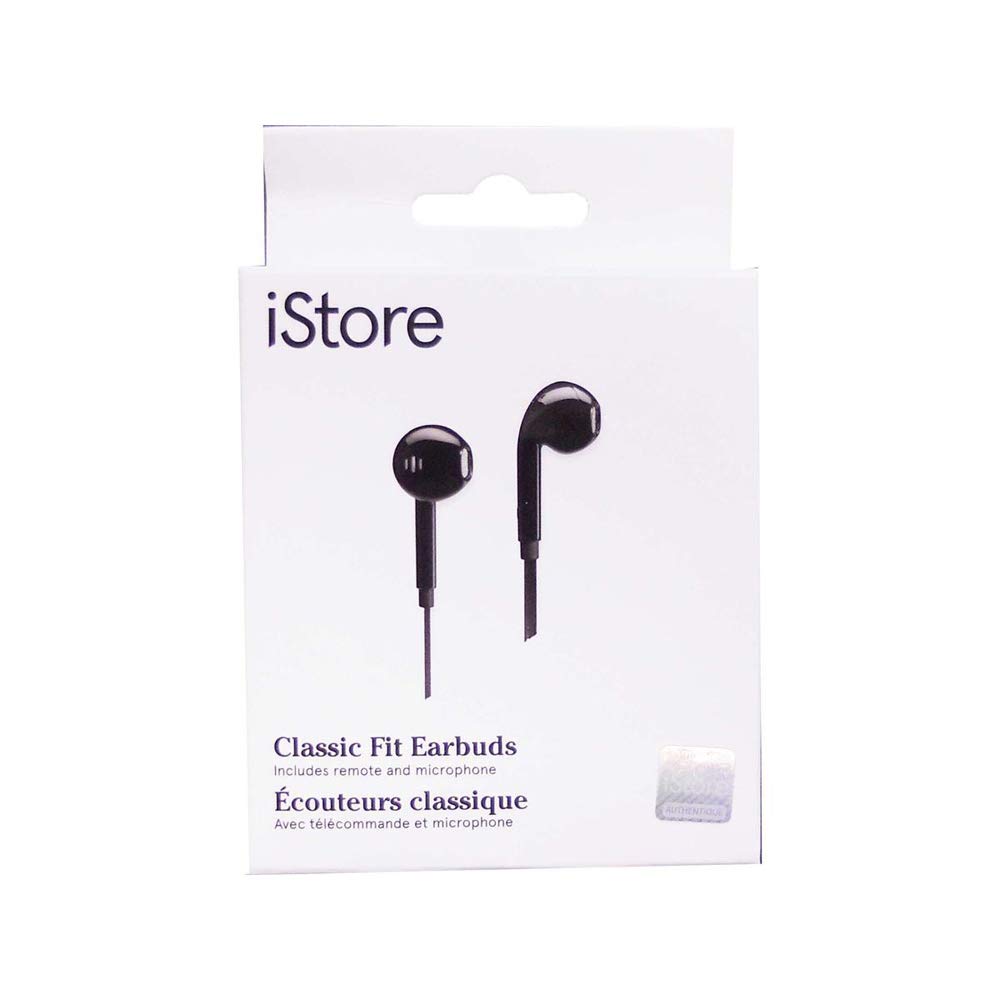
This image displays the retail packaging for the Targus IStore Classic Fit Earbuds. The white box features the 'iStore' logo at the top left, and an illustration of two black earbuds with wires. Text on the box indicates 'Classic Fit Earbuds' and 'Includes remote and microphone' in English and French.
The Targus IStore Classic Fit Earbuds are designed to deliver clear audio for music and calls, featuring a classic fit for comfortable wear and an integrated remote with a microphone for convenient control.
2. Setup
2.1 Unpacking
Carefully remove the earbuds from their packaging. Ensure all components are present:
- Targus IStore Classic Fit Earbuds (Headphone)
2.2 Connecting to Your Device
The Targus IStore Classic Fit Earbuds utilize a standard 3.5mm audio jack for connectivity.
- Locate the 3.5mm audio port on your smartphone, tablet, laptop, or other compatible audio device.
- Insert the 3.5mm plug of the earbuds firmly into the audio port until it clicks into place.
- Ensure the connection is secure to prevent audio interruptions.
3. Operating Instructions
3.1 Audio Playback
Once connected, your device should automatically route audio through the earbuds. Adjust the volume using your device's volume controls.
3.2 Using the In-line Remote and Microphone
The earbuds feature an in-line remote and microphone for convenient control of calls and music playback.
- Play/Pause: Press the button once to play or pause audio.
- Next Track: Press the button twice quickly to skip to the next track.
- Previous Track: Press the button three times quickly to go back to the previous track.
- Answer/End Call: Press the button once to answer an incoming call or end an active call.
- Decline Call: Press and hold the button to decline an incoming call.
- Voice Assistant: Press and hold the button (duration may vary by device) to activate your device's voice assistant (e.g., Siri, Google Assistant).
The integrated microphone allows for hands-free communication during calls.
4. Maintenance
4.1 Cleaning
To maintain the hygiene and performance of your earbuds:
- Gently wipe the earbud surfaces and cable with a soft, dry, lint-free cloth.
- Do not use harsh chemicals, cleaning solvents, or strong detergents.
- Avoid getting moisture into any openings.
4.2 Storage
When not in use, store your earbuds in a clean, dry place, away from extreme temperatures and direct sunlight. Avoid tangling the cable to prevent damage.
5. Troubleshooting
If you encounter issues with your Targus IStore Classic Fit Earbuds, refer to the following common problems and solutions:
| Problem | Possible Cause | Solution |
|---|---|---|
| No sound from earbuds. | Loose connection, device volume too low, incorrect audio output setting. | Ensure the 3.5mm jack is fully inserted. Increase device volume. Check your device's audio settings to ensure output is directed to the headphones. |
| Microphone not working. | Microphone port blocked, device microphone settings. | Ensure the microphone is not covered. Check your device's privacy or sound settings to ensure microphone access is granted to the relevant app. |
| Remote control not responding. | Incompatible device, software glitch. | Ensure your device supports in-line remote functions. Restart your device. |
6. Specifications
| Feature | Detail |
|---|---|
| Brand | Targus |
| Model Name | Targus AEH03610CAI |
| Connectivity Technology | Wired |
| Wireless Communication Technology | Bluetooth (Note: Product is wired, Bluetooth may refer to device compatibility) |
| Included Components | Headphone |
| Age Range (Description) | Adult |
| Cable Feature | Retractable |
| Unit Count | 1.0 Count |
| Number of Items | 1 |
| UPC | 092636330903 |
| Manufacturer | Targus |
| Package Dimensions | 6.65 x 6.26 x 1.57 inches |
| Item Weight | 1.41 ounces |
| ASIN | B07JZK2FZQ |
| Color | Black |
| Form Factor | Over Ear (Note: Product is Earbud/In-Ear) |
| Noise Control | Sound Isolation |
7. Warranty and Support
For information regarding warranty coverage and customer support for your Targus IStore Classic Fit Earbuds, please refer to the warranty card included with your product or visit the official Targus website.
You can also visit the Targus Store on Amazon for additional product information and resources.