
1. Introduction
The Airpulse A200 is an active speaker system engineered for high-fidelity audio reproduction. This manual provides essential information for the proper setup, operation, maintenance, and troubleshooting of your speaker system. Please read these instructions carefully before use to ensure optimal performance and longevity of your device.
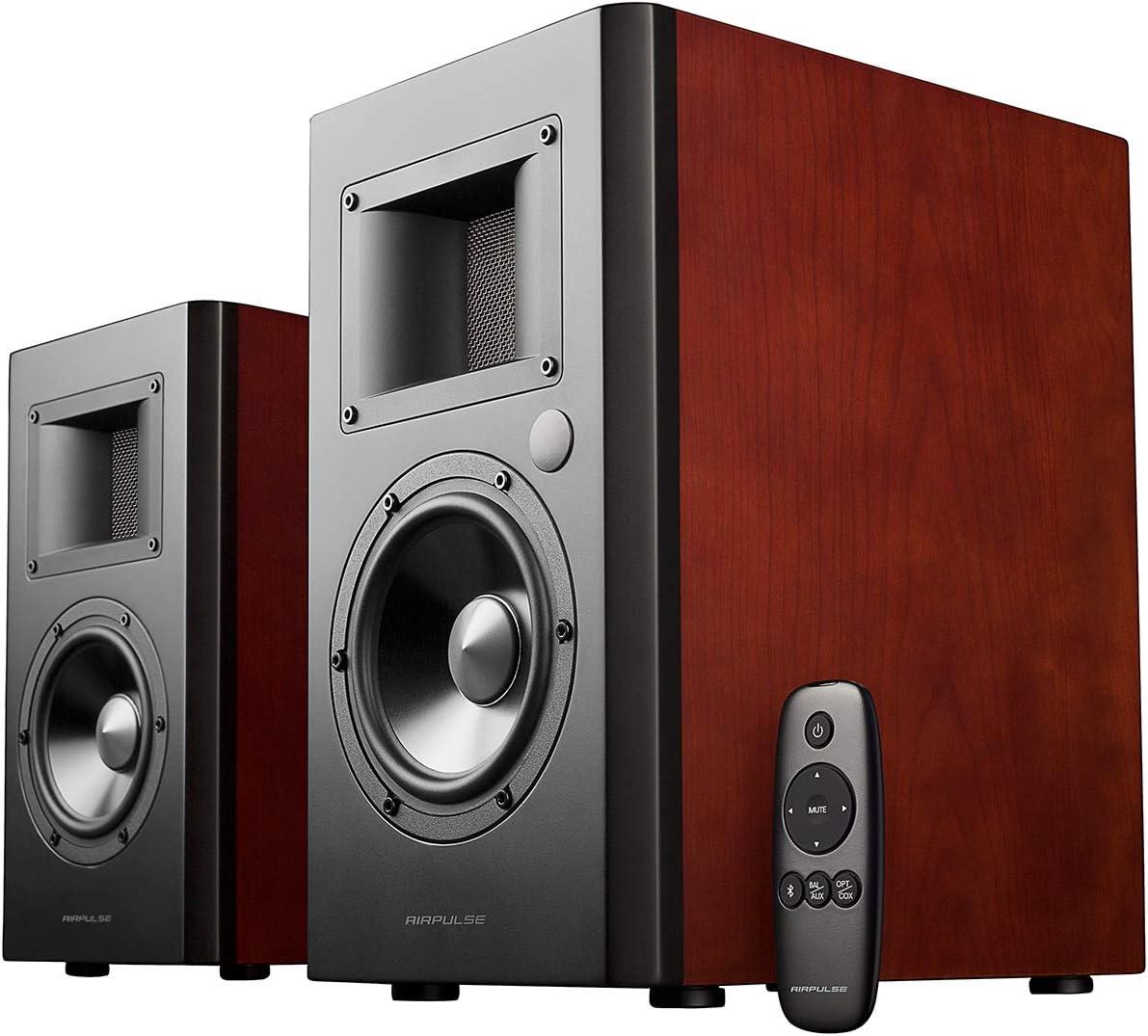
Figure 1: Airpulse A200 Active Speaker System with included remote control.
2. Setup
2.1 Unpacking and Inspection
Carefully remove all components from the packaging. Verify that all items listed in the packing list are present and undamaged. If any items are missing or damaged, please contact your retailer.
2.2 Speaker Placement
For optimal sound quality, place the speakers on a stable, flat surface. Position them equidistant from your listening position, forming an equilateral triangle. Ensure there is adequate space behind the speakers for proper airflow and cable management.

Figure 2: Front view of the Airpulse A200 speakers, showcasing the ribbon horn tweeters and 5.5-inch woofers.
2.3 Connections
The Airpulse A200 offers a variety of input options. Connect your audio source to the active speaker (the one with controls and inputs) using the appropriate cable.
- Optical Input: For digital audio from TVs, game consoles, etc.
- Coaxial Input: For digital audio from compatible devices.
- Bluetooth 4.0 aptX: For wireless connection to Bluetooth-enabled devices.
- RCA Inputs (Line In 1 & Line In 2): For analog audio from CD players, turntables (with a pre-amp), computers, etc.
- Connect the passive speaker to the active speaker using the provided speaker cable.

Figure 3: The rear panel of the active Airpulse A200 speaker, detailing the volume/input, bass, and treble controls, along with optical, coaxial, Bluetooth, and RCA input options.
Video 1: An overview of the Airpulse A200 Active Speaker System, highlighting its design and connectivity features.
3. Operating Instructions
3.1 Power On/Off
To power on the speakers, ensure the power cable is connected and flip the power switch on the rear panel of the active speaker to the 'ON' position. The indicator light will illuminate. To power off, flip the switch to 'OFF'.
3.2 Input Selection
You can select the audio input source using the 'Volume/Input' knob on the rear panel of the active speaker or via the included wireless remote control. Rotate the knob or press the corresponding button on the remote to cycle through inputs (Optical, Coaxial, Bluetooth, AUX).
3.3 Volume Control
Adjust the master volume using the 'Volume/Input' knob on the active speaker or the volume buttons on the remote control.
3.4 Bluetooth Pairing
- Select Bluetooth input on the speaker. The indicator light will flash.
- On your device (smartphone, tablet, computer), enable Bluetooth and search for 'Airpulse A200'.
- Select 'Airpulse A200' to pair. Once connected, the indicator light will be solid.
3.5 Tone Controls
The active speaker features dedicated 'Bass' and 'Treble' knobs on the rear panel. Use these to fine-tune the audio output to your preference or room acoustics.
4. Maintenance
To maintain the appearance and performance of your Airpulse A200 speakers, follow these guidelines:
- Cleaning: Use a soft, dry cloth to wipe the speaker cabinets. Avoid using abrasive cleaners, waxes, or solvents.
- Dust: Regularly dust the speaker grilles and drivers with a soft brush or vacuum cleaner with a brush attachment.
- Environment: Keep the speakers away from direct sunlight, heat sources, and excessive moisture. Ensure proper ventilation to prevent overheating.
5. Troubleshooting
If you encounter any issues with your Airpulse A200 speaker system, please refer to the following common solutions:
- No Sound:
- Ensure the speakers are powered on and the volume is not at minimum.
- Verify that the correct input source is selected.
- Check all cable connections between the audio source, active speaker, and passive speaker.
- Poor Sound Quality:
- Check the audio source for proper output.
- Adjust the Bass and Treble controls on the active speaker.
- Ensure speakers are placed correctly and not obstructed.
- Bluetooth Connection Issues:
- Ensure the speakers are in Bluetooth pairing mode.
- Delete 'Airpulse A200' from your device's Bluetooth list and attempt to re-pair.
- Move your device closer to the speakers to ensure it is within the 10-meter Bluetooth range.
If the issue persists after attempting these steps, please contact customer support.
6. Specifications
| Feature | Detail |
|---|---|
| Brand | Airpulse |
| Model Name | A200 |
| Mounting Type | Shelf Mount |
| Speaker Type | Computer, Woofer |
| Special Feature | Built-in Amplifier |
| Recommended Uses | For Smartphones or Tablets, For Televisions, For Computers |
| Compatible Devices | Laptop, Personal Computer |
| Woofer Diameter | 5.5 Inches |
| Surround Sound Channel Configuration | 4 |
| Item Weight | 41.8 pounds (19 Kilograms) |
| Is Waterproof | FALSE |
| Warranty Type | Full |
| Number of Items | 2 |
| Control Method | Remote |
| Wireless Communication Technology | Bluetooth |
| Power Source | Corded Electric |
| Audio Driver Type | Dynamic Driver |
| Bluetooth Range | 10 Meters |
| Product Dimensions | 8.9 x 14 x 11.6 inches |
| Speaker Maximum Output Power | 140 Watts |
| Frequency Response | 20 KHz |
| Connectivity Technology | Auxiliary, Bluetooth, Optical, Coaxial |
| Audio Output Mode | Stereo |
7. Warranty and Support
The Airpulse A200 Active Speaker System comes with a 2-year warranty covering parts and labor in the USA and Canada, ensuring high quality and reliability.
For technical support, warranty claims, or any inquiries regarding your Airpulse A200 speakers, please refer to the contact information provided with your product packaging or visit the official Airpulse website.