
Introduction
Thank you for choosing the Invicta Pro Diver Quartz Watch, Model 28001. This timepiece is designed for reliability and style, featuring a precise quartz movement, durable stainless steel case, and 100-meter water resistance. This manual provides essential information to help you set up, operate, and maintain your watch for optimal performance.
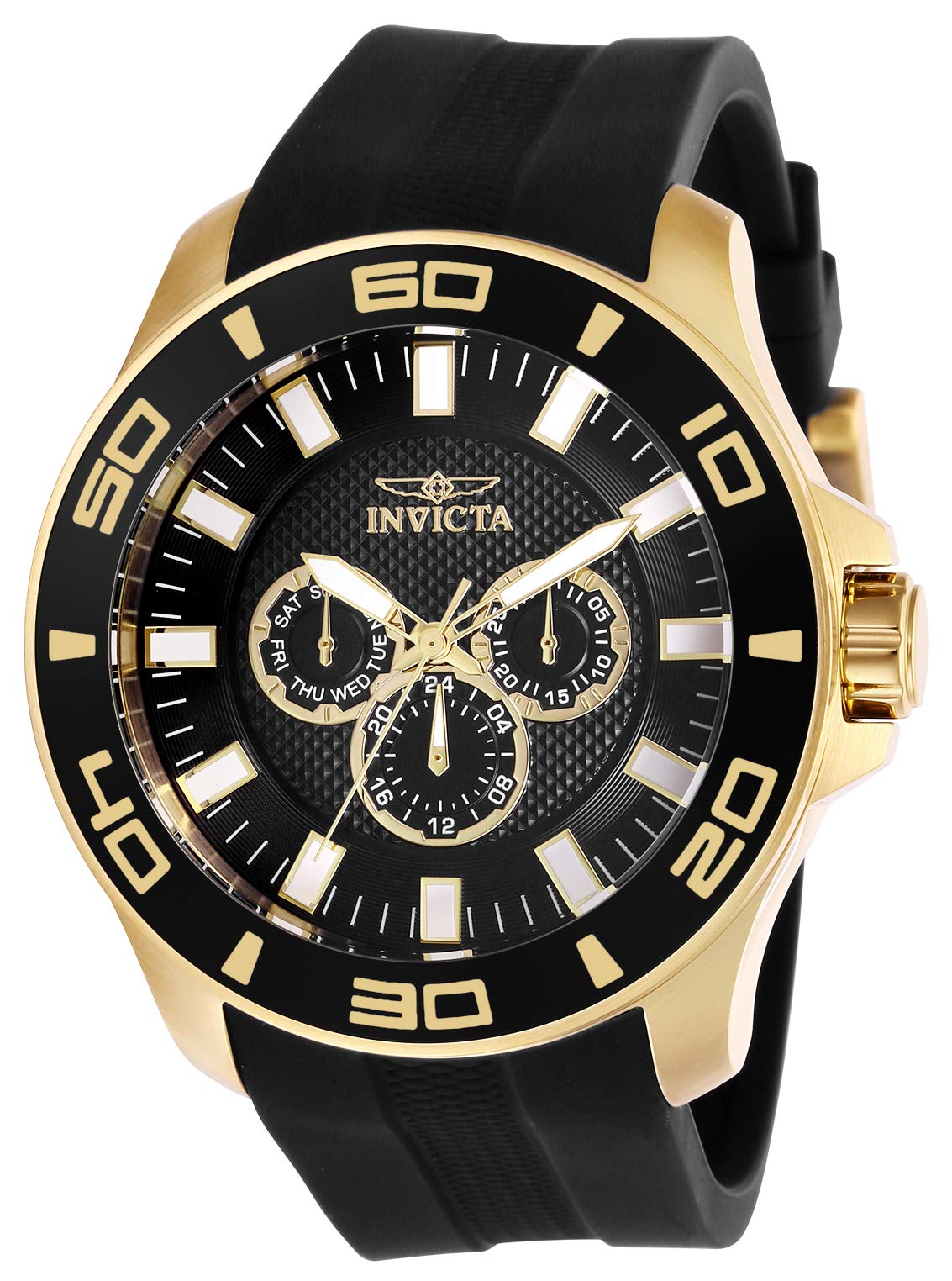
Image: Front view of the Invicta Pro Diver Quartz Watch Model 28001, showcasing the black dial, gold-tone case, and black silicone band.
Setup
Before using your watch, please follow these steps to set the time and date.
Setting the Time
- Unscrew the Crown: The crown is located on the right side of the watch case. For water-resistant watches, the crown is often a screw-down type. Rotate the crown counter-clockwise until it releases from the case.
- Pull the Crown to Position 2: Gently pull the crown out to the second click position. This is the time-setting position.
- Adjust the Time: Rotate the crown clockwise or counter-clockwise to move the hour and minute hands to the correct time. Ensure you account for AM/PM if your watch has a 24-hour indicator or date function.
- Push and Screw Down the Crown: Once the time is set, push the crown back into the case. While pushing, rotate it clockwise to screw it back down tightly. This ensures water resistance.
Setting the Date and Day
Your Invicta Pro Diver Model 28001 features day, date, and 24-hour subdials.
- Unscrew and Pull the Crown to Position 1: Rotate the crown counter-clockwise to release it, then gently pull it out to the first click position. This is typically the quick-set position for the date/day.
- Adjust the Date/Day: Rotate the crown to change the date and day indicators. Some watches may require rotating in one direction for the date and the other for the day. Avoid setting the date between 9 PM and 3 AM, as this can interfere with the automatic date change mechanism.
- Push and Screw Down the Crown: Once the date and day are set, push the crown back in and screw it down tightly to maintain water resistance.

Image: Angled view of the Invicta Pro Diver Quartz Watch Model 28001, highlighting the crown and subdials.
Operating Your Watch
Your Invicta Pro Diver is a reliable quartz timepiece with additional functions.
Basic Timekeeping
Once the time is set, your watch will keep accurate time using its quartz movement. The second hand will move in individual steps.
Subdial Functions
- Day Subdial: Displays the current day of the week.
- Date Subdial: Displays the current day of the month.
- 24-Hour Subdial: Indicates the current time in a 24-hour format, useful for distinguishing AM/PM.
Water Resistance
This watch is water resistant to 100 meters (330 feet). This means it is suitable for swimming and snorkeling, but not for scuba diving. Always ensure the crown is fully screwed down before exposing the watch to water. Do not operate the crown or pushers while the watch is wet or submerged.
Maintenance
Proper care will ensure the longevity and performance of your Invicta watch.
Cleaning
- Wipe the watch case and band with a soft, dry cloth regularly to remove dirt and perspiration.
- For the silicone band, you can use a mild soap and water solution, then rinse thoroughly and dry completely.
- Avoid using harsh chemicals or abrasive materials, as these can damage the watch's finish or seals.
Battery Replacement
Your watch is powered by a nonstandard battery. When the watch stops or the second hand begins to skip, it indicates a low battery. Battery replacement should be performed by a qualified watch technician to ensure proper sealing and maintain water resistance.
Crystal Care
The watch features a Flame Fusion crystal, known for its scratch resistance. While durable, avoid impacts and abrasive surfaces to prevent damage. Clean the crystal with a soft, lint-free cloth.
Storage
When not wearing your watch, store it in a cool, dry place away from direct sunlight and extreme temperatures. The original watch box is ideal for storage.
Troubleshooting
Here are solutions to common issues you might encounter:
- Watch Not Running:
- Check if the crown is fully pushed in and screwed down.
- The battery may need replacement. Consult a professional watch technician.
- Incorrect Time/Date:
- Refer to the "Setting the Time" and "Setting the Date and Day" sections to reset.
- Ensure the crown is fully screwed down after adjustment.
- Condensation Under Crystal:
- This indicates a potential breach in water resistance. Have the watch inspected by a qualified technician immediately.
Specifications
| Feature | Detail |
|---|---|
| Model Number | 28001 |
| Movement Type | Quartz |
| Case Material | Stainless Steel |
| Case Diameter | 50 mm |
| Case Thickness | 14 mm |
| Crystal Type | Flame Fusion |
| Water Resistance | 100 Meters (330 Feet) |
| Band Material | Silicone |
| Band Color | Black |
| Band Width | 26 mm |
| Dial Color | Black |
| Functions | Day, Date, 24 Hour Subdials |
| Clasp Type | Buckle |
| Item Weight | 250 Grams |
Warranty Information
Your Invicta Pro Diver Quartz Watch Model 28001 comes with a Limited Warranty. For specific details regarding the terms, conditions, and duration of your warranty, please refer to the warranty card included with your purchase or visit the official Invicta website. Keep your proof of purchase for warranty claims.
Customer Support
If you require further assistance, have questions not covered in this manual, or need service for your watch, please contact Invicta customer support. You can find contact information on the official Invicta website or through the retailer where you purchased the watch.
For more information, visit the Invicta Store on Amazon.
