
AUNA Sky2-90400-asmg
User Manual
auna Streetstar 2.0 15 Mobile PA System
Model: Sky2-90400-asmg
Introduction
Thank you for choosing the auna Streetstar 2.0 15 Mobile PA System. This portable audio system is designed to deliver powerful sound with versatile connectivity options, including Bluetooth, USB/SD playback, and FM radio. It features a robust design with integrated trolley function for easy transport and comes with a wireless microphone for various applications.
This manual provides important information regarding the safe operation, setup, and maintenance of your device. Please read it thoroughly before first use and keep it for future reference.

Image: The auna Streetstar 2.0 15 Mobile PA System, showcasing its main unit and included wireless microphone.
Safety Instructions
To ensure safe operation and prevent damage, please observe the following safety precautions:
- Power Source: Only connect the device to a power outlet with the specified voltage (220 Volts).
- Ventilation: Ensure adequate ventilation. Do not block ventilation openings.
- Moisture: Do not expose the device to rain or moisture. Do not place objects filled with liquids, such as vases, on the device.
- Heat: Keep the device away from heat sources such as radiators, heat registers, stoves, or other apparatus (including amplifiers) that produce heat.
- Cleaning: Unplug the device from the power outlet before cleaning. Use a dry cloth for cleaning.
- Servicing: Do not attempt to service this product yourself. Refer all servicing to qualified service personnel.
- Placement: Place the unit on a stable, flat surface. Avoid placing it in direct sunlight or near strong magnetic fields.
- Battery Care: If the unit has an internal battery, avoid fully discharging it for extended periods. Charge regularly to maintain battery health.
Package Contents
Please check that all items are present and in good condition:
- auna Streetstar 2.0 15 Mobile PA System
- Wireless Microphone
- Power Cable
- Remote Control
- User Manual (this document)
Product Overview and Controls
Familiarize yourself with the various parts and controls of your PA system.

Image: Detailed view of the control panel, showing inputs, outputs, and adjustment knobs.
Control Panel Features:
- MEDIAPLAYER: Digital display for USB/SD playback and mode selection.
- USB Port: For connecting USB flash drives.
- SD Slot: For inserting SD memory cards.
- MODE Button: Switches between Bluetooth, USB, SD, FM, and AUX modes.
- MIC LEVEL: Adjusts the volume of the microphone input.
- MIC ECHO: Adjusts the echo effect for the microphone.
- TREBLE / BASS: Tone controls for adjusting high and low frequencies.
- MIC IN: 6.3mm jack inputs for wired microphones.
- AUX INPUT: RCA (L/R) inputs for external audio devices.
- LINE IN / OUT: RCA (L/R) connections for linking multiple PA systems.
- POWER Switch: Turns the unit on or off.
- UHF MICROPHONE Volume: Adjusts the volume of the wireless microphone.
- Indicators: PWR (Power), CHARGE (Charging status), LOW (Low battery).
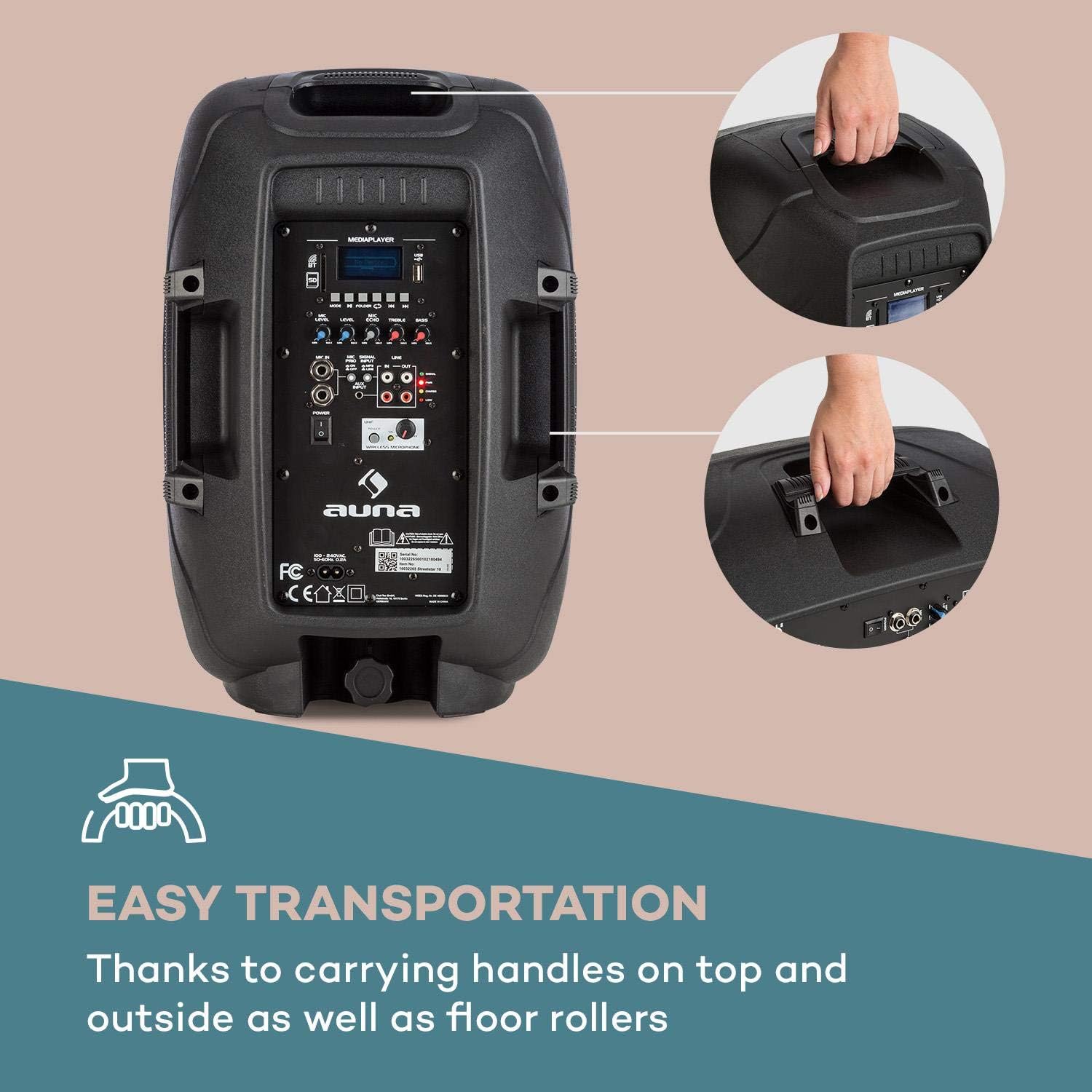
Image: The integrated carrying handles on top and side, along with floor rollers, facilitate easy transportation of the unit.
Setup
- Unpacking: Carefully remove the PA system and all accessories from the packaging. Retain the packaging for future transport or storage.
- Power Connection: Connect the supplied power cable to the AC IN port on the unit and then to a suitable 220V AC power outlet. The unit can operate on AC power and simultaneously charge its internal battery.
- Initial Charging: For first use, it is recommended to fully charge the internal battery. The CHARGE indicator will illuminate during charging and turn off when fully charged.
- Placement: Place the PA system on a stable, flat surface. It can be used upright or on its side as a stage monitor.
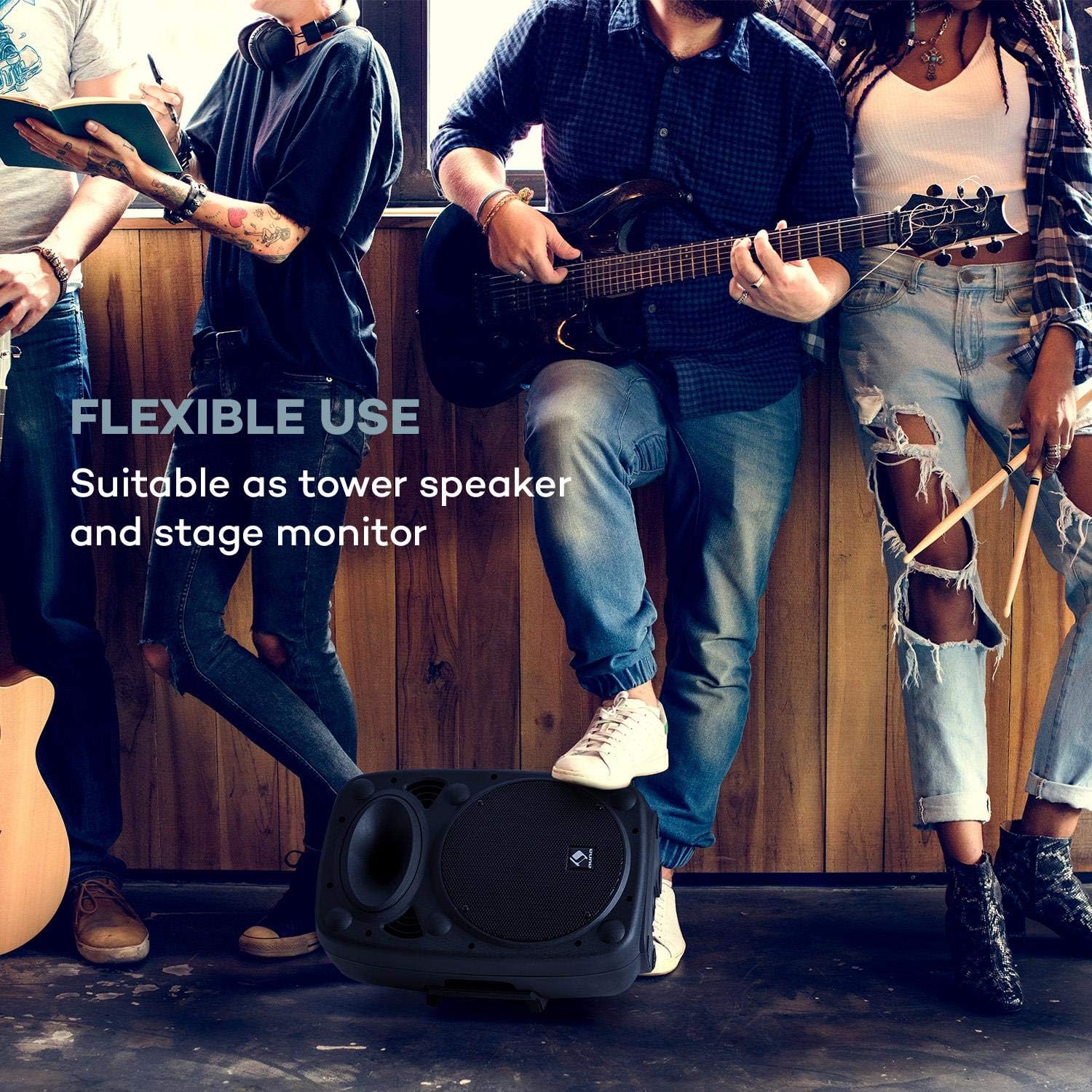
Image: The PA system positioned on its side, demonstrating its flexible use as a stage monitor.
- Connecting Microphones:
- Wireless Microphone: Ensure the wireless microphone has fresh batteries. Turn on the microphone. The PA system will automatically connect to the included wireless microphone. Adjust its volume using the UHF MICROPHONE knob.
- Wired Microphones: Connect wired microphones to the MIC IN 6.3mm jack inputs. Adjust their volume using the MIC LEVEL knob.

Image: A user engaging with the wireless microphone, highlighting the system's karaoke and vocal performance capabilities.
- Connecting External Audio Devices: Use the AUX INPUT (RCA L/R) to connect devices like CD players, laptops, or other audio sources.
- Expanding the System: To connect multiple auna Streetstar PA systems, use the LINE OUT of one unit and connect it to the LINE IN of another unit using RCA cables.

Image: An illustration demonstrating how multiple PA systems can be linked together via line input/output for an expanded audio setup.
Operating Instructions
Power On/Off:
Flip the POWER switch to the "ON" position to turn on the unit. The PWR indicator will light up. Flip to "OFF" to power down.
Mode Selection:
Press the MODE button on the control panel or remote control to cycle through available input modes: Bluetooth, USB, SD, FM Radio, and AUX.

Image: The PA system alongside its remote control, illustrating convenient wireless operation.
Bluetooth Pairing:
- Select Bluetooth mode using the MODE button. The display will show "BT" and flash, indicating it's ready for pairing.
- On your smartphone or other Bluetooth device, enable Bluetooth and search for "auna Streetstar".
- Select "auna Streetstar" to pair. Once connected, the "BT" indicator will stop flashing.
- You can now play audio from your device wirelessly through the PA system.
USB/SD Playback:
- Insert a USB flash drive into the USB port or an SD card into the SD slot.
- The system will automatically switch to USB or SD mode and begin playing compatible audio files (MP3).
- Use the media player controls (Play/Pause, Next/Previous, Folder) on the unit or remote to navigate and control playback. The display supports ID3 tag information for artist, song or album.
FM Radio:
- Select FM mode using the MODE button.
- Press the Play/Pause button to initiate an automatic station scan. The system will scan and save available FM stations.
- Use the Next/Previous buttons to switch between saved stations.
Audio Adjustment:
- Volume: Use the main volume knob to adjust the overall output volume.
- Microphone Volume: Adjust MIC LEVEL for wired microphones and UHF MICROPHONE for the wireless microphone.
- Echo Effect: Use the MIC ECHO knob to add or remove echo from microphone inputs.
- Tone Control: Adjust the TREBLE and BASS knobs to fine-tune the sound output to your preference.
Maintenance
- Cleaning: Always unplug the unit before cleaning. Use a soft, dry cloth to wipe the exterior. Do not use liquid cleaners or aerosols.
- Storage: When not in use for extended periods, store the unit in a cool, dry place, preferably in its original packaging.
- Battery Care: If the unit is not used regularly, charge the battery at least once every three months to prolong its lifespan. Avoid storing the unit with a completely depleted battery.
- Protection: The sturdy ABS casing provides good protection, but avoid dropping or subjecting the unit to strong impacts.

Image: A close-up view of the speaker's horn and the robust ABS casing, emphasizing its durable construction.
Troubleshooting
| Problem | Possible Cause | Solution |
|---|---|---|
| No power | Power cable not connected; Unit not switched on; Battery depleted. | Ensure power cable is securely connected and plugged into a live outlet. Flip POWER switch to ON. Charge the battery. |
| No sound output | Volume too low; Incorrect input mode selected; Audio source not playing or connected incorrectly. | Increase main volume. Press MODE to select the correct input. Check audio source connection and playback. |
| Bluetooth not pairing | PA system not in pairing mode; Device too far; Bluetooth disabled on source device. | Ensure PA system is in BT mode and flashing. Move source device closer. Enable Bluetooth on your device. |
| Microphone not working | Microphone volume too low; Microphone not switched on; Batteries dead (wireless mic). | Increase MIC LEVEL or UHF MICROPHONE volume. Ensure microphone is switched on. Replace batteries in wireless microphone. |
| Distorted sound / High-frequency noise | Volume too high; Input signal too strong; Interference. | Reduce volume. Check input signal level. Move unit away from other electronic devices that may cause interference. |
Specifications
Key technical specifications for the auna Streetstar 2.0 15 Mobile PA System:
- Model Number: Sky2-90400-asmg
- Output Wattage: 400 Watts (Max)
- Speaker Size: 10" (25.5 cm)
- Power Source: Corded Electric (220 Volts) / Internal Battery
- Connectivity: Bluetooth, USB, SD, AUX (RCA), MIC IN (6.3mm), LINE IN/OUT (RCA)
- Channels: 2
- Item Weight: 6 kg
- Product Dimensions (L x W x H): 26 x 33.5 x 49.5 cm
- Mounting Type: Floor Standing
- Casing Material: ABS
- Compatible Devices: Laptop, Smartphone

Image: A detailed view of the 10-inch active PA speaker, highlighting its powerful design and XMR Bass Technology.
Warranty and Support
This auna product comes with a standard manufacturer's warranty. Please refer to the warranty card included in your package for specific terms and conditions, including warranty period and coverage details.
For technical support, service, or spare parts, please contact your retailer or the official AUNA customer service. Keep your purchase receipt as proof of purchase for warranty claims.
Manufacturer: auna
Date First Available: 23 December 2018
Ask a question about this manual
Ask about setup, troubleshooting, compatibility, parts, safety, or missing instructions. Manuals+ will review the question and use this page’s manual context to help answer it.