
1. Introduction and Overview
The Targus 65W USB-C/USB-A Charger is designed to provide efficient and reliable power for a wide range of devices, including USB-C laptops, phones, and tablets. It features both a USB-C port with Power Delivery and a USB-A port with Qualcomm Quick Charge 3.0 technology, allowing for simultaneous charging of two devices. This manual provides essential information for the safe and effective use of your charger.
Key Features:
- Universal Compatibility: Designed to charge USB-C laptops, phones, and tablets, ensuring a versatile charging solution for various devices.
- Dual Device Charging: Features a USB-C port with Power Delivery up to 60W and an additional 5W USB-A port, allowing simultaneous charging of two devices.
- Rapid Charging Technology: Equipped with Qualcomm Quick Charge 3.0 technology on the USB-C port, enabling up to four times faster charging for compatible devices.
- Comprehensive Safety Features: Built-in protection against over-voltage, over-current, and over-temperature ensures safe and reliable charging for your devices.
- Portable and Convenient: Compact design with a detachable sync-and-charge USB-C cable makes it easy to carry and use wherever you go.
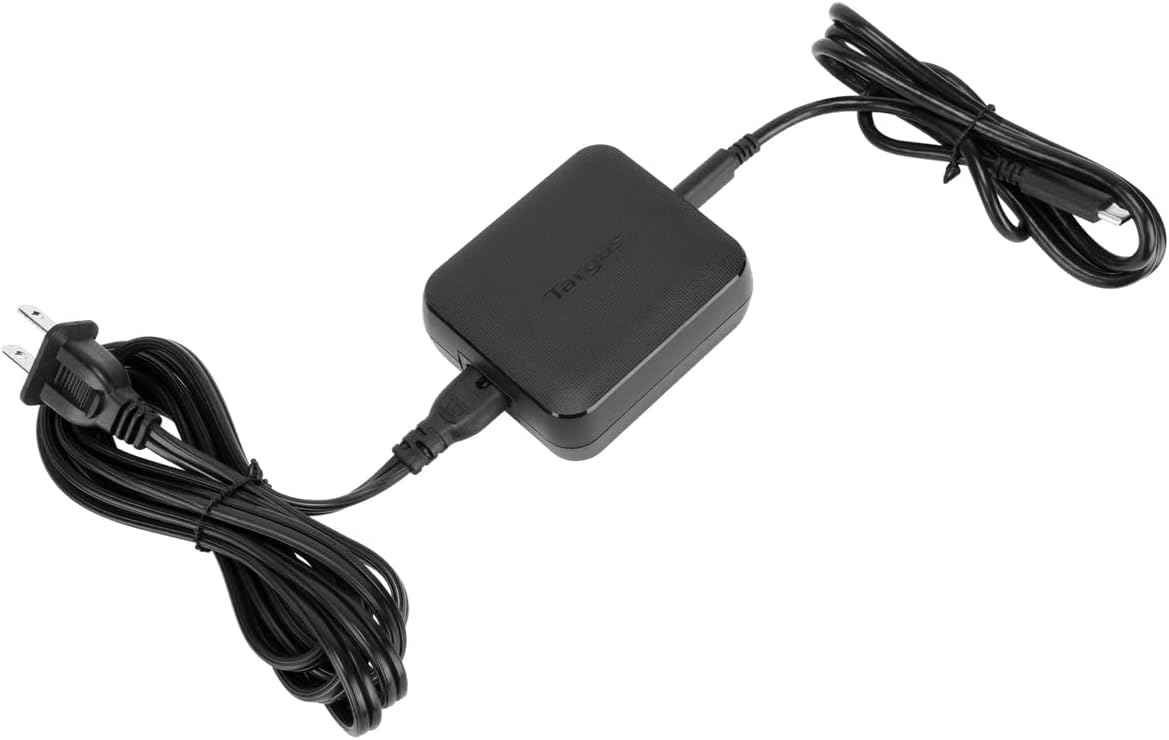
Image 1.1: The Targus 65W USB-C/USB-A Charger with its included power cord and USB-C cable.
2. Setup
Package Contents:
- Targus 65W USB-C/USB-A Charger Unit
- Detachable AC Power Cord
- Detachable USB-C to USB-C Cable
Connecting the Charger:
- Connect the detachable AC power cord to the power input port on the charger unit. Ensure the connection is firm and secure.
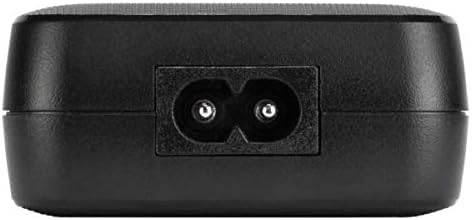
Image 2.1: Power input port on the charger.
- Plug the other end of the AC power cord into a standard wall outlet.
- For USB-C devices, connect one end of the provided USB-C to USB-C cable to the USB-C port on the charger. For USB-A devices, use a compatible USB-A cable (not included) and connect it to the USB-A port.
Image 2.2: Charger with both USB-C and AC power cables connected.
3. Operating Instructions
The Targus 65W USB-C/USB-A Charger is designed for simple plug-and-play operation. Ensure the charger is connected to a power source as described in the 'Setup' section.

Image 3.1: USB-C and USB-A charging ports.
Charging USB-C Devices:
Connect the USB-C end of the provided cable (or another compatible USB-C cable) to your USB-C laptop, phone, or tablet. The charger will automatically detect the device and begin charging with Power Delivery up to 60W, optimizing the charging speed for your device.
Charging USB-A Devices:
Connect a standard USB-A charging cable (not included) to the USB-A port on the charger. Connect the other end of the cable to your USB-A compatible device (e.g., older smartphones, tablets, or other accessories). This port delivers 5W of power and supports Qualcomm Quick Charge 3.0 for compatible devices.
Simultaneous Charging:
You can charge one USB-C device and one USB-A device simultaneously. The charger intelligently distributes power to ensure both devices receive optimal charging.
4. Care and Maintenance
- Cleaning: Disconnect the charger from the power outlet and all devices before cleaning. Use a soft, dry cloth to wipe the surface. Do not use liquid cleaners or aerosols.
- Storage: Store the charger in a cool, dry place when not in use. Avoid extreme temperatures and humidity.
- Handling: Do not drop, disassemble, or attempt to repair the charger. Avoid exposing it to water or other liquids. Ensure cables are not kinked or excessively bent, especially near the connectors, to prevent damage.
- Ventilation: Ensure the charger has adequate ventilation during operation. Do not cover it with cloths or place it in enclosed spaces that could restrict airflow.
5. Troubleshooting
If you encounter issues with your Targus 65W USB-C/USB-A Charger, please refer to the following common problems and solutions:
| Problem | Possible Cause | Solution |
|---|---|---|
| Device is not charging. |
|
|
| Charging is slow. |
|
|
| Charger feels hot during use. |
|
|
| Intermittent charging or connection issues. |
|
|
6. Technical Specifications
Below are the detailed specifications for the Targus 65W USB-C/USB-A Charger (APA104BT):
| Feature | Detail |
|---|---|
| Model Number | APA104BT |
| Brand | Targus |
| Input Voltage | 100-240V AC, 50/60Hz, 1.7A |
| Total Output Power | 65W Max |
| USB-C Output (Power Delivery) | 5V/3A, 9V/3A, 12V/3A, 15V/3A, or 20V/3A (up to 60W) |
| USB-A Output (Quick Charge 3.0) | 5V/2.4A (up to 5W) |
| Item Weight | 10.2 ounces (approx. 289 grams) |
| Product Dimensions (LxWxH) | 2.83 x 2.4 x 1.1 inches (approx. 7.19 x 6.1 x 2.79 cm) |
| Color | Black |
| Power Source | Corded Electric |
| Safety Features | Over-voltage, over-current, over-temperature protection |
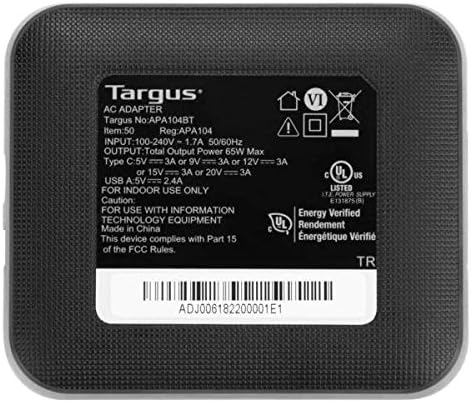
Image 6.1: Product label with technical specifications and certifications.
7. Warranty Information
Targus products are designed for quality and reliability. For specific warranty terms and conditions applicable to your Targus 65W USB-C/USB-A Charger, please refer to the warranty card included with your purchase or visit the official Targus website. Warranty coverage typically addresses manufacturing defects under normal use.
Extended protection plans may be available for purchase separately:
- 2-Year Protection Plan
- 3-Year Protection Plan
- Complete Protect (monthly plan covering multiple eligible purchases)
These plans offer additional coverage beyond the standard manufacturer's warranty. Please review the terms of any protection plan before purchase.
8. Customer Support
For further assistance, technical support, or warranty claims, please contact Targus customer service. You can typically find contact information, FAQs, and support resources on the official Targus website:
Targus Official Website: www.targus.com
Please have your product model number (APA104BT) and proof of purchase ready when contacting support.


