
Introduction
Thank you for purchasing the U`King 10W RGBW Pinspot Light. This manual provides essential information for the safe and efficient operation of your new lighting fixture. Please read this manual thoroughly before installation and use, and retain it for future reference.

Image: The U`King 10W RGBW Pinspot Light, a compact black fixture with a lens and mounting bracket, designed for focused illumination.
Product Features
- High Power LED: Equipped with a 10W RGBW (Red, Green, Blue, White) LED bead for vibrant color mixing.
- Multiple Control Modes: Supports DMX 512, Master/Slave, Sound Activated, and Auto modes for versatile operation.
- Lighting Effects: Offers RGBW mixed color, strobe, and dimming effects.
- Durable Construction: Features an ABS body for temperature protection and reliability.
- Adjustable Beam Angle: The beam angle of the DMX spotlight is adjustable for precise lighting.
- Easy Installation: Compact size with included brackets allows for floor placement or truss hanging.
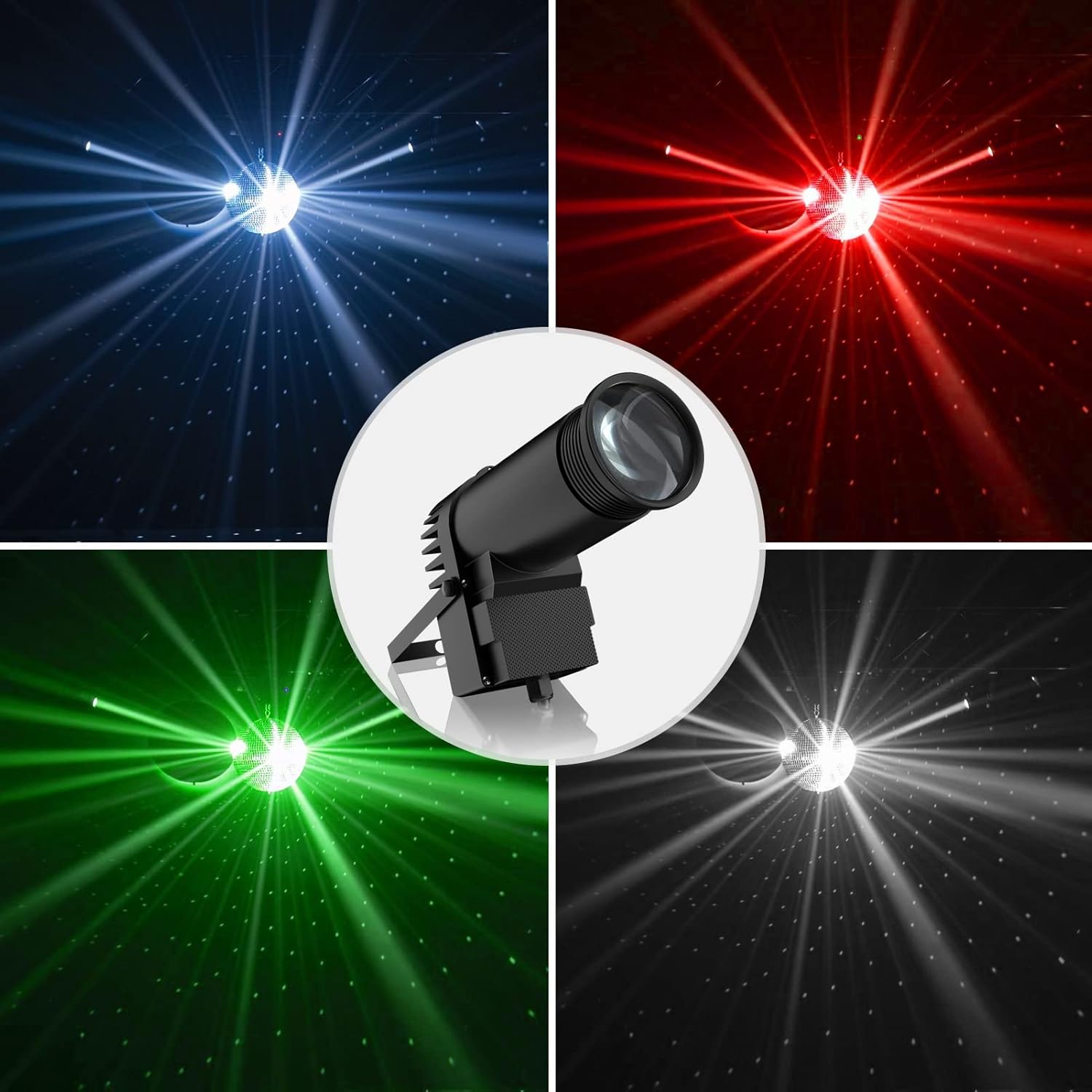
Image: A collage showing the U`King Pinspot Light illuminating a disco ball with distinct blue, red, green, and white light beams, demonstrating its RGBW color capabilities.
Safety Information
To ensure safe operation and prolong the lifespan of your device, please observe the following precautions:
- Always connect the device to a grounded power outlet.
- Do not expose the device to rain or moisture.
- Ensure adequate ventilation around the unit. Do not block cooling vents.
- Avoid direct eye exposure to the light source.
- Disconnect from power before cleaning or servicing.
- Do not operate the device if the power cord is damaged.
- This device is intended for indoor use only.
Package Contents
Upon opening the package, please verify that all components are present and in good condition:
- 1 x U`King 10W RGBW Pinspot Light
- 1 x Power Cable
- 1 x Mounting Bracket
- 1 x User Manual (this document)
Specifications
| Attribute | Value |
|---|---|
| Color | Black1 |
| Shape | Round |
| Material | Acrylonitrile Butadiene Styrene (ABS) |
| Finish Type | ABS |
| Light Source Type | Light Emitting Diode |
| Power Source | Corded Electric |
| Item Weight | 1 Pounds (approx. 0.45 kg) |
| Style | Modern |
| Voltage | 240 Volts |
| Brightness | Approx. 800 lumens |
| Light Source Wattage | 10 Watts |
| Mounting Type | Floor Mount / Hanging |
| Bulb Features | RGBW, Sound Activated |
| Number of Light Sources | 1 |
| Product Dimensions | 6.4"L x 3"W x 2.8"H (16.3cm x 7.6cm x 7.1cm) |
| Beam Angle | 25 Degrees (adjustable) |
| Model Number | 1 |
| First Available | October 23, 2018 |

Image: The U`King Pinspot Light with annotated dimensions (16.3cm/6.4in length, 14cm/5.5in height, 9.1cm/3.6in width) and an indication of its zoomable lens feature.
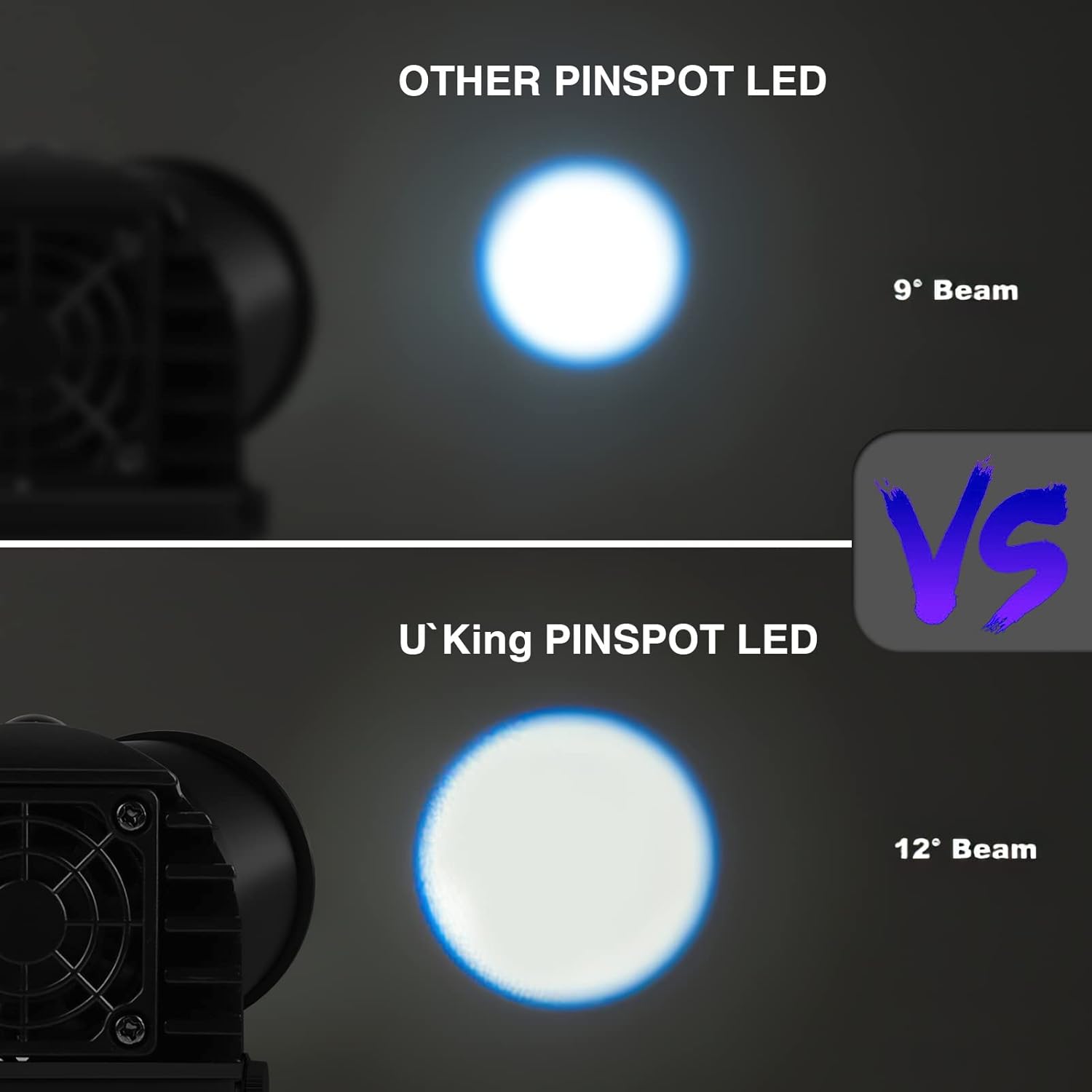
Image: A comparison illustrating the beam angle of the U`King Pinspot LED (12° Beam) versus another pinspot LED (9° Beam), highlighting the wider coverage of the U`King model.
Setup
Mounting the Light
The U`King Pinspot Light can be placed on a flat surface or mounted to a truss or ceiling using the included bracket. Ensure the mounting surface or structure can safely support the weight of the fixture.
- Attach the mounting bracket securely to the light fixture using the provided screws.
- For surface placement, ensure the light is stable and will not tip over.
- For hanging, use appropriate clamps (not included) to secure the bracket to a truss or mounting bar. Always use a safety cable (not included) as an additional safety measure.
- Adjust the angle of the light as desired using the bracket's pivot points.
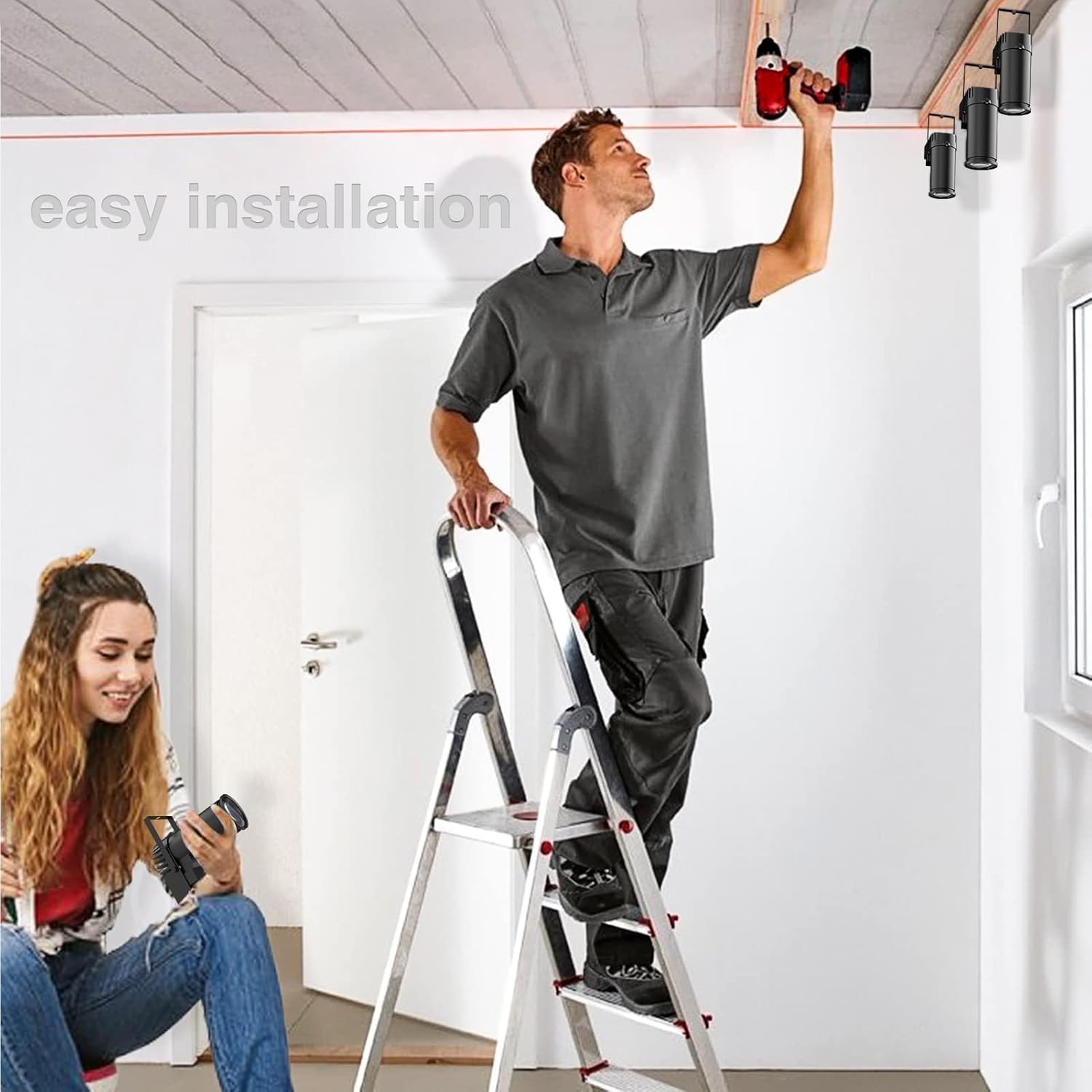
Image: A person installing the U`King Pinspot Light on a ceiling, demonstrating the ease of installation with the included bracket.
Power Connection
Connect the provided power cable to the power input on the rear of the fixture and then to a suitable grounded power outlet (240V AC).
Operating Modes
The U`King Pinspot Light offers four primary control modes, selectable via the control panel on the rear of the unit.
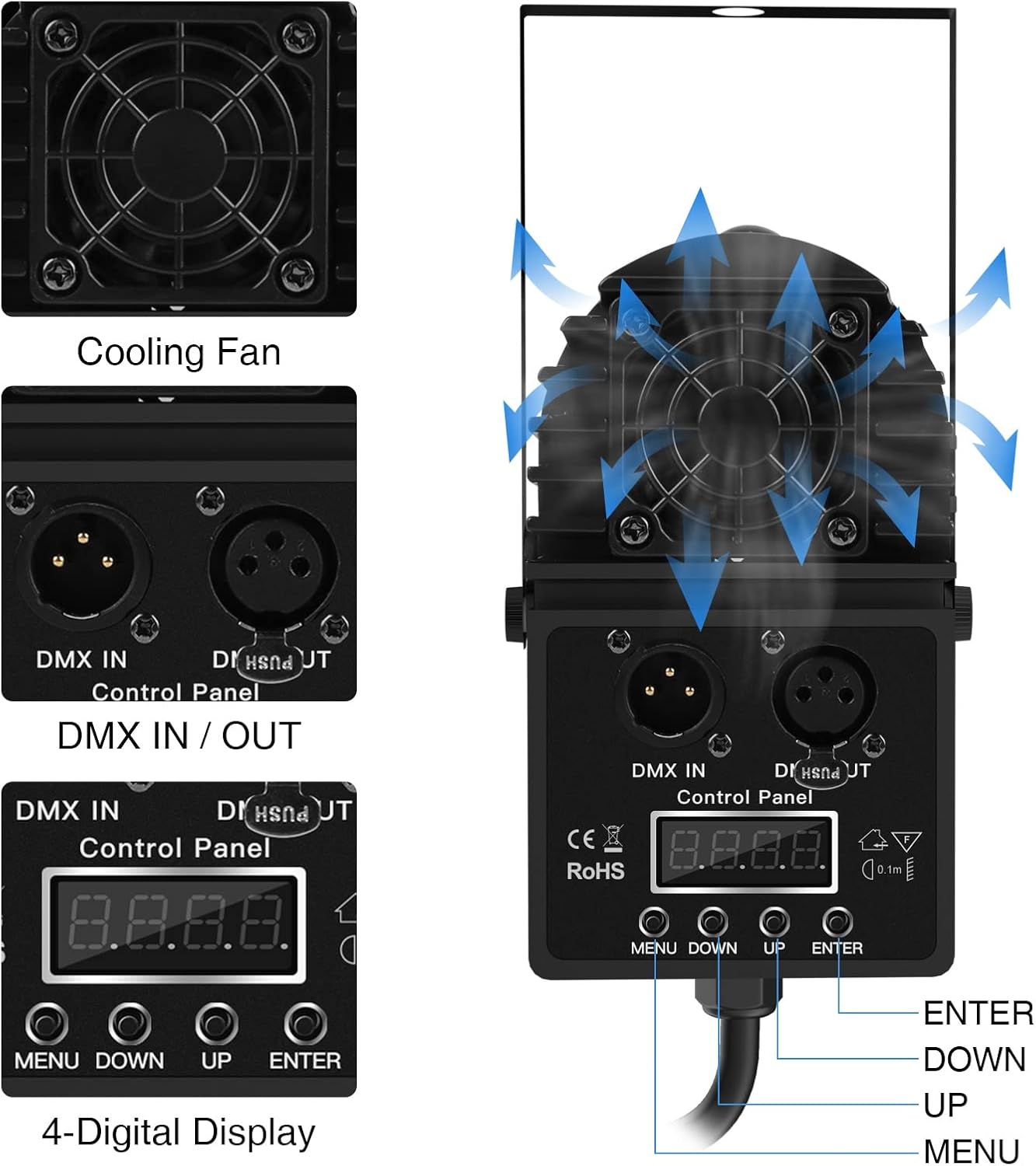
Image: A detailed view of the U`King Pinspot Light's rear control panel, showing the cooling fan, DMX IN/OUT ports, and the 4-digital display with MENU, DOWN, UP, and ENTER buttons for mode selection and parameter adjustment.
1. DMX 512 Mode
This mode allows professional control of the light using a DMX controller. Connect a DMX cable from your controller to the DMX IN port on the light. For multiple lights, daisy-chain them using DMX OUT to DMX IN connections. Refer to the DMX channel chart (not provided in this manual, typically found in a separate DMX guide) for specific channel functions.
2. Master/Slave Mode
In this mode, multiple lights can synchronize their operation. Set one light as the "Master" and others as "Slave." Connect the DMX OUT of the Master unit to the DMX IN of the first Slave unit, and continue daisy-chaining for additional Slave units. The Slave units will mimic the Master's settings.
3. Sound Activated Mode
The light will react to ambient sound, changing colors and patterns in sync with music or other audio. Use the control panel to select this mode. Sensitivity may be adjustable on some models.
4. Auto Mode
The light will cycle through pre-programmed patterns and color changes automatically. This mode is ideal for quick setup without external control. Different auto programs may be available for selection via the control panel.

Image: A series of images demonstrating the individual red, green, blue, and white light beams, as well as mixed colors like R&B (purple), R&G (yellow), G&B (cyan), and RGBW (full spectrum), showcasing the light's color capabilities.
Maintenance
Regular maintenance ensures optimal performance and longevity of your U`King Pinspot Light.
- Cleaning: Periodically clean the lens and exterior casing with a soft, lint-free cloth. For stubborn dirt, use a mild glass cleaner. Ensure the device is unplugged before cleaning.
- Ventilation: Ensure the cooling fan and vents are free from dust and debris. Use compressed air to clear any blockages.
- Storage: When not in use, store the light in a dry, cool place, away from extreme temperatures and humidity.
- Inspection: Regularly inspect the power cord and DMX cables for any signs of damage. Replace damaged cables immediately.
Troubleshooting
If you encounter issues with your U`King Pinspot Light, refer to the table below for common problems and solutions.
| Problem | Possible Cause | Solution |
|---|---|---|
| Light does not turn on. | No power, faulty cable, or internal issue. | Check power connection and outlet. Test with another power cable. If problem persists, contact support. |
| Light flickers or behaves erratically. | Unstable power, DMX signal issue, or overheating. | Ensure stable power supply. Check DMX connections and settings. Ensure adequate ventilation. |
| No response in Sound Activated mode. | Low audio input or incorrect mode selection. | Increase audio volume near the light. Verify Sound Activated mode is selected on the control panel. |
| DMX control not working. | Incorrect DMX address, faulty DMX cable, or incorrect mode. | Verify DMX address matches controller. Check DMX cable connections. Ensure DMX mode is selected. |
Warranty and Support
U`King products are manufactured to high quality standards. For information regarding warranty coverage and terms, please refer to the purchase documentation or contact your retailer.
For technical support, troubleshooting assistance, or inquiries about replacement parts, please visit the official U`King store or contact their customer service department.
U`King Brand Store: Visit U`King Store on Amazon


