Introduction
This manual provides essential information for the setup, operation, and maintenance of your Jamo Studio Series S 807 Floorstanding Speakers. Designed for high-fidelity audio reproduction, these speakers feature advanced acoustic technology and are ready for Dolby Atmos integration. Please read this manual thoroughly before use to ensure optimal performance and longevity of your speakers.
What's in the Box
Upon unpacking, please verify that all components are present:
- Jamo Studio Series S 807 Floorstanding Speakers (Pair)
- User Manual (this document)
- Stabilizer feet and mounting hardware
If any items are missing or damaged, please contact Jamo customer support.
Setup
1. Attaching Stabilizer Feet
The S 807 speakers include stabilizer feet to enhance stability and acoustic performance. Carefully lay the speaker on its side on a soft, clean surface to avoid scratching the cabinet. Attach the four stabilizer feet to the bottom of each speaker using the provided screws. Ensure they are securely fastened. Note: Some users have reported difficulty with screw insertion; apply gentle, even pressure. Do not overtighten.
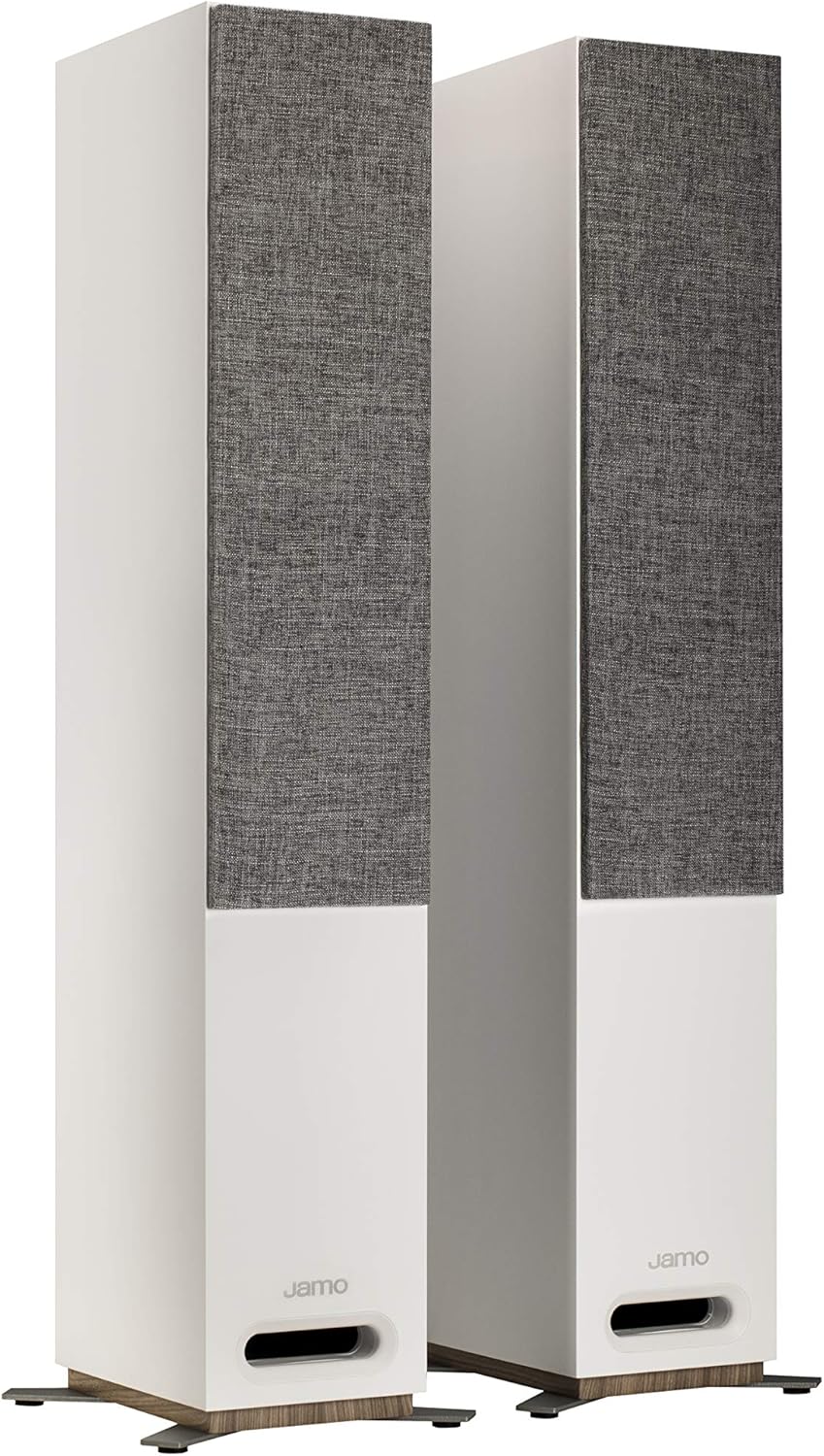
Image: Jamo S 807 speakers with grilles and stabilizer feet attached.
2. Speaker Placement
For optimal sound, place the floorstanding speakers on a firm, level surface. Position them equidistant from your primary listening position, forming an equilateral triangle. Experiment with the distance from walls to fine-tune bass response and soundstage. The front-firing tube port allows for greater flexibility in placement compared to rear-ported designs.

Image: Jamo S 807 speakers without grilles, showing the tweeter and woofers.
3. Connecting to an Amplifier/Receiver
The S 807 speakers feature dual binding posts for main audio input and additional terminals for Dolby Atmos height modules (if used). Use high-quality speaker wire to connect the speakers to your amplifier or receiver. Ensure correct polarity: connect the positive (+) terminal on the speaker to the positive (+) terminal on the amplifier, and the negative (-) terminal on the speaker to the negative (-) terminal on the amplifier.
- Main Input: Connect your amplifier's main left/right output to the "MAIN" terminals on the back of each speaker.
- Dolby Atmos Integration: The S 807 is designed for seamless integration with Jamo S 8 ATM Dolby Atmos elevation speakers. These modules connect directly to the "HEIGHT" terminals atop the S 807 cabinet, with wiring routed internally to the main speaker's rear terminals, avoiding visible wires.

Image: Rear panel of the Jamo S 807 speaker, illustrating connection terminals.
Operating Instructions
Once properly connected, your Jamo S 807 speakers are ready for use. Ensure your amplifier/receiver is powered on and set to the correct input source. Start with a low volume level and gradually increase it to your desired listening level.
- Volume Control: Adjust the volume using your amplifier or receiver's controls.
- Source Selection: Select your audio source (e.g., CD player, streaming device, TV) via your amplifier.
- Dolby Atmos (Optional): If using S 8 ATM modules, ensure your receiver is configured for Dolby Atmos and the height channels are properly calibrated.
The integrated WaveGuide acoustic technology focuses high-frequency sound, providing clear and dynamic audio reproduction. The dual 5-inch polyfiber woofers deliver balanced low-end frequencies.
Maintenance
To maintain the appearance and performance of your Jamo S 807 speakers, follow these guidelines:
- Cleaning: Dust the speaker cabinets with a soft, dry cloth. For stubborn marks, lightly dampen the cloth with water. Avoid abrasive cleaners or solvents.
- Grilles: The fabric grilles can be gently removed for cleaning or for a different aesthetic. Handle them carefully to avoid damage.
- Environment: Avoid placing speakers in direct sunlight, near heat sources, or in areas with high humidity.
- Driver Protection: Avoid touching the speaker drivers (tweeter and woofers) directly, as this can cause damage.
Troubleshooting
If you encounter issues with your speakers, consult the following table:
| Problem | Possible Cause | Solution |
|---|---|---|
| No sound from speakers |
|
|
| Distorted or unclear sound |
|
|
| Uneven sound balance |
|
|
Specifications
| Feature | Detail |
|---|---|
| Brand | Jamo |
| Model Name | S 807 |
| Speaker Type | Floorstanding |
| Color | White |
| Material | Metal (components), Wood (cabinet) |
| Special Feature | Dolby Atmos Ready, WaveGuide Acoustic Technology |
| Compatible Devices | Smartphone, Tablet, MP3 Player, Desktop, Television, Projector, Laptop |
| Speaker Size | 5 Inches (Woofers) |
| Woofer Diameter | 5 Inches (102mm) Polyfiber |
| Tweeter Diameter | 25 Millimeters (1 Inch) Soft Dome |
| Speaker Maximum Output Power | 100 Watts |
| Connectivity Technology | XLR (Binding Posts) |
| Audio Output Mode | Dolby Atmos (with optional S 8 ATM module) |
| Mounting Type | Floor Mount |
| Item Weight | 49.9 pounds (per pair) |
| Package Dimensions | 45.7 x 31.1 x 11.41 inches |
| UPC | 008634002926 |
Warranty Information
The Jamo Studio Series S 807 Floorstanding Speakers come with a Full Warranty. For specific terms, conditions, and duration of your warranty, please refer to the warranty card included with your product or visit the official Jamo website. Retain your proof of purchase for warranty claims.
Support
For further assistance, technical support, or to explore other Jamo products, please visit the official Jamo website or contact their customer service department.
You can also visit the Jamo Store on Amazon for product information and accessories.