
1. Introduction and Overview
Thank you for choosing the AdirOffice Outdoor Large Key Drop Box. This manual provides essential information for the proper installation, operation, and maintenance of your new drop box. Please read these instructions carefully before use to ensure optimal performance and security.
This commercial-grade, heavy-duty storage box is designed for secure, temporary storage of keys, cash envelopes, checks, and other valuables. It is suitable for both home and business use, providing a reliable solution for after-hours drops.
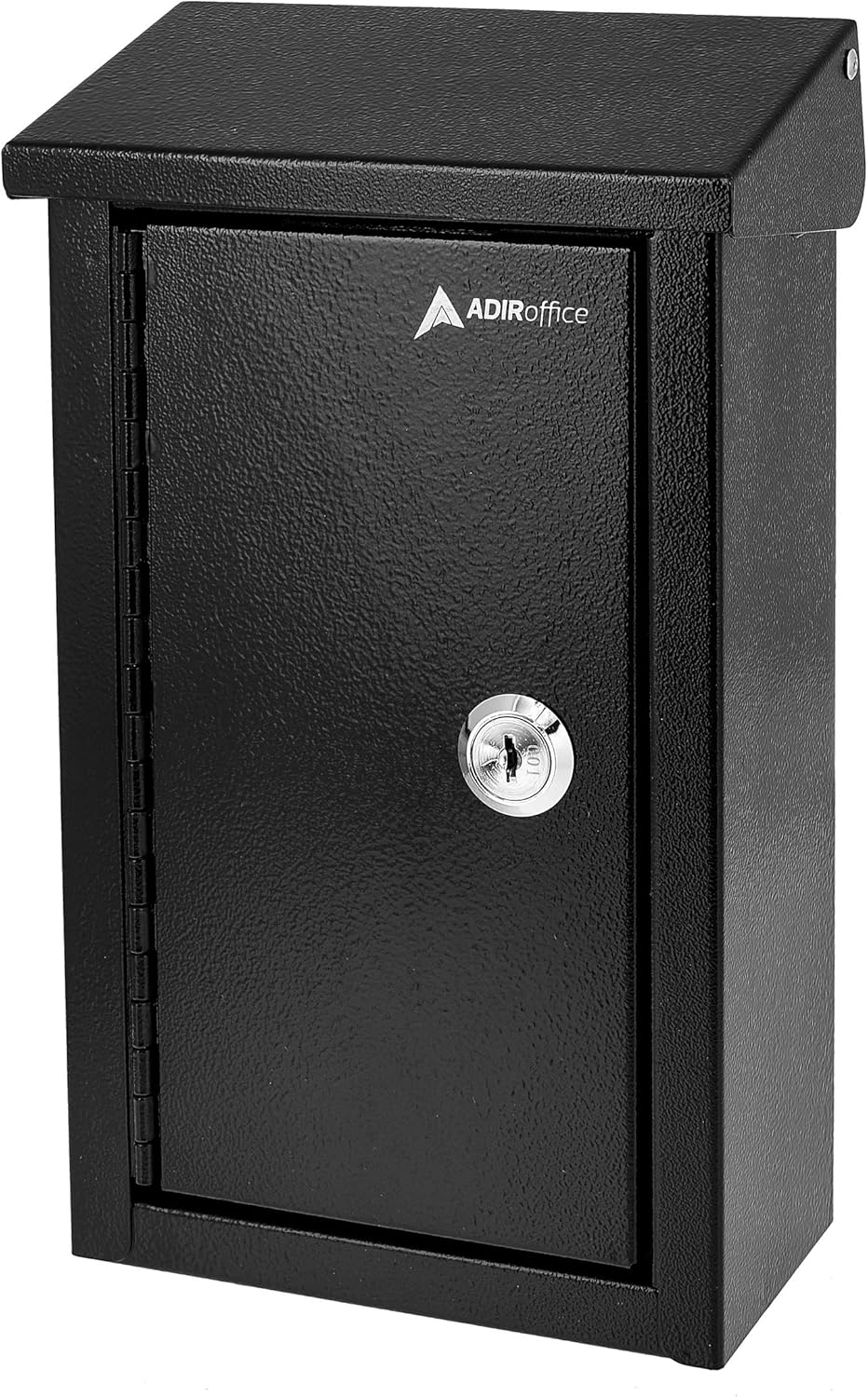
Image: Front view of the AdirOffice Outdoor Large Key Drop Box, showcasing its secure design.
2. Package Contents
Please verify that all components are present in your package:
- AdirOffice Outdoor Large Key Drop Box (Model 631-11-BLK)
- Keys (2 included)
- Mounting Hardware (screws and anchors)
3. Safety Information
To ensure safe and secure operation, please observe the following:
- Always mount the drop box securely to a stable surface to prevent unauthorized removal.
- Keep the keys in a secure location, separate from the drop box, to prevent unauthorized access.
- Do not place flammable, explosive, or hazardous materials inside the drop box.
- While suitable for sheltered outdoor areas, this product is not fully waterproof. Avoid direct exposure to heavy rain or prolonged moisture.
4. Setup and Installation
The AdirOffice Key Drop Box can be wall-mounted or floor-mounted. Follow these steps for secure installation:
- Choose a Location: Select a secure and convenient location for installation. For outdoor use, choose a sheltered area to protect the box from direct weather exposure.
- Mark Drilling Points: Hold the drop box against the desired mounting surface. Use a pencil or marker to mark the positions of the pre-drilled holes on the back of the box.
- Drill Holes: Using an appropriate drill bit for your mounting surface (wood, concrete, drywall), drill pilot holes at the marked locations. If mounting into drywall, insert the provided wall anchors.
- Secure the Box: Align the drop box with the drilled holes. Insert the provided mounting screws through the box's pre-drilled holes and into the wall/anchors. Tighten the screws firmly until the box is securely fastened to the surface. Do not overtighten.

Image: Diagram highlighting the sturdy hinged hood, tamper-resistant internal shelf, pre-drilled holes, pick-resistant steel lock, and included keys for the AdirOffice drop box.

Image: Example of the drop box installed on the exterior wall of a residential building.
5. Operation
The AdirOffice Key Drop Box features a dual-drop design to accommodate various item sizes:
- Envelope/Check Slot: A 4.25 inch (108 mm) wide slot is located at the top for depositing envelopes, checks, and similar documents.
- Square Drop Slot: A 2 inch x 2 inch (50.8 mm x 50.8 mm) square slot is provided for larger items such as keys, badges, and security tokens.
To retrieve contents, use one of the provided keys to unlock the front door. The pick-resistant lock and tamper-resistant internal shelf are designed to prevent unauthorized access to deposited items.

Image: Close-up view of the dual-drop design, showing the separate slots for envelopes/checks and keys/larger items.
6. Maintenance
Regular maintenance will help prolong the life and functionality of your drop box:
- Cleaning: Wipe the exterior with a soft, damp cloth to remove dust and dirt. Avoid abrasive cleaners that may damage the powder-coated finish.
- Lock Care: Periodically apply a small amount of graphite lubricant to the keyhole to ensure smooth operation of the lock.
- Inspection: Regularly check the mounting hardware for tightness and the box for any signs of damage or wear. Address any issues promptly to maintain security.
7. Troubleshooting
If you encounter any issues with your AdirOffice Key Drop Box, refer to the following common problems and solutions:
| Problem | Possible Cause | Solution |
|---|---|---|
| Key does not turn in lock | Lock mechanism is stiff or obstructed. | Apply graphite lubricant to the keyhole and gently try turning the key. Ensure the key is fully inserted. |
| Items getting stuck in drop slot | Item is too large for the slot or inserted incorrectly. | Ensure items fit within the specified dimensions for each slot. Do not force items into the slots. |
| Box feels loose after installation | Mounting screws are loose or anchors are not secure. | Retighten all mounting screws. If necessary, relocate the box or use more robust anchors suitable for your wall type. |
8. Specifications
Detailed specifications for the AdirOffice Outdoor Large Key Drop Box (Model 631-11-BLK):
- Brand: AdirOffice
- Model Number: 631-11-BLK
- Product Dimensions (D x W x H): 3" x 5.5" x 9.75" (7.62 cm x 13.97 cm x 24.77 cm)
- Item Weight: 2.2 Pounds (1 kg)
- Lock Type: Key Lock
- Color: Black
- Special Feature: Weatherproof (for sheltered outdoor use)
- Mounting Type: Wall Mount or Floor
- Water Resistance Level: Not Water Resistant (suitable for sheltered areas)
- UPC: 819598027500

Image: Diagram showing the height, width, depth, and weight of the AdirOffice Outdoor Large Key Drop Box.
9. Warranty Information
The AdirOffice Outdoor Large Key Drop Box comes with a 1-Year Limited Coverage warranty from the date of purchase. This warranty covers manufacturing defects under normal use. Please retain your proof of purchase for warranty claims. For specific terms and conditions, please refer to the warranty documentation included with your product or contact AdirOffice customer support.

Image: A badge indicating "1 Year Limited Coverage" warranty.
10. Customer Support
For further assistance, technical support, or warranty inquiries, please contact AdirOffice customer service. Refer to the contact information provided on the product packaging or the official AdirOffice website.
Website: www.adiroffice.com
We are committed to providing quality products and support.
