
1. Introduction
This manual provides essential instructions for the setup, operation, and maintenance of your Thumbs Up Pixel Plus Mini Retro Handheld Gaming Console. Please read this manual thoroughly before using the device to ensure proper function and longevity.
What's in the Box:
- One Thumbs Up Pixel Plus Mini Retro Handheld Gaming Console
- 240 8-Bit games included (pre-loaded)
- User Manual (this document)
2. Product Overview
The Thumbs Up Pixel Plus is a compact, portable gaming console designed for retro gaming enthusiasts. It features a 2.5-inch full-color LCD screen and comes pre-loaded with 240 classic 8-bit games, offering a wide variety of entertainment.

Image: The Thumbs Up Pixel Plus Mini Retro Handheld Gaming Console, showcasing its compact design and screen.
Key Features:
- 2.5" Full Colour LCD Screen
- 240 Built-in 8-Bit Games
- 8-Way Joystick (D-pad)
- 2 Action Buttons (A and B)
- Integrated Speakers with Volume Control
- Reset and Start Buttons

Image: A visual representation of the Thumbs Up Pixel Plus console, highlighting its 2.5" LCD screen, 240 8-bit games, 8-way joystick, and 2 action buttons.
Official Product Video:
Video: An official promotional video for the Orb Gaming console, demonstrating its features and gameplay. This video is provided by You Tec Limited, the seller.
3. Setup
3.1 Battery Installation
The Thumbs Up Pixel Plus console is powered by batteries. Ensure you have the correct type and quantity of batteries as specified on the device or packaging. Typically, this device uses Lithium-ion or Lithium batteries.
- Locate the battery compartment cover on the back of the console.
- Open the battery compartment cover.
- Insert the batteries, ensuring correct polarity (+ and -) as indicated inside the compartment.
- Close the battery compartment cover securely.
Warning: Do not mix old and new batteries. Do not mix alkaline, standard (carbon-zinc), or rechargeable (nickel-cadmium) batteries. Remove batteries if the device is not used for an extended period.
3.2 Powering On/Off
- To power on: Locate the power switch (usually on the side or top) and slide it to the 'ON' position. The screen should light up.
- To power off: Slide the power switch to the 'OFF' position.
4. Operating Instructions
4.1 Navigating Menus
Once powered on, the console will display a list of available games. Use the 8-way joystick (D-pad) on the left side of the console to navigate through the game list:
- Up/Down: Scroll through the game titles.
- Left/Right: May navigate through pages of games if applicable, or quickly scroll.
4.2 Selecting and Playing Games
- Use the joystick to highlight the desired game from the list.
- Press the START button (located near the action buttons) to select and begin the game.
- During gameplay, use the joystick for movement and the A and B buttons for actions (e.g., jump, shoot, interact). Specific button functions vary by game.

Image: A user holding the Thumbs Up Pixel Plus console, actively playing one of the built-in retro games, demonstrating the handheld experience.
4.3 Volume Control
The console features a volume control button or switch, typically labeled VOL. Adjust this to increase or decrease the sound output from the built-in speakers. A mute function may also be available by holding or pressing the volume button.
4.4 Reset Function
To return to the main game selection menu or restart a game, press the RESET button. This will typically end the current game session and bring you back to the game list.
5. Maintenance
5.1 Cleaning
- Use a soft, dry cloth to clean the exterior of the console.
- For stubborn marks, slightly dampen the cloth with water. Avoid using harsh chemicals or abrasive cleaners.
- Do not allow liquids to enter the console's openings.
5.2 Storage
- Store the console in a cool, dry place away from direct sunlight and extreme temperatures.
- If storing for an extended period, remove the batteries to prevent leakage and potential damage to the device.
6. Troubleshooting
| Problem | Possible Cause | Solution |
|---|---|---|
| Console does not turn on. | Batteries are dead or incorrectly inserted. | Replace batteries with new ones, ensuring correct polarity. Check if the power switch is fully in the 'ON' position. |
| Screen is blank or flickering. | Low battery power; internal connection issue. | Replace batteries. If the problem persists, contact customer support. |
| No sound or distorted sound. | Volume is too low or muted; speaker malfunction. | Adjust the volume control. If no sound, replace batteries. If still no sound, contact customer support. |
| Buttons or joystick are unresponsive. | Internal connection issue; physical damage. | Try resetting the console. If the issue continues, contact customer support. |
7. Specifications
| Feature | Detail |
|---|---|
| Model Number | OR-RETHC2 |
| Product Dimensions | 5.12"L x 2.56"W x 1.18"H (13.0 cm L x 6.5 cm W x 3.0 cm H) |
| Item Weight | 70 Grams (2.47 ounces) |
| Screen Size | 2.5 Inches |
| Display Type | LCD |
| Power Source | Battery Powered (Lithium-ion or Lithium battery recommended) |
| Controller Type | Button Control (8-way joystick, A/B action buttons) |
| Material | Plastic |
| Age Range (Manufacturer Recommended) | 6 years and up |
| GTIN | 05060613311714 |

Image: The Thumbs Up Pixel Plus console with its dimensions (13.2 cm length, 6.5 cm width) indicated, demonstrating its compact size.
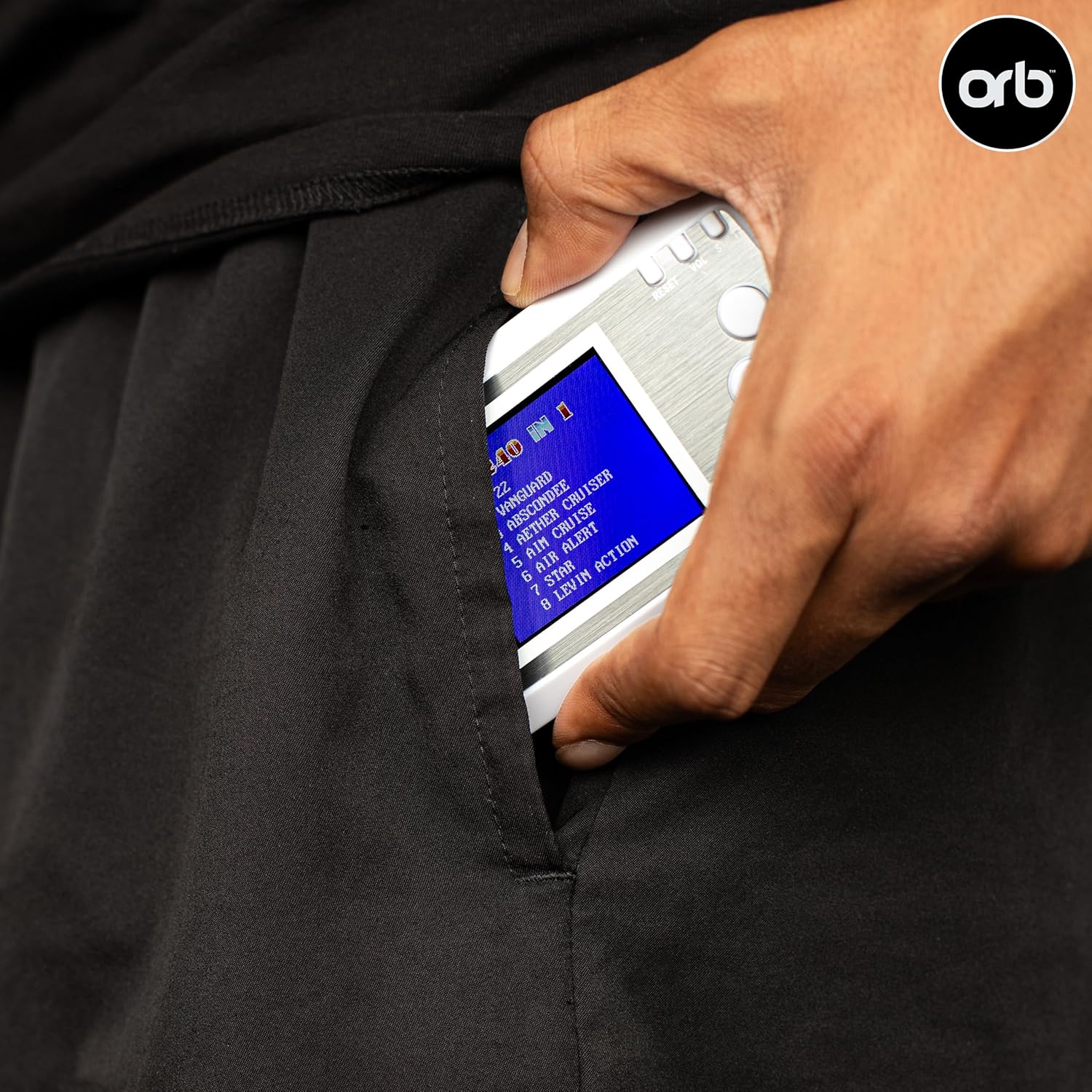
Image: The Thumbs Up Pixel Plus console being easily slipped into a pant pocket, illustrating its portability.
8. Safety Information
- This product is recommended for ages 6 years and up.
- Do not attempt to disassemble or modify the console. This may cause damage and void any warranty.
- Keep the console away from water, moisture, and extreme temperatures.
- Avoid dropping the console or subjecting it to strong impacts.
- Dispose of batteries responsibly according to local regulations.
- If the console becomes damaged, discontinue use and contact customer support.
9. Warranty and Support
For warranty information and customer support, please refer to the packaging or contact the retailer where the product was purchased. You may also visit the official Thumbs Up website for further assistance.
Manufacturer: Magnum Brands Group