
OKM 3931
OKM Rover C4 3D Ground Scanner and Metal Detector User Manual
Model: 3931
1. Introduction
The OKM Rover C4 is a versatile and user-friendly treasure and cavity detector. This manual provides comprehensive instructions for the setup, operation, maintenance, and troubleshooting of your Rover C4 device, ensuring optimal performance and longevity.
The Rover C4 is designed for detecting lost treasures such as coins, rings, and jewelry, as well as hollow structures like tunnels, caves, chambers, and tombs. It utilizes advanced measurement functions including Ground Scan and Mineral Scan to provide detailed subsurface analysis.
2. Product Components
The OKM Rover C4 system includes several key components for effective operation:
- Control Unit: The main device with an intuitive touchscreen and control buttons.
- Probe: The sensor used for ground scanning.
- Windows Laptop: For data visualization and analysis using the Visualizer 3D software.
- Charger with Travel Adapter: For powering the device.
- Headphones: For audio feedback during operation.
- Waterproof Case: For safe transport and storage of the equipment.

Figure 2.1: The complete OKM Rover C4 system, including the control unit, probe, laptop, headphones, charger, and waterproof case.

Figure 2.2: Close-up view of the OKM Rover C4 control unit and its integrated probe.
3. Setup
Before operating your Rover C4, ensure all components are properly assembled and charged.
3.1 Charging the Device
Connect the control unit to the charger using the provided travel adapter. The battery indicator on the control unit's screen will show charging progress. Ensure the device is fully charged before extended use.
3.2 Assembling the Rover C4
- Carefully remove the control unit and probe from the waterproof case.
- Attach the probe securely to the control unit. Ensure a firm connection.
- Power on the control unit by pressing the designated power button.
- Connect the Windows laptop to the control unit wirelessly as per the instructions in the Visualizer 3D software manual.
4. Operating Instructions
The Rover C4 offers several operating modes for various detection needs.
4.1 User Interface and Settings
The device features an intuitive touchscreen and physical buttons for navigation. You can customize settings such as language and screen brightness directly on the control unit.
4.2 Operating Modes
The Rover C4 includes the following operational modes:
- Magnetometer Mode: Used for detecting ferromagnetic metals and anomalies in the ground.
- 3D Ground Scan Mode: The primary mode for creating 3D representations of the subsurface, identifying buried objects and structures.
- Pinpointer Mode: For precise localization of detected objects.
- Mineral Scan Mode: Specifically designed to identify natural gold and other minerals.
4.3 Performing a Ground Scan
Follow these steps to perform a 3D Ground Scan:
- Select "3D Ground Scan" from the main menu on the control unit.
- Hold the Rover C4 firmly and walk in a straight line over the area you wish to scan. Maintain a consistent pace and distance between scan lines.
- The device will automatically record measurement data.
- Periodically check the screen for real-time feedback.
- Once the scan is complete, transfer the data wirelessly to the connected Windows laptop for analysis using the Visualizer 3D software.

Figure 4.1: A user operating the OKM Rover C4 in a natural environment, demonstrating the typical posture during a ground scan.

Figure 4.2: An individual conducting a scan with the Rover C4 near a large rock formation, highlighting its use in varied terrains.

Figure 4.3: A user reviewing scan data on a laptop, with the Rover C4 device positioned nearby, illustrating the data analysis phase.

Figure 4.4: An overhead view of a user operating the OKM Rover C4, providing a perspective on the scanning motion.
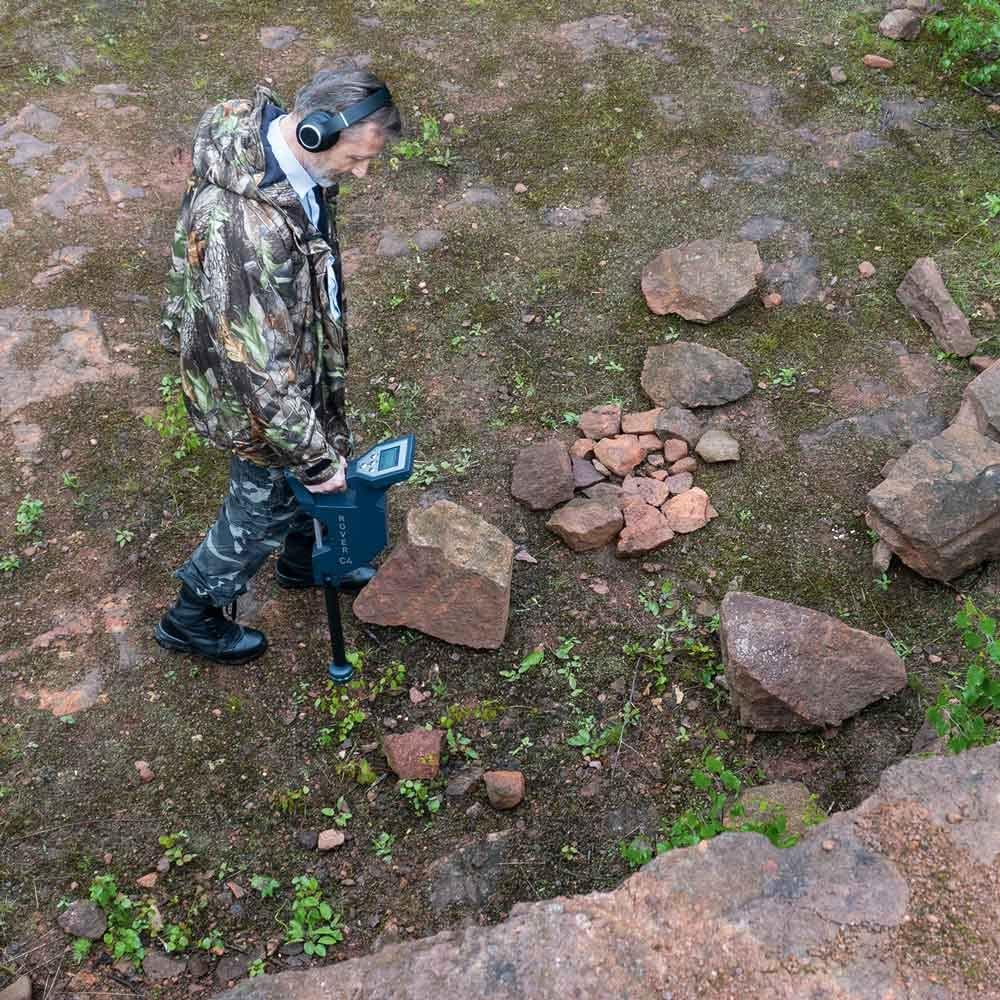
Figure 4.5: A user operating the OKM Rover C4 near a stream, demonstrating its use in diverse environments.
5. Maintenance
Proper maintenance ensures the longevity and accuracy of your Rover C4.
5.1 Cleaning
- After each use, wipe down the control unit and probe with a soft, damp cloth.
- Do not use abrasive cleaners or solvents.
- Ensure all components are dry before storing them in the waterproof case.
5.2 Storage
Store the Rover C4 in its waterproof case in a cool, dry place, away from direct sunlight and extreme temperatures.
5.3 Battery Care
To maximize battery life, fully charge the device before long periods of storage and recharge it every few months if not in use.
6. Troubleshooting
This section addresses common issues you might encounter with your Rover C4.
| Problem | Possible Cause | Solution |
|---|---|---|
| Device does not power on. | Low or depleted battery. | Charge the device fully using the provided charger. |
| No data transfer to laptop. | Wireless connection issue or software problem. | Ensure the laptop and control unit are within range and connected. Restart both devices. Check Visualizer 3D software for updates. |
| Inaccurate scan results. | Improper scanning technique or environmental interference. | Review "Performing a Ground Scan" section. Avoid areas with strong electromagnetic interference. Calibrate the device if necessary (refer to Visualizer 3D manual). |
7. Specifications
Key technical specifications for the OKM Rover C4:
- Product Dimensions (L x W x H): 42 x 22 x 63 cm (16.5 x 8.7 x 24.8 inches)
- Weight: 7.4 kg (16.3 lbs)
- Power Source: Battery powered (1 Lithium-ion battery included)
- Material: Plastic
- Color: Blue
- Model Number: 3931
- International Protection Rating: IP54 (Dust protected, splash proof)
- Recommended Use: Metal detection, 3D ground scanning, cavity detection
8. Warranty and Support
For warranty information and technical support, please refer to the official OKM website or contact your authorized dealer. Ensure you have your product's model number (3931) and purchase date available when seeking support.
OKM has been inventing, developing, and producing innovative geophysical measuring instruments for over 25 years, including metal detectors, 3D ground scanners, ground penetrating radars, and water detectors. Their technology is "Made in Germany" and supports archaeologists, geologists, treasure hunters, gold prospectors, and security forces worldwide.

Figure 8.1: The official OKM company logo.

Figure 8.2: An image representing the OKM brand story, showcasing their commitment to technology and exploration.
Related documents3931


Ask a question about this manual
Ask about setup, troubleshooting, compatibility, parts, safety, or missing instructions. Manuals+ will review the question and use this page’s manual context to help answer it.