
Introduction
Thank you for choosing the DanForce A1 1080 Lumens Rechargeable LED Headlamp. This manual provides essential information for the safe and efficient use of your headlamp. Please read it thoroughly before operation and retain it for future reference.
Safety Information
- Do not look directly into the LED light. This can cause temporary vision impairment or permanent eye damage.
- Keep out of reach of children.
- Do not attempt to disassemble or modify the headlamp. This will void the warranty and may cause damage or injury.
- Ensure the charging port is dry before connecting the USB cable.
- Dispose of batteries according to local regulations.
Package Contents
Verify that all items are present in the package:
- DanForce A1 Headlamp
- Rechargeable Battery (pre-installed)
- USB Type-C Charging Cable
- Adjustable Headband
- Carabiner
- Carry Bag
- User Manual (this document)
Product Overview
The DanForce A1 headlamp is designed for various outdoor and work activities, offering powerful illumination and user-friendly features.
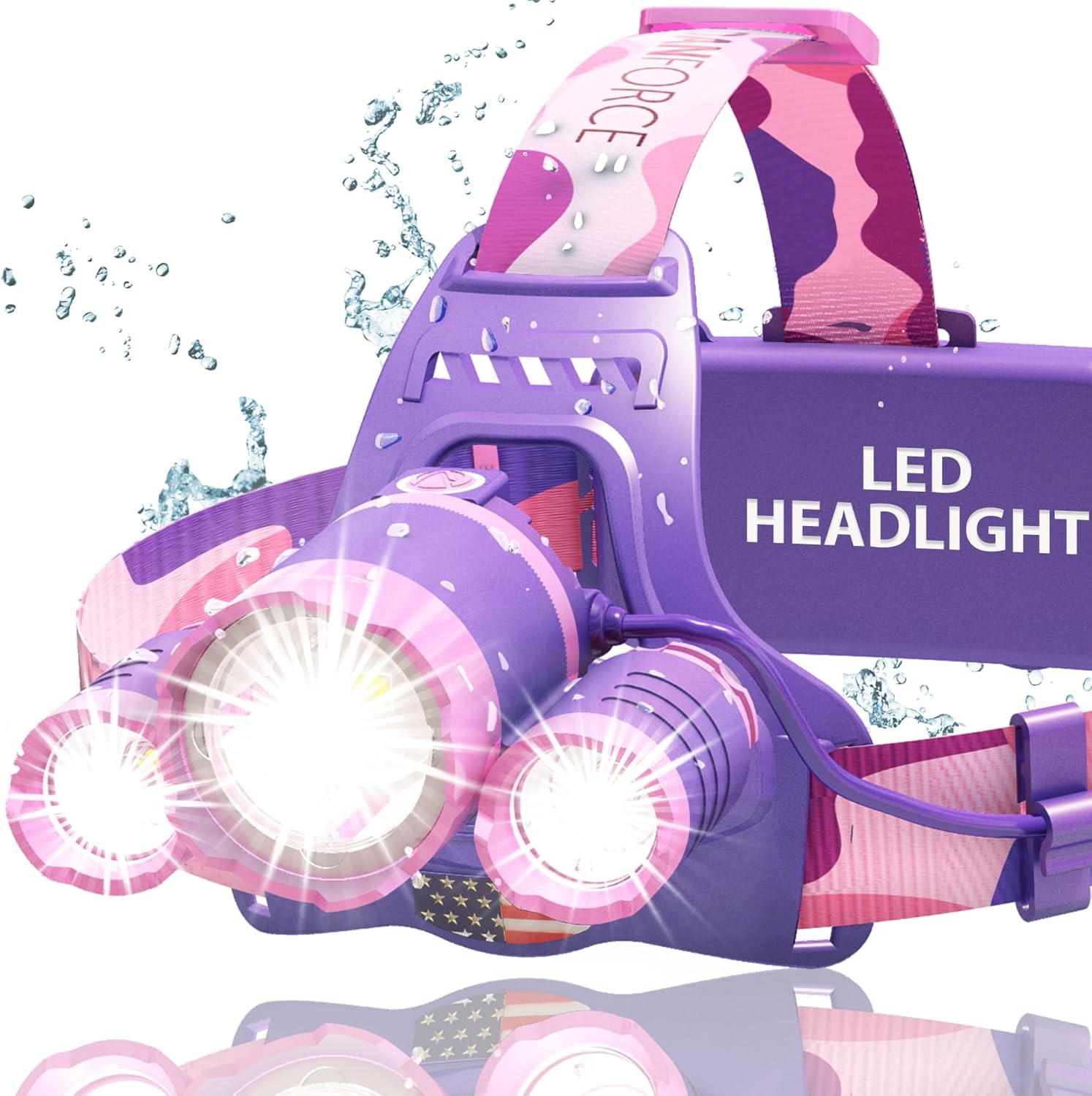
Image: The DanForce A1 Rechargeable LED Headlamp, showcasing its three light sources and adjustable headband. The headlamp is purple with pink camouflage accents on the strap, and water droplets are visible, indicating its water-resistant design.
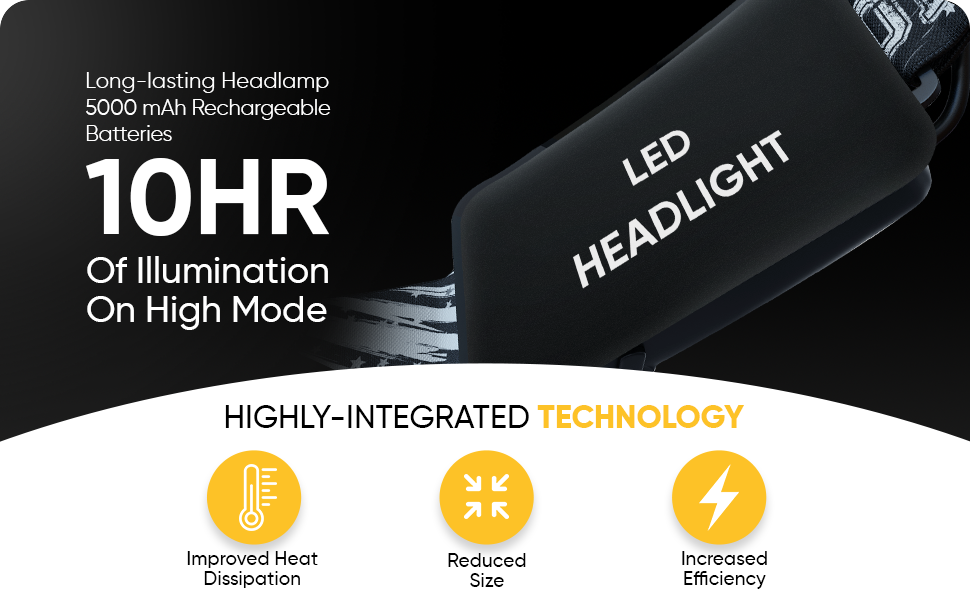
Image: A collage of four close-up images highlighting key features of the DanForce A1 headlamp. Top left shows the adjustable strap with the 'DANFORCE' logo. Top right shows the red light function. Bottom left displays the main white light source, emphasizing maximum durability. Bottom right shows the EVA padding for extra comfort on the headlamp's rear.
Setup
1. Charging the Battery
The headlamp comes with a pre-installed rechargeable battery. Before first use, fully charge the device.
- Locate the USB Type-C charging port on the headlamp.
- Connect the provided USB Type-C cable to the headlamp and a compatible USB power source (e.g., wall adapter, computer USB port).
- The charging indicator light will illuminate during charging and change color or turn off when fully charged.
- A full charge typically takes 4-6 hours.
2. Wearing the Headlamp
Adjust the elastic headband for a comfortable and secure fit on your head or over a helmet.
- Place the headlamp on your forehead.
- Adjust the straps to ensure the headlamp is snug but not too tight.
- The lamp unit can be tilted up or down to direct the light beam as needed.
Operating Instructions
1. Power On/Off and White Light Modes
Press the power button located on the top of the headlamp to cycle through white light modes:
- First Press: High Brightness (1080 Lumens)
- Second Press: Medium Brightness
- Third Press: Low Brightness
- Fourth Press: Strobe Mode
- Fifth Press: Off
To turn off the headlamp from any white light mode, press and hold the power button for approximately 3 seconds.
2. Red Light Mode
The headlamp features a secondary red light, useful for preserving night vision or for signaling.
- From the OFF state, press the power button twice quickly to activate the red light.
- Press the power button again to turn off the red light.
3. Zoom Function
The headlamp features an adjustable focus mechanism to change the beam from a wide floodlight to a narrow spotlight.
- Gently slide the front bezel of the main light forward or backward to adjust the beam focus.
Maintenance
1. Cleaning
- Wipe the headlamp body with a soft, damp cloth. Do not use abrasive cleaners or solvents.
- Clean the lens gently with a microfiber cloth to avoid scratches.
- The headband can be hand-washed with mild soap and water, then air-dried.
2. Storage
- Store the headlamp in a cool, dry place away from direct sunlight.
- If storing for an extended period, charge the battery every 3-6 months to maintain battery health.
3. Battery Care
- Avoid fully discharging the battery frequently.
- Use only the provided USB Type-C cable for charging.
- Do not expose the battery to extreme temperatures.
Troubleshooting
| Problem | Possible Cause | Solution |
|---|---|---|
| Headlamp does not turn on. | Battery is depleted. | Charge the headlamp fully. |
| Light is dim or flickers. | Low battery. | Recharge the battery. |
| Headlamp does not charge. | Charging cable or adapter faulty; port dirty. | Try a different USB cable/adapter. Clean the charging port gently. |
| Cannot switch to red light mode. | Incorrect button sequence. | Ensure the headlamp is off, then press the power button twice quickly. |
Specifications
| Feature | Detail |
|---|---|
| Model Number | A1 |
| Light Source | LUMINUS LED |
| Brightness | Up to 1080 Lumens |
| Light Modes | High, Medium, Low, Strobe (White Light); Red Light |
| Battery Type | Rechargeable Lithium Ion (5000 mAh) |
| Charging Port | USB Type-C |
| Material | Aluminum |
| Water Resistance | IPX45 (Water Resistant) |
| Weight | Approximately 8.8 ounces (0.55 lbs) |
| Special Features | Adjustable Focus, Adjustable Strap, Impact Resistant, Secondary Red Light |

Image: An exploded view diagram illustrating the internal components of the DanForce A1 headlamp, highlighting the American LUMINUS LED technology and emphasizing its 1080 Lumens output and 2X brighter performance compared to other headlamps.
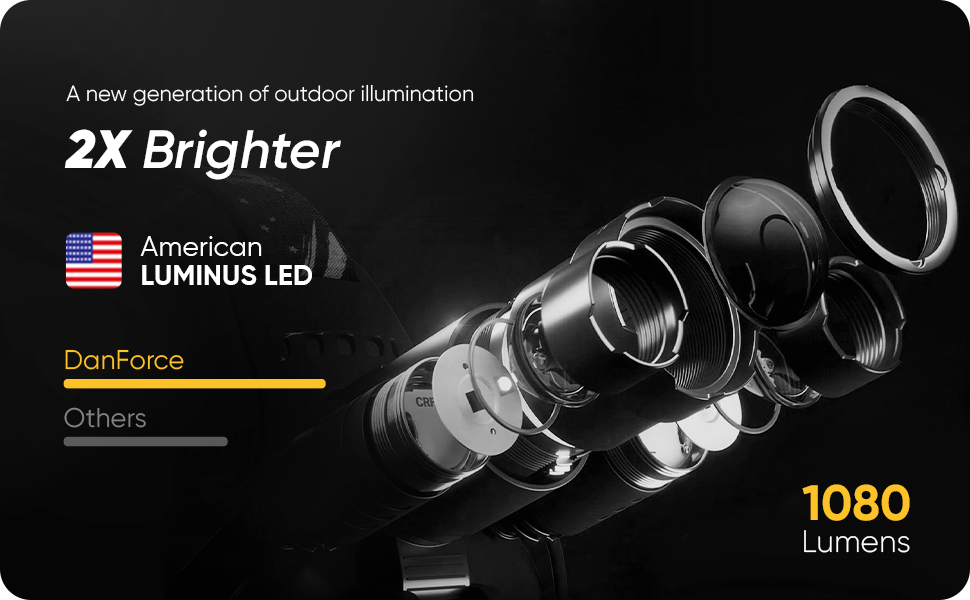
Image: A graphic detailing the long-lasting performance of the DanForce A1 headlamp, featuring a 5000 mAh rechargeable battery providing 10 hours of illumination on high mode. It also highlights highly-integrated technology for improved heat dissipation, reduced size, and increased efficiency.
Warranty Information
The DanForce A1 Headlamp comes with a 90-day warranty from the date of purchase. This warranty covers manufacturing defects. It does not cover damage caused by misuse, accidents, unauthorized modifications, or normal wear and tear.
For warranty claims or service, please retain your proof of purchase.
Customer Support
If you have any questions, require assistance, or encounter issues not covered in this manual, please contact DanForce customer support.
Visit the official DanForce store for more information: DanForce Store