1. Introduction
The Walimex pro Ice Sword 300 Plus is a versatile LED light bar designed for photography and video applications. It provides powerful, continuous daylight-balanced illumination with adjustable brightness. Its robust, splash-proof aluminum housing and integrated battery make it suitable for both studio and outdoor use.
2. Safety Instructions
- Water Resistance: The device features a splash-proof housing. It is not designed for submersion in water. Avoid direct exposure to heavy rain or prolonged water contact.
- Battery Safety: Use only the provided battery and charger. Do not short-circuit, disassemble, or expose the battery to extreme temperatures or fire. Dispose of batteries according to local regulations.
- Electrical Safety: Ensure the power adapter is connected to a suitable power source. Do not operate the device with wet hands.
- Eye Protection: Do not look directly into the LED light when it is operating at high brightness, as this may cause eye strain or damage.
- Ventilation: Ensure adequate ventilation around the device during operation to prevent overheating.
3. Package Contents
Please check that all items are present in your package:
- 1x Walimex pro LED Ice Sword 300 Plus Light Bar
- 1x Orange Diffuser
- 1x Remote Control
- 1x Rechargeable Battery (4400 mAh)
- 1x Battery Charger
- 1x Transport and Storage Bag
- 1x Instruction Manual (German/English)
4. Product Overview
Familiarize yourself with the main components and controls of your Ice Sword 300 Plus LED light bar.
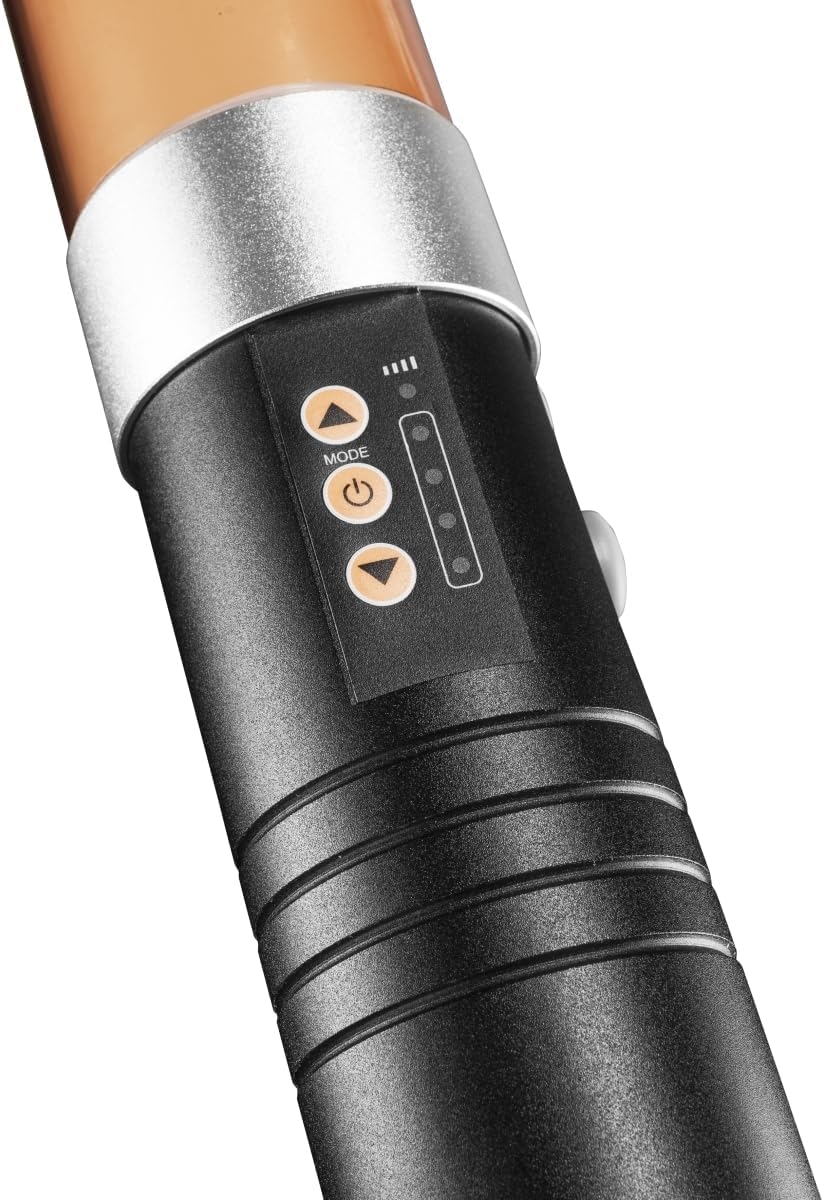
Figure 4.1: Control Panel
The control panel features a power button, mode button, and up/down buttons for adjusting settings. LED indicators display current brightness levels.
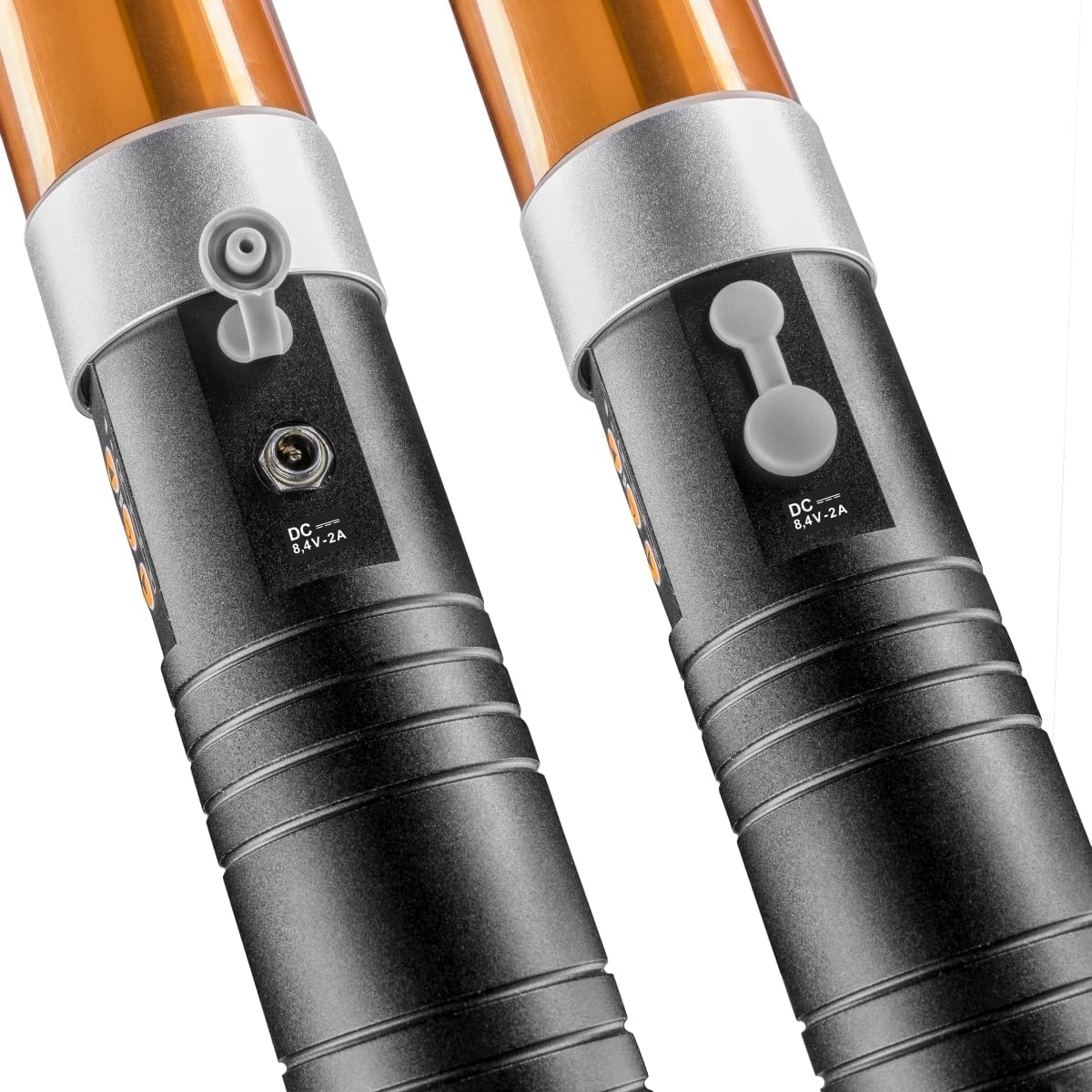
Figure 4.2: DC Charging Port
The DC 8.4V-2A charging port is located on the side of the handle, protected by a rubber cover to maintain splash resistance.
The light bar also includes a 1/4-inch thread at the base of the handle for mounting onto tripods or light stands.
5. Setup
5.1 Battery Installation
To install the battery:
- Unscrew the cap at the bottom of the light bar handle.
- Insert the provided 4400 mAh battery into the compartment, ensuring correct polarity.
- Screw the cap back on securely.

Figure 5.1: Battery and Charger
The image illustrates the removable battery and the included battery charger, essential for powering the device.
5.2 Charging the Battery
Before first use, fully charge the battery:
- Connect the battery charger to a power outlet.
- Plug the charger cable into the DC charging port on the light bar (refer to Figure 4.2).
- The charging indicator on the charger will show the charging status. Charge until the indicator signals a full charge.
- Alternatively, the light can be operated directly via the power adapter without the battery.
5.3 Mounting
The Walimex pro Ice Sword 300 Plus can be used handheld or mounted:
- Handheld Use: The ergonomic design allows for comfortable handheld operation.
- Tripod Mounting: Use the 1/4-inch thread located at the bottom of the handle to attach the light bar to a compatible tripod or light stand.
6. Operating Instructions
6.1 Power On/Off
Press and hold the power button on the control panel (Figure 4.1) to turn the light bar on or off.
6.2 Brightness Adjustment
Once powered on, use the 'Up' and 'Down' arrow buttons on the control panel to adjust the brightness from 0% to 100%. The LED indicators will show the current brightness level.
6.3 Color Temperature Adjustment
The Ice Sword 300 Plus provides a daylight color temperature of 5600K. To achieve a warmer tone, attach the included orange diffuser over the light tube.
6.4 Remote Control Usage
The included remote control allows for wireless adjustment of the light's brightness. Ensure the remote has fresh batteries and is pointed towards the light bar for optimal signal reception.

Figure 6.1: Remote Control
The light bar can be controlled wirelessly using the dedicated remote control for convenient adjustments.
6.5 Handheld Operation
The light bar is designed for comfortable handheld use, allowing for dynamic lighting effects and precise light placement in various shooting scenarios.

Figure 6.2: Handheld Use
The light bar's design facilitates easy and comfortable handheld operation for flexible lighting.
7. Maintenance
7.1 Cleaning
To clean the light bar, gently wipe the surface with a soft, dry cloth. Do not use abrasive cleaners or solvents, as these may damage the finish or electronic components.
7.2 Storage
When not in use, store the Walimex pro Ice Sword 300 Plus in its provided transport and storage bag. Keep it in a cool, dry place away from direct sunlight and extreme temperatures.

Figure 7.1: Transport Bag
The included bag provides protection and convenience for storing and transporting the light bar.
8. Troubleshooting
- Light does not turn on:
Ensure the battery is correctly installed and fully charged. Check if the power adapter is properly connected if operating via mains power. - Light flickers or dims unexpectedly:
The battery may be low. Recharge the battery or connect the light bar to mains power. Check for secure battery connection. - Remote control not working:
Ensure the remote control's battery is functional. Point the remote directly at the light bar's sensor. Remove any obstructions between the remote and the light. - Device feels warm during operation:
It is normal for the device to generate some heat during use. Ensure adequate ventilation and do not cover the light bar. If it becomes excessively hot, turn it off and allow it to cool.
9. Specifications
| Feature | Specification |
|---|---|
| Model Number | 22044 |
| Power Output | 20 W |
| Luminosity | 2400 Lumens |
| Color Temperature | 5600 K (Daylight), adjustable with orange diffuser |
| Color Rendering Index (CRI) | ≥90 Ra |
| Brightness Adjustment | 0% - 100% stepless |
| Battery Capacity | 4400 mAh (7.4 V, 32.5 Wh) |
| Dimensions (L x W x H) | 56.5 x 5.2 x 5.2 cm |
| Weight | 865 g |
| Housing Material | Aluminum, splash-proof |
| Connectivity | Bluetooth |

Figure 9.1: Product Dimensions
This diagram illustrates the physical measurements of the light bar.
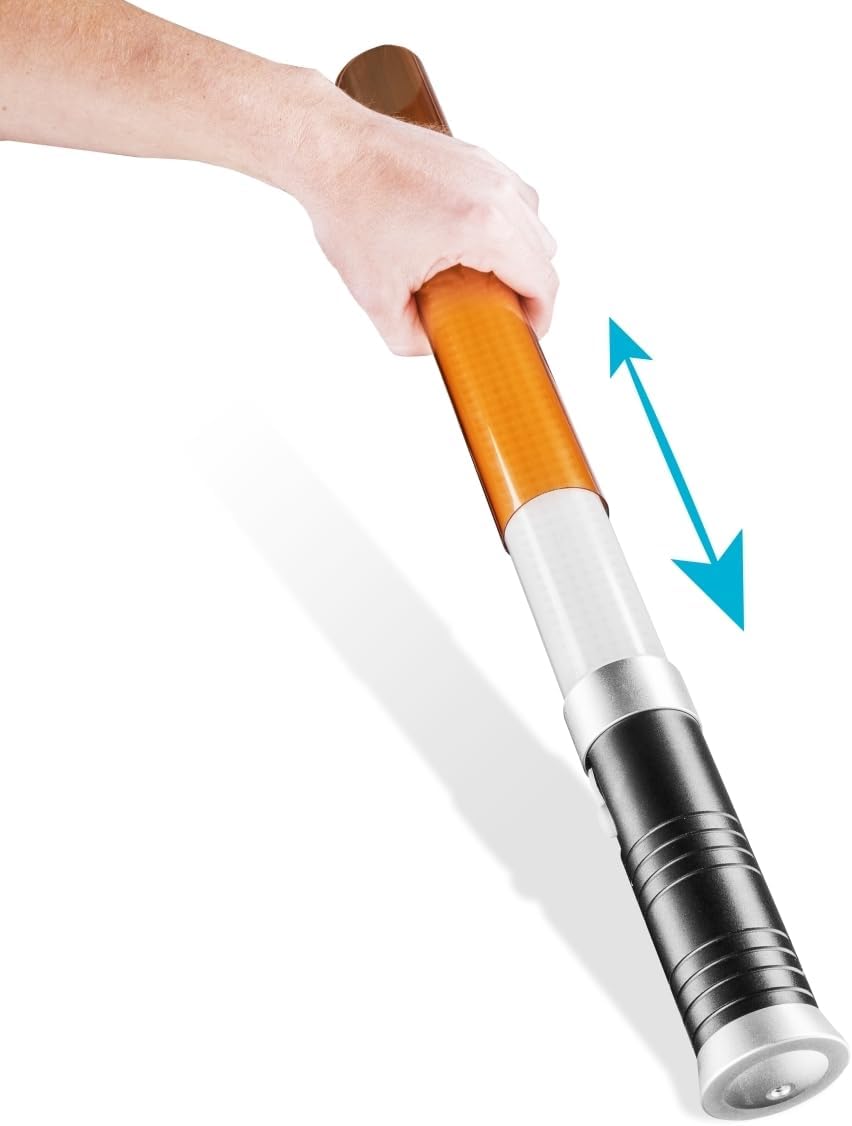
Figure 9.2: Splash-Proof Design
The image demonstrates the light bar's resistance to water splashes, making it suitable for outdoor use.
10. Warranty and Support
This product comes with a standard manufacturer's warranty. Please refer to the warranty card included in your package or contact your retailer for specific warranty terms and conditions.
For technical support, troubleshooting assistance, or inquiries about replacement parts, please contact Walimex pro customer service or your authorized dealer. Keep your purchase receipt as proof of purchase for any warranty claims.


