
Introduction
This instruction manual provides essential information for the safe and effective use of your Stack-On PDS-1800-E 2-Handgun Personal Drawer Safe. Please read this manual thoroughly before installation and operation to ensure proper functionality and security. This safe is designed to provide robust protection for handguns, jewelry, and other valuables.
Important Safety Information
- Always keep the safe locked when not in use.
- Store keys in a secure location away from the safe and out of reach of unauthorized individuals.
- Do not store the keys inside the safe.
- Ensure the safe is mounted securely to prevent unauthorized removal.
- Keep the electronic keypad dry and clean.
- Replace batteries promptly when the low battery indicator appears to avoid lockouts.
- This safe is not water resistant. Avoid exposure to water or high humidity.
Package Contents
Verify that all items listed below are included in your package:
- Stack-On PDS-1800-E Personal Drawer Safe
- Keys (2 included)
- Mounting Hardware
- 4 AA Batteries (included)
- Foam Padding (pre-installed)
Setup
1. Battery Installation
- Locate the battery compartment, typically on the inside of the safe door or back panel.
- Open the battery compartment cover.
- Insert 4 AA batteries, ensuring correct polarity (+/-).
- Close the battery compartment cover securely.
- Test the keypad to ensure it powers on.
2. Mounting the Safe
The safe features pre-drilled holes and includes mounting hardware for secure installation. Choose a stable surface, such as inside a drawer or cabinet, for mounting.
- Position the safe in the desired location.
- Mark the locations for the mounting holes.
- Drill pilot holes if necessary, appropriate for your mounting surface.
- Secure the safe using the provided mounting hardware.

Image 1: Top view of the Stack-On PDS-1800-E safe, showing the electronic keypad and manual key access.
Operating Instructions
1. Setting Your Personal Code
Your safe comes with a factory default code. It is highly recommended to change this to a personal code immediately after battery installation.
- With the safe door open, locate the red reset button on the inside of the door or near the hinge.
- Press the reset button. The keypad will beep, and an indicator light will illuminate.
- Enter your desired 3 to 8 digit personal code on the keypad.
- Press the "CHECK" (✓) button to confirm. The indicator light will flash, confirming the new code is set.
- Test the new code with the door open before closing it.
2. Opening the Safe
The safe can be opened using either your personal electronic code or the provided override key.
Using the Electronic Keypad:
- Enter your 3 to 8 digit personal code.
- Press the "CHECK" (✓) button.
- Within 5 seconds, turn the knob clockwise to unlock the safe.
- Lift the lid to open.
Using the Override Key:
- Insert the key into the keyhole located on the keypad panel.
- Turn the key clockwise to unlock.
- Turn the knob clockwise to open the safe.
3. Silent Mode Operation
To disable the keypad beeps for silent operation:
- Press the "MUTE" (speaker icon with a cross) button on the keypad. This will turn off the beeping sound when keys are pressed.
- To re-enable the beeping sound, press the "MUTE" button again.

Image 2: Interior view of the safe, showing the protective foam padding and internal LED light.
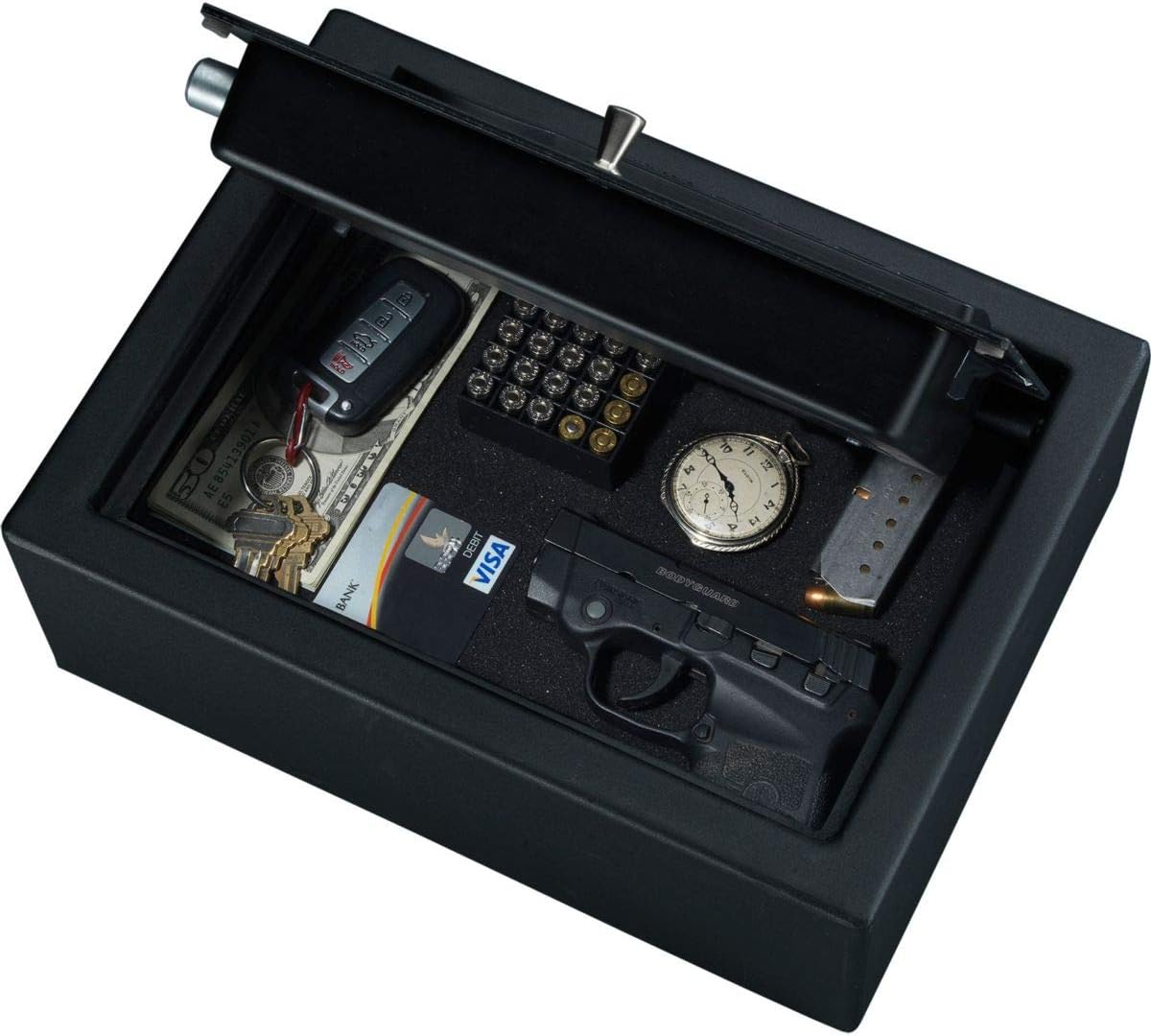
Image 3: Example of items stored inside the safe, including handguns, ammunition, and other small valuables.
Maintenance
- Battery Replacement: Replace all 4 AA batteries when the low battery indicator light illuminates or if the keypad becomes unresponsive. Always use new, high-quality alkaline batteries.
- Cleaning: Wipe the exterior of the safe with a soft, damp cloth. Avoid abrasive cleaners or solvents that could damage the finish or electronic components.
- Internal LED Light: The internal LED light activates when the safe is opened, providing visibility. This light is powered by the same AA batteries.
Troubleshooting
| Problem | Possible Cause | Solution |
|---|---|---|
| Safe does not open with code. | Incorrect code entered; low batteries; keypad malfunction. | Re-enter code carefully. Replace batteries. Use the override key to open and then reset the code. |
| Keypad is unresponsive or beeps rapidly. | Low batteries; internal error. | Replace all 4 AA batteries. If the issue persists, use the override key and contact customer support. |
| Forgot personal code. | Code forgotten. | Use the override key to open the safe. Once open, you can reset a new personal code following the "Setting Your Personal Code" instructions. |
| Safe door feels loose or does not close properly. | Obstruction; misalignment. | Check for any obstructions around the door frame. Ensure the safe is on a level surface and mounting hardware is secure. |
Specifications
- Model: PDS-1800-E
- Brand: Stack-On
- Product Dimensions: 8.5"D x 11.7"W x 2.3"H
- Lock Type: Electronic Keypad with Key Override
- Color: Black
- Material: Alloy Steel
- Special Feature: Alarm System, Internal LED Light
- Mounting Type: Freestanding, Tabletop (Mounting hardware included)
- Item Weight: 13.27 pounds
- Batteries: 4 AA batteries (included)
- Water Resistance Level: Not Water Resistant
Warranty and Support
For warranty information or technical support, please refer to the documentation provided with your purchase or visit the official Stack-On website. Keep your purchase receipt as proof of purchase for any warranty claims.
For further assistance, you may contact Stack-On customer service directly.


