
Introduction
Welcome to the user manual for your Energizer TAC-R 700 LED Tactical Flashlight. This guide provides essential information for the safe and effective use, maintenance, and troubleshooting of your device. Please read this manual thoroughly before operating the flashlight.
Product Overview
The Energizer TAC-R 700 is a robust, rechargeable LED tactical flashlight designed for reliability in various conditions. It features a durable aircraft-grade aluminum body, IPX4 water resistance, and a powerful 700-lumen output.
Key Features
- Tough Tactical Design: Combines a compact body with a powerful, wide beam for dependable use.
- Rechargeable Battery: Offers up to 30 hours of runtime on low mode and 2 hours on high mode. Includes a micro-USB charging cable.
- Versatile Use: Ideal for outdoor activities, emergency situations, and DIY projects. Features a strobe mode for emergencies.
- Powerful Illumination: Delivers 700 lumens with a beam reaching up to 100 meters, providing high-definition vision.
- Durable and Resilient: IPX4 water-resistant (withstands splashes) and impact-resistant up to 1 meter.
- Ergonomic Design: Features a rear push button for easy mode changes and a removable clip for convenient carrying.
Package Contents
- Energizer TAC-R 700 LED Tactical Flashlight
- Micro-USB Charging Cable
Setup
Initial Charge
Before first use, fully charge your flashlight.
- Locate the micro-USB charging port on the flashlight. It is typically covered by a rubber flap for protection.
- Connect the included micro-USB cable to the flashlight's charging port.
- Connect the other end of the USB cable to a compatible USB power source (e.g., wall adapter, computer USB port, power bank).
- The charging indicator light will illuminate (refer to product packaging for specific light behavior).
- Allow the flashlight to charge until the indicator shows a full charge (e.g., light changes color or turns off).

Image: The Energizer TAC-R 700 flashlight being charged via its micro-USB port, connected to a wall adapter.
Attaching the Removable Clip
The flashlight comes with a removable clip for easy attachment to pockets or gear.
- Align the clip with the designated groove on the flashlight body.
- Slide the clip firmly into place until it clicks securely.

Image: The Energizer TAC-R 700 flashlight, showcasing its compact design and the removable clip.
Operating Instructions
Power On/Off
To turn the flashlight ON or OFF, firmly press the rear push button.
Changing Light Modes
The TAC-R 700 features four light modes: High, Medium, Low, and Strobe.
- With the flashlight ON, lightly press the rear button to cycle through the modes: High → Medium → Low.
- To activate the Strobe mode: With the light OFF, quickly half-press the rear button, then full-press it.

Image: The back of the product packaging, illustrating the various light modes and how to activate the strobe function.
Runtime and Brightness
| Mode | Lumens | Runtime | Beam Distance |
|---|---|---|---|
| High | 700 | 2 hours | 100 meters |
| Low | 20 | 30 hours | Not specified |
Note: Runtime and beam distance may vary based on environmental conditions and battery age.
Maintenance
Cleaning
To maintain optimal performance, regularly clean the flashlight.
- Wipe the exterior with a soft, damp cloth.
- Do not use abrasive cleaners or solvents.
- Ensure the charging port cover is securely closed to prevent dust and water ingress.
Battery Care
- Recharge the flashlight regularly, even if not in frequent use, to prolong battery life.
- Avoid fully depleting the battery before recharging.
- Store the flashlight in a cool, dry place when not in use for extended periods.
Durability Features
The TAC-R 700 is built with an aircraft-grade aluminum body and IPX4 water resistance.

Image: A close-up view of the flashlight's head, emphasizing its robust aircraft-grade aluminum construction.
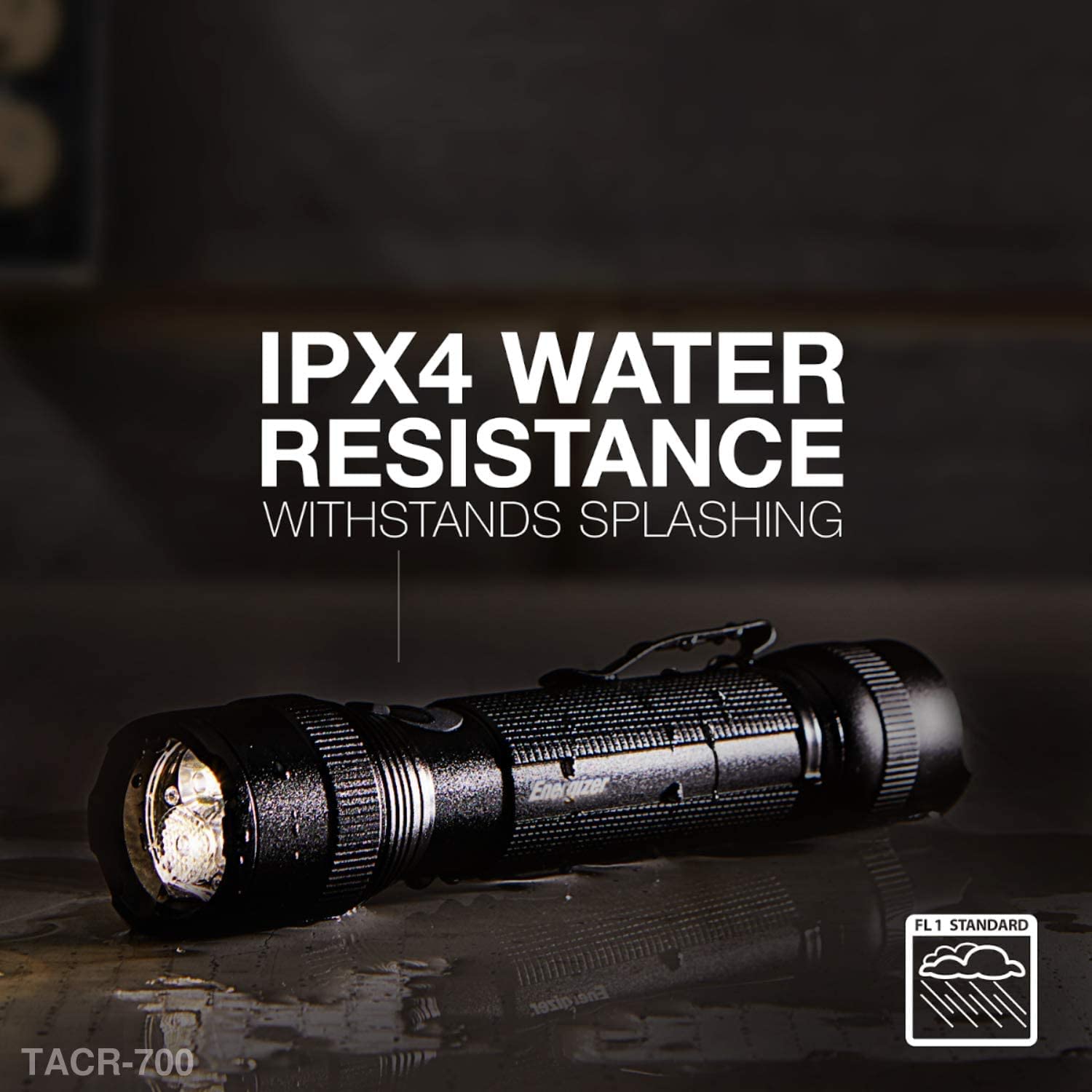
Image: The flashlight with water droplets on its surface, illustrating its IPX4 water resistance against splashing.
Troubleshooting
Flashlight Not Turning On
- Check Battery Charge: Ensure the flashlight is fully charged. Connect it to a power source using the USB cable.
- Verify Button Press: Ensure the rear push button is pressed firmly and completely.
Dim Light Output
- Recharge Battery: Dim light often indicates a low battery. Recharge the flashlight.
- Check Mode Setting: Ensure the flashlight is not in Low mode. Cycle through modes to High.
Strobe Mode Not Activating
- Follow Activation Steps: Ensure the light is OFF, then quickly half-press and full-press the rear button.
Water or Impact Damage
While the flashlight is water and impact resistant, extreme conditions can cause damage. If the flashlight has been submerged or severely impacted, discontinue use and contact customer support.
Specifications
| Feature | Detail |
|---|---|
| Model Number | ENPMTRL8 |
| Light Output | 700 Lumens (High) |
| Power Source | Rechargeable Battery |
| Charging | Micro-USB |
| Water Resistance | IPX4 (Splash Resistant) |
| Impact Resistance | Up to 1 meter |
| Body Material | Aircraft-Grade Aluminum |
| Dimensions | 1.97 x 5.31 x 10.24 inches |
| Weight | 8 ounces |

Image: The Energizer TAC-R 700 flashlight displayed alongside its micro-USB charging cable.
Warranty and Support
For warranty information or technical support, please visit the official Energizer website or contact their customer service. Keep your purchase receipt as proof of purchase.
Official Website: www.energizer.com
Manufacturer: Energizer


