
SoundMAGIC P22BT Wireless Bluetooth Headphones User Manual
Model: P22BT | Brand: SoundMAGIC
1. Introduction
The SoundMAGIC P22BT headphones offer a high-quality wireless audio experience with advanced Bluetooth v4.1 connectivity and NFC for quick pairing. Designed for comfort and portability, these headphones feature 40mm drivers for rich, balanced sound and a foldable design. This manual provides essential information for the proper use and maintenance of your P22BT headphones.
2. Package Contents
Please check the box for the following items:
- 1 x SoundMAGIC P22BT Wireless Bluetooth Headphones
- 1 x USB Charging Cable
- 1 x 3.5mm Audio Cable
- 1 x Soft Carrying Case
- 1 x User Manual (this document)
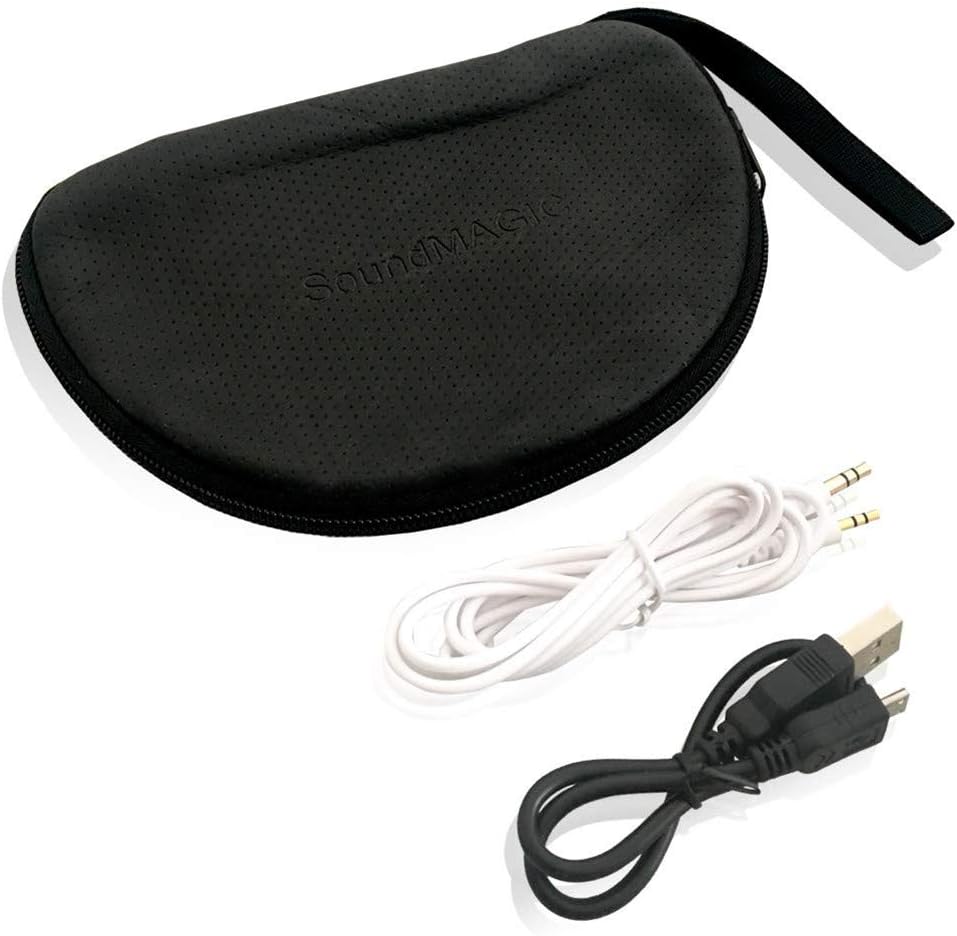
The package includes essential accessories for charging, wired listening, and protection.
3. Setup
3.1 Charging the Headphones
Before first use, fully charge the headphones. Connect the supplied USB charging cable to the micro-USB port on the headphones and the other end to a USB power source (e.g., computer USB port, wall adapter). The LED indicator will show charging status and turn off or change color when fully charged. A full charge provides approximately 18-20 hours of music playback.
3.2 Bluetooth Pairing
- Ensure the headphones are turned off.
- Press and hold the Power button until the LED indicator flashes blue and red alternately, indicating pairing mode.
- On your device (smartphone, tablet, etc.), enable Bluetooth and search for available devices.
- Select "SoundMAGIC P22BT" from the list of found devices.
- Once paired, the LED indicator will flash blue periodically.
NFC Pairing (if supported by your device)
With NFC enabled on your device and the headphones in pairing mode, simply tap your device against the NFC area on the left ear cup to initiate quick pairing.
3.3 Wired Connection
To use the headphones in wired mode, connect one end of the 3.5mm audio cable to the audio input port on the headphones and the other end to your audio source. The headphones can be used passively in wired mode, even if the battery is depleted.

For extended listening or when battery is low, connect the headphones using the provided 3.5mm audio cable.
4. Operating Instructions
4.1 Controls Overview
The main controls are located on the right ear cup.

The right ear cup houses intuitive controls for power, volume adjustment, music playback, and call management.
- Power Button (Center): Press and hold to power on/off. Short press to play/pause music or answer/end calls.
- Volume Up (+): Short press to increase volume. Long press to skip to the next track.
- Volume Down (-): Short press to decrease volume. Long press to skip to the previous track.
- Multi-function Button (Phone icon): Short press to answer/end calls. Long press to reject calls. Double press to redial the last number.
4.2 Power On/Off
- Power On: Press and hold the Power button for approximately 3 seconds until the LED flashes blue.
- Power Off: Press and hold the Power button for approximately 3 seconds until the LED flashes red and then turns off.
4.3 Music Playback
- Play/Pause: Short press the Power button.
- Next Track: Long press the Volume Up (+) button.
- Previous Track: Long press the Volume Down (-) button.
4.4 Call Management
- Answer/End Call: Short press the Multi-function button.
- Reject Call: Long press the Multi-function button.
- Redial Last Number: Double press the Multi-function button.
5. Maintenance
5.1 Cleaning
Wipe the headphones with a soft, dry cloth. Do not use abrasive cleaners or solvents. The ear pads can be gently cleaned with a damp cloth and mild soap, then allowed to air dry completely before use.
5.2 Storage
When not in use, store the headphones in the provided soft carrying case to protect them from dust and damage. The foldable design allows for compact storage.
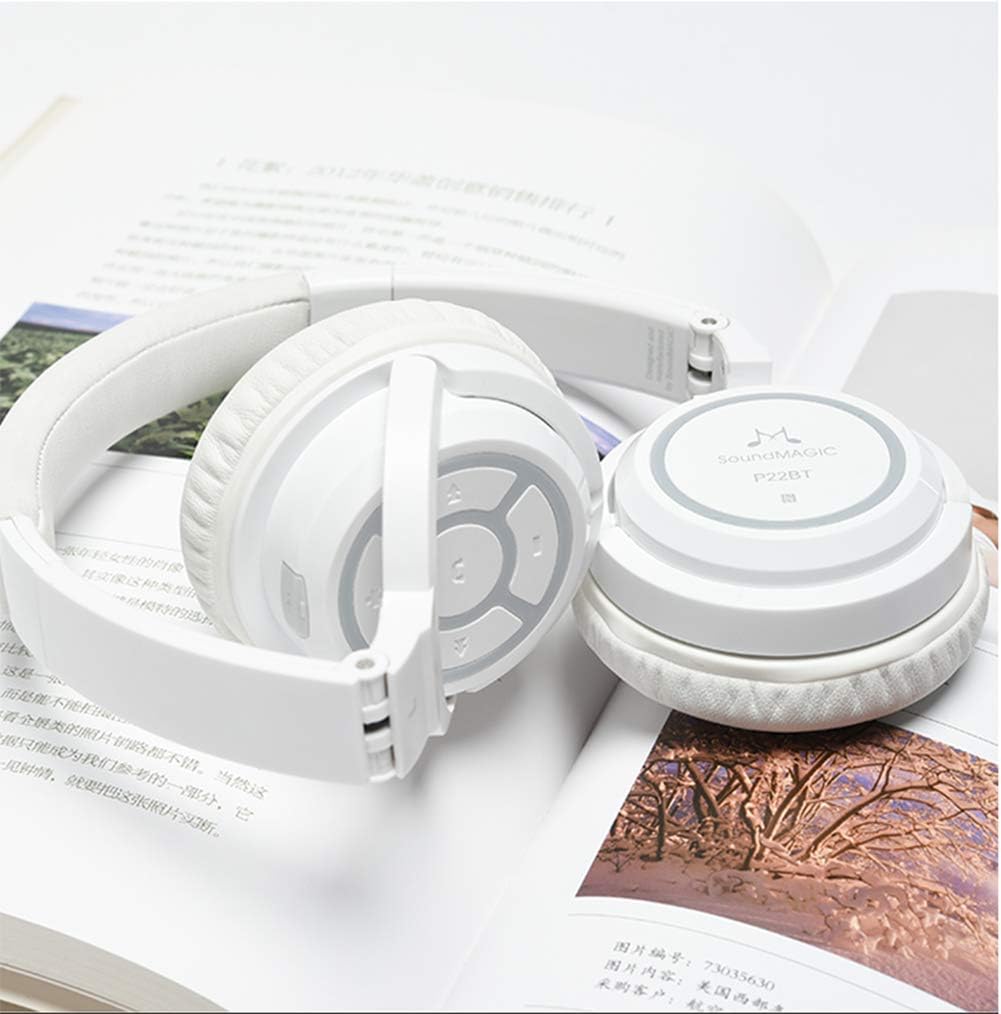
The headphones fold inward, making them easy to store and transport in the included soft case.
Avoid storing in extreme temperatures or high humidity. Keep away from direct sunlight.
6. Troubleshooting
- Headphones do not power on: Ensure the headphones are fully charged. Connect to a USB power source and try again.
- Cannot pair with device:
- Ensure the headphones are in pairing mode (LED flashing blue and red).
- Make sure Bluetooth is enabled on your device.
- Move the headphones closer to your device.
- Turn off and on both the headphones and your device, then try pairing again.
- Clear previous Bluetooth connections on your device if necessary.
- No sound or low volume:
- Check the volume level on both the headphones and your connected device.
- Ensure the headphones are properly paired and connected.
- If using wired connection, ensure the 3.5mm cable is fully inserted into both the headphones and the audio source.
- Poor sound quality:
- Move closer to your connected device to avoid interference.
- Ensure there are no obstacles between the headphones and your device.
- Try playing different audio sources to rule out source issues.
7. Specifications
| Model | P22BT |
| Bluetooth Version | v4.1 |
| Driver Unit | 40mm Neodymium Boron Magnetic Coil |
| Transmission Distance | Approximately 13 meters |
| Impedance | 32 ± 3 Ω |
| MIC Sensitivity | 95 ± 3 dB |
| Power Consumption | Class 2 |
| Operating Current | 30 mAh |
| Music Playback Time | 18-20 hours |
| Talk Time | 13-15 hours |
| Standby Time | 640 hours |
| Operating Temperature | -20 °C to 60 °C |
| Weight | 158 Grams |
| Connectivity | Wireless Bluetooth, 3.5mm Jack, USB |
| Material | Memory foam (earpads), Metal reinforced headband |
| Style | Supra-aural (On-ear) |
| Noise Isolation | Yes |
8. Warranty and Support
SoundMAGIC products are manufactured to high standards and undergo rigorous quality control. For specific warranty information, please refer to the warranty card included with your purchase or visit the official SoundMAGIC website. If you encounter any issues or require technical assistance, please contact SoundMAGIC customer support through their official channels.
Please retain your proof of purchase for warranty claims.


