
1. Introduction
The i-tec BlueTouch 245 is an ergonomic wireless optical Bluetooth 4.0 mouse designed for comfortable and precise operation with your notebook, tablet, or PC. Its ergonomic design promotes a natural wrist position, reducing strain during extended use. This mouse features adjustable sensor sensitivity (DPI) and six buttons for enhanced usability.
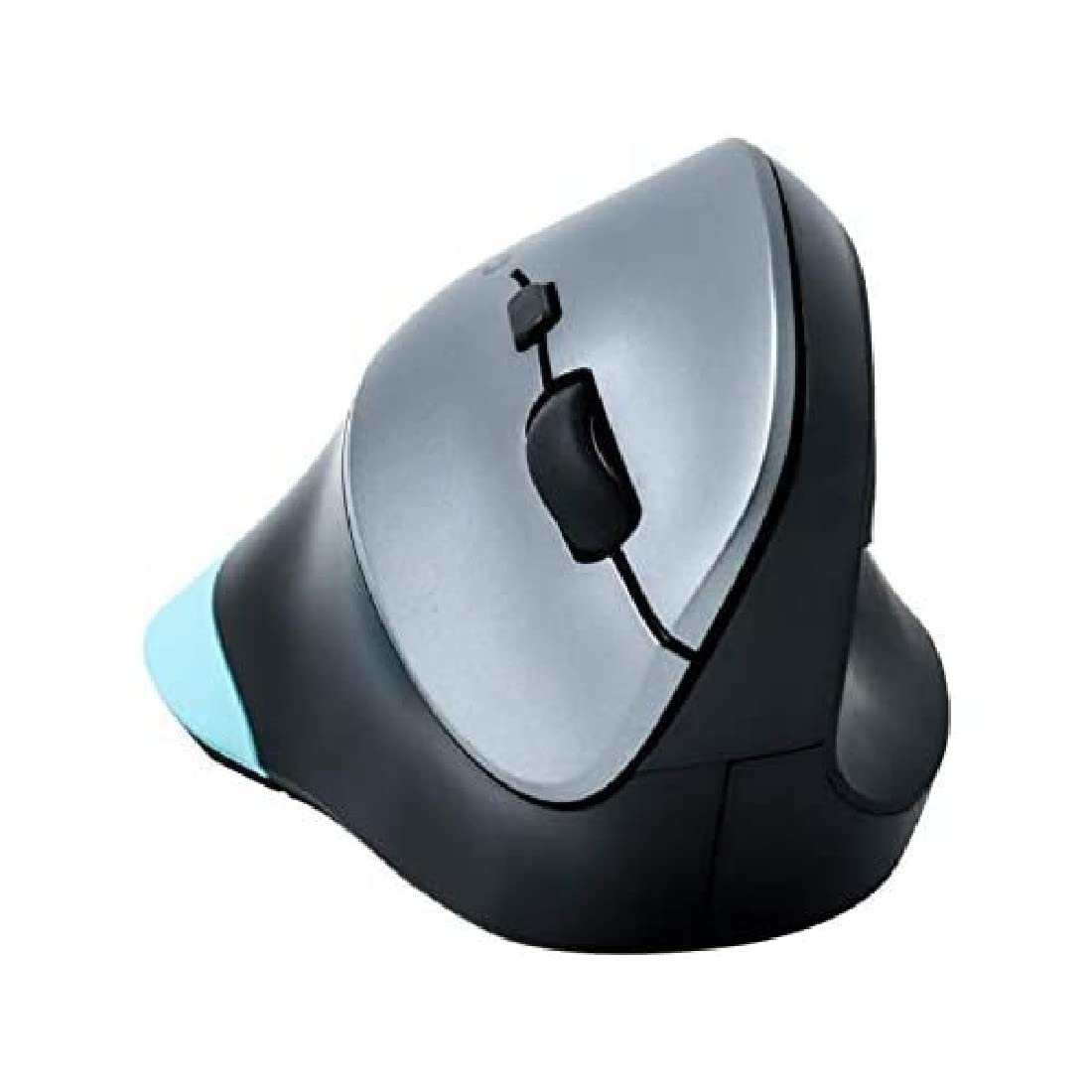
Figure 1: i-tec BlueTouch 245 Bluetooth Ergonomic Optical Mouse. This image displays the ergonomic design of the mouse, highlighting its contoured shape for comfortable hand placement.
2. Package Contents
Please check the package contents upon unpacking. If any items are missing or damaged, contact your retailer.
- 1x i-tec BlueTouch 245 Bluetooth Ergonomic Optical Mouse
- 1x AA Battery
3. Setup
3.1. Battery Installation
- Locate the battery compartment on the underside of the mouse.
- Open the battery compartment cover.
- Insert the provided AA battery, ensuring correct polarity (+/-).
- Close the battery compartment cover securely.
3.2. Bluetooth Pairing
The i-tec BlueTouch 245 mouse uses Bluetooth 4.0 technology. An external Bluetooth adapter is typically not required as most modern devices have built-in Bluetooth.
- Ensure the mouse is powered on. There may be a power switch on the underside.
- Activate Bluetooth on your computer, tablet, or smartphone.
- Put the mouse into pairing mode. This usually involves pressing a small button on the underside of the mouse, often labeled "Connect" or with a Bluetooth symbol, until an indicator light starts blinking.
- On your device, search for new Bluetooth devices.
- Select "i-tec BlueTouch 245" or a similar name from the list of available devices.
- Follow any on-screen prompts to complete the pairing process.
Once paired, the mouse is ready for use. The operating range is up to 10 meters.
3.3. System Compatibility
The mouse is compatible with the following operating systems:
- Windows 8 / 8.1 / 10
- Mac OS X
- Android
4. Operating Instructions
4.1. Basic Functions
- Left Click: Primary selection and activation.
- Right Click: Opens contextual menus.
- Scroll Wheel: Scrolls content vertically. Can also be pressed for middle-click functionality (varies by application/OS).
4.2. DPI Adjustment
The mouse features a button to adjust the sensor sensitivity (DPI - Dots Per Inch). This allows you to change the cursor speed to suit your preference or task.
- Press the DPI button (usually located near the scroll wheel) to cycle between 1000 DPI and 1600 DPI.
- A higher DPI setting results in faster cursor movement across the screen for the same physical mouse movement.
4.3. Ergonomic Design
The vertical ergonomic design of the BlueTouch 245 mouse is intended to keep your wrist in a natural, handshake-like position. This design helps to reduce strain on the wrist, elbow, shoulder, and back, and may mitigate the risk of developing conditions like carpal tunnel syndrome. The mouse is designed for comfortable long-term use.
4.4. Additional Buttons
The mouse is equipped with 6 buttons. The functions of these additional buttons may vary depending on the operating system and specific software applications. Refer to your operating system's mouse settings or application documentation for customization options.
5. Maintenance
5.1. Cleaning
To maintain optimal performance and hygiene:
- Wipe the mouse surface with a soft, damp cloth.
- Avoid using harsh chemicals, abrasive cleaners, or solvents.
- Ensure no liquid enters the mouse's internal components.
- Periodically clean the optical sensor on the underside with a dry cotton swab to remove dust or debris.
5.2. Battery Replacement
When the mouse's performance degrades or it stops responding, the AA battery may need replacement. Follow the battery installation steps in Section 3.1.
- Always use a fresh AA battery.
- Dispose of used batteries according to local regulations.
6. Troubleshooting
| Problem | Possible Cause | Solution |
|---|---|---|
| Mouse not responding / Cursor not moving |
|
|
| Intermittent connection or lag |
|
|
| Cannot pair the mouse |
|
|
7. Specifications
| Brand | i-tec |
| Model Name | BlueTouch 245 (MWBT245) |
| Connectivity Technology | Bluetooth v4.0 (compatible with older versions) |
| Movement Detection Technology | Optical |
| DPI Sensitivity | 1000 / 1600 DPI (selectable) |
| Number of Buttons | 6 |
| Operating Range | Up to 10 meters |
| Operating System Compatibility | Windows 8/8.1/10, Mac OS X, Android |
| Power Source | 1x AA Battery (included) |
| Product Dimensions | 11 x 7.6 x 7 cm |
| Item Weight | 110 Grams |
| Special Features | Ergonomic Design |
8. Warranty and Support
For warranty information and technical support, please refer to the documentation provided with your purchase or visit the official i-tec website. Keep your proof of purchase for warranty claims.
If you encounter issues not covered in this manual, please contact i-tec customer support for assistance.


