1. Introduction and Overview
This manual provides essential information for the proper setup, operation, and maintenance of your Jamo Studio Series S809 Floorstanding Speaker Pair. These speakers are designed to deliver high-quality audio performance for home theater and music listening environments, featuring integrated support for Dolby Atmos elevation modules.
The S809 speakers incorporate a 25mm (1") soft dome tweeter and three 127mm (5") aluminized polyfiber woofers. The design includes a front-firing tube port for enhanced low-frequency extension and flexible placement options. A unique patent-pending connection system allows for seamless integration with optional S 8 ATM Dolby Atmos Elevation speakers.

Image 1.1: Front view of the Jamo S809 Floorstanding Speaker, showcasing its sleek black finish and driver configuration.
2. Package Contents
Carefully unpack your Jamo S809 Floorstanding Speaker Pair and verify that all components are present. The package should contain:
- Two (2) Jamo S809 Floorstanding Speakers
If any items are missing or damaged, please contact your retailer or Jamo customer support immediately.
3. Key Features
The Jamo S809 speakers are engineered with several features to optimize audio reproduction:
- Waveguide Acoustic Technology: Integrates the high-frequency driver with the speaker cabinet to control sound dispersion, resulting in a more dynamic and lifelike soundstage.
- Triple 127mm (5") Aluminized Polyfiber Woofers: Provide a balanced and cinematic low-end response.
- 25mm (1") Soft Dome Tweeter: Delivers smooth and refined high frequencies.
- Dolby Atmos Ready: Designed with a patent-pending seamless fastening system for direct integration of optional S 8 ATM Dolby Atmos Elevation speakers. This allows for overhead sound effects without visible wiring running up the speaker.
- Front-Firing Tube Port: Improves low-frequency extension and offers greater flexibility in speaker placement compared to rear-ported designs.

Image 3.1: Detail of the S809's tweeter and woofer configuration, highlighting the driver materials.
4. Setup
4.1 Speaker Placement
Optimal speaker placement is crucial for sound quality. Consider the following guidelines:
- Stereo Setup: Place the speakers equidistant from your primary listening position, forming an equilateral triangle.
- Home Theater Setup: Position the S809 speakers as your front left and right channels. Ensure they are placed symmetrically relative to your display.
- Distance from Walls: Due to the front-firing port, these speakers offer more flexibility. Experiment with distances from walls to achieve the desired bass response. Generally, a few inches to a foot from the wall is a good starting point.
- Room Acoustics: Hard surfaces can cause reflections. Soft furnishings, carpets, and curtains can help absorb sound and improve clarity.

Image 4.1: The base of the S809 speaker, illustrating the stable feet and the front-firing bass port.
4.2 Speaker Connections
Connect the S809 speakers to your amplifier or receiver using high-quality speaker wire. Ensure correct polarity (positive to positive, negative to negative) for optimal sound.
- Main Speaker Connection: Use the main binding posts on the rear of each speaker. Connect the positive (+) terminal of the speaker to the positive (+) terminal of the amplifier, and the negative (-) terminal of the speaker to the negative (-) terminal of the amplifier.
- Dolby Atmos Module Connection (Optional): If using the Jamo S 8 ATM Dolby Atmos Elevation speakers, these modules clip directly onto the top of the S809 speakers. The S809 features integrated connection points that route the Atmos module's signal through the floorstanding speaker's binding posts, eliminating the need for separate wiring to the Atmos module. Connect the 'Height' terminals on your receiver to the dedicated 'Height' inputs on the S809's binding post panel.

Image 4.2: The S809 speaker with an optional Dolby Atmos module installed, demonstrating the integrated design.
5. Operating Instructions
Once properly connected, operating your Jamo S809 speakers involves controlling your audio source and amplifier/receiver.
- Power On/Off: Control power through your connected amplifier or receiver.
- Volume Control: Adjust volume using your amplifier or receiver's controls. Avoid excessively high volumes that cause audible distortion, as this can damage the speakers.
- Source Selection: Select your desired audio source (e.g., CD player, streaming device, TV) via your amplifier or receiver.
- Break-in Period: Speakers typically benefit from a 'break-in' period of several hours of normal use. During this time, the driver components will loosen, potentially leading to improved sound quality.
6. Maintenance
Proper care will ensure the longevity and performance of your speakers.
- Cleaning: Dust the speaker cabinets with a soft, dry cloth. For stubborn marks, a slightly damp cloth can be used, followed by a dry cloth. Avoid abrasive cleaners or solvents.
- Grilles: The speaker grilles can be carefully removed for cleaning or if you prefer the aesthetic of exposed drivers. Clean grilles with a soft brush or vacuum cleaner on a low setting.
- Environment: Avoid placing speakers in direct sunlight, near heat sources, or in areas of high humidity.
- Driver Protection: Avoid touching the speaker drivers (tweeter and woofers) as this can cause damage.
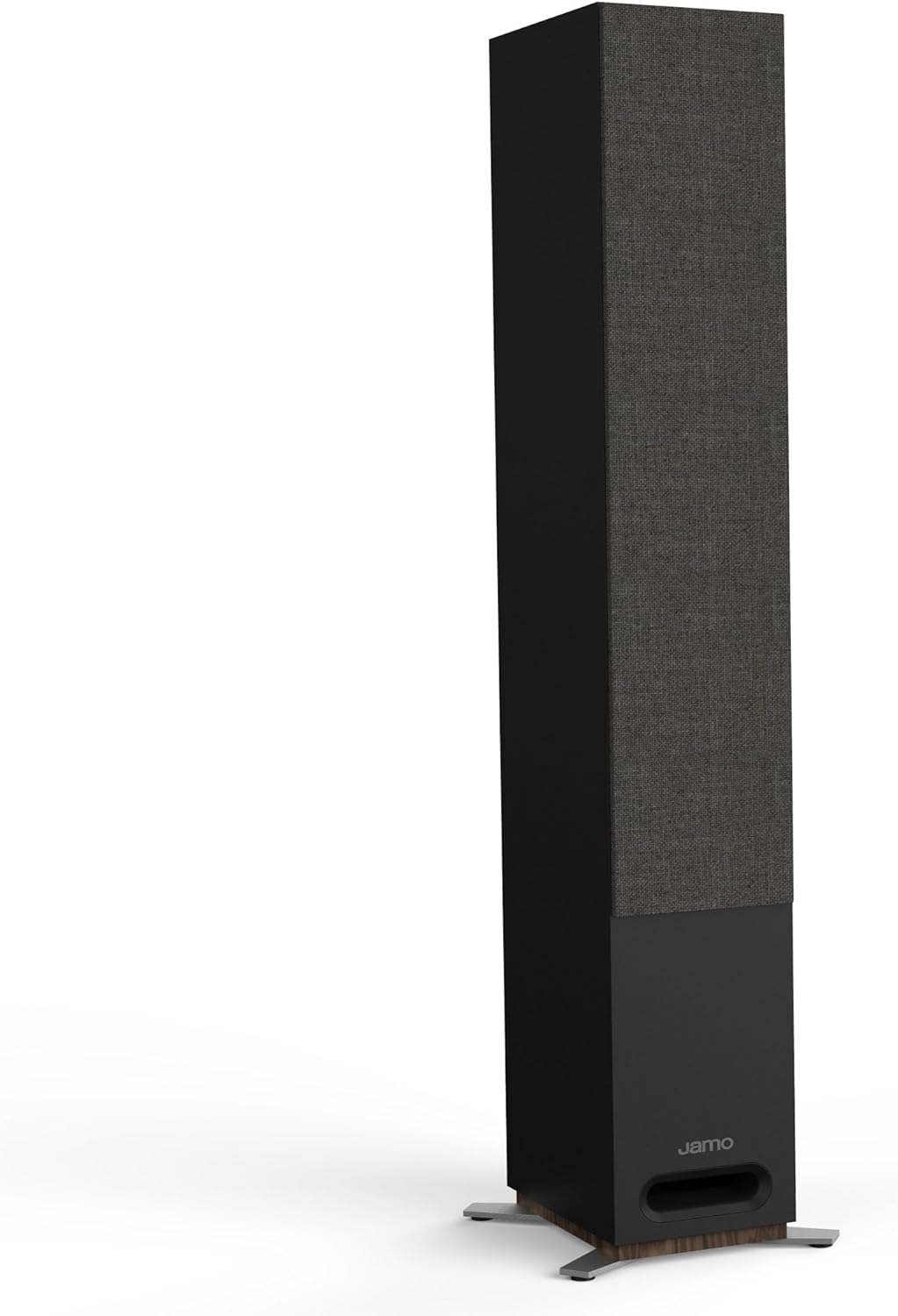
Image 6.1: The Jamo S809 speaker with its protective fabric grille in place.
7. Troubleshooting
If you encounter issues with your Jamo S809 speakers, refer to the following common troubleshooting steps:
- No Sound:
- Ensure the amplifier/receiver is powered on and the correct input source is selected.
- Check all speaker wire connections at both the speaker and amplifier ends for secure contact and correct polarity.
- Verify that the volume is not muted or set to a very low level.
- Distorted Sound:
- Reduce the volume level on your amplifier/receiver.
- Check speaker wire connections for any loose strands that might be shorting.
- Ensure the amplifier's power output is within the recommended range for the S809 speakers (120W/240W).
- Uneven Sound or Missing Channels:
- Confirm that both speakers are connected with correct polarity.
- Check the balance settings on your amplifier/receiver.
If these steps do not resolve the issue, consult your amplifier/receiver manual or contact Jamo customer support.
8. Specifications
| Feature | Specification |
|---|---|
| Model Name | S809 |
| Speaker Type | Floorstanding |
| Frequency Response | 37Hz - 26kHz (+/- 3dB) |
| Sensitivity | 90dB (2.83V @ 1M) |
| Power Handling | 120W / 240W (Continuous/Peak) |
| Impedance | 8 Ohm |
| High Frequency Driver | 25mm (1") Soft Dome Tweeter |
| Low Frequency Driver | 3 x 127mm (5") Polyfiber Woofers |
| Speaker Enclosure | MDF Enclosure |
| Enclosure Type | Bass Reflex via Front Firing Slot Port |
| Inputs | Single Binding Posts (Main / Height) |
| Product Dimensions (H x W x D) | 1042mm x 191mm x 252mm (41" x 7.5" x 9.9") |
| Item Weight | Approximately 13.6 kg (30 lbs) per speaker |
| Color | Black |
| Connectivity Technology | Wired |
| Audio Output Mode | Stereo, Surround Sound |
9. Warranty and Support
Your Jamo S809 Floorstanding Speaker Pair comes with a Limited Warranty. Please refer to the warranty card included with your purchase or visit the official Jamo website for detailed terms and conditions.
For technical support, service, or warranty claims, please contact Jamo customer service through their official website or the contact information provided with your product documentation. When contacting support, please have your product model (S809) and purchase date available.


