
Introduction
Thank you for choosing the Fame AG-15A Acoustic Guitar Amplifier. This compact and portable amplifier is designed to provide clear and powerful sound for acoustic guitars and vocals, making it ideal for practice, small performances, and on-the-go musicians. Featuring 15 watts of power, two independent channels, Bluetooth connectivity, and a built-in rechargeable battery, the AG-15A offers versatility and convenience.
This manual provides essential information for the safe and efficient operation of your amplifier. Please read it thoroughly before use and keep it for future reference.
Safety Information
- Do not expose the amplifier to rain or moisture.
- Do not block ventilation openings.
- Use only the specified power adapter for charging.
- Avoid extreme temperatures and direct sunlight.
- Do not attempt to disassemble or modify the unit. Refer all servicing to qualified personnel.
- Keep out of reach of children.
Package Contents
- Fame AG-15A Acoustic Guitar Amplifier
- Micro-USB Charging Cable
- Shoulder Strap
- User Manual (this document)
Product Overview
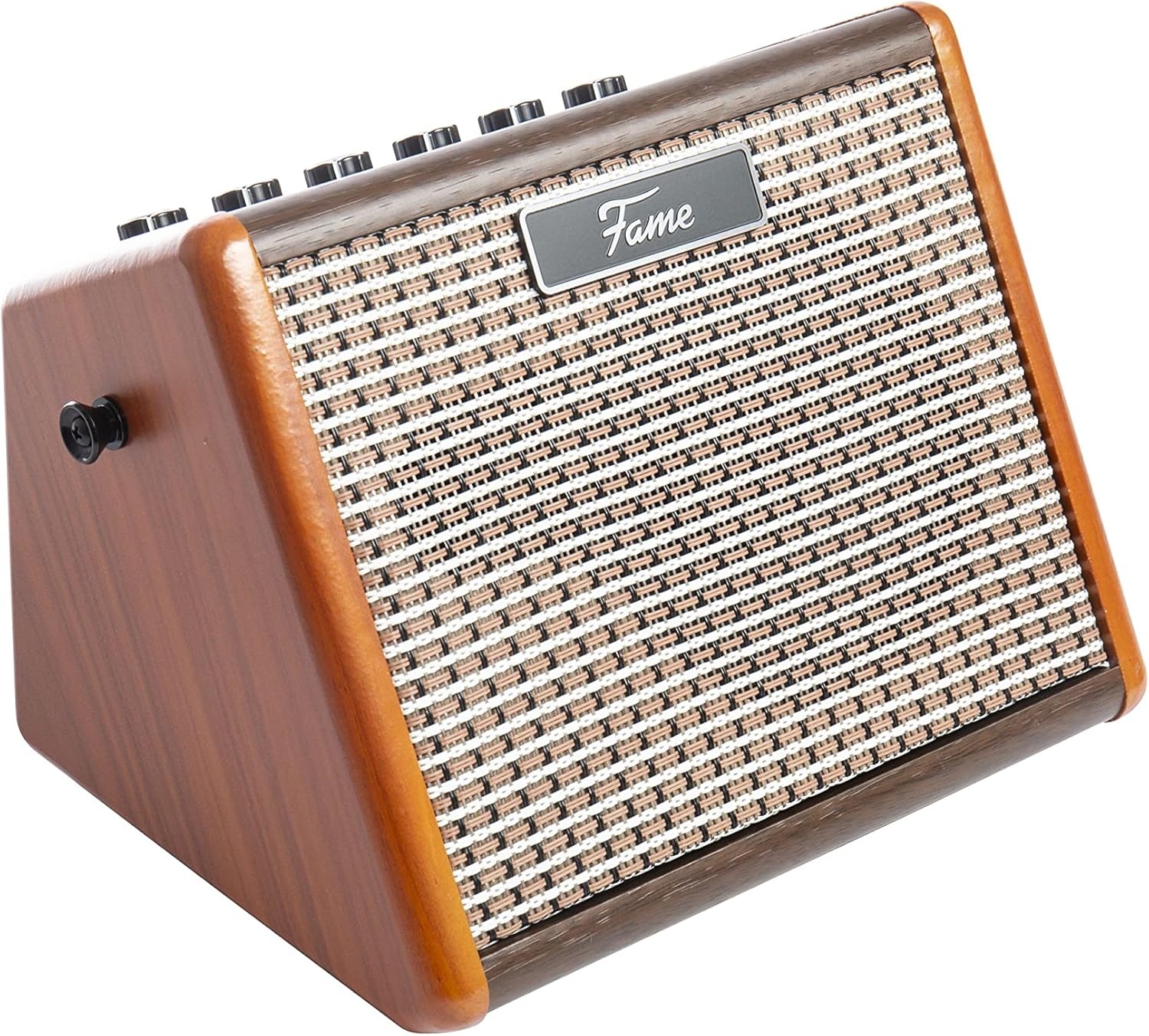


Setup
Charging the Battery
The Fame AG-15A features a built-in rechargeable lithium battery. Before first use, or when the battery is low, charge the amplifier using the supplied Micro-USB cable.
- Connect the Micro-USB cable to the charging port on the rear panel of the amplifier.
- Connect the other end of the USB cable to a 5V=2A USB power adapter (not included).
- The charging indicator light will illuminate during charging.
- A full charge takes approximately 3 hours, providing about 5 hours of continuous use.
Connecting Instruments and Microphones
The AG-15A has two independent channels:
- Acoustic Guitar Channel: Use the "GUITAR INPUT" jack for your electro-acoustic guitar.
- Microphone Channel: Use the "MIC INPUT" jack for your microphone.
Operating Instructions
Power On/Off
To power on the amplifier, slide the "POWER" switch on the rear panel to the ON position. To power off, slide it to the OFF position.
Controls Overview
| Control | Function |
|---|---|
| Acoustic Guitar Channel: | |
| VOLUME | Adjusts the output volume of the acoustic guitar channel. |
| BASS | Adjusts the low-frequency (bass) response of the guitar sound. |
| TREBLE | Adjusts the high-frequency (treble) response of the guitar sound. |
| Microphone Channel: | |
| VOLUME | Adjusts the output volume of the microphone channel. |
| ECHO | Adds a delay/echo effect to the microphone signal. |
| Master Controls: | |
| MASTER | Controls the overall output volume of the amplifier. |
| BT ON/OFF | Activates/deactivates Bluetooth pairing mode. |
Bluetooth Connectivity
The AG-15A features a Bluetooth interface for wireless playback of backing tracks or music from your device.
- Turn on the amplifier.
- Press the "BT ON/OFF" button to activate Bluetooth mode. The Bluetooth indicator light will flash, indicating it's ready for pairing.
- On your Bluetooth-enabled device (smartphone, tablet, etc.), search for available devices and select "Fame AG-15A".
- Once paired, the Bluetooth indicator light will remain solid. You can now play audio wirelessly through the amplifier.
Maintenance
- Cleaning: Use a soft, dry cloth to clean the amplifier's exterior. Do not use abrasive cleaners or solvents.
- Storage: When not in use for extended periods, store the amplifier in a cool, dry place, away from direct sunlight and extreme temperatures.
- Battery Care: To prolong battery life, avoid fully discharging the battery frequently. Charge it regularly, even if not in constant use.
Troubleshooting
| Problem | Possible Cause | Solution |
|---|---|---|
| No sound from amplifier. | Power switch is off; Volume controls are too low; Instrument/microphone cable is faulty or not connected properly. | Ensure power switch is ON. Increase VOLUME and MASTER controls. Check all cable connections and try a different cable. |
| Bluetooth not connecting. | Bluetooth mode not activated; Device is too far; Amplifier already paired with another device. | Press BT ON/OFF button. Ensure device is within range (approx. 10m). Disconnect from other devices and try pairing again. |
| Short battery life. | Battery not fully charged; High volume usage. | Ensure battery is fully charged (approx. 3 hours). Reduce volume for longer battery life. |
| Distorted sound. | Input signal too high; Volume controls set too high. | Reduce the volume on your instrument/microphone or the amplifier's channel volume. Adjust BASS/TREBLE settings. |
Specifications
- Model: AG-15A
- Output Power: 15 Watts
- Speaker: 1 x 4.5"
- Channels: 2 (Acoustic Guitar, Microphone)
- Guitar Channel Controls: Volume, Bass, Treble
- Microphone Channel Controls: Volume, Echo
- Master Control: Master Volume
- Connectivity: Bluetooth, Guitar Input (6.35mm Jack), Microphone Input (6.35mm Jack), Micro-USB for charging
- Battery Type: Built-in Lithium Battery
- Charging Time: Approximately 3 hours
- Operating Time: Approximately 5 hours
- Dimensions (L x W x H): 27 cm x 22 cm x 21 cm (approx. 10.6 x 8.7 x 8.3 inches)
- Weight: 2.65 kg (approx. 5.84 lbs)
- Manufacturer Reference: GIT0046647-000
Warranty and Support
For warranty information and technical support, please contact your retailer or the manufacturer, Fame. Please retain your proof of purchase for warranty claims.
Manufacturer: Fame
Contact Information: Please refer to the contact details provided by your point of purchase or visit the official Fame website for support resources.