
1. Introduction and Overview
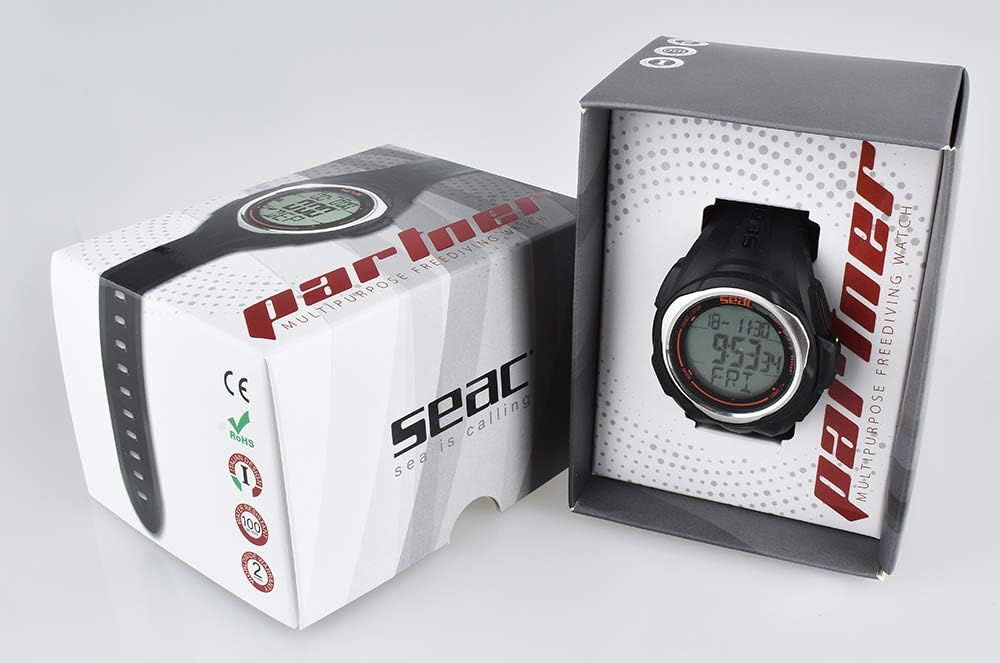
The SEAC Partner is a wrist-mounted computer specifically designed for freediving activities. It provides essential real-time data to enhance your freediving experience and safety. This manual will guide you through the setup, operation, and maintenance of your device.
Key Features:
- Displays dive and ascent speed, temperature, dive time, surface time, and depth on a single screen.
- Integrated stopwatch and countdown functions.
- Records up to 99 freediving sessions.
- Powered by a standard CR2032 battery.
- Water-resistant up to 100 meters (330 feet).
- Backlit display for clear visibility in low-light conditions.

2. Setup
2.1 Battery Installation
The SEAC Partner uses one CR2032 lithium-ion battery. Ensure the battery is correctly installed for proper operation.
- Locate the battery compartment on the back of the device.
- Using a small screwdriver, carefully open the battery cover.
- Insert the CR2032 battery with the positive (+) side facing up.
- Securely close the battery cover, ensuring the O-ring seal is properly seated to maintain water resistance.
2.2 Initial Settings (Time, Date, Units)
Upon first use or after battery replacement, you will need to set the time, date, and preferred units.
- Press and hold the MODE button to enter the settings menu.
- Use the ADJUST button to cycle through options (Time, Date, Units).
- Use the SET button to select an option and adjust values.
- For units, select between metric (meters, Celsius) or imperial (feet, Fahrenheit).
- Press MODE again to save and exit the settings.

3. Operating Instructions
3.1 Basic Navigation
The SEAC Partner features multiple modes accessible via the control buttons:
- MODE Button: Cycles through main operating modes (Time, Dive, Log, Stopwatch, Countdown).
- ADJUST Button: Changes values or scrolls through data within a mode.
- SET Button: Confirms selections or enters sub-menus.
- LIGHT Button: Activates the display backlight.
3.2 Freediving Mode
The device automatically enters freediving mode when submerged to a certain depth. It will display current depth, dive time, and water temperature.
- During Dive: Monitor current depth, dive time, and ascent/descent rates.
- Surface Interval: After surfacing, the computer will display surface time and previous dive data.
3.3 Viewing Dive Logs
The SEAC Partner stores up to 99 freediving sessions.
- From the Time mode, press the MODE button until you reach the LOG mode.
- Use the ADJUST button to scroll through recorded dives.
- Each log entry will show maximum depth, dive time, and water temperature for that session.


4. Maintenance
4.1 Cleaning and Storage
Proper care ensures the longevity and accuracy of your SEAC Partner.
- After each use in saltwater, rinse the device thoroughly with fresh water.
- Dry the computer completely with a soft cloth before storage.
- Store the device in a cool, dry place away from direct sunlight and extreme temperatures.
- Avoid using chemical cleaners or solvents, as these can damage the casing and seals.
4.2 Battery Replacement
When the battery low indicator appears, replace the CR2032 battery promptly. Always ensure the O-ring is clean and properly seated when closing the battery compartment to maintain water resistance. If you are unsure, have a qualified technician replace the battery.
5. Troubleshooting
- Display is blank: Check battery level. Replace battery if necessary. Ensure battery is inserted correctly.
- Incorrect readings: Ensure the device is clean and free of debris, especially around the pressure sensor. Perform a factory reset if issues persist (refer to the full manual for reset procedures).
- Buttons unresponsive: Ensure the device is dry. Buttons cannot be pressed underwater. If unresponsive when dry, contact support.
- Water ingress: If you suspect water has entered the device, immediately stop using it and contact SEAC support. Do not attempt to open the device further.
6. Specifications
| Feature | Detail |
|---|---|
| Model Number | 1600004000520A |
| Brand | SEAC |
| Material | Plastic |
| Dimensions (L x W x H) | 12.7 x 9.5 x 8.3 cm (5 x 3.7 x 3.3 inches) |
| Weight | 181.44 g (6.4 oz) |
| Battery Type | 1 x CR2032 (included) |
| Water Resistance | 100 meters (330 feet) |
| Dive Log Capacity | Up to 99 dives |
| Display | Backlit LCD |
7. Warranty Information
The SEAC Partner Freediving Wrist Computer is covered by a manufacturer's warranty against defects in materials and workmanship. The specific terms and duration of the warranty may vary by region. Please retain your proof of purchase for warranty claims. For detailed warranty information, refer to the documentation included with your product or visit the official SEAC website.
8. Support
If you encounter any issues or have questions regarding your SEAC Partner Freediving Wrist Computer that are not covered in this manual, please contact SEAC customer support. You can typically find contact information on the official SEAC website or through your local authorized dealer.
Online Resources:
- Visit the official SEAC website for FAQs, product registration, and additional support resources.
- Check for firmware updates (if applicable) on the manufacturer's support page.


