
1. Introduction
Thank you for purchasing the NYC Acoustics X-Tower Bluetooth Speaker. This manual provides essential information for the safe and efficient operation of your device. The X-Tower is a portable audio system featuring Bluetooth connectivity, dual 4-inch speakers, a microphone input with echo control, LED display, and support for TF card and USB playback. It is designed for versatile use, including music playback and karaoke.

Figure 1: Front view of the NYC Acoustics X-Tower Bluetooth Speaker.
2. Safety Instructions
- Read all instructions before operating the device.
- Keep the speaker away from water, moisture, and extreme temperatures.
- Do not block ventilation openings.
- Use only attachments/accessories specified by the manufacturer.
- Do not attempt to repair the unit yourself. Refer all servicing to qualified personnel.
- Dispose of electronic products responsibly.
- Ensure the power source matches the voltage requirements of the speaker.
3. Package Contents
Verify that all items are present in your package:
- NYC Acoustics X-Tower Bluetooth Speaker
- Remote Control (if included)
- Charging Cable
- User Manual (this document)
4. Product Overview
4.1 Top Panel Controls
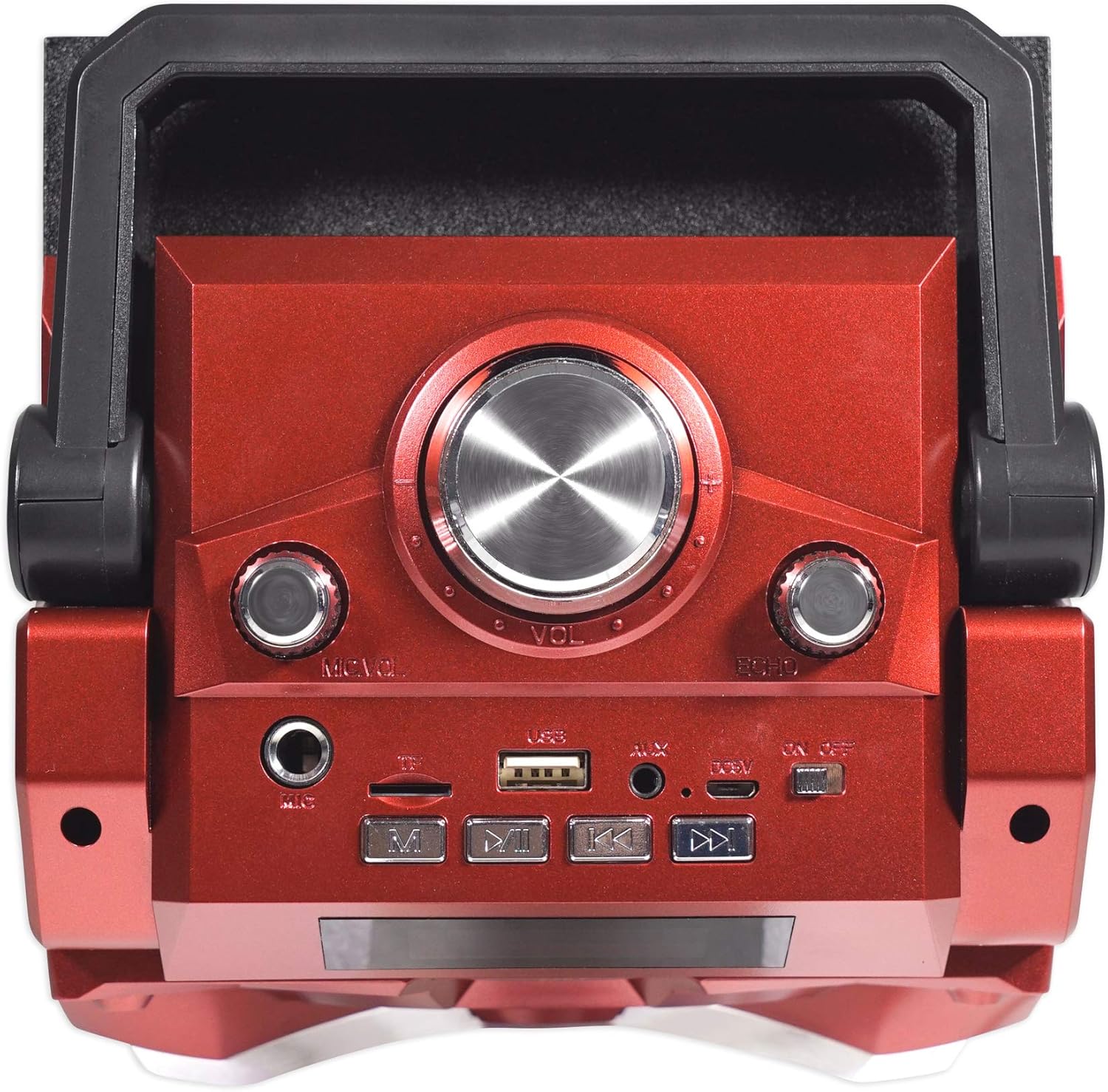
Figure 2: Top panel with control buttons and knobs.
The top panel of the X-Tower features various controls for managing playback, volume, and microphone settings.
- Power Button: Turns the speaker on or off.
- Mode Button: Switches between Bluetooth, USB, TF Card, and AUX input modes.
- Play/Pause Button: Plays or pauses audio playback.
- Previous/Next Track Buttons: Navigates through tracks.
- Master Volume Knob: Adjusts the overall speaker volume.
- Mic Volume Knob: Adjusts the microphone input volume.
- Echo Knob: Adjusts the echo effect for the microphone.
- LED Display: Shows current mode, track information, and other status indicators.
4.2 Rear Panel Connections
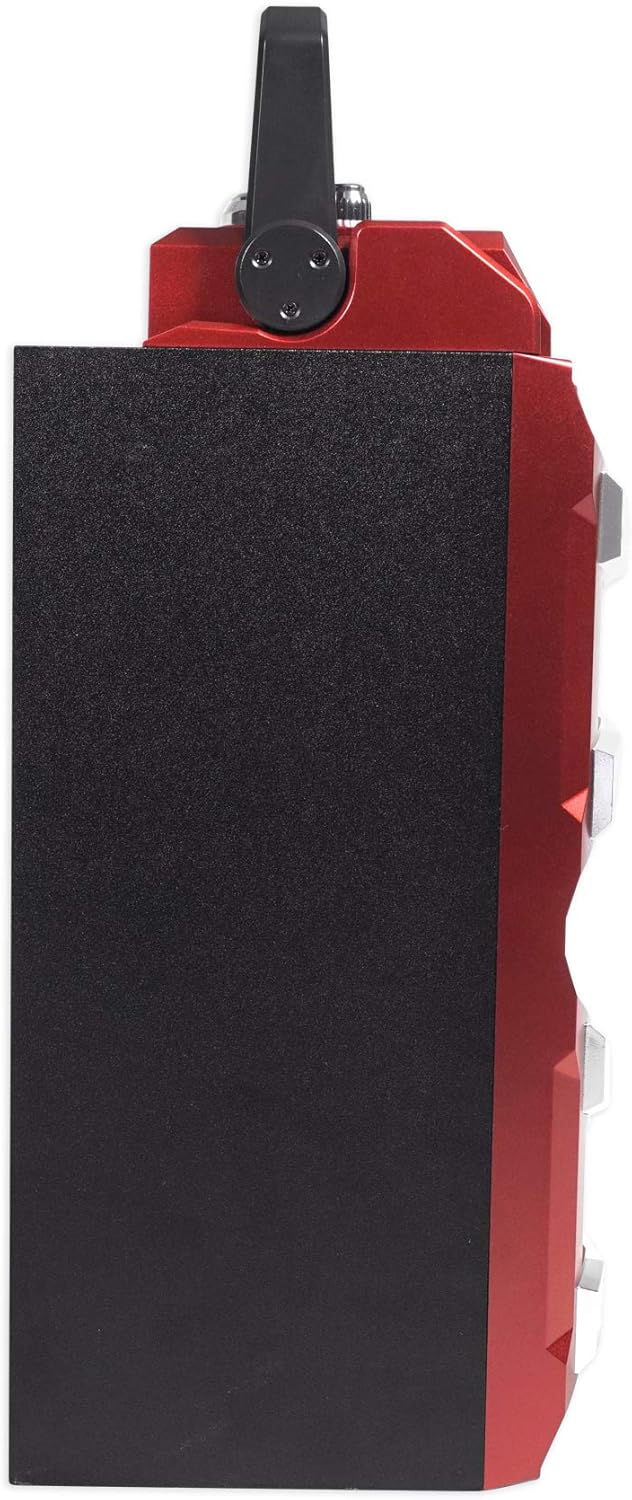
Figure 3: Rear panel with input ports.
- DC 5V Input: For charging the speaker using the provided USB cable.
- USB Port: For playing audio from a USB thumb drive (up to 64GB).
- TF Card Slot: For playing audio from a TF (MicroSD) memory card (up to 64GB).
- Mic Input (6.35mm): For connecting a wired microphone.
- AUX Input (3.5mm): For connecting external audio devices via an AUX cable.
5. Setup
5.1 Charging the Speaker
- Connect the charging cable to the DC 5V input port on the rear of the speaker.
- Plug the other end of the charging cable into a compatible USB power adapter (not included) or a USB port.
- The LED indicator will show charging status. A full charge typically takes several hours.
- Once fully charged, disconnect the charging cable. The speaker provides up to 12 hours of playback at mid-volume.
5.2 Powering On/Off
- To power on, press and hold the Power Button on the top panel.
- To power off, press and hold the Power Button again.
6. Operating Instructions
6.1 Bluetooth Pairing
- Power on the X-Tower speaker. It will automatically enter Bluetooth pairing mode, indicated by a flashing Bluetooth icon on the LED display and an audible prompt.
- On your mobile device (smartphone, tablet, etc.), enable Bluetooth and search for available devices.
- Select "X-TOWER" from the list of devices.
- Once paired, the speaker will emit an audible confirmation, and the Bluetooth icon on the LED display will stop flashing.
- You can now play audio from your device through the X-Tower speaker.
6.2 USB/TF Card Playback
- Insert a USB thumb drive or TF memory card (up to 64GB, formatted to FAT32) containing MP3 audio files into the respective port on the rear panel.
- The speaker will automatically switch to USB or TF card mode and begin playing audio. If not, press the Mode Button to select the correct input.
- Use the Play/Pause and Previous/Next Track Buttons to control playback.
6.3 AUX Input
- Connect an external audio device (e.g., MP3 player, laptop) to the 3.5mm AUX input port on the rear panel using an AUX cable (not included).
- Press the Mode Button until "AUX" is displayed on the LED screen.
- Control playback from your connected external device.
6.4 Microphone and Karaoke Function
- Connect a wired microphone to the 6.35mm Mic Input on the rear panel.
- Adjust the microphone volume using the Mic Volume Knob on the top panel.
- Adjust the echo effect for the microphone using the Echo Knob.
- Ensure background music is playing from your chosen source (Bluetooth, USB, TF, AUX) for karaoke.
6.5 LED Light Show
The X-Tower features an integrated LED light show that syncs with your music. This feature is typically enabled by default. If there is a dedicated button to control the lights, it would be located on the top panel or remote control. Refer to the remote control instructions (if applicable) for specific light control options.
7. Maintenance
7.1 Cleaning
- Always power off and unplug the speaker before cleaning.
- Use a soft, dry cloth to wipe the exterior surfaces.
- Do not use liquid cleaners, aerosols, or abrasive chemicals.
7.2 Storage
- Store the speaker in a cool, dry place away from direct sunlight and extreme temperatures.
- If storing for an extended period, charge the battery periodically to maintain its lifespan.
8. Troubleshooting
| Problem | Possible Cause | Solution |
|---|---|---|
| No power | Battery is depleted. | Charge the speaker using the provided cable. |
| No sound | Volume is too low; incorrect input mode; device not paired. | Increase master volume; press Mode button to select correct input; re-pair Bluetooth device. |
| Bluetooth not connecting | Speaker is not in pairing mode; device is too far; interference. | Ensure speaker is in Bluetooth mode; move device closer; turn off other Bluetooth devices. |
| Microphone not working | Microphone not connected properly; Mic Volume knob is low. | Ensure microphone is fully plugged in; increase Mic Volume. |
| USB/TF card not playing | Incorrect file format; card/drive not inserted correctly; card/drive capacity too large. | Ensure files are MP3; re-insert card/drive; use cards/drives up to 64GB, formatted to FAT32. |
9. Specifications
| Brand | NYC Acoustics |
| Model Number | X-TOWER |
| Speaker Maximum Output Power | 50 Watts Peak |
| RMS Power | 22.5 Watts |
| Speaker Size | Dual 4-inch Woofers |
| Frequency Response | 100 Hz (Lower limit provided, typical range would be wider) |
| Connectivity Technology | Bluetooth, USB |
| Bluetooth Range | 35 Feet |
| Battery Capacity | 1500 mAh |
| Battery Average Life | Up to 12 Hours (at mid-volume) |
| Supported Media | TF Memory Card (up to 64GB), USB Thumb Drive (up to 64GB) |
| Item Dimensions (D x W x H) | 6.24"D x 6.63"W x 13.65"H |
| Item Weight | 4 Pounds |
| Material | Metal (Enclosure) |
| UPC | 819216021996 |
10. Warranty and Support
The NYC Acoustics X-Tower Bluetooth Speaker comes with a manufacturer's warranty. Please refer to the warranty card included in your package or contact NYC Acoustics customer support for detailed warranty information and assistance.
- Warranty Period: 1 Year (as per product specifications).
- For technical support or service inquiries, please visit the official NYC Acoustics website or contact their customer service department.