
1. Introduction
Thank you for choosing the Beautyrest Cotton Heated Mattress Pad. This product is designed to provide personalized warmth and comfort for a restful night's sleep. Featuring 20 heat settings, an auto shut-off timer, and a soft cotton exterior, this mattress pad combines advanced heating technology with user-friendly design. Please read this manual thoroughly before use to ensure safe and optimal operation.

Image 1.1: The Beautyrest Cotton Heated Mattress Pad installed on a bed, showing the controller.
2. Important Safety Information
Your safety is paramount. This product is UL certified and independently tested to meet high safety standards. Please adhere to the following guidelines:
- Direct Power Connection: Always plug the mattress pad directly into a wall outlet. Do not use extension cords, surge protectors, or power strips, as this can interfere with the product's safety features and operation.
- Controller Placement: Ensure the controller is never covered by bedding or other materials when in use to prevent overheating.
- Auto Shut-Off: The pad features an automatic shut-off timer (1-10 hours) for enhanced safety.
- Low EMF: Designed with low electromagnetic field (EMF) emissions for user well-being.
- Inspection: Regularly inspect the product for any signs of wear, damage, or fraying of cords. Discontinue use if any damage is observed.
- Children and Pets: Keep the product out of reach of children and pets to prevent accidental activation or damage.

Image 2.1: Safety features including UL certification, overheating protection, and auto shut-off.
3. Package Contents
Upon opening your Beautyrest Cotton Heated Mattress Pad package, you should find the following items:
- 1 x Beautyrest Cotton Heated Mattress Pad (Full size: 54"W x 75"L + 18"D)
- 1 x Digital Controller (Twin and Full sizes include one controller; Queen and King sizes include two controllers for dual-zone control)
- 1 x Power Cord (6ft length)
- 1 x Controller Cord (12ft length)
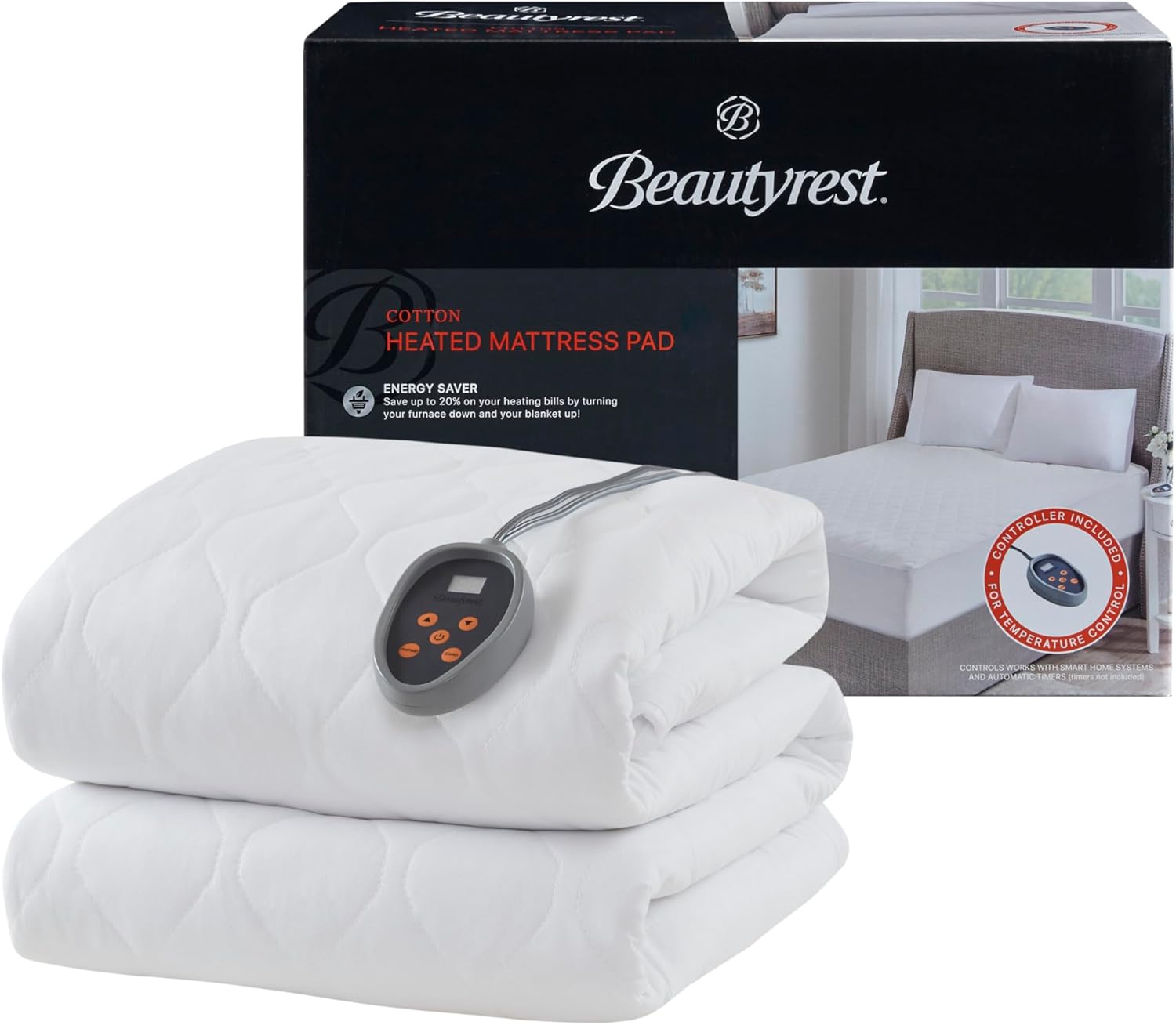
Image 3.1: Contents of the Beautyrest Heated Mattress Pad package.
4. Setup Instructions
Follow these steps to properly set up your heated mattress pad:
- Prepare Your Bed: Remove all existing bedding from your mattress.
- Position the Mattress Pad: Place the Beautyrest Cotton Heated Mattress Pad directly on top of your mattress. Ensure the connection port for the controller is positioned at the foot of the bed.
- Secure the Pad: The mattress pad features an all-around elastic deep pocket design, fitting mattresses up to 21 inches thick. Stretch the elastic skirt over the corners and sides of your mattress to ensure a snug and secure fit.
- Connect the Controller: Locate the connection port at the foot of the mattress pad. Firmly plug the controller cord into this port. Ensure the connection is secure.
- Route the Power Cord: Route the power cord from the controller to a nearby wall outlet. The cord is designed to be long enough to reach most outlets without needing an extension cord.
- Plug into Power: Plug the power cord directly into a functional wall outlet. Do not use extension cords or power strips.
- Add Bedding: Once the mattress pad is securely in place and connected, you may cover it with your fitted sheet and other bedding.
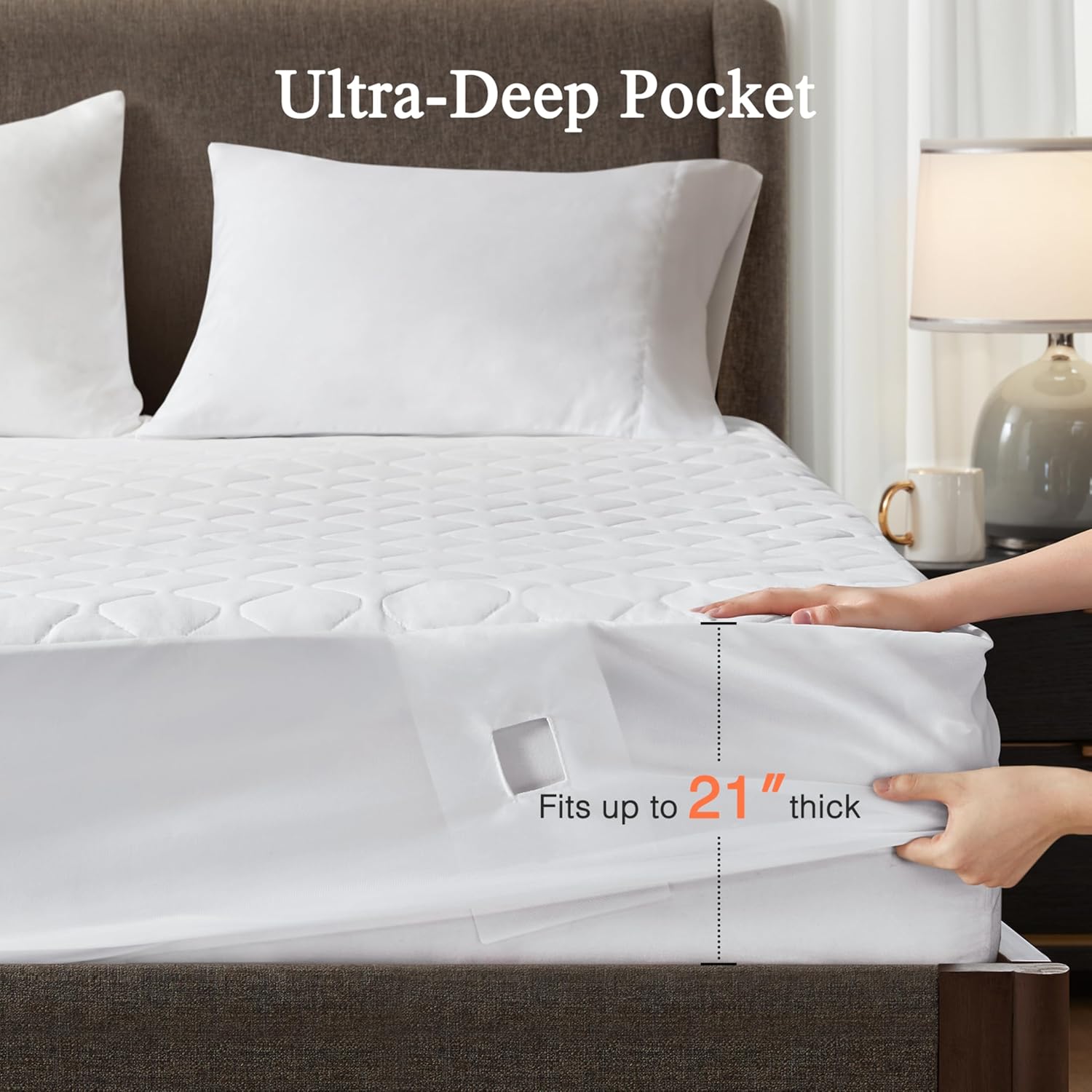
Image 4.1: The ultra-deep pocket design ensures a secure fit on mattresses up to 21 inches thick.
Video 4.2: Demonstration of installing the heated mattress pad and its deep pocket design. (Note: Actual video URL not provided in JSON, placeholder used.)
5. Operating Instructions
Your Beautyrest Heated Mattress Pad is designed for easy operation:
- Power On/Off: Press the power button (U) on the controller to turn the pad on or off. The LED display will illuminate when on.
- Adjust Heat Settings: Use the up (^) and down (v) arrow buttons to select your desired heat level. There are 20 heat settings available, from 1 (lowest) to 20 (highest).
- Pre-Heat Function: Press the "Preheat" button (Preheat) to quickly warm your bed before use. The pad will heat to a high setting and then return to your selected heat level after a set period.
- Set Auto Shut-Off Timer: Press the "Sleep" button (Sleep) to cycle through the auto shut-off timer options, from 1 to 10 hours. The pad will automatically turn off after the selected duration.
- Dual Controllers (Queen/King Sizes): For Queen and King sizes, two independent controllers are provided, allowing each user to set their preferred heat level and auto shut-off time for their side of the bed.
- Smart Outlet Compatibility: The mattress pad is compatible with smart home outlets and automatic timers, allowing for remote control and scheduling.

Image 5.1: The digital controller for adjusting heat and timer settings.
Video 5.2: Demonstration of the controller's functions, including heat settings and timer. (Note: Actual video URL not provided in JSON, placeholder used.)
6. Care and Maintenance
Proper care will extend the life of your heated mattress pad:
- Machine Washable: The mattress pad is machine washable. Always detach the controller(s) and power cord(s) completely before washing.
- Washing Instructions: Use a cold wash cycle. Do not bleach.
- Drying: Tumble dry on low heat or air dry. Ensure the pad is completely dry before reattaching controllers and using.
- Do Not Iron: Do not iron the heated mattress pad.
- Storage: When not in use, store the mattress pad in a cool, dry place.
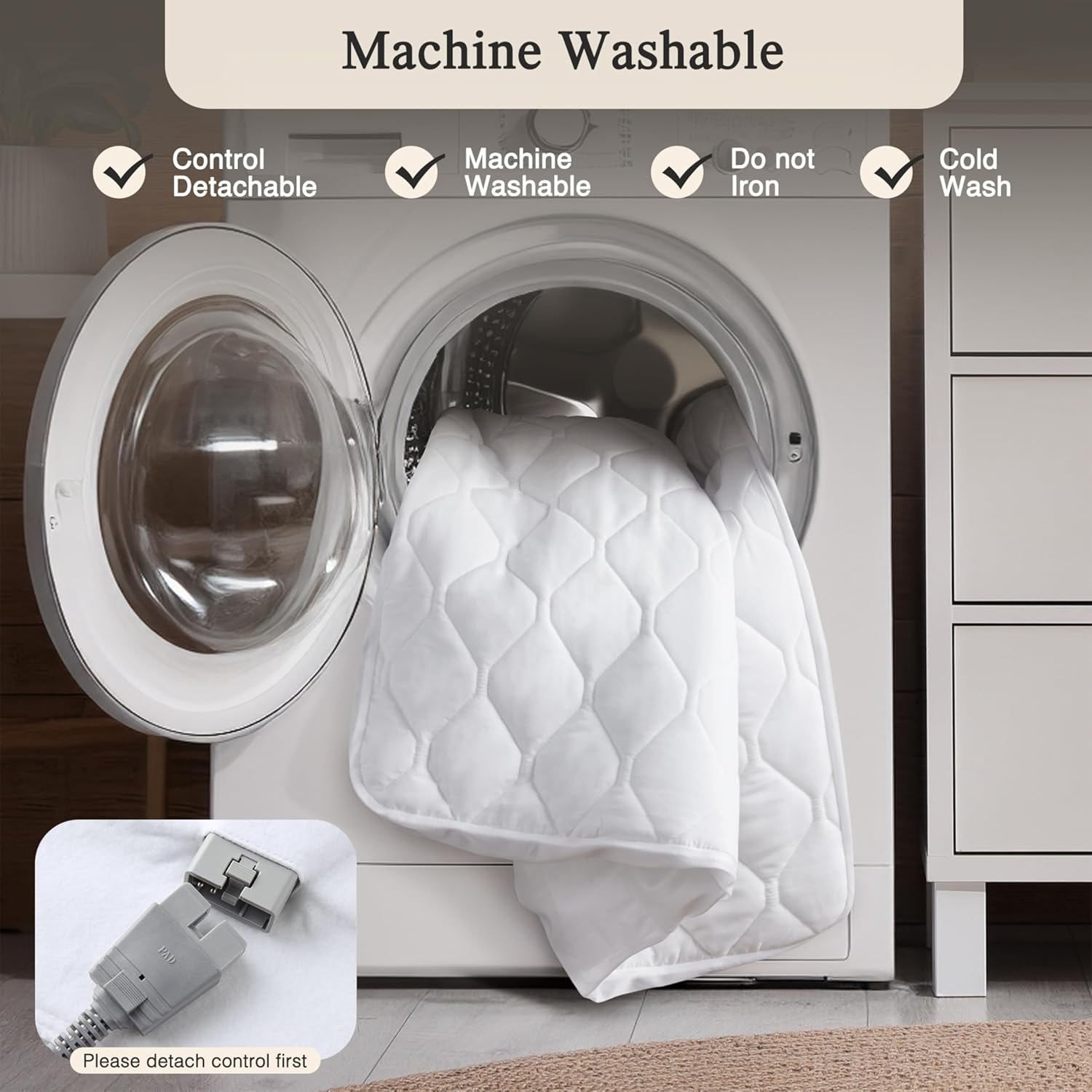
Image 6.1: The mattress pad is machine washable; always detach the control first.
7. Troubleshooting
If you encounter issues with your heated mattress pad, try the following solutions:
Controller Not Working / Pad Not Heating
- Check Power Connection: Ensure the power cord is plugged directly into a wall outlet, not an extension cord or power strip.
- Verify Controller Connection: Make sure the controller cord is firmly and completely plugged into the mattress pad's connection port.
- Reset the Controller: Follow these steps precisely to reset the controller:
- Unplug the power cord from the electrical wall outlet.
- Unplug the controller cord from the mattress pad itself.
- Re-plug the controller cord firmly into the mattress pad. Ensure a secure connection.
- Re-insert the power cord back into the wall outlet.
- Allow Time to Heat: The pad may take a few minutes to reach the desired temperature. The warmth is often more noticeable once you are lying on the pad.
- Check for Damage: Inspect the mattress pad and cords for any visible damage. If damage is found, discontinue use and contact customer support.
If the problem persists after attempting these troubleshooting steps, please contact Beautyrest customer support.
8. Specifications
| Feature | Detail |
|---|---|
| Brand | Beautyrest |
| Model Number | BR55-0899 |
| Size (Full) | 54"W x 75"L + 18"D |
| Fabric Type | 100% Cotton Exterior, 100% Polyester Fill |
| Heat Settings | 20 |
| Auto Shut-Off Timer | 1-10 hours (adjustable) |
| Controller Cord Length | 12 ft |
| Power Cord Length | 6 ft |
| Special Features | Auto Shut Off, Breathable, Deep Pocket (up to 21"), Quick Heat, Washable, Low EMF, UL Certified |
| Product Care | Machine Wash (cold), Do Not Iron |
| Item Weight | 7.47 pounds |
| UPC | 086569082435 |
9. Warranty and Support
The Beautyrest Cotton Heated Mattress Pad is backed by a manufacturer's 5-year warranty. This warranty covers defects in materials and workmanship under normal use.
For warranty claims, technical support, or any questions regarding your product, please contact JLA Home Inc, the manufacturer, directly. Keep your proof of purchase for warranty validation.