
Tribit F-BTH-21
Tribit XSport Fly Wireless Earphones User Manual
Model: F-BTH-21
Introduction
Thank you for choosing Tribit XSport Fly Wireless Earphones. These earphones are designed to provide a high-quality audio experience with the convenience of wireless connectivity, built-in microphone, and IPX7 waterproof rating, making them ideal for sports and active lifestyles. This manual will guide you through the setup, operation, and maintenance of your new earphones.
Safety Information
- Do not expose the earphones to extreme temperatures or humidity.
- Avoid dropping or subjecting the earphones to strong impacts.
- Do not disassemble or modify the earphones. This will void the warranty.
- Clean the earphones with a soft, dry cloth. Do not use harsh chemicals or abrasive materials.
- Prolonged listening at high volume levels may cause hearing damage. Adjust volume to a safe level.
Package Contents

The image displays the Tribit XSport Fly Wireless Earphones along with their included accessories. You should find the earphones, a charging cable, multiple sizes of ear tips, and a carrying case.
- Tribit XSport Fly Wireless Earphones
- USB Charging Cable
- Ear Tips (various sizes)
- Carrying Case
- User Manual (this document)
Product Overview
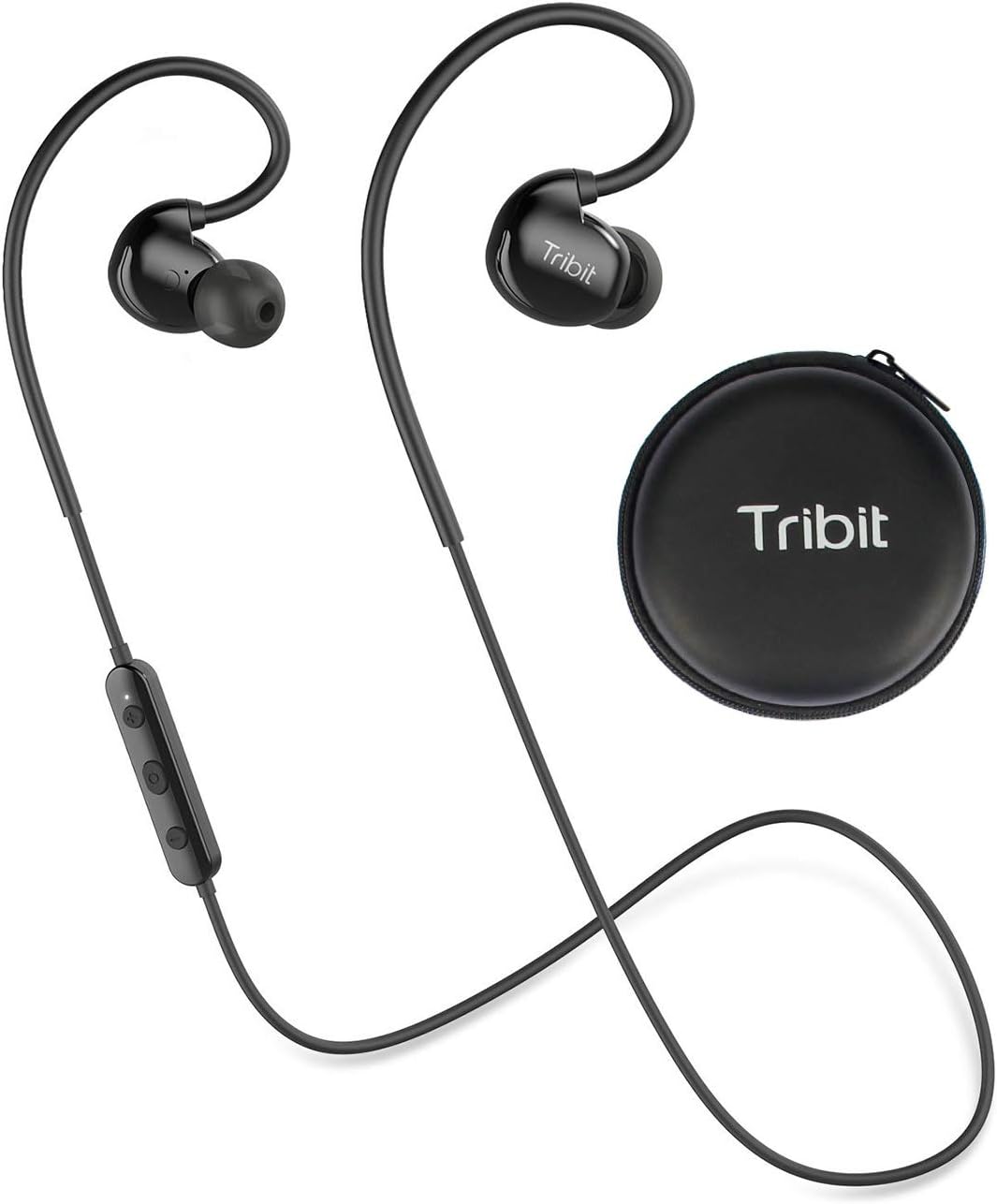
This image shows the Tribit XSport Fly Wireless Earphones, highlighting their design with ear hooks and an in-line control module, alongside their compact carrying case. The earphones feature a sleek black finish.
The Tribit XSport Fly earphones feature an ergonomic design with ear hooks for a secure fit during activities. The in-line control module allows for easy management of music playback and calls. The earphones are lightweight, ensuring comfort during extended use.

The image emphasizes the feather-light weight of the earphones, illustrating their minimal presence when worn. This design aspect contributes to comfort during long periods of use.
Setup
1. Charging the Earphones

This image shows a man wearing the earphones, with text indicating an 8-hour playtime and a quick charge feature: 10 minutes of charging provides 1 hour of playback.
Before first use, fully charge your Tribit XSport Fly earphones. Connect the USB charging cable to the charging port on the in-line control module and plug the other end into a USB power source (e.g., computer, wall adapter). The LED indicator will show charging status and turn off when fully charged. A full charge provides approximately 8 hours of playtime.
2. Wearing the Earphones

The image depicts a woman performing an exercise while wearing the Tribit XSport Fly Earphones, emphasizing their ergonomic design that ensures a secure fit and prevents them from falling out during physical activity.
Select the ear tips that provide the best seal and comfort for your ears. Place the ear hooks over your ears and gently insert the earbuds into your ear canals. Adjust the cable behind your neck for a secure and comfortable fit. The ergonomic design ensures they stay in place during workouts.
Operating Instructions
1. Power On/Off
- Power On: Press and hold the Multi-function Button (MFB) for 3 seconds until the LED indicator flashes blue.
- Power Off: Press and hold the MFB for 3 seconds until the LED indicator flashes red and then turns off.
2. Bluetooth Pairing
When powered on for the first time, the earphones will automatically enter pairing mode (LED flashes red and blue alternately).
- Enable Bluetooth on your device (smartphone, tablet, etc.).
- Search for "Tribit XSport Fly" in the Bluetooth device list.
- Select it to connect. Once connected, the LED indicator will flash blue slowly.
If the earphones do not connect automatically, ensure they are in pairing mode and repeat the steps.
3. Music Control

The image shows a man interacting with his smartphone while wearing the earphones, illustrating the convenience of the in-line control for hands-free calls and music playback.
| Function | Action |
|---|---|
| Play/Pause | Press the MFB once. |
| Next Track | Press and hold the '+' button for 2 seconds. |
| Previous Track | Press and hold the '-' button for 2 seconds. |
| Volume Up | Press the '+' button once. |
| Volume Down | Press the '-' button once. |
4. Call Management
| Function | Action |
|---|---|
| Answer/End Call | Press the MFB once. |
| Reject Call | Press and hold the MFB for 2 seconds. |
| Transfer Call (Earphones to Phone) | During a call, press and hold the MFB for 2 seconds. |
5. Voice Assistant
To activate your device's voice assistant (Siri, Google Assistant, etc.), double-press the MFB.
6. Multi-point Connection (Pair 2 Devices Simultaneously)

This image illustrates the capability of the Tribit XSport Fly Earphones to pair with two devices simultaneously, showing a phone playing music and another receiving a call, both connected to the earphones for fast pairing and stable connection.
The Tribit XSport Fly earphones can connect to two Bluetooth devices at the same time.
- Pair the earphones with the first device as described in 'Bluetooth Pairing'.
- Disable Bluetooth on the first device. The earphones will re-enter pairing mode.
- Pair the earphones with the second device.
- Re-enable Bluetooth on the first device. The earphones should automatically connect to both devices.
You can now switch between audio sources from the two connected devices without re-pairing.
Maintenance
1. Cleaning
Regularly clean your earphones to ensure optimal performance and hygiene. Use a soft, dry, lint-free cloth to wipe the earbuds and control module. For ear tips, you can remove them and clean with a mild soap solution, then rinse thoroughly and dry completely before reattaching.
2. Storage
When not in use, store the earphones in their provided carrying case to protect them from dust, dirt, and physical damage. Avoid storing them in extreme temperatures or direct sunlight.
3. Water Resistance (IPX7)

The image shows the Tribit XSport Fly Earphones partially submerged in water, with bubbles indicating their IPX7 waterproof rating. This demonstrates that the nano-coating effectively protects against sweat and water.
The Tribit XSport Fly earphones are IPX7 waterproof, meaning they can withstand immersion in water up to 1 meter for 30 minutes. This makes them resistant to sweat and rain. However, they are not designed for swimming or prolonged submersion. Ensure the charging port cover is securely closed before exposure to water. After exposure to water, dry the earphones completely before charging.
Troubleshooting
| Problem | Possible Solution |
|---|---|
| Earphones won't power on. | Ensure the earphones are fully charged. |
| Cannot pair with device. | Ensure earphones are in pairing mode (red and blue flashing LED). Turn off and on Bluetooth on your device. Clear previous pairings on your device. |
| No sound or low volume. | Check volume levels on both earphones and your connected device. Ensure earphones are properly connected. |
| Sound cuts in and out. | Move closer to your device (within 10 meters). Avoid obstacles between earphones and device. Reduce interference from other wireless devices. |
| Microphone not working. | Ensure the earphones are selected as the audio input device on your phone/computer. |
Specifications
| Feature | Detail |
|---|---|
| Model Number | F-BTH-21 |
| Connectivity | Bluetooth |
| Water Resistance | IPX7 |
| Playtime | Up to 8 hours |
| Quick Charge | 10 minutes charge = 1 hour playback |
| Weight | Approx. 68.04 grams (2.4 ounces) |
| Dimensions | 10.29 x 8.99 x 3.78 cm |
| Included Components | Ear Cushions |
| Material | Plastic |
Warranty and Support
Tribit products are backed by a limited warranty. For detailed warranty information, product support, or to register your product, please visit the official Tribit website or contact their customer service. Keep your purchase receipt as proof of purchase for warranty claims.
For further assistance, please refer to the Tribit support page or contact their customer service team directly.
Related documentsF-BTH-21


Ask a question about this manual
Ask about setup, troubleshooting, compatibility, parts, safety, or missing instructions. Manuals+ will review the question and use this page’s manual context to help answer it.