Introduction
Thank you for choosing the Dripex Tower Computer Desk. This multi-level workstation is designed to provide a functional and organized space for your home or office. Featuring a spacious desktop and integrated 4-tier shelving, it offers convenience and efficiency for various tasks. This manual provides detailed instructions for assembly, usage, maintenance, and troubleshooting to ensure you get the most out of your new desk.
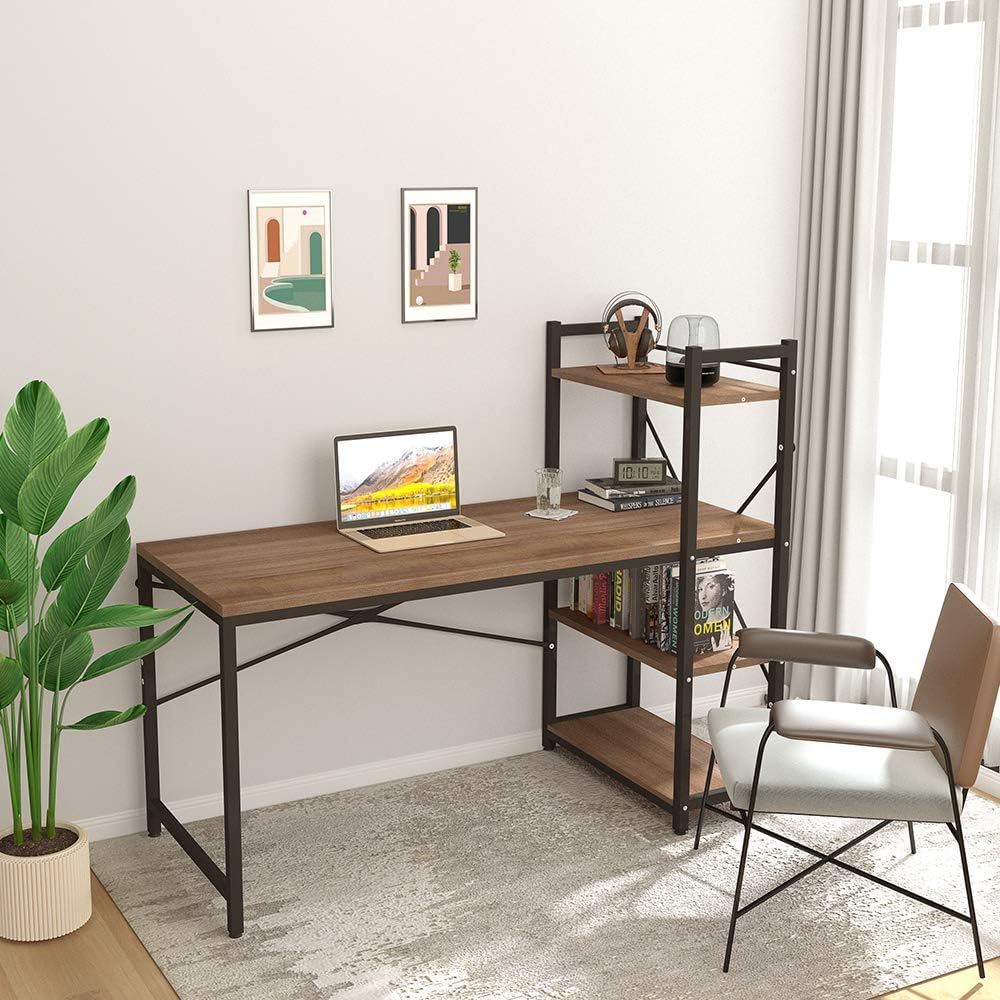
The Dripex Tower Computer Desk provides a functional workspace with integrated shelving.

A modern and compact design suitable for various room types.
Safety Information
Please read and understand all safety instructions before assembling and using this product. Failure to follow these instructions may result in injury or damage to the product.
- Ensure the assembly surface is stable and level to prevent the desk from wobbling or tipping during construction.
- Use appropriate tools as specified in the assembly instructions and follow them carefully.
- Secure the desk properly to prevent tipping, especially when placing heavy objects on the surface or shelves.
- Maintain a clear work area during assembly to avoid accidents and ensure all components are easily accessible.
- Do not overload the desk or shelves beyond the recommended weight capacity of 100 lbs.
- Keep small parts and packaging materials away from children and pets to prevent choking hazards.
- Regularly check all screws and connections to ensure they remain tight and secure.
Package Contents
Before beginning assembly, please verify that all components listed below are present and undamaged. If any parts are missing or damaged, please contact customer support.
- Desktop Panel
- Shelf Panels (4 tiers)
- Steel Frame Components
- Hardware Pack (screws, bolts, adjustable feet, tools)
- Assembly Instruction Manual
Assembly Instructions
Before You Begin
Clear a spacious area for assembly. It is recommended to assemble the desk on a soft, clean surface to prevent scratches. Ensure you have the provided tools and all components from the package contents list.
Step-by-Step Assembly
Follow the diagrams in the included instruction manual for visual guidance. The shelving unit can be assembled on either the left or right side of the main desk.
- Assemble the Main Desk Frame: Connect the main desk frame components using the provided screws and bolts. Ensure all connections are secure but do not fully tighten until the entire frame is assembled.
- Attach the Desktop: Place the desktop panel onto the assembled main desk frame. Align the pre-drilled holes and secure the desktop using the appropriate screws.
- Assemble the Shelving Unit: Construct the 4-tier shelving unit by connecting the shelf panels to the vertical steel frame components. Decide whether you want the shelves on the left or right side of the desk before securing.
- Connect Shelving to Desk: Attach the assembled shelving unit to the main desk frame. Ensure all connection points are aligned and secured with screws.
- Install Adjustable Feet: Screw the adjustable feet into the bottom of the desk and shelving unit legs. Adjust them to ensure the desk is stable and level on your floor.
- Final Tightening: Once all components are in place and aligned, fully tighten all screws and bolts. Do not overtighten.
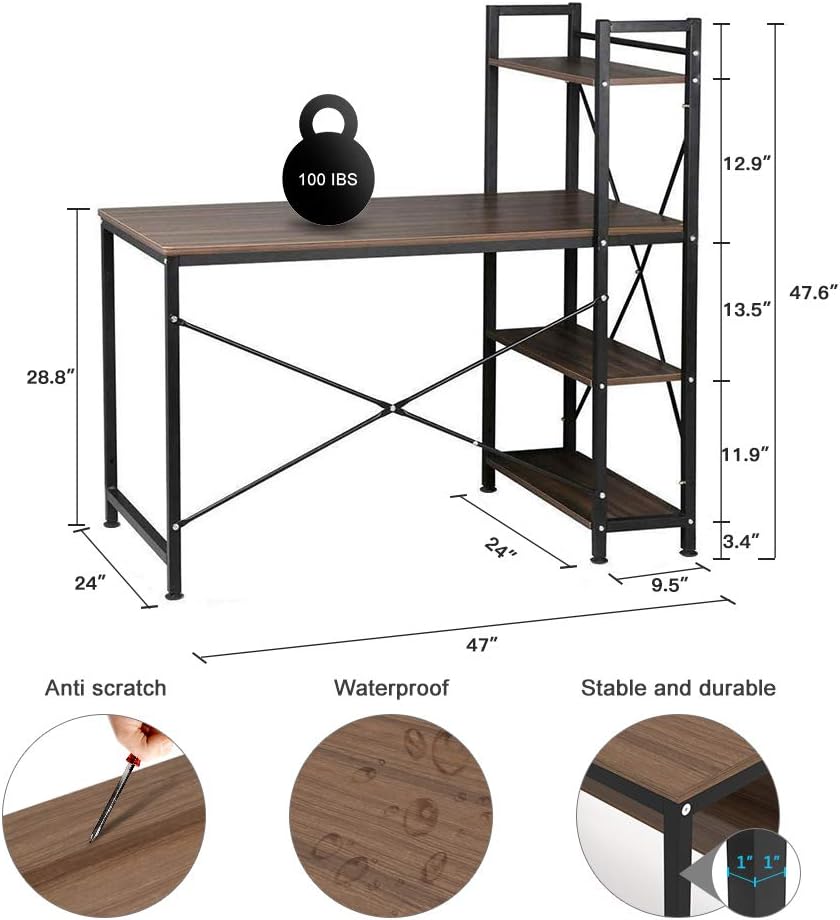
Refer to the dimensions and key features for proper assembly and placement.

The flexible design allows for left or right side shelf configuration.
Usage Guidelines
The Dripex Tower Computer Desk is designed for versatile use in various settings.
- Multifunctional Use: This desk is ideal as a computer desk, writing table, study table, or home office workstation.
- Spacious Desktop: The 47.2'' x 25.6'' desktop provides ample space for your computer, monitor, and other work essentials.
- Integrated Shelving: The 4-tier shelves offer convenient storage for books, files, office supplies, or decorative items, keeping them within easy reach.
- Adjustable Feet: Utilize the adjustable feet to stabilize the desk on uneven floors and protect your flooring from scratches.
- Weight Capacity: Do not exceed the maximum weight recommendation of 100 pounds on the desktop and shelves combined.
Maintenance
Proper care will extend the life and appearance of your Dripex desk.
- Cleaning: Wipe the desk surfaces with a soft, damp cloth. Avoid harsh chemicals or abrasive cleaners that could damage the finish.
- Spills: Promptly clean up any spills to prevent staining or damage to the wood top. The surface is designed to be waterproof.
- Inspection: Periodically check all screws and connections to ensure they are tight. Re-tighten if necessary.
- Avoid Direct Sunlight: Prolonged exposure to direct sunlight may cause fading or discoloration of the desk surface.
- Heat Protection: Use coasters or protective pads under hot items to prevent heat damage to the desktop.
Troubleshooting
If you encounter any issues with your desk, refer to the common problems and solutions below.
| Problem | Possible Cause | Solution |
|---|---|---|
| Desk is wobbly | Uneven floor; loose connections | Adjust the leveling feet at the bottom of the legs. Ensure all screws and bolts are securely tightened. |
| Missing parts | Packaging error | Refer to the 'Package Contents' section and contact customer support with details of the missing parts. |
| Difficulty assembling | Incorrect part orientation; unclear instructions | Review the assembly diagrams carefully. Ensure parts are oriented correctly before tightening. Do not force components. |
| Scratches on surface | Rough handling; sharp objects | While the surface is anti-scratch, avoid dragging sharp objects. Use a furniture repair kit for minor scratches. |
Specifications
Detailed product specifications for the Dripex Tower Computer Desk.
| Feature | Detail |
|---|---|
| Brand | Dripex |
| Model Number | desk0817-1 |
| Product Dimensions (D x W x H) | 24"D x 47"W x 47.6"H |
| Item Weight | 40 Pounds |
| Color | Walnut |
| Style | Modern |
| Top Material Type | Wood |
| Base Material | Alloy Steel |
| Number Of Shelves | 4 |
| Maximum Weight Recommendation | 100 Pounds |
| Required Assembly | Yes |
| UPC | 764227249016 |
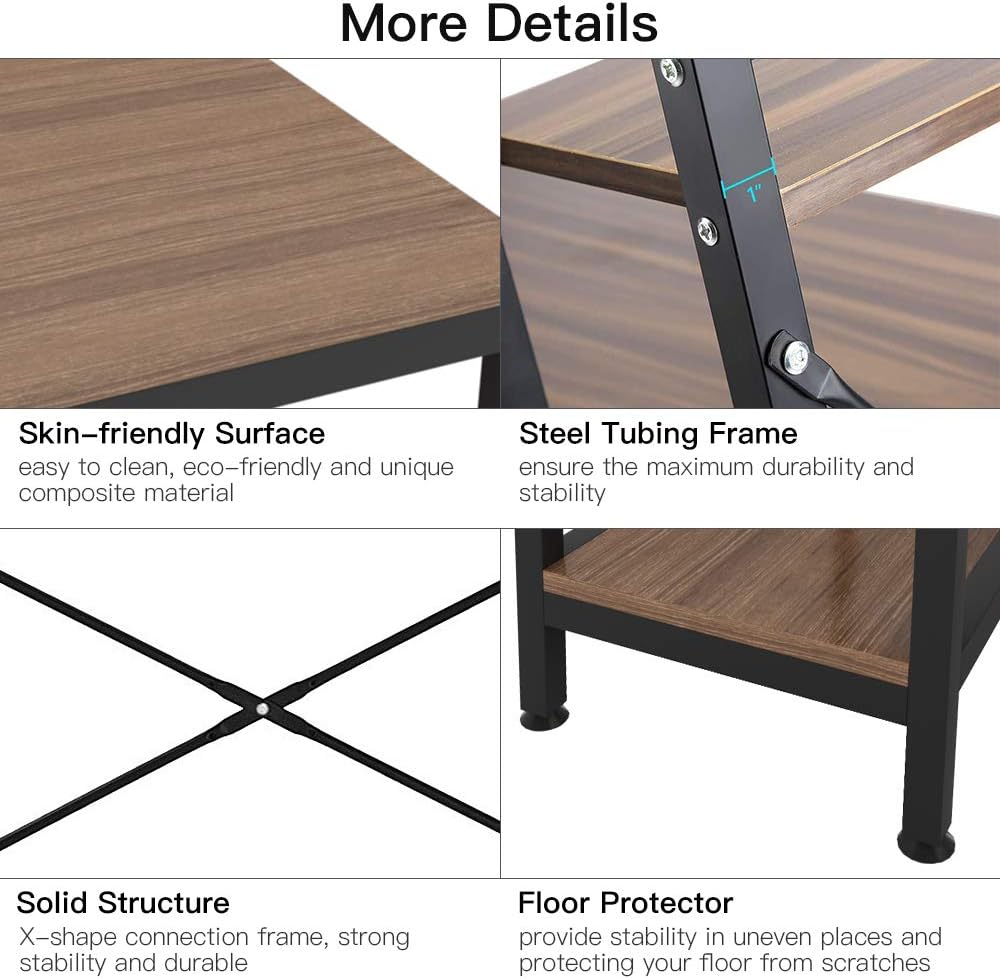
Detailed view of the desk's construction and features.
Warranty and Support
The Dripex Tower Computer Desk comes with a limited warranty. For specific warranty details, claims, or technical support, please refer to the warranty information provided in your product packaging or contact Dripex customer service directly. Please have your model number (desk0817-1) and proof of purchase ready when contacting support.