
Product Overview
The Soundcore Liberty Air True Wireless Earphones are designed to deliver an incredible sound experience with advanced features for everyday use. These earphones feature Graphene-enhanced drivers for exceptional audio clarity and powerful bass. Dual microphones with cVc 8.0 noise reduction technology ensure crystal-clear calls by effectively highlighting your voice and minimizing background sounds. With integrated touch controls, managing your music and calls is intuitive and convenient. The earphones offer a secure and comfortable fit, making them suitable for various activities.

Image: Soundcore Liberty Air True Wireless Earphones with their charging case.
What's in the Box
Your Soundcore Liberty Air package includes the following items:
- Liberty Air X true wireless earphones
- Charging case
- XS/S/M/L/XL EarTips (multiple sizes for optimal fit)
- 60 cm Micro USB cable
- User manual
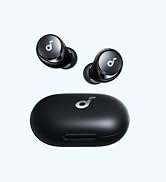
Image: A visual representation of the items included in the product packaging.
Setup and Getting Started
Charging Your Earphones
Before first use, fully charge the earphones and the charging case. The earphones provide up to 7 hours of listening on a single charge, extended to a total of 28 hours with the charging case. The charging time for the earphones is approximately 1 hour.
- Place the earphones into the charging case. Ensure they are properly seated to begin charging.
- Connect the Micro USB cable to the charging port on the case and to a power source.
- The LED indicators on the case will show the charging status.

Image: The Soundcore Liberty Air earphones placed inside their charging case, illustrating the charging process.
Pairing with Your Device
The Soundcore Liberty Air earphones utilize Bluetooth 5.0 for a stable and seamless connection. Pairing is designed to be straightforward:
- Open the charging case. The earphones will automatically enter pairing mode.
- On your device (smartphone, tablet, etc.), enable Bluetooth.
- Search for "Soundcore Liberty Air" in the list of available Bluetooth devices and select it to connect.
- Once connected, you will hear an audio confirmation.

Image: A user holding the Soundcore Liberty Air charging case with an earbud, demonstrating the connection process.
Achieving a Secure Fit
For optimal sound quality and comfort, it's important to choose the correct EarTip size and ensure a secure fit. The earphones come with multiple EarTip sizes (XS/S/M/L/XL) to suit different ear canals.
- Try different EarTip sizes to find the one that provides the best seal and comfort for your ears.
- Gently insert the earphone into your ear canal and twist it slightly to secure it in place.
- A good fit will block out external noise and enhance bass performance.

Image: A graphic illustrating the secure fit of the Soundcore Liberty Air earbud in the ear canal.
Operating Instructions
Touch Controls
The Soundcore Liberty Air earphones feature intuitive touch controls on each earbud for easy management of music and calls.
- Play/Pause: Double-tap the right earbud.
- Next Track: Press and hold the right earbud.
- Previous Track: Press and hold the left earbud.
- Activate Voice Assistant: Double-tap the left earbud.

Image: A user interacting with the touch-sensitive surface of the Soundcore Liberty Air earbud to control playback.
Call Management
Manage your calls with ease using the touch controls:
- Answer/End Call: Double-tap the right earbud.
- Reject Call: Press and hold the right earbud.
The dual microphones with cVc 8.0 noise reduction technology ensure your voice is clear during calls, even in noisy environments.

Image: A woman wearing Soundcore Liberty Air earphones, highlighting the ultra-clear call feature with noise reduction.
Sound Quality
Experience expertly tuned sound with the Soundcore Liberty Air earphones. They feature Graphene drivers that oscillate with extreme precision, delivering audio with pinpoint accuracy and clarity across a wider soundstage. aptX technology ensures consistently high-quality audio transmission via Bluetooth.

Image: A close-up illustration of the Graphene-enhanced driver technology within the earbud, emphasizing deep bass and exceptional detail.
Care and Maintenance
The Soundcore Liberty Air earphones have an IPX5 rating, providing water and sweat resistance. This makes them suitable for sports and exercise, protecting them from splashes and sweat. To ensure longevity and optimal performance:
- Clean the earphones regularly with a soft, dry cloth.
- Avoid exposing them to extreme temperatures or direct sunlight for prolonged periods.
- Store them in the charging case when not in use to protect them and keep them charged.
Troubleshooting
If you encounter any issues with your Soundcore Liberty Air earphones, try the following common troubleshooting steps:
- No Sound/Connection Issues: Ensure both earphones are charged and properly seated in the case. Disconnect and re-pair the earphones with your device.
- One Earbud Not Working: Place both earbuds back into the charging case, close the lid, wait a few seconds, and then take them out again to re-establish the connection.
- Volume Control: Note that these earphones do not have on-device volume controls. Adjust the volume directly from your connected Bluetooth device.
- Intermittent Connection: Ensure your device is within the Bluetooth range (up to 10 meters). Avoid physical obstructions between your device and the earphones.
Specifications
| Feature | Detail |
|---|---|
| Brand | Soundcore |
| Model Number | AK-A3902021 |
| Connectivity Technology | Bluetooth |
| Bluetooth Version | 5.0 |
| Bluetooth Range | 10 Meters |
| Control Type | Touch Control |
| Battery Life (Earbuds) | 7 Hours (single charge) |
| Total Playtime (with case) | 28 Hours |
| Charging Time | 1 Hour |
| Water Resistance Level | IPX5 (Water Resistant) |
| Audio Driver Type | Dynamic Driver (Graphene-Enhanced) |
| Frequency Range | 20Hz-20kHz |
| Item Weight | 1.92 ounces |
| Product Dimensions | 2.36 x 0.98 x 1.77 inches |
Warranty and Support
For detailed warranty information and customer support, please refer to the official Soundcore website or the contact information provided in your product packaging. A comprehensive User Manual (PDF) is also available for download via the following link: User Manual (PDF).