
1. Introduction
This manual provides detailed instructions for the Leitner LH380 Wireless Office Headset. It covers setup, operation, maintenance, and troubleshooting to ensure optimal performance across your computer, desk phone, and cell phone.

Image: The Leitner LH380 Wireless Office Headset base and earpiece shown in a modern office environment, highlighting its professional use.
2. What's in the Box
Your Leitner LH380 package includes the following components:
- On-Ear Wireless Headset
- Charging Base
- Telephone Connector Cord
- USB Cable
- Power Cord
3. Setup
3.1 Headset Adjustment
The Leitner LH380 headset features an UltraFlex headband and a flexible microphone boom, allowing for personalized fit and optimal microphone positioning. Both the headband and microphone can be gently bent and shaped to conform to your head and mouth for maximum comfort and clear audio transmission.
Video: Demonstrates how to adjust the UltraFlex headband and microphone boom for a custom fit, ensuring comfort and optimal microphone placement.
3.2 Compatibility Switches
The charging base of your headset includes compatibility switches on the underside. These switches ensure proper communication with various desk phone models. Refer to the video below for guidance on setting these switches correctly for your specific phone model.
Video: Provides instructions on locating and adjusting the compatibility switches on the headset's charging base to match your desk phone model.
3.3 Device Connectivity
The Leitner LH380 is designed for tri-compatibility, connecting to your desk phone, computer, and a Bluetooth device. The base facilitates seamless switching between these devices. It is compatible with leading VoIP and desk phones such as RingCentral, Polycom, Yealink, Cisco, Avaya, Mitel, and works with Microsoft Teams, Zoom, and other online meeting software.
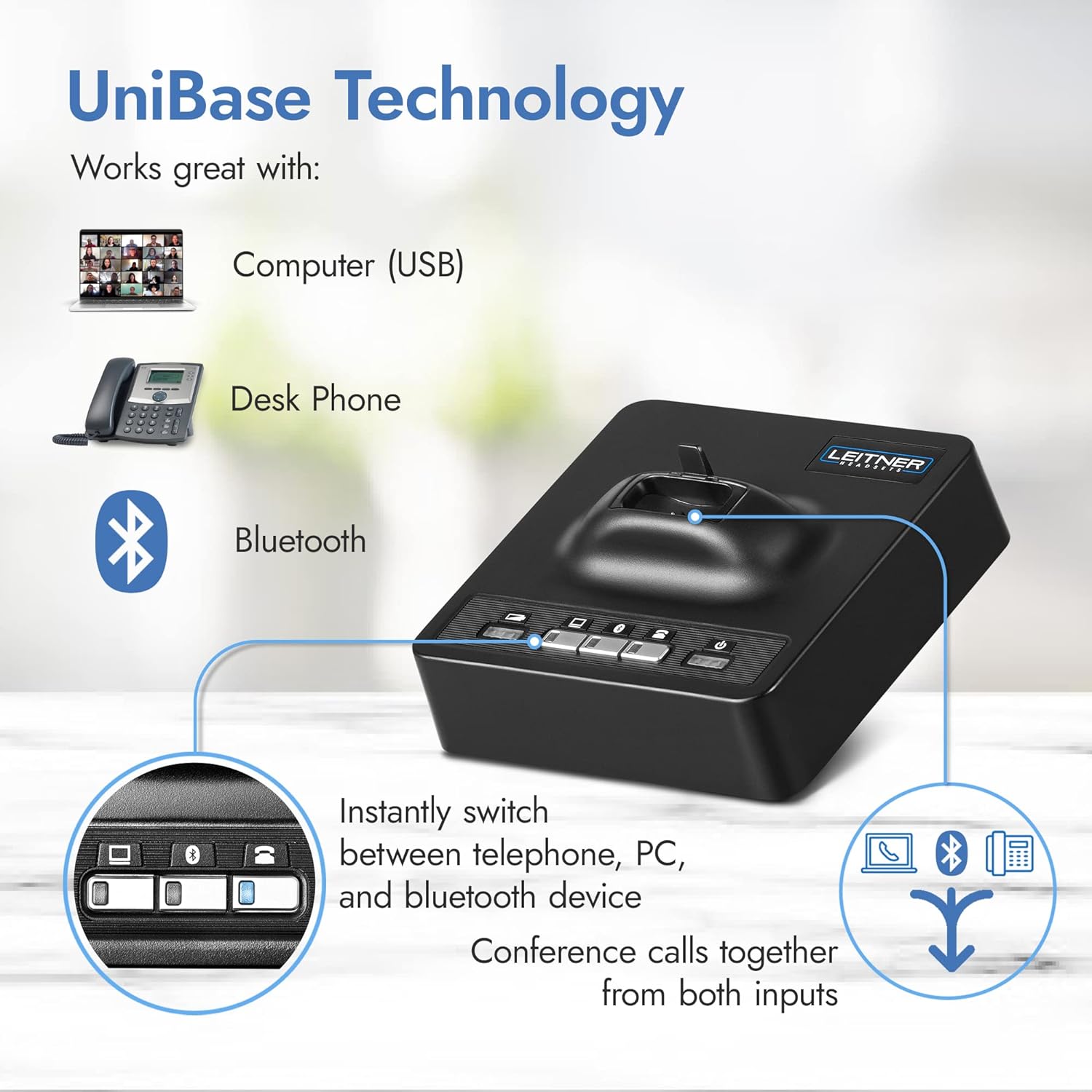
Image: A diagram illustrating the UniBase Technology, showing how the headset base connects to a computer (USB), desk phone, and Bluetooth device, allowing instant switching and call conferencing.
4. Operating Instructions
4.1 Volume Adjustment and Mute
Adjusting your listening and speaking volumes is crucial for clear communication. The headset features dedicated buttons for increasing/decreasing listening volume and a mute button. When muted, the headset will provide an audible beep reminder at regular intervals.
Video: Demonstrates how to adjust the listening and speaking volumes on the headset, including the mute function and its audible reminder.
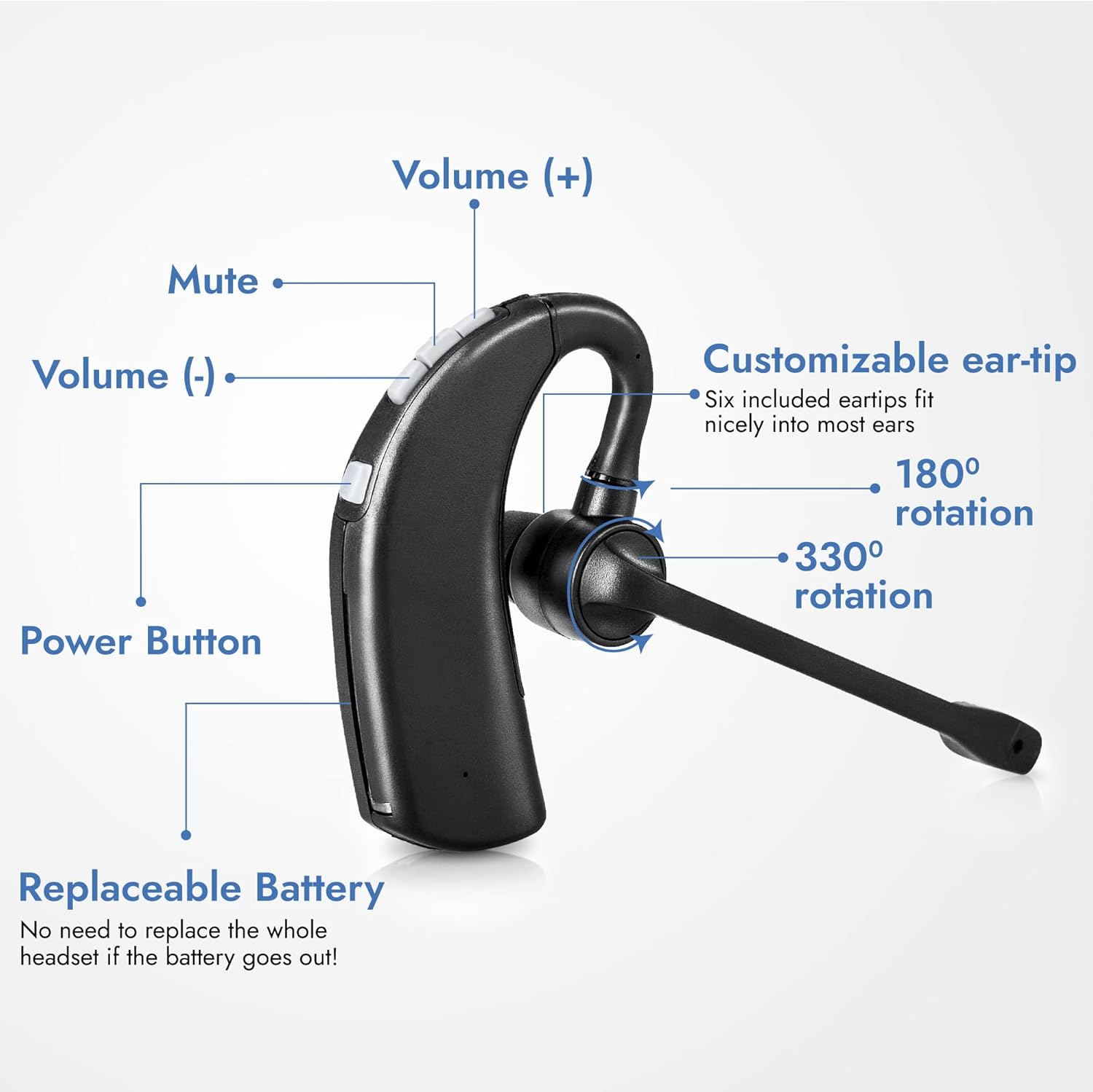
Image: A detailed diagram of the headset, pointing out the volume up (+), volume down (-), mute, and power buttons, along with customizable ear-tip and rotation features.
4.2 UniBase Conferencing Technology
The UniBase Conferencing Technology allows you to merge calls from your phone, computer, and Bluetooth devices. With a single button press, you can combine any two active sessions, which is beneficial for conference calls or training remote employees.
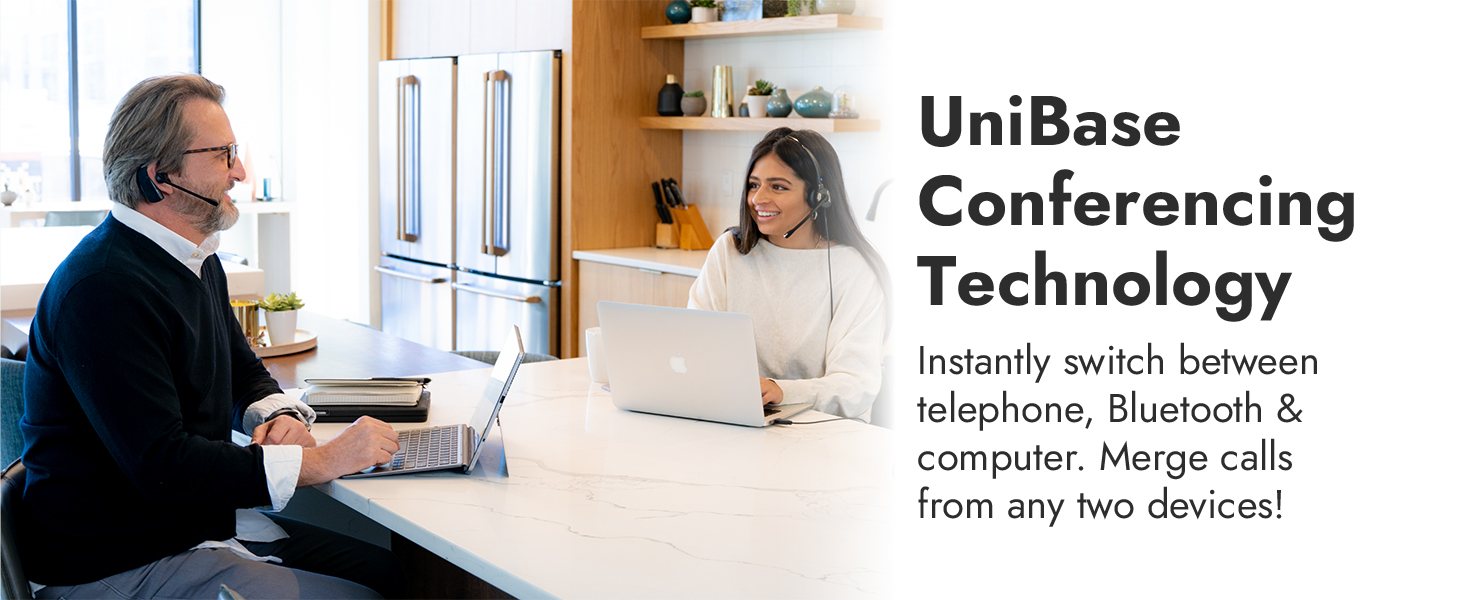
Image: A visual representation of the UniBase technology, showing how the headset can merge calls from a landline and VoIP sources.
4.3 Wireless Range
The Leitner LH380 utilizes Wireless DECT 6.0 Level A technology, providing an extended range of up to 350 feet from the base. This allows for mobility during calls, enhancing productivity in various office environments.
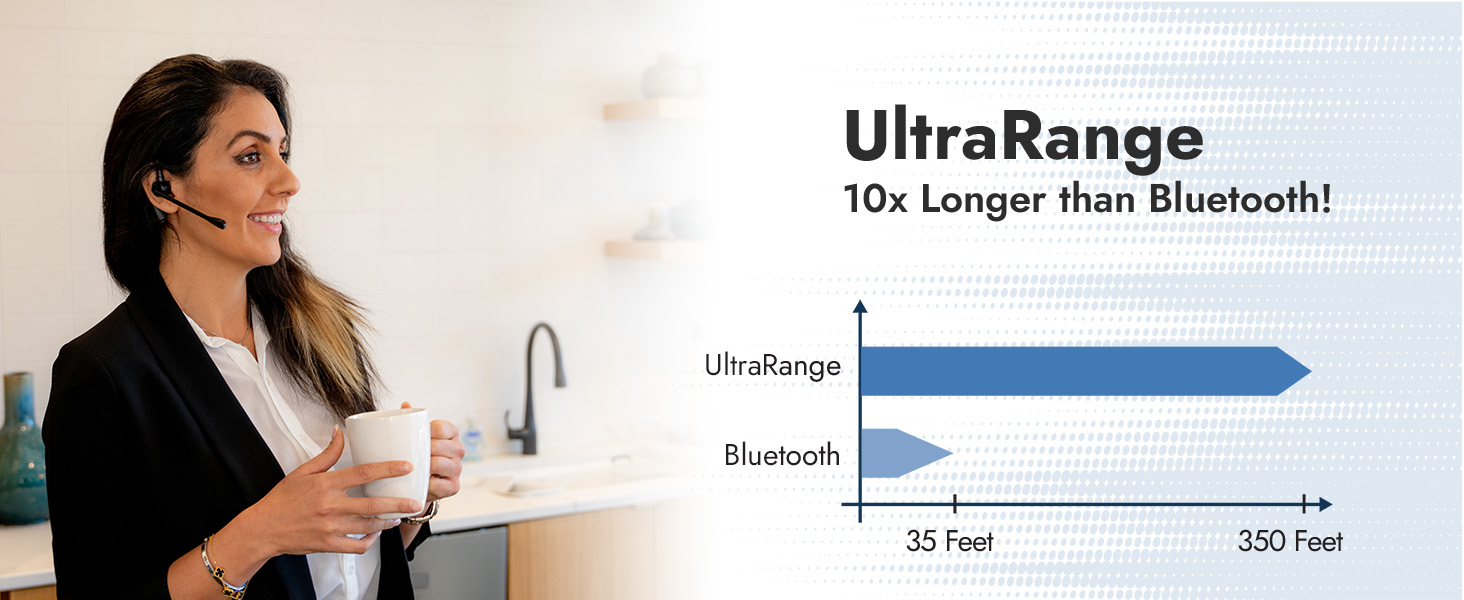
Image: A graphic highlighting the long-range wireless capability of the DECT headset, showing a user moving freely while on a call.
5. Maintenance
5.1 Battery Life and Charging
The headset provides an average of 8 hours of talk time on a full charge. A complete charge typically takes 2 hours. Ensure the headset is properly seated in the charging base when not in use to maintain battery levels.
5.2 Replaceable Battery
The Leitner LH380 features a replaceable battery, extending the lifespan of your headset. This design allows for easy battery replacement if needed, avoiding the necessity of replacing the entire unit.
6. Troubleshooting
6.1 Microphone Issues on Computer
If you experience issues with your microphone on a computer, check your computer's audio input settings to ensure the "DECT Headset" is selected as the primary input device. Also, verify that the microphone is not muted on the headset itself.
Video: A comprehensive guide to fixing audio issues on your computer when using the Leitner headset, covering common settings and solutions.
6.2 Background Noise Reduction
The headset is equipped with an ultra noise-canceling microphone that blocks out 90% of background noise. Ensure the microphone is positioned correctly, close to your mouth, for optimal noise suppression. If callers still report excessive background noise, review the microphone's physical position and ensure no obstructions.
Video: Demonstrates the sound quality and ultra noise-canceling capabilities of the headset's microphone in various environments.
7. Specifications
| Feature | Detail |
|---|---|
| Brand | Leitner |
| Model Number | LH380 |
| Connectivity Technology | Wireless DECT 6.0 Level A (Up to 350 FT) |
| Bluetooth Range | 10 Meters |
| Noise Control | Passive Noise Cancellation |
| Battery Average Life | 8 Hours |
| Battery Charge Time | 2 Hours |
| Ear Placement | On Ear |
| Material | UltraFlex Moldable Material |
8. Warranty and Support
The Leitner LH380 Wireless Office Headset comes with a 5-Year Full Replacement Warranty, guaranteed by Leitner Headsets. Additionally, customers receive Lifetime U.S. Based Support for any inquiries or assistance needed.
Protection plans are also available for purchase:
- 3-Year Protection Plan: $79.99 (one-time billing)
- Complete Protect: $16.99 (monthly billing, covers all eligible past and future purchases)


