
1. Introduction
This manual provides essential instructions for the proper setup, operation, and maintenance of your TenCloud Smartwatch Charger. This charger is designed for specific smartwatch models, including ID205L, ID205S, ID205U, ID216, 021, SW021, SW025, SW01, Uwatch3, Uwatch, Ufit, and Uwatch GT, which utilize the "Veryfitpro" application.
The package includes two distinct charging cables. It is important to note that only one of these cables will be compatible with your specific device due to differing electrical polarities. Please refer to the setup section to identify the correct charger for your smartwatch.
2. Setup
2.1 Identifying Your Smartwatch Model
To ensure proper charging, first confirm your smartwatch model. This can typically be done through the device's companion application:
- Open the VeryFitPro application on your smartphone.
- Navigate to the "Device" section within the app menu.
- Your device model (e.g., ID205L, ID205U, ID205S) will be displayed at the top of this section.

Image 2.1: Screenshot illustrating how to confirm your smartwatch model within the VeryFitPro application. The image also shows the white charger cable, indicating its compatibility with ID205L, ID205U, ID205S, and ID216 models.
2.2 Selecting the Correct Charger Cable
Your package contains two charging cables: one white and one black. These cables have opposite electrical polarities. Only one will correctly charge your specific smartwatch model.
- The white charger is typically compatible with models such as ID205L, ID205U, ID205S, and ID216.
- The black charger is typically compatible with other models, including 021, SW021, SW025, SW01, Uwatch3, Uwatch, Ufit, and Uwatch GT.
If one charger does not initiate charging, try the other cable. Using the incorrect charger will not damage your device, but it will not charge.

Image 2.2: Diagram illustrating the differing electrical polarities of the white and black charger cables. The white charger shows N - + S, while the black charger shows N + - S.
2.3 Connecting the Charger
The charger features a 2-pin magnetic connector. Ensure the charging pins on the cable align with the charging contacts on the back of your smartwatch. The magnetic connection will help secure the charger in place.

Image 2.3: Illustration demonstrating the correct alignment of the charger with the smartwatch's charging port. The image highlights the 2.84mm pin distance required for compatibility.
3. Operating Instructions
3.1 Charging Your Smartwatch
Connect the USB end of the charging cable to a compatible USB power source. This can be a PC, laptop, notebook, or a standard USB wall adapter (not included). Ensure the power source provides 5V and 1A output for optimal charging.
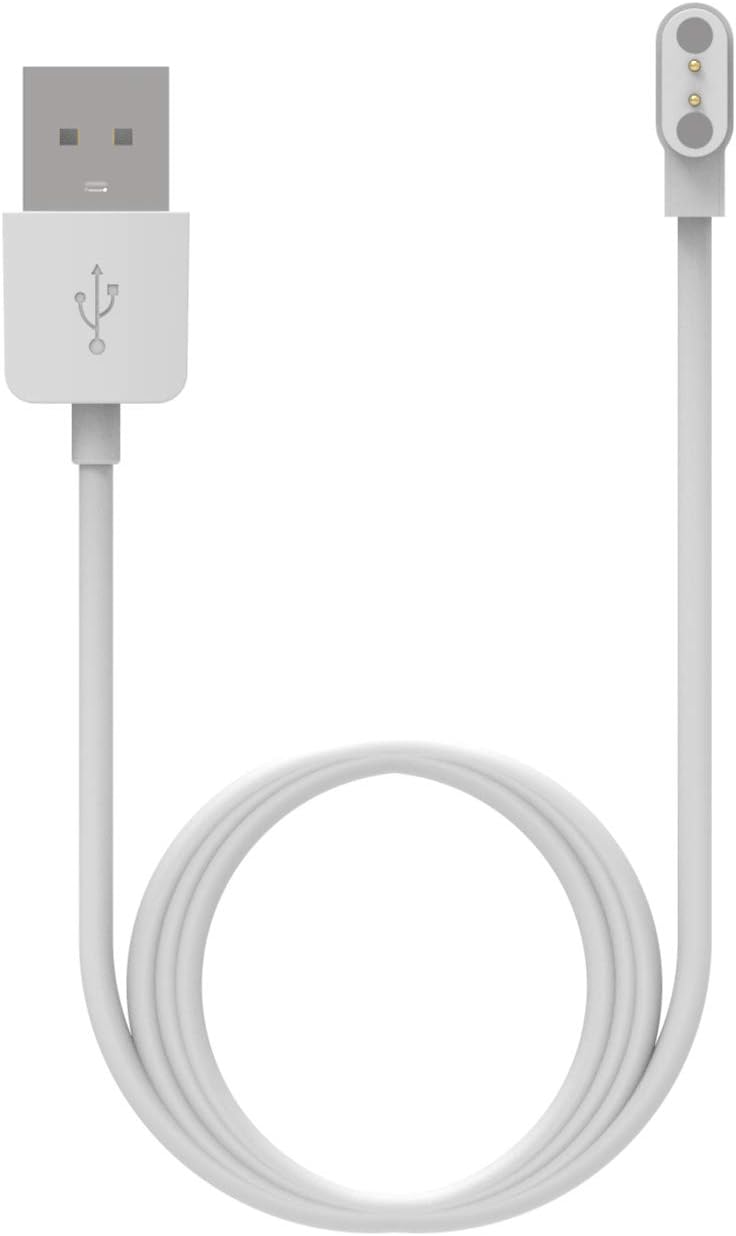
Image 3.1: The white magnetic USB charging cable, ready for connection to a power source and smartwatch.

Image 3.2: The black magnetic USB charging cable, showing its USB-A connector and magnetic charging head.
3.2 Charging Care and Protection
The charger incorporates a voltage regulator (PTC) to protect your smartwatch from damage due to overcurrent or short circuit. This design ensures a stable and efficient charging experience.
- Always ensure the magnetic pins are clean and free of debris before connecting.
- Avoid bending or stressing the cable excessively, especially near the connectors.
- Disconnect the charger once your smartwatch is fully charged to prolong battery life.
4. Maintenance
To ensure the longevity and optimal performance of your TenCloud Smartwatch Charger, follow these simple maintenance guidelines:
- Cleaning: Gently wipe the magnetic charging pins with a dry, soft cloth to remove any dust or residue. Avoid using liquids or abrasive cleaners.
- Storage: Store the charger in a cool, dry place away from direct sunlight and extreme temperatures. Avoid tangling the cable.
- Inspection: Periodically inspect the cable and connectors for any signs of wear, fraying, or damage. Discontinue use if any damage is observed.
5. Troubleshooting
If you encounter issues while charging your smartwatch, please refer to the following common problems and solutions:
- Smartwatch Not Charging:
- Incorrect Charger: As mentioned in Section 2.2, only one of the two provided cables will work with your specific smartwatch model. If one cable does not work, try the other.
- Poor Connection: Ensure the magnetic pins on the charger are clean and fully aligned with the charging contacts on your smartwatch. The magnetic connection should feel secure.
- Power Source Issue: Try connecting the USB end to a different USB port or power adapter to rule out issues with the power source.
- Smartwatch Issue: Ensure your smartwatch is functioning correctly and its charging contacts are clean.
- Slow Charging:
- Ensure your USB power source provides sufficient current (recommended 1A). Lower current sources may result in slower charging.
- Charger Overheating:
- While the charger has built-in protection, excessive heat can indicate a problem. Disconnect immediately and contact support if overheating occurs.
6. Specifications
| Feature | Specification |
|---|---|
| Connector Type | 2-Pin Magnetic |
| Charging Pin Distance | 2.84 mm |
| Cable Length | 80 cm |
| Input Voltage | 5V |
| Current Output | 1A |
| Wattage | 5 Watts |
| Protection Features | Voltage Regulator (PTC) for overcurrent/short circuit protection |
| Included Components | Magnetic USB charging cable (2 variants) |
7. Warranty and Support
TenCloud is committed to providing reliable products and customer satisfaction. If you encounter any issues or have questions regarding your smartwatch charger, please do not hesitate to contact us.
Contact Information:
- For support, please contact TenCloud directly via Amazon email.
- We aim to provide a quick response within 24 hours to address any concerns.
Your satisfaction is our priority, and we will endeavor to resolve any issues promptly.